 ProMapRanker
Best Tools for Drawing Diagrams in 2026


Structured technical diagrams · Pricing starts at: $7.95 per month
Key takeaways
- diagrams.net is the best free starting point, with full core diagramming at no cost and no seat fees.
- Lucidchart suits structured technical diagrams, while Miro suits workshops and brainstorming that turn into diagrams.
- Microsoft Visio wins where a team already lives in Microsoft 365, and Mural suits facilitated collaboration sessions.
- Whimsical and Creately suit fast, clean flowcharts for smaller teams that do not need enterprise controls.
- For documentation, prioritize export formats and integrations. For teamwork, prioritize real time editing and commenting.
Quick comparison
| Pick | Great for | Pricing starts at | Free tier | |
|---|---|---|---|---|
| Lucidchart | Structured technical diagrams | $7.95 per month | Yes | Visit |
 Miro | Whiteboard to diagram workflows | $8 per user per month | Yes | Visit |
 diagrams.net | Free unlimited diagramming | Free | Yes | Visit |
 Microsoft Visio | Microsoft 365 diagramming | $5 per user per month | No | Visit |
 Mural | Facilitated visual collaboration | $9.99 per user per month | Free trial | Visit |
 Whimsical | Fast clean flowcharts | $10 per month | Yes | Visit |
 Creately | Visual team collaboration | $8 per month | Yes | Visit |
 SmartDraw | Template driven business diagrams | $9.95 per month | Free trial | Visit |
 Excalidraw | Quick hand drawn style diagrams | Free | Yes | Visit |
 Cacoo | Simple online diagramming | $4.95 per user per month | Yes | Visit |
The best tools for drawing diagrams
We compared official pricing pages, template libraries, export options, and collaboration features for diagram tools available in October 2026. The list mixes free tools, structured diagramming platforms, and whiteboard style tools, so you can match the tool to the diagram type.
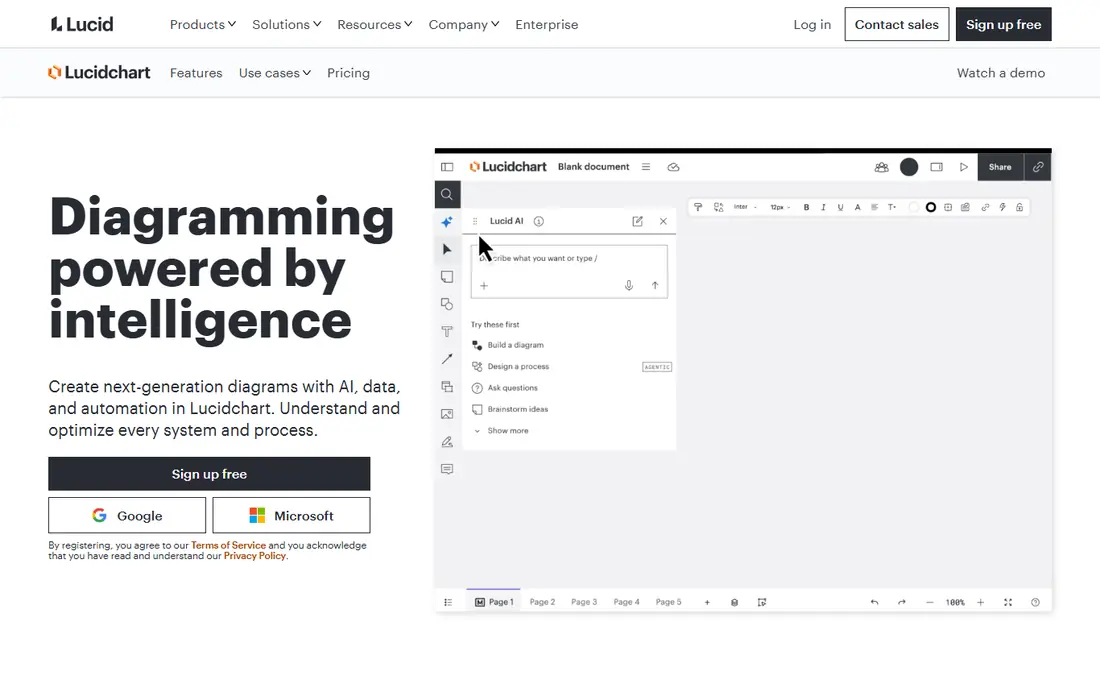
Lucidchart is the structured diagramming leader for technical teams that need flowcharts, org charts, UML, network diagrams, and process maps that stay consistent. Templates and shape libraries reduce setup time, and data linking can keep diagrams tied to real systems or spreadsheets. Integrations with tools such as Jira, Confluence, Slack, and Teams help diagrams live where teams already work.
The free plan allows only a limited number of documents, so regular users will need a paid plan. Team pricing also adds up across many seats. For teams that diagram every week and need polished, standards based output, Lucidchart is a strong investment.
- Large shape and template libraries
- Data linking and AI diagram help
- Strong integrations
- Free plan limits documents
- Costs rise with team seats

Miro starts as a whiteboard and grows into a diagramming tool, which suits workshops, brainstorming, planning, and mapping sessions. Teams can sketch ideas, vote, comment, and then shape the best ideas into flowcharts or journey maps on the same board. Templates cover a wide range of business and product work, and real time editing works well for remote teams.
Strict technical diagrams can feel looser on Miro than on Lucidchart, since the canvas invites freeform work. Free boards are limited, and larger teams need paid seats. For collaborative sessions that end in a diagram, Miro is an excellent choice.
- Infinite canvas for workshops
- Real time collaboration
- Many templates and integrations
- Can feel unstructured for strict technical diagrams
- Paid seats needed for larger teams
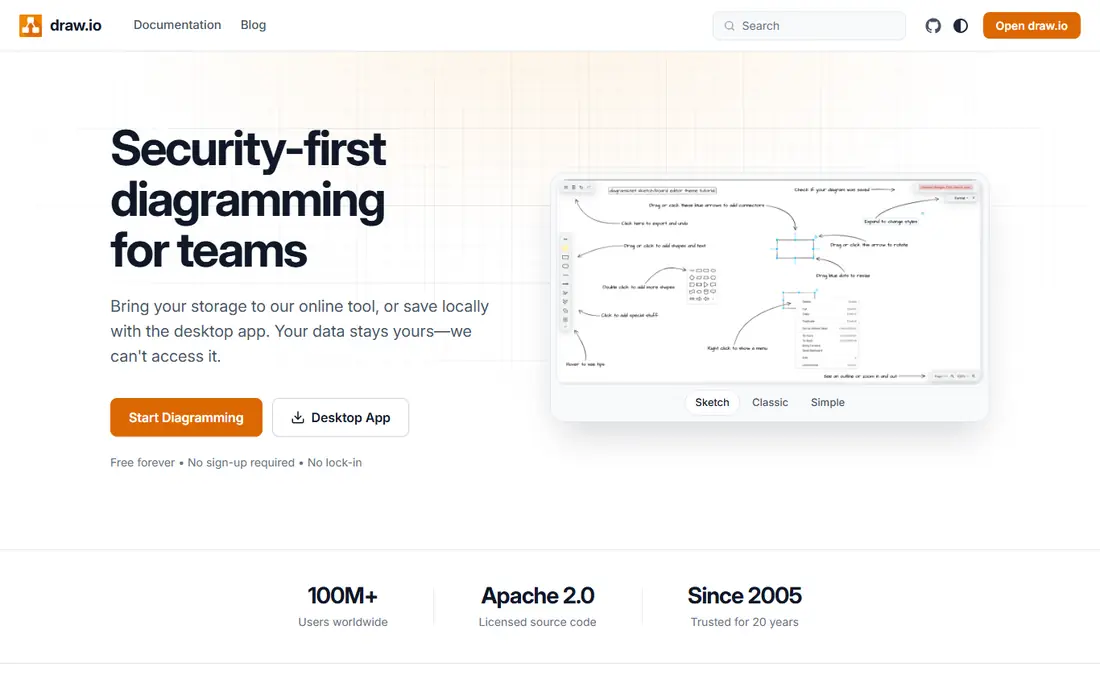
diagrams.net, also known as draw.io, is the free tool every paid diagram app must justify itself against. It offers full core diagramming at no cost, with flowcharts, UML, network diagrams, org charts, and more, plus storage in Google Drive, OneDrive, or local files. Desktop and web versions make it practical for solo users and small teams with no budget.
Collaboration and polish lag paid tools, and the interface is functional rather than beautiful. For students, solo professionals, and teams that need solid diagrams without a subscription, diagrams.net is the clear first try. Start here, and pay only when collaboration or templates justify it.
- Completely free with no document limits
- Works offline and with cloud storage
- Wide shape libraries
- Less polished collaboration than paid rivals
- Interface feels utilitarian
Visio is the natural pick for organizations already built around Microsoft 365. Flowcharts, network diagrams, org charts, and floor plans fit the familiar Office style, and diagrams can connect to data in Excel or SharePoint on higher plans. Co authoring in the browser helps teams review diagrams without extra software.
The catch is plan structure. Entry web plans cover basic diagramming, while desktop features and advanced data tools sit higher up. Teams outside Microsoft 365 may prefer Lucidchart or diagrams.net. For Microsoft shops, Visio keeps diagrams inside a system staff already know.
- Deep Microsoft 365 integration
- Familiar Office experience
- Strong shape libraries and data linking
- Best experience is on Windows and web
- Full desktop features need higher plans
Mural suits facilitators, designers, and product teams who run structured workshops and need diagrams to emerge from group work. Facilitation features, timers, voting, and templates help a session stay on track, and guests can join without a full seat in many cases. The result is a visual workspace that supports discussion as much as drawing.
Technical diagramming is less deep than Lucidchart or Visio, so engineering teams may prefer a structured tool for final documentation. Mural is best when the diagram is part of a workshop outcome, not just a finished file. For collaborative planning, it is a polished and purposeful choice.
- Strong facilitation tools for workshops
- Templates for design thinking and planning
- Guest access options
- Less focused on strict technical diagrams
- Pricing is aimed at teams
Whimsical is built for speed. Flowcharts, mind maps, wireframes, and sticky notes share one clean interface, so a small team can sketch an idea and turn it into a presentable diagram in minutes. The design stays calm and readable, which helps when diagrams are shared with clients or non technical readers.
Template depth is smaller than Lucidchart, and team pricing is per editor, so costs need checking for larger groups. For startups, product teams, and solo professionals who value speed and clarity over enterprise features, Whimsical is a delight to use.
- Very fast and clean flowcharting
- Mind maps, wireframes, and docs in one place
- Pleasant interface
- Smaller template range than Lucidchart
- Costs per editor on team plans
Creately covers a wide range of diagram types, from flowcharts and org charts to timelines, mind maps, and database visuals. Real time collaboration lets teams edit together, and templates help new users start without a blank canvas. That breadth suits project managers and business teams who diagram many different things.
The interface packs in a lot, which can feel busy at first, and advanced features sit on higher plans. For teams that want one tool for many visual formats, Creately offers good value. For strict technical work, Lucidchart or Visio may still lead.
- Many diagram types and templates
- Real time collaboration
- Database linked visuals on higher plans
- Interface can feel busy
- Some advanced features need higher plans
SmartDraw appeals to business users who want a template for almost any diagram, from org charts and floor plans to project timelines and engineering drawings. Automatic formatting keeps shapes aligned and connected as you edit, which saves time on large diagrams. Visio file compatibility helps teams that exchange files with Visio users.
The interface feels less modern than Miro or Whimsical, and there is no permanent free plan, only a trial. For business users who value templates and formatting automation over collaboration flair, SmartDraw remains a practical workhorse.
- Huge template library
- Automatic formatting
- Visio file compatibility
- Interface feels dated in places
- No permanent free plan, trial only
Excalidraw is the tool for quick sketches that need to look human, not corporate. You can draw flowcharts, wireframes, and system sketches in a hand drawn style, share them by link, and collaborate in real time. The open source nature and free price make it a favorite for developers, teachers, and interview prep.
Formal documentation is not its strength. Shape libraries are limited, and strict UML or network diagrams are easier in Lucidchart or diagrams.net. For brainstorming, explaining an idea, or sketching a system on a call, Excalidraw is fast, free, and charming.
- Free and open source
- Fast sketching with a hand drawn feel
- Easy sharing by link
- Limited shape libraries and templates
- Not suited to formal technical documentation
Cacoo suits teams that want simple online diagramming without a steep learning curve or a high price. Flowcharts, wireframes, UML, and org charts are covered, real time editing lets teams work together, and integrations with Google Drive and Slack fit small team workflows. The low entry price makes it easy to try for a whole team.
Template depth and brand recognition lag larger rivals, so teams with specialized diagram needs should test Cacoo against Lucidchart first. For straightforward diagrams, shared editing, and a low monthly cost, Cacoo is a solid and underrated option.
- Simple interface
- Real time collaboration
- Integrations with Google Drive and Slack
- Smaller template range than larger rivals
- Less known than Lucidchart or Miro
How we picked these
We compared official pricing pages, template libraries, export options, and collaboration features for diagram tools available in October 2026. We favored tools with a clear diagram type, active development, and a usable free or trial path. We did not claim hands on testing we did not do, and we used See website where pricing could not be verified cleanly.
How to choose the right diagram tool
Start with the diagram you draw most. Technical teams need shape accuracy, data linking, and export to standard formats. Workshop teams need a shared canvas, comments, and facilitation tools. Business users need templates that match their diagram type and automatic formatting that saves time.
Test export early. A diagram that cannot leave the tool in a useful format, such as PDF, PNG, SVG, or Visio format, will cause trouble when you share it with clients or archive it. Also check who can edit versus view, since viewer seats can keep costs down on larger teams. The best tool is the one your team will actually open, not the one with the longest feature list.
Frequently asked questions
What is the best diagram drawing software for beginners?
diagrams.net is a strong free start for beginners, with no cost and a wide shape range. Whimsical and Cacoo are also friendly, with clean interfaces and fast flowcharting. Start free, learn the basics, and move to a paid tool only when collaboration or templates become a real need.
Which tool is best for technical diagrams?
Lucidchart and Microsoft Visio lead for technical diagrams, with shape libraries, data linking, and standards based output. diagrams.net also handles technical diagrams well at no cost. Choose Visio inside Microsoft 365, Lucidchart for cross platform teams, and diagrams.net for budget conscious technical work.
Is there a good free tool for drawing diagrams?
Yes. diagrams.net is fully free for core diagramming, and Excalidraw is free and open source for quick sketches. Lucidchart, Miro, Whimsical, and Creately also offer limited free plans. Free plans usually limit documents, boards, or collaboration, so check those limits before a team rollout.
What is the best tool for team diagramming?
Miro and Mural suit team workshops and shared boards, while Lucidchart suits teams that need structured diagrams with comments and version control. Creately and Cacoo also support real time editing at lower prices. Match the tool to whether your team diagrams together live or reviews finished diagrams.
Can I use a whiteboard tool instead of a diagram tool?
Yes, for early ideas and workshops, Miro and Mural work well and can produce diagrams. For final technical documentation, a structured tool such as Lucidchart, Visio, or diagrams.net gives cleaner shapes, alignment, and export. Many teams use both: a whiteboard for ideas, a diagram tool for the final version.
How do I share diagrams with people who do not have the tool?
Export to PDF or PNG for simple sharing, and use SVG or Visio format when the recipient needs to edit or archive the diagram. Most tools in this list offer link sharing with view only access, which is useful for clients. Check export options on your plan before you commit to a tool for client work.
Sources
See where you really rank - block by block
ProMapRanker scans Google Maps across a grid of your service area. Simple monthly plans from $19, white-label on every plan.
Start freeKeep reading
 top rated pdf scanner software
Best PDF Scanner Software in 2026
Looking for top rated pdf scanner software? We compare 8 scanner apps on scan quality, OCR, price, watermarks and privacy to find your best fit for daily use.
Read → expensify alternatives
Best Expensify Alternatives in 2026
Looking for expensify alternatives? We compare 8 top expense tools on price, cards, receipts and approvals to help your team pick the right one in 2026.
Read → best shopping cart software
Best Shopping Cart Software in 2026
Looking for the best shopping cart software? We compare 8 cart platforms on price, fees, hosting, design and scale to help your store choose well today.
Read →