 ProMapRanker
Best Thanksgiving Apps in 2026


Saving and organizing recipes · Pricing starts at: See website
Key takeaways
- The best apps for Thanksgiving cover four jobs: finding recipes, planning the menu, shopping once, and timing dishes so they finish together.
- Paprika and SideChef suit cooks who plan ahead, while Tasty and Yummly suit cooks who want ideas and video guidance fast.
- Mealime and Samsung Food help with grocery lists and dietary filters, which matter when guests have different needs.
- No single app does everything well, so most hosts pair one recipe app with one shopping or delivery app.
Quick comparison
| Pick | Great for | Pricing starts at | Free tier | |
|---|---|---|---|---|
| Paprika Recipe Manager | Saving and organizing recipes | See website | No | Visit |
 Yummly | Recipe search with dietary filters | Free | Yes | Visit |
 Tasty | Video-led recipes for large groups | Free | Yes | Visit |
 Allrecipes | Community-tested classic recipes | Free | Yes | Visit |
 BigOven | Large recipe library and leftovers | Free | Yes | Visit |
 Mealime | Meal planning and grocery lists | Free | Yes | Visit |
 Kitchen Stories | Guided seasonal menus | Free | Yes | Visit |
 SideChef | Timed Thanksgiving cooking | Free | Yes | Visit |
 Samsung Food | Meal plans and scaled recipes | Free | Yes | Visit |
The best thanksgiving apps
Thanksgiving dinner is a project: a turkey, several sides, desserts, drinks, and guests with different diets, all landing at the same time. The apps below help with the parts that usually go wrong, which are menu planning, shopping, and timing. Pick one recipe home base first, then add a shopping tool only if you need it.
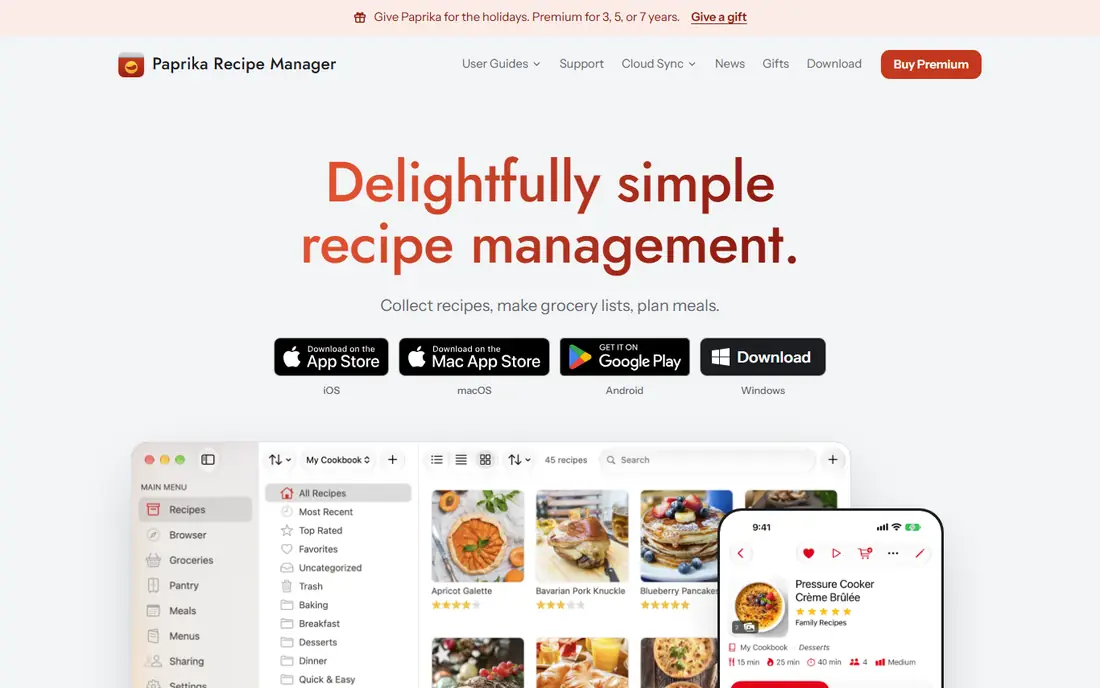
Paprika is the organizer for cooks who already know which recipes they want. You save recipes from websites, sort them into folders, scale servings, and build a grocery list from the menu in one step. The pantry tracker helps you avoid buying ingredients you already own, which is a small saving that adds up on a big holiday shop.
Paprika is less useful if you need inspiration, since it does not offer the same browse-and-discover feed as Tasty or Yummly. It is a paid app, so check the current price for your platform before buying. If your Thanksgiving problem is scattered recipes across browser tabs and notes, Paprika solves it cleanly.
- Saves recipes from websites with one tap
- Automatic grocery lists
- Meal planner and pantry tracking
- Paid app with no free plan
- Recipe discovery is weaker than Yummly or Tasty
- Sync details vary by platform
Yummly suits hosts cooking for a mixed table. You can filter recipes by diet, allergy, cuisine, and difficulty, which helps when one guest is gluten-free, another avoids dairy, and the rest want classic dishes. Saved recipes turn into a shopping list grouped by store section, so the holiday shop takes fewer trips up and down the aisles.
The library is broad, which means quality varies, so read reviews and check the source recipe before trusting a new turkey method. Some guided features sit behind a paid plan, but the free version covers search, saving, and lists well. For a first-time host who needs options fast, Yummly is a strong starting point.
- Large recipe library
- Filters for diets, allergies, and skill level
- Automatic shopping lists by category
- Some features need a paid plan
- Recipe quality varies across sources
- Ads and prompts can interrupt browsing
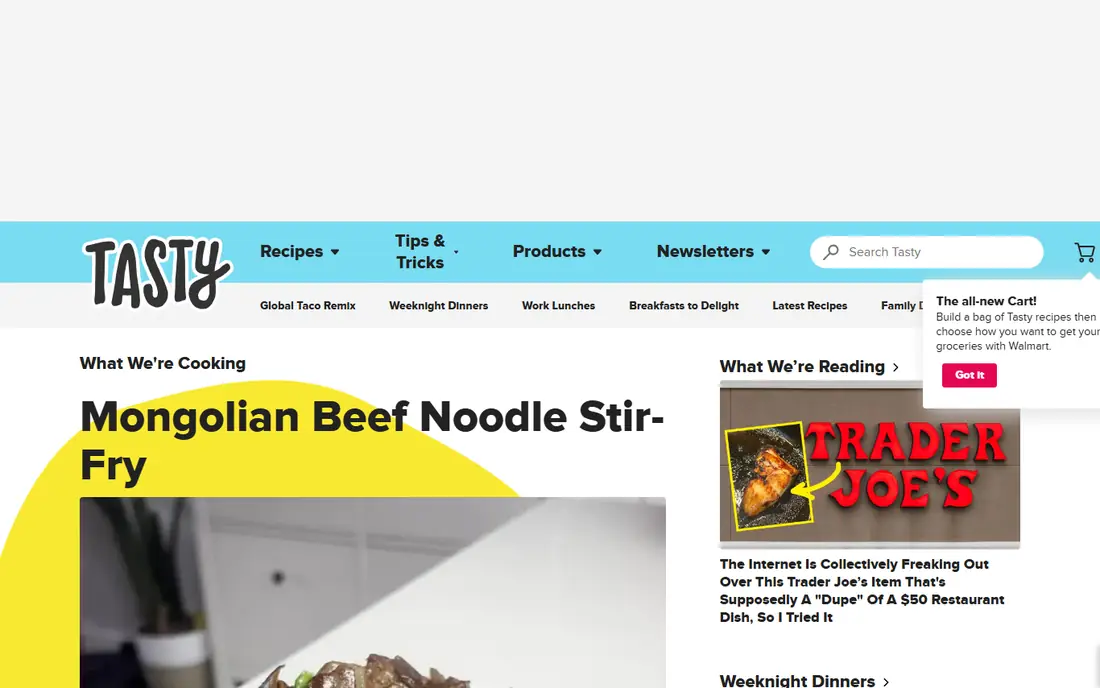
Tasty, from BuzzFeed, is the app for cooks who learn by watching. Short overhead videos show each step, from brining a turkey to rolling pie dough, and step-by-step mode keeps you on one instruction at a time in a busy kitchen. Portion tools help when you scale a side dish from six servings to sixteen, which is exactly the Thanksgiving problem.
Tasty is less of a planner than Paprika or Mealime, so it works best paired with a list or calendar you already use. The recipe range leans toward crowd-pleasing dishes rather than fine dining, which suits most holiday tables. If a technique worries you, search Tasty first and watch it once before the day.
- Short step-by-step videos
- Portion scaling for large groups
- Built-in timers and shopping lists
- Video style suits simpler recipes best
- Some content is US-focused in ingredients and measures
- Advanced planning tools are limited
Allrecipes is the community cookbook for Thanksgiving classics. Thousands of cooks have rated turkey, stuffing, gravy, and pie recipes, and their comments often include the useful detail, such as a brining time that worked or a pan size that fit. Seasonal collections gather holiday menus so you can pick a coherent set of dishes instead of mixing styles at random.
Community recipes need judgment: a five-star average across thousands of cooks is a useful signal, but individual reviews still vary. Read the most recent comments, check the recipe source, and test a new side dish before the holiday if you can. For classic dishes with honest feedback, Allrecipes remains a dependable choice.
- Huge community recipe library
- Real cook reviews and tips
- Seasonal Thanksgiving collections
- Review quality varies
- Site and app carry ads
- Recipe pages can feel crowded
BigOven earns its place for the day after Thanksgiving as much as the day itself. Its large library covers classic holiday dishes, and its leftover tools help turn turkey, stuffing, and cranberry sauce into soups, sandwiches, and casseroles instead of food waste. Menu planning and grocery lists keep the main event organized too.
The app design feels older than Tasty or Kitchen Stories, and some features require a paid plan. That matters less when the goal is a reliable recipe and a plan for leftovers. If you hate wasting food after a big feast, keep BigOven on your phone for the weekend that follows.
- Very large recipe collection
- Leftover ideas after the holiday
- Grocery lists and menu planning
- Interface feels dated next to newer apps
- Some features need a paid plan
- Recipe sourcing varies
Mealime treats Thanksgiving like a project plan: pick your dishes, set dietary preferences, and get one grocery list organized by aisle. That structure helps when several people cook different dishes or when one person shops for the whole menu. Personalization for diets, including gluten-free and vegetarian options, makes it easier to feed every guest without cooking a second full meal.
Mealime recipes lean toward everyday cooking, so it may not have the showpiece turkey recipe you want. Use it for planning and shopping, and pair it with Tasty or Allrecipes for the centerpiece dishes. For hosts who dread the shopping list most, Mealime removes a real source of stress.
- Fast meal planning with personalization
- Grocery list organized by aisle
- Filters for diets and preferences
- Recipes lean toward quicker everyday meals
- Holiday-specific menus are thinner
- Some features need a paid plan
Kitchen Stories suits cooks who want a guided menu rather than endless choice. Recipes are developed and tested by chefs, with clear photos for each stage, and seasonal collections include full menus with preparation and cooking times. That guidance helps a host coordinate dishes that share oven space, which is the hardest part of Thanksgiving timing.
The library is smaller than the big community sites, so you may not find every regional variation you want. Some features require a paid plan, but the free version covers a solid range of recipes. If you prefer a curated menu with reliable technique over a huge search index, Kitchen Stories is a calm choice.
- Chef-tested recipes with clear photos
- Seasonal menus with timing guidance
- Useful technique tips
- Smaller library than Allrecipes or Yummly
- Some content needs a paid plan
- Fewer US holiday-specific collections
SideChef is built for the timing problem that defines Thanksgiving. Its guided cooking mode walks you through steps with timers, and its holiday scheduling helps you plan so the turkey, sides, and gravy finish at the same time instead of in a staggered mess. That single feature can rescue a host who otherwise juggles four timers and an oven schedule in their head.
SideChef also offers meal planning and grocery lists, though its library is smaller than the largest rivals. Smart oven and thermometer support varies by device, so check compatibility before relying on it. If timing worries you more than recipe choice, start with SideChef.
- Guided cooking with smart timers
- Thanksgiving scheduling so dishes finish together
- Meal planning tools
- Some features need a paid plan
- Smart appliance support varies
- Recipe library is smaller than Yummly
Samsung Food helps a host build a complete meal plan, scale recipes for the number of guests, and organize the grocery list in one place. That combination suits a Thanksgiving table where the guest count changed late, since scaling a recipe by hand often leads to seasoning or timing errors. The app also connects with compatible Samsung appliances for timing help, though that is optional.
The experience is smoothest for Samsung device owners, and some advanced features sit behind a paid plan. The free version still covers planning, scaling, and lists well enough for most hosts. If you want one app to plan the menu and scale every dish, Samsung Food is worth trying before the holiday week.
- AI-assisted meal planning
- Scales recipes for guest counts
- Grocery list organization
- Best experience inside the Samsung ecosystem
- Some features need a paid plan
- Interface can feel busy
How we picked these
We compared official app pages, recipe libraries, planning tools, and public store listings for apps that help with Thanksgiving cooking, planning, shopping, or timing. We favored apps that are available on iOS or Android in the US, cover classic holiday dishes or the planning around them, and offer a free version or a clear paid price. We did not cook a full Thanksgiving dinner with each app, and where a price was not clearly published, we list the vendor page instead of guessing.
What to check before the holiday
Build your menu at least a week ahead, and test one new dish before Thanksgiving Day. A recipe that looks simple on screen can need a pan you do not own, an ingredient your store does not stock, or twice the oven time you expected. A single trial run removes most holiday surprises.
Next, plan oven and burner space on paper. List every dish, its temperature, its cooking time, and whether it can rest or be reheated. Dishes that can sit, such as cranberry sauce and many desserts, free up space for the turkey and sides that must finish last. A written schedule beats a mental one when guests arrive and the kitchen gets loud.
Finally, confirm your shopping plan. A single organized list, grouped by store section, prevents the second trip that eats into cooking time. Check dietary needs with guests early, label dishes that contain common allergens, and keep leftovers chilled promptly. Food safety matters more than presentation when a meal feeds a crowd.
Frequently asked questions
What are the best apps for Thanksgiving?
The best apps for Thanksgiving are Paprika for organizing recipes, Tasty and Yummly for finding and learning recipes, Mealime and Samsung Food for planning and shopping, and SideChef for timing dishes. Most hosts use one recipe app plus one planning app, rather than trying to run the whole holiday from a single tool.
Which Thanksgiving app is best for meal planning?
Paprika and Mealime lead for meal planning. Paprika suits cooks who collect recipes from many websites and want one planner and grocery list, while Mealime suits hosts who want fast personalized plans with an aisle-organized list. Samsung Food also plans well and scales recipes for larger guest counts.
Is there a free Thanksgiving cooking app?
Yes. Yummly, Tasty, Allrecipes, BigOven, Mealime, Kitchen Stories, SideChef, and Samsung Food all offer free versions that cover recipes, lists, or planning. Paprika is the paid exception here. Free versions usually include ads or limit some advanced features, but they handle a full holiday menu.
How do I time a Thanksgiving dinner with an app?
SideChef offers holiday scheduling that plans dishes to finish together, while Kitchen Stories and Samsung Food give preparation and cooking times for menus. Write down oven temperatures and resting times for every dish, start with the longest cook, and use separate timers for each dish rather than relying on memory.
What app helps with Thanksgiving leftovers?
BigOven is the strongest pick for leftovers, with a large library and ideas for turning turkey and sides into new meals. Yummly and Allrecipes also offer leftover recipes through search. Chill leftovers promptly, label containers with the date, and use them within a few days for food safety.
Can these apps handle dietary restrictions?
Yes, with limits. Yummly, Mealime, and Samsung Food offer filters for diets and allergies, which help when guests avoid gluten, dairy, meat, or nuts. Always confirm ingredients with guests, read labels, and keep allergen-free dishes separate in the kitchen to avoid cross-contact.
Sources
See where you really rank - block by block
ProMapRanker scans Google Maps across a grid of your service area. Simple monthly plans from $19, white-label on every plan.
Start freeKeep reading
 wpforms alternatives
Best WPForms Alternatives in 2026
We compare 9 wpforms alternatives for WordPress forms, with free and paid options, current pricing notes, and honest limits for small business sites in 2026.
Read → windows task scheduler alternatives
Best Windows Task Scheduler Alternatives in 2026
Looking for Windows Task Scheduler alternatives? We compare 9 schedulers for Windows and cross-platform work, from free tools to enterprise automation.
Read → which ai video service is best
Which AI Video Service Is Best in 2026
which ai video service is best? We compare 10 legitimate AI video services on price, avatars, editing and output quality to help you pick the right tool.
Read →