 ProMapRanker
Best Synthetic Monitoring Tools in 2026


Large teams correlating synthetics with APM · Pricing starts at: See website
Key takeaways
- Synthetic monitoring runs scripted checks from outside your system, so it can catch a broken checkout even when your servers look healthy.
- Per-run pricing can grow fast with frequency and locations, so model your real check count before you commit to a usage-based plan.
- Checkly and Better Stack suit smaller teams that want clear plans, while Datadog, Dynatrace, and New Relic suit teams that already use a larger observability platform.
- A simple uptime check is not the same as a synthetic transaction check, and the tools below cover both, with different strengths.
Quick comparison
| Pick | Great for | Pricing starts at | Free tier | |
|---|---|---|---|---|
| Datadog | Large teams correlating synthetics with APM | See website | Free trial | Visit |
 Dynatrace | Enterprise synthetic and real-user monitoring | See website | Free trial | Visit |
 New Relic | Broad observability with synthetic checks | See website | Yes | Visit |
 Checkly | Code-first Playwright monitoring | See website | Yes | Visit |
 Pingdom | Simple uptime and transaction checks | $10 per month | Free trial | Visit |
 Uptrends | Global checks with a recorder | See website | Free trial | Visit |
 Site24x7 | All-in-one monitoring on a budget | See website | Free trial | Visit |
 Better Stack | Uptime, synthetics, and on-call in one place | $25 per month | Yes | Visit |
 Catchpoint | Enterprise internet performance monitoring | See website | No | Visit |
The best synthetic monitoring tools
Synthetic monitoring pretends to be a visitor. It loads pages, clicks through steps, and calls APIs on a schedule, then alerts you when a step fails or slows down. We compared official feature pages, pricing pages, and public documentation for the tools below, and we did not claim hands-on testing we did not do.
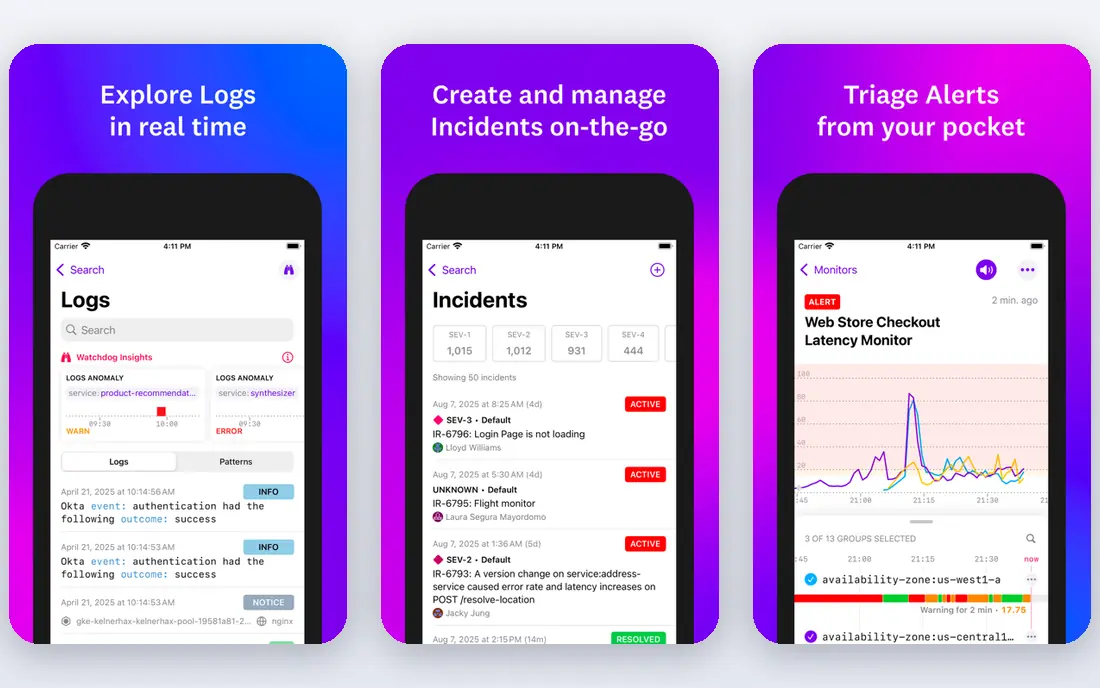
Datadog Synthetics covers API tests, browser tests, and mobile tests, and it sits inside the wider Datadog platform. That placement is the main reason to choose it. When a browser step fails, you can move from the failed step to related traces and logs without switching tools, which shortens the time spent guessing at a cause.
The trade-off is cost control. Datadog lists API tests at $5 per 10,000 runs and browser tests at $12 per 1,000 runs on annual terms in recent vendor and comparison pages, and every extra location and frequency increase adds runs. Small teams should start with a few critical journeys, such as login and checkout, and add checks only after they see a month of run counts.
- Browser, mobile, and API tests in one platform
- Deep links to traces, logs, and metrics
- Many global test locations
- Per-run pricing can be hard to forecast
- The wider platform can feel heavy for a small team

Dynatrace pairs synthetic checks with real-user monitoring, so you can compare what your scripted checks see with what real visitors experience. That pairing helps when a problem affects only one region, one browser, or one type of device. Its analysis tools also link a failed synthetic step to the underlying service or infrastructure issue.
Dynatrace is priced per synthetic request in its published model, and many enterprise deals go through sales, so a small team may not get a simple self-serve price on the first visit. It fits best when synthetic monitoring is one part of a wider observability purchase, rather than a standalone need for a single website.
- Synthetic and real-user data side by side
- Strong root-cause analysis
- Private locations for internal apps
- Sales-led pricing for many buyers
- Setup can take time for smaller teams
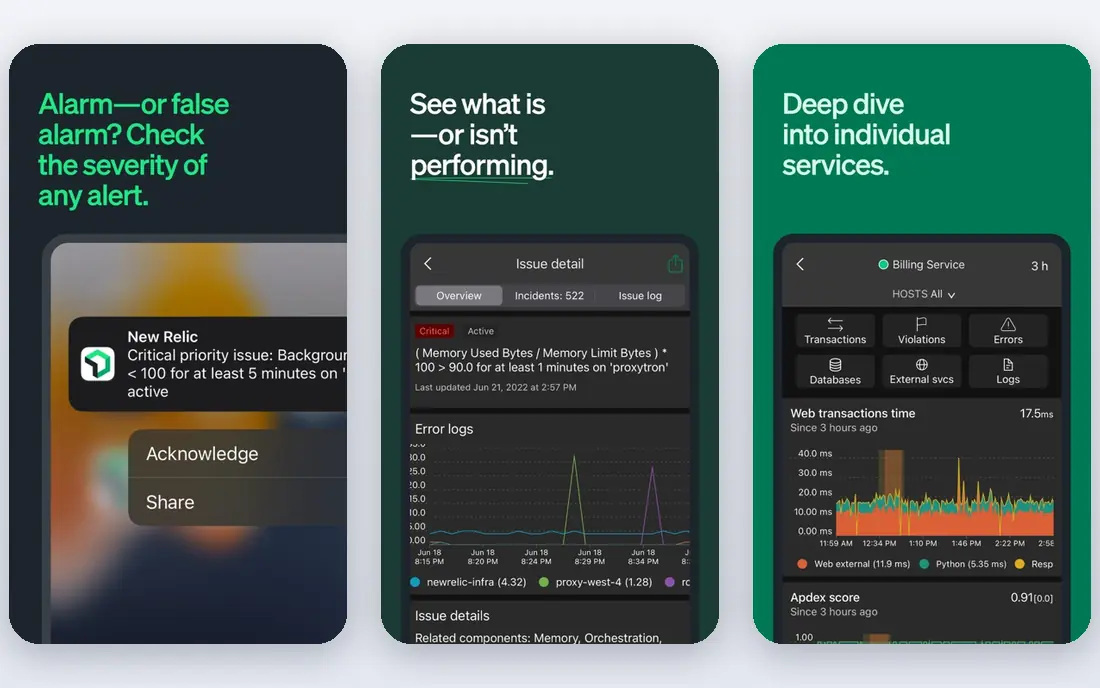
New Relic Synthetics supports ping monitors, simple browser monitors, and scripted browser monitors, plus API tests. For teams already using New Relic for application performance, adding synthetic checks keeps alerts and dashboards in one place. The free tier makes it practical to try a handful of monitors before paying.
The catch is the pricing model, which combines user seats with usage and data ingest, so the final bill depends on more than the number of checks. Read the current pricing page for your expected user count and data volume, and keep synthetic checks focused on the journeys that affect revenue or sign-ups.
- Free tier for getting started
- Scripted and simple monitors
- Links to APM and infrastructure data
- Pricing mixes seats, usage, and data ingest
- Some advanced features sit on higher tiers
Checkly is built around the idea that monitoring checks should live in code, like the rest of an application. Teams write Playwright browser checks and API checks in TypeScript, run them in continuous integration, and deploy them as always-on monitors. If your team already maintains Playwright tests, turning some of them into monitors is a natural step.
Checkly publishes per-run rates that are lower than Datadog list rates in its own comparison pages, and it pools API, browser, and heartbeat checks into one run allowance on its plans. That pooling helps with forecasting, but a very frequent browser check from many locations will still use runs quickly, so frequency choices still matter.
- Monitoring as code with Playwright
- API, browser, and heartbeat checks share a run pool
- Clear developer workflow
- Code-first setup suits developers more than non-technical teams
- Costs still rise with run volume
Pingdom, from SolarWinds, is a good fit when you want reliable uptime monitoring without adopting a full observability platform. You can set up checks for websites, servers, and transactions, choose check locations, and get alerts when a check fails. The entry plan starts at $10 per month for 10 uptime checks in published comparisons, which keeps the cost easy to explain to a small business owner.
Pingdom will not replace an APM tool for tracing a slow database query, and its transaction checks are simpler than a full browser scripting environment. For a brochure site, a store, or a booking flow, that simplicity is often a strength rather than a weakness.
- Easy setup for uptime checks
- Transaction checks for key flows
- Clear entry price
- Less depth than full observability suites
- Advanced analysis is limited
Uptrends offers website, API, and transaction monitoring from checkpoints around the world. Its transaction recorder lets you record a browser journey, such as a login or a purchase path, and replay it on a schedule. That recorder matters for teams that do not want to write browser scripts by hand.
Pricing depends on the type and number of checks, so two teams can pay different amounts for what looks like the same plan. Start by listing the journeys that must work, count how many are simple uptime checks and how many are full transactions, and then compare plans on that basis.
- Browser recorder for multi-step transactions
- Many worldwide checkpoints
- Clear alerting options
- Pricing is plan-based and varies by check type
- The interface has a learning curve
Site24x7 covers website monitoring, server monitoring, application performance, and network monitoring in one account. Its web transaction monitoring uses a real browser recorder, so you can check multi-step flows without writing code for every step. For a small IT team that also needs server and uptime monitoring, that breadth is good value.
The downside of breadth is focus. The dashboard holds many monitor types, and a team that only wants synthetic checks may find the extra menus distracting. Still, if you already pay for separate uptime and server tools, Site24x7 is worth pricing as a single replacement.
- Wide monitor types beyond synthetics
- Real browser monitors with a recorder
- Competitive plan pricing
- The broad feature set can feel crowded
- Some advanced features need higher plans
Better Stack combines uptime monitoring, synthetic monitoring, logs, and incident management, with status pages for customers. Its plans start at $25 per month for 50 monitors in published comparisons, and it offers a free tier for getting started. That combination suits small teams that want one tool for detection, alerting, and customer communication.
Better Stack is not a full APM replacement, and large enterprises may miss some integrations found in Datadog or Dynatrace. For a small or mid-size team, the trade is often worth it, because the team gets monitoring and on-call handling without stitching several tools together.
- Uptime, Playwright synthetics, and incident management together
- Published starting price
- Clean status pages
- Smaller ecosystem than the largest observability vendors
- Fewer enterprise integrations
Catchpoint focuses on internet performance, with a large global network of monitoring nodes and detailed data on DNS, routing, and third-party services. That depth helps large companies find out whether a slowdown comes from their own code, a content delivery network, or a provider in between. It also supports synthetic transactions for critical user journeys.
Catchpoint is sold mainly through sales, with custom pricing, so it is not a quick self-serve purchase. Small sites should treat it as a future option if they outgrow simpler tools, while large services with global users may find its network data worth the enterprise price.
- Deep internet performance data
- Many global nodes
- Strong for large, distributed services
- Sales-led enterprise pricing
- More than most small sites need
How we picked these
We compared official product and pricing pages, public documentation, and recent comparison coverage for synthetic monitoring tools. We kept only tools that are live in October 2026, offer scripted or scheduled checks from outside the monitored system, and fit the topic rather than general uptime-only tools with no transaction support. Where a vendor did not publish a simple starting price, we wrote See website rather than guessing a number.
What to check before you buy
Start with the journeys that cost you money when they break. Login, signup, search, add to cart, and checkout are the usual list, and most teams need fewer than ten synthetic journeys to cover them. A long list of low-value checks adds run costs and alert noise without adding protection.
Next, model the bill. Multiply checks by frequency by locations by days in the month to get monthly runs, then apply the vendor rate. A browser check every minute from five locations is over 200,000 runs a month on its own, so a five-minute interval is often enough for a journey that is not tied to a live trading or booking window. Set alert thresholds with care, too, so a single slow run does not wake the team at night.
Finally, test the alert path before you rely on it. Trigger a failing check on purpose, confirm the right person gets the message, and confirm the alert links to enough detail to act on. A synthetic tool that detects a failure but sends a vague alert still leaves the team guessing, which defeats the point of the purchase.
Frequently asked questions
What is the best synthetic monitoring software for a small team?
Checkly or Better Stack are strong starting points for small teams, because they offer free tiers, clear plans, and Playwright-based browser checks without a full observability purchase. Pingdom is simpler still if you mainly need uptime and a few transaction checks. Pick the one whose pricing model you can forecast from your check count.
What is the difference between synthetic monitoring and real-user monitoring?
Synthetic monitoring runs scripted checks on a schedule, even when no real visitor is on the site, so it can catch a broken flow at 3 a.m. Real-user monitoring records what actual visitors experience, including their devices, locations, and network conditions. Most mature setups use both, with synthetics for early warning and real-user data for the full picture.
How often should synthetic checks run?
It depends on the journey. A checkout or login flow for a busy store may justify a one to five minute interval, while a brochure page or a weekly report flow may be fine at fifteen minutes or longer. Shorter intervals find failures sooner but use more runs, so match the interval to the cost of downtime for that flow.
Do I need synthetic monitoring if I already have uptime monitoring?
Uptime monitoring tells you whether a page responds, but it does not tell you whether a visitor can complete a purchase. A site can return a success status while its checkout button is broken, its payment step fails, or its search returns no results. Synthetic transaction checks cover that gap, which is why teams often keep both.
How much does synthetic monitoring cost?
Costs vary widely. Simple uptime plans start near $10 per month, bundled plans start near $25 per month, and per-run observability pricing can reach hundreds or thousands of dollars a month at high frequency and location counts. Model your runs before you buy, and start with a small set of critical journeys.
Sources
See where you really rank - block by block
ProMapRanker scans Google Maps across a grid of your service area. Simple monthly plans from $19, white-label on every plan.
Start freeKeep reading
 wpforms alternatives
Best WPForms Alternatives in 2026
We compare 9 wpforms alternatives for WordPress forms, with free and paid options, current pricing notes, and honest limits for small business sites in 2026.
Read → windows task scheduler alternatives
Best Windows Task Scheduler Alternatives in 2026
Looking for Windows Task Scheduler alternatives? We compare 9 schedulers for Windows and cross-platform work, from free tools to enterprise automation.
Read → which ai video service is best
Which AI Video Service Is Best in 2026
which ai video service is best? We compare 10 legitimate AI video services on price, avatars, editing and output quality to help you pick the right tool.
Read →