 ProMapRanker
Best Subscription Cancelling App in 2026

Key takeaways
- Rocket Money is the strongest all round choice, because it finds recurring charges from bank transactions and can cancel many of them for you.
- If you do not want to link a bank account, Bobby, Subby and LowerMySubs let you track subscriptions manually with far less data sharing.
- Trim has changed hands and now sits inside OneMain MyMoney, so check what it still does for non-customers before you rely on it.
- No app can cancel every subscription by itself, since some providers require you to cancel on their own site or by phone.
- A free tracker plus a manual audit of three months of statements often finds as much as a paid app, so start free before you pay.
Quick comparison
| Pick | Great for | Pricing starts at | Free tier | |
|---|---|---|---|---|
 Rocket Money | Hands off cancellation | Free | Yes | Visit |
 Hiatus | Bill negotiation plus tracking | Free | Yes | Visit |
 Bobby | Privacy first manual tracking | See website | Yes | Visit |
 Subby | Simple Android tracking | Free | Yes | Visit |
 PocketGuard | Budgeting with subscription views | Free | Yes | Visit |
 Monarch Money | Full financial planning | See website | No | Visit |
 Simplifi by Quicken | Subscription tracking in a budget app | See website | No | Visit |
 TrackMySubs | Small business subscription lists | See website | Yes | Visit |
 LowerMySubs | Free private subscription audit | Free | Yes | Visit |
The best subscription cancelling apps
A subscription cancelling app does two jobs: it finds recurring charges you forgot about, and it helps you end the ones you no longer want. Some do the cancelling for you, others simply list everything clearly so you can cancel yourself. This is not financial advice, and linking a bank account is a privacy decision worth weighing before you sign up.
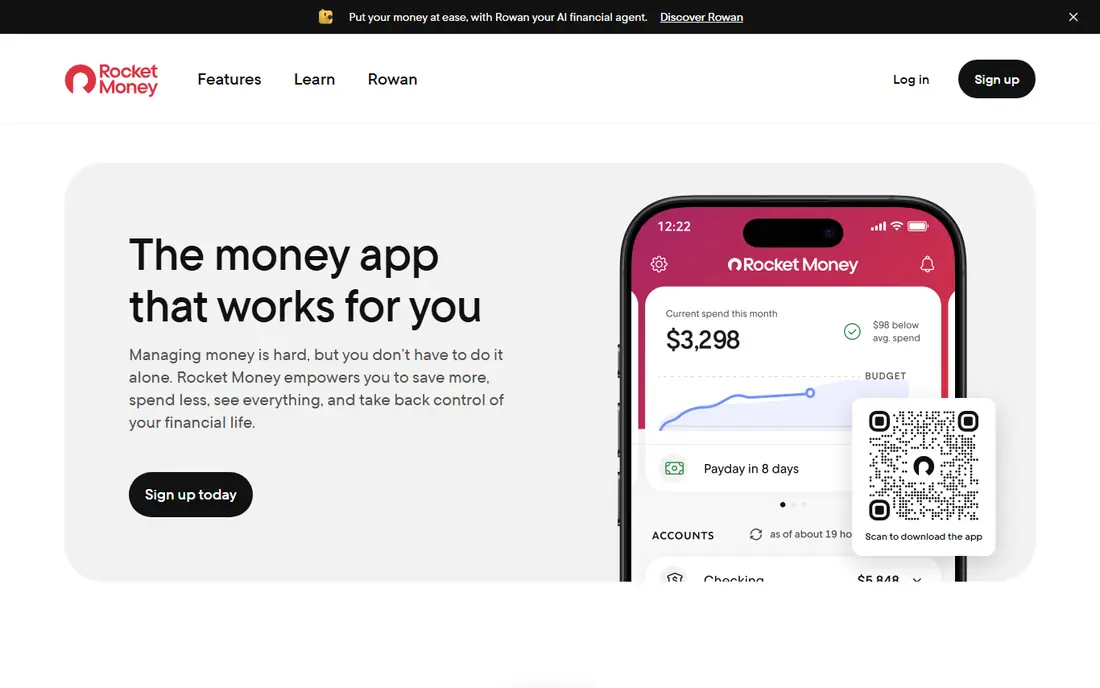
Rocket Money, formerly Truebill, is our pick for most people because it covers both halves of the job. Link a bank or card account and it scans transactions for recurring charges, builds a subscription list, and flags upcoming renewals. On its paid tier, its team can contact providers and cancel on your behalf, which saves the phone calls and retention scripts that put many people off.
The catch is cost and access. Free tracking is useful, but the hands off cancellation that most buyers want requires a paid plan, and bill negotiation fees apply to savings found. If you are comfortable linking accounts and have a long list to clear, it pays for itself quickly. If not, a manual tracker below is the safer start.
- Automatic detection from linked accounts
- Concierge cancellation for many services
- Renewal reminders and bill negotiation
- Cancellation help sits on the paid tier
- Bill negotiation takes a share of savings
- Linking accounts shares transaction history
Hiatus suits people who want cancellation help plus help with ongoing bills, not just a list. It scans linked accounts for subscriptions, lets you request cancellations, and can negotiate certain recurring bills for a share of the savings. Spending alerts add a useful nudge when a new recurring charge appears.
The limit is that some cancellations still need your direct action, especially where a provider insists on its own process. Treat Hiatus as a strong assistant rather than a magic button, and check its current negotiation fee before you agree to a negotiation.
- Finds subscriptions from linked accounts
- Bill negotiation for phone, internet and similar bills
- Spending alerts
- Cancellation success varies by provider
- Negotiation fees apply
- Fewer budgeting tools than larger rivals
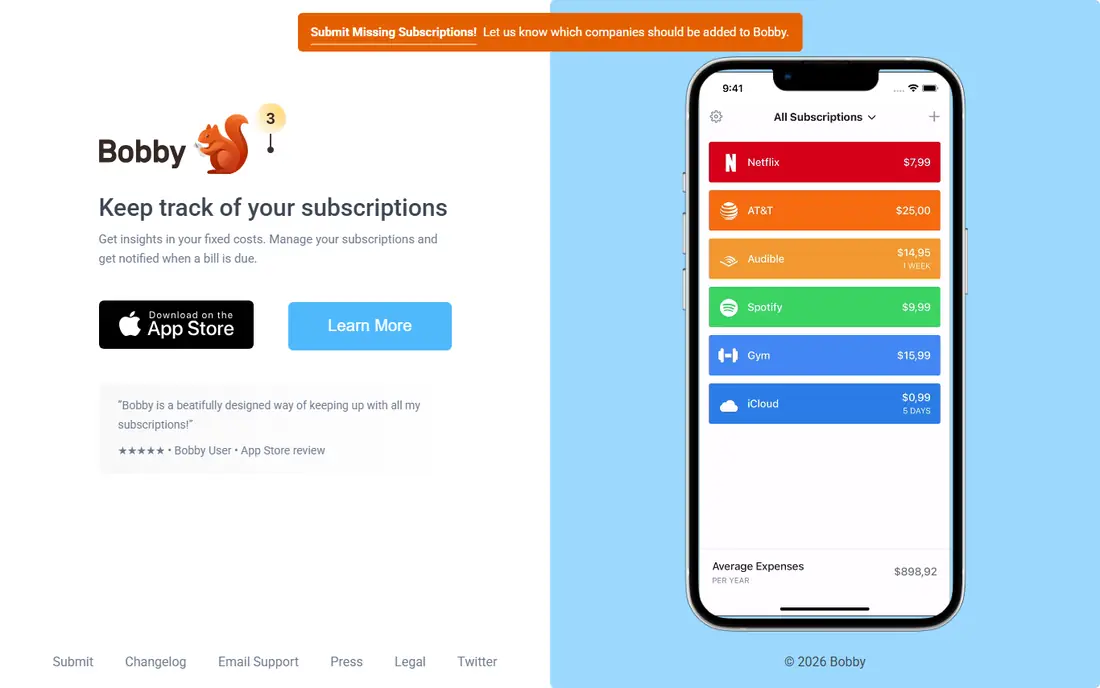
Bobby is the pick for people who refuse to link a bank account. You enter each subscription yourself, with its cost and renewal date, and Bobby keeps the list tidy and reminds you before renewals. That manual work is the price of privacy, but it also forces a useful audit, since you have to face every charge as you type it in.
The obvious weakness is that Bobby cannot cancel anything for you. It tells you what to cancel and when, and you do the cancelling. For a small subscription list, that is a fair trade. For dozens of charges across many cards, an automatic scanner will find more.
- No bank linking required
- Clean list of subscriptions and renewal dates
- One time purchase option on some platforms
- Manual entry takes time at setup
- No automatic cancellation
- IOS focused, so Android users should check availability
Subby plays the same privacy first role as Bobby, with a stronger home on Android. You add subscriptions, set billing cycles, and get reminders before money leaves your account. It is light, fast to set up for a modest list, and it does not ask for transaction access.
Expect a basic tool, not a finance suite. There is no automatic detection and no one to call providers for you, so its value depends on you acting on the reminders. Pair it with a quarterly statement check and it covers the core job well.
- Simple manual subscription list
- Renewal reminders
- No bank connection needed
- Manual entry only
- No concierge cancellation
- Feature set is narrower than finance apps
PocketGuard fits people who want subscription control inside a normal budget, not a single purpose tool. It groups spending, shows recurring bills, and helps you see what is left after essentials. That context helps you decide which subscriptions are worth keeping, rather than cancelling in a panic.
Cancellation itself is still on you, and the free tier is limited compared with the paid plan. If your main problem is one or two forgotten charges, a dedicated tracker is simpler. If your budget needs work as a whole, PocketGuard earns its place.
- Subscriptions shown inside a wider budget
- Spending categories and bill tracking
- Free tier covers the basics
- Cancellation is manual
- Paid tier needed for fuller features
- Linking accounts is needed for automatic detection
Monarch Money is for households that want subscriptions managed as part of a complete financial picture. It pulls accounts together, surfaces recurring charges, and lets you budget around them with goals and reports. The interface is polished, and the absence of ads keeps the experience calm.
The trade off is price and scope. You pay a subscription to manage subscriptions, which only makes sense if you use the budgeting and planning tools too. It will show you what to cancel, but you still cancel it yourself.
- Strong subscription and recurring transaction views
- Budgeting, goals and net worth in one place
- No ads
- Paid only, no free plan
- No concierge cancellation service
- More tool than a casual user needs
Simplifi by Quicken suits people who already trust Quicken or want a mature budgeting app with subscription awareness. It detects recurring transactions, lets you watch specific bills, and folds them into a spending plan. That makes it easy to spot a price rise or a duplicate charge.
Like Monarch, it is a tracker rather than a canceller. You get clarity and alerts, then you visit each provider to end the subscription. If you only need cancellation help, Rocket Money or Hiatus fit better.
- Automatic recurring transaction detection
- Spending plan and watchlists
- Established Quicken support
- Paid only
- No concierge cancellation
- Setup takes longer than a single purpose tracker
TrackMySubs is a practical choice for small businesses and households with many shared subscriptions. You list each service, its cost, renewal date and owner, and get alerts before renewals. That shared view stops the common problem of two people paying for the same tool.
It does not cancel for you and it does not scan bank accounts automatically, so setup takes effort. For a business auditing software spend, that effort is worthwhile, and the renewal alerts alone can save a year of forgotten charges.
- Clear subscription lists with renewal alerts
- Useful for teams and small businesses
- No bank linking needed for manual lists
- Manual entry for the free approach
- No concierge cancellation
- Interface is functional rather than polished
LowerMySubs appeals to privacy conscious users who want a free audit without handing over bank credentials. You can scan a statement or audit manually, get a list of recurring charges, and work through cancellations yourself. For a one off clean up, that free, low exposure approach is hard to beat.
The limit is follow through. LowerMySubs finds and lists, but it does not call providers for you, and its toolset is narrower than a full finance app. Use it for the audit, then cancel directly with each provider and keep the list for next quarter.
- Free subscription audit
- No bank login required for a statement scan
- Simple savings focused approach
- Newer and narrower than big rivals
- No concierge cancellation
- Manual follow up needed to cancel
How we picked these
We compared official product pages, pricing pages and app store listings in October 2026, and favoured apps that clearly track subscriptions, help with cancellation, or both. We included manual trackers alongside automatic ones because linking a bank account is not right for everyone, and a manual list still solves the core problem. We left out apps that only budget without a subscription view, and any tool that could not show a live product and pricing path.
What to check before you choose a subscription cancelling app
First, decide whether you will link accounts. Automatic detection finds more, but it shares transaction history, so read the privacy policy and check whether you can unlink accounts after the audit. Second, check what cancellation actually means on the plan you will use, since free tiers often track only, while paid tiers add concierge help. Third, list your billing sources, because app store subscriptions are best cancelled in the App Store or Google Play settings, not through a third party app.
Do a manual audit first, even if you buy a paid app. Scan three months of bank and card statements, list every recurring charge, and cancel the obvious ones directly. Then use the app to catch renewals, price rises and free trials that convert. Set a reminder to review the list every quarter, since subscriptions creep back through trials, bundles and family sharing.
Frequently asked questions
What is the best app for cancelling subscriptions?
Rocket Money is the best all round pick for most people, because it finds recurring charges automatically and can cancel many of them on a paid plan. If you do not want to link accounts, Bobby or Subby give you a clean manual list with renewal reminders. The right pick depends on how many subscriptions you have and how much privacy matters to you.
Can an app cancel all my subscriptions for me?
No. Many services can be cancelled by a concierge or through a linked account, but some providers require you to cancel on their own website, in their app, or by phone. A good app tells you which ones need direct action and gives you the link or steps, rather than promising a result it cannot deliver.
Is it safe to link my bank account to a subscription app?
Reputable apps use read only connectors and encryption, but you are still sharing transaction history, so the risk is real. Link only the accounts you need, check the privacy policy, and unlink accounts once your audit is done if you do not need ongoing tracking. Manual trackers avoid this trade entirely.
What is the best free subscription cancelling app?
For free tracking, Bobby and Subby are strong manual options, and Rocket Money offers useful free tracking before you pay for cancellation help. LowerMySubs offers a free audit without a bank login. Free tools usually track and remind rather than cancel for you.
How do I cancel subscriptions bought through Apple or Google?
Open your device subscription settings, find the subscription, and cancel there, since the store controls billing. Third party apps can remind you and list these charges, but they cannot cancel store billed subscriptions directly. Do this before a trial ends to avoid the first paid charge.
Does Trim still cancel subscriptions?
Trim has changed, and it now sits inside OneMain MyMoney, so its current offer depends on whether you are a OneMain or Brightway customer. If you are not, Rocket Money is the closer replacement for the old Trim service. Check the current Trim or MyMoney pages before you sign up on the strength of older reviews.
Sources
See where you really rank - block by block
ProMapRanker scans Google Maps across a grid of your service area. Simple monthly plans from $19, white-label on every plan.
Start freeKeep reading
 wpforms alternatives
Best WPForms Alternatives in 2026
We compare 9 wpforms alternatives for WordPress forms, with free and paid options, current pricing notes, and honest limits for small business sites in 2026.
Read → windows task scheduler alternatives
Best Windows Task Scheduler Alternatives in 2026
Looking for Windows Task Scheduler alternatives? We compare 9 schedulers for Windows and cross-platform work, from free tools to enterprise automation.
Read → which ai video service is best
Which AI Video Service Is Best in 2026
which ai video service is best? We compare 10 legitimate AI video services on price, avatars, editing and output quality to help you pick the right tool.
Read →