 ProMapRanker
Best Strategic Portfolio Management Software in 2026

Large enterprises linking strategy to delivery · Pricing starts at: See website
Key takeaways
- Planview, ServiceNow and Broadcom Clarity are the enterprise defaults, but they need a real implementation project and a governance owner.
- Meisterplan, Triskell and OnePlan suit mid-size teams that want scenario planning without a full enterprise rollout.
- Smartsheet is the only tool here with clear public pricing, at $9 per member per month for Pro when billed annually.
- The best tools for strategic portfolio management connect strategy to funding, capacity and delivered outcomes, not just project status.
Quick comparison
| Pick | Great for | Pricing starts at | Free tier | |
|---|---|---|---|---|
| Planview Portfolios | Large enterprises linking strategy to delivery | See website | No | Visit |
 ServiceNow SPM | Organizations already on ServiceNow | See website | No | Visit |
 Broadcom Clarity | Large IT portfolios with strict governance | See website | No | Visit |
 Planisware | R and D and product development portfolios | See website | No | Visit |
 OnePlan | Microsoft-centered organizations | $10 per user per month | Free trial | Visit |
 Meisterplan | Scenario-based resource planning | $600 per month | No | Visit |
 Triskell | Mid-size PMOs moving off spreadsheets | See website | No | Visit |
 Smartsheet | Spreadsheet-familiar portfolio tracking | $9 per member per month | Free trial | Visit |
The best strategic portfolio management software
Strategic portfolio management software sits above project tools. It helps leaders decide which work to fund, whether teams have capacity to deliver it, and what each investment actually produced.
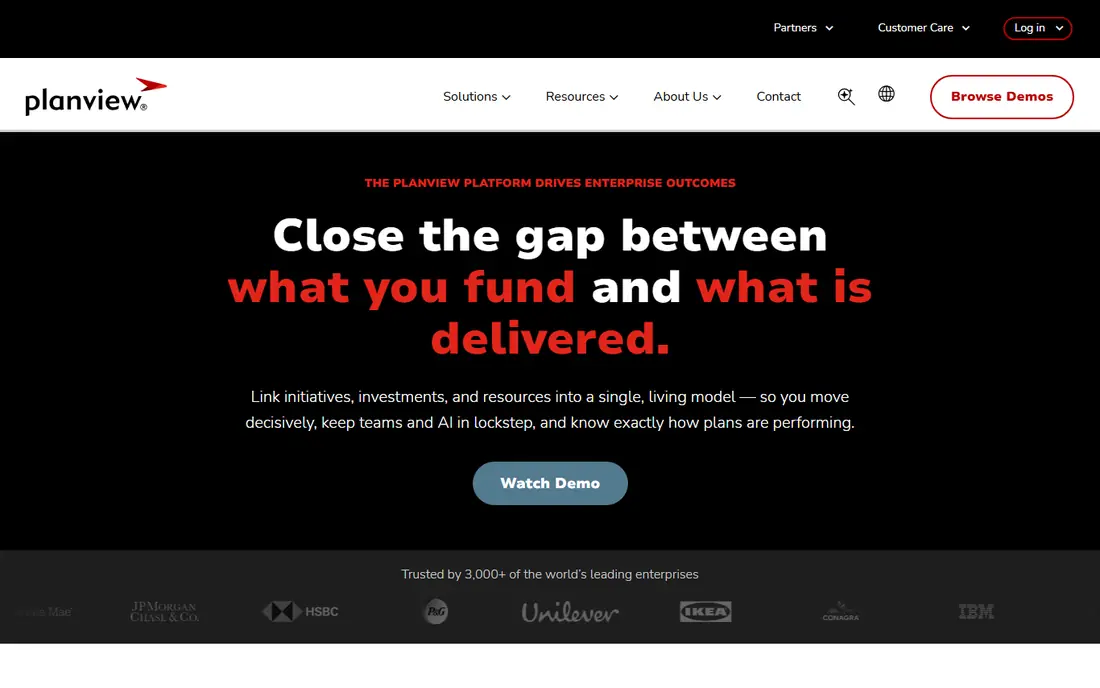
Planview Portfolios is the category-defining enterprise option for many large organizations. It links strategic plans to funded initiatives, then to the teams delivering the work, so leaders can see whether money is going to the priorities they approved. Lean portfolio management, roadmapping and capacity planning sit in the same system, which helps when a portfolio spans many products and regions.
The cost is not just the license. Planview projects need clean portfolio data, agreed scoring rules and someone who owns the process, or the tool becomes an expensive status board. Our pick for a large enterprise with a mature PMO is Planview, but a team without that owner should start smaller and grow into it.
- Connects strategy, funding and agile delivery
- Strong portfolio and capacity views
- Broad integrations
- Quote-based pricing
- Implementation takes time
- Smaller teams may not need its full depth
ServiceNow Strategic Portfolio Management, formerly IT Business Management, connects enterprise strategy with the work tracked in ServiceNow. Demand, project, resource and financial views share one platform, so an approved initiative can move into delivery without re-entering data in a separate system. For an organization that already runs IT service work on ServiceNow, that link is hard to beat.
Outside the ServiceNow world, the case is weaker. You would be buying a platform as well as a portfolio tool, and the implementation will need ServiceNow skills. If your teams already live in ServiceNow, start here. If they do not, compare Planview and Clarity before assuming ServiceNow is the default.
- Portfolio data stays on the Now Platform
- Links strategy to service and IT work
- Strong demand and resource management
- Quote-based pricing
- Best value requires existing ServiceNow use
- Configuration needs skilled staff
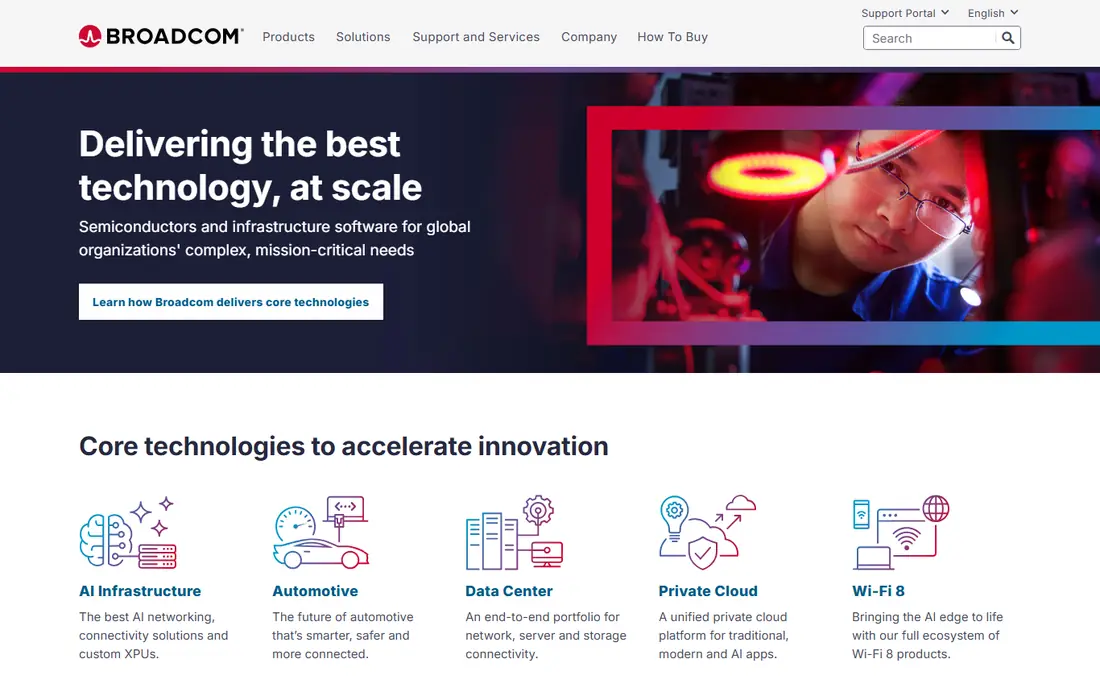
Broadcom Clarity, formerly Clarity PPM, is built for large IT organizations that need tight control over costs, resources and project status. Scorecards help compare portfolio requests, roadmaps show budget allocation, and end-to-end tracking covers cost, schedule and status. It handles complex, regulated portfolios where audit trails and financial discipline matter more than a pretty interface.
Newer buyers sometimes find the interface less modern than Planview or ServiceNow, and training is a real part of the project. If financial transparency is your top need and your team can absorb the setup, Clarity earns its place. If ease of use drives adoption in your organization, weigh that cost carefully.
- Strong financial control and investment analysis
- Deep resource management
- Flexible deployment options
- Quote-based pricing
- Interface feels dated to some users
- Learning curve is steep
Planisware is the pick for product development, engineering and research portfolios, where the question is not just status but which pipeline bets to fund. Roadmaps, investment simulations and prioritization tools help leaders test funding paths before committing, and resource management and cost forecasting sit alongside project tracking. That depth suits long-horizon work with shared specialists and capital constraints.
The depth comes with a learning curve. Planisware works best when a smaller group of power users drives it, with training time built into the plan. A general business portfolio that needs simple dashboards may find it heavier than needed, but an R and D portfolio will use the modeling that other tools only approximate.
- Strong scenario modeling and investment simulation
- Resource and cost planning in one place
- Suits engineering and R and D
- Quote-based pricing
- Steep learning curve
- Often needs training and professional services
OnePlan is a cloud portfolio tool built to sit on top of the Microsoft world. It pulls data from Project, Planner, Teams and Power BI, so teams keep working in the tools they already use while leaders get one portfolio view. Strategy, funding and capacity views help answer whether the right work is funded, and scenario tools let leaders test trade-offs before moving money.
Pricing starts at $10 per user per month for the Basic tier, with a minimum seat count, and higher tiers are quoted. That entry point is lower than the enterprise tools, but buyers should get an itemized quote that covers the modules and integrations they actually need. For a Microsoft-centered organization, OnePlan is a strong middle path between spreadsheets and a full enterprise rollout.
- Deep Microsoft 365 integration
- Portfolio layer without migration
- Scenario planning and AI-assisted views
- Final costs can differ from early quotes
- Large setups need configuration
- Support quality varies by region
Meisterplan focuses on one job and does it well: showing whether your people can actually deliver the portfolio you approved. It gives a portfolio-level view of projects, adds future resource needs with minimal detail, and lets planners test what-if scenarios against real availability. That makes it useful when the binding constraint is specialist capacity, not project status.
Starting at $600 per month, with 50 resources included on its Basic edition, Meisterplan is not a casual purchase, but its pricing is more transparent than most enterprise tools. It is less of a full execution suite, so teams that need deep project tracking will pair it with their existing delivery tools. For a PMO whose main pain is overcommitted teams, that focus is a strength.
- Clear what-if scenario planning
- Lean visual portfolio views
- Unlimited users on its editions
- $600 per month starting point is high for tiny teams
- Needs clean resource data
- Fewer execution features than full suites
Triskell is a project portfolio management tool aimed at mid-size organizations that have outgrown spreadsheets but do not want an enterprise program. It aligns projects with business priorities, tracks budgets and resources, and helps leaders prioritize by strategic value and capacity. The interface is more approachable than the big enterprise suites, which helps adoption in a PMO without a large admin team.
The trade-off is scale and ecosystem. Triskell does not have the partner network or module breadth of Planview or ServiceNow, and pricing is quoted rather than published. For a mid-size PMO that needs a solid portfolio view within weeks rather than months, that balance is often right. Larger, multi-region portfolios should test its reporting and integration depth first.
- Portfolio, resource and financial views in one tool
- Approachable for mid-size teams
- Scenario and prioritization support
- Pricing is quote only
- Smaller vendor than Planview or ServiceNow
- Enterprise depth may trail the leaders
Smartsheet is the accessible entry point on this list, and the only one with clear public pricing. Pro starts at $9 per member per month when billed annually, Business at $19, and Enterprise is quoted. Teams that already think in spreadsheets can build portfolio trackers, dashboards and reports without learning a new PPM language, and automations handle routine status updates.
Smartsheet is not a full strategic portfolio suite out of the box. Advanced portfolio, resource and data management features sit in higher tiers or paid add-ons, so the total cost can rise above the headline price. For a team that wants portfolio visibility quickly and cheaply, it is a sound start. For a portfolio that needs formal funding governance, pair it with clear scoring rules or move up to a dedicated SPM tool.
- Public pricing from $9 per member per month
- Familiar grid views
- Dashboards, forms and automations included
- Portfolio depth needs higher tiers and add-ons
- No free plan, only a trial
- Premium apps are priced separately
How we picked these
We compared official product pages, pricing pages and public reviews for tools whose core job is portfolio-level strategy, funding and capacity, not just task tracking. We kept tools that are live today and that can show, in one view, which initiatives are funded, who will deliver them and what they produced. We left out pure project tools and spreadsheets, since they do not provide portfolio governance on their own.
How to choose the right portfolio tool
Start with the decision you need to make, not the feature list. If the board asks which bets to fund, you need scoring, scenarios and financial views. If the PMO asks who is overloaded, you need capacity planning first. If teams ask for status, a simpler tracker may be enough, and a large SPM purchase will sit unused.
Count the total cost
Most enterprise tools on this list are quoted, and implementation, training and integrations can match the license cost in year one. Ask for those lines separately, and ask how long a typical rollout takes for an organization your size. A tool that goes live in weeks with clean data beats a larger tool that stalls for a year.
Fix governance before you buy
Agree who scores initiatives, how often the portfolio is reviewed, and who owns the data. Without those decisions, every tool on this list becomes a dashboard nobody trusts. Pilot with one real portfolio, real funding choices and real capacity data, then judge the tool on the decisions it improved.
Plan for adoption
The tool your delivery teams will actually update is the one that gives you true portfolio data. Check how work flows in from Project, Jira, Planner or spreadsheets, and how much manual entry remains. A clean integration plan matters more than a long feature list.
Frequently asked questions
What is strategic portfolio management software?
It is software that connects an organization's strategy to the initiatives, investments and resources meant to deliver it. Unlike project tools that track tasks inside one project, SPM tools answer portfolio questions: are we funding the right work, do we have capacity, and what did each investment produce.
What are the best tools for strategic portfolio management?
Planview, ServiceNow SPM and Broadcom Clarity lead for large enterprises, Planisware leads for R and D portfolios, and Meisterplan, Triskell and OnePlan suit mid-size teams. Smartsheet suits teams that want portfolio visibility in a familiar grid at a lower price.
How much does strategic portfolio management software cost?
Most enterprise tools are quote-based, with annual contracts often running into five or six figures depending on users and modules. Smartsheet starts at $9 per member per month, OnePlan at $10 per user per month, and Meisterplan at $600 per month. Always get itemized quotes that include implementation.
How is SPM different from project management software?
Project software tracks work inside a project, such as tasks, timelines and assignments. SPM sits above it, linking many projects and programs to strategy, funding and outcomes. Many organizations run both, with teams executing in Jira or Project while leaders manage the portfolio in an SPM tool.
How long does implementation take?
Enterprise rollouts often take three to nine months, including migration, configuration and training. Mid-market tools can be productive in weeks if portfolio data is clean. The usual delay is agreeing scoring criteria and governance, not installing software.
Can small companies use SPM software?
Yes, but they should start small. Smartsheet or OnePlan can give a small team portfolio visibility without an enterprise project. A small company should only move to Planview or Clarity when funding decisions and capacity conflicts outgrow a simpler tracker.
Sources
- https://www.planview.com
- https://www.servicenow.com
- https://www.broadcom.com
- https://www.planisware.com
- https://www.oneplan.ai
- https://www.meisterplan.com
- https://www.triskellsoftware.com
- https://www.smartsheet.com
- https://rankite.com/blog/best-strategic-portfolio-management-software
- https://triskellsoftware.com/blog/best-strategic-portfolio-management-software/
See where you really rank - block by block
ProMapRanker scans Google Maps across a grid of your service area. Simple monthly plans from $19, white-label on every plan.
Start freeKeep reading
 wpforms alternatives
Best WPForms Alternatives in 2026
We compare 9 wpforms alternatives for WordPress forms, with free and paid options, current pricing notes, and honest limits for small business sites in 2026.
Read → windows task scheduler alternatives
Best Windows Task Scheduler Alternatives in 2026
Looking for Windows Task Scheduler alternatives? We compare 9 schedulers for Windows and cross-platform work, from free tools to enterprise automation.
Read → which ai video service is best
Which AI Video Service Is Best in 2026
which ai video service is best? We compare 10 legitimate AI video services on price, avatars, editing and output quality to help you pick the right tool.
Read →