 ProMapRanker
Best Spanish Translation App in 2026

Key takeaways
- Google Translate is our pick for most people, because it is free, covers text, voice, and camera translation, and offers offline packs.
- DeepL is our pick for written Spanish accuracy, especially for formal text, emails, and documents.
- Microsoft Translator suits group conversations and Office users, with a free consumer app and offline packs.
- SpanishDictionary.com, Reverso Context, WordReference, and Linguee suit learners who need examples, conjugations, and context, not just a single translation.
- Machine translation can miss tone, idioms, and legal meaning, so check important documents with a qualified human translator.
Quick comparison
| Pick | Great for | Pricing starts at | Free tier | |
|---|---|---|---|---|
 Google Translate | Everyday travel and text | Free | Yes | Visit |
 DeepL Translator | Accurate written Spanish | Free | Yes | Visit |
 Microsoft Translator | Conversations and groups | Free | Yes | Visit |
 iTranslate | Polished mobile translation | Free | Yes | Visit |
 SayHi Translate | Simple voice conversations | Free | Yes | Visit |
 SpanishDictionary.com | Learning Spanish words | Free | Yes | Visit |
 Reverso Context | Examples in context | Free | Yes | Visit |
 WordReference | Dictionary and conjugations | Free | Yes | Visit |
 Linguee | Bilingual examples | Free | Yes | Visit |
The best spanish translation app
The best translation app for Spanish depends on the job: a menu in Madrid, a work email, a class assignment, or a live conversation. We compared free and paid tools on Spanish accuracy, voice and camera features, offline use, and learning help. The best Spanish translation apps below cover all of those jobs, with free options first.
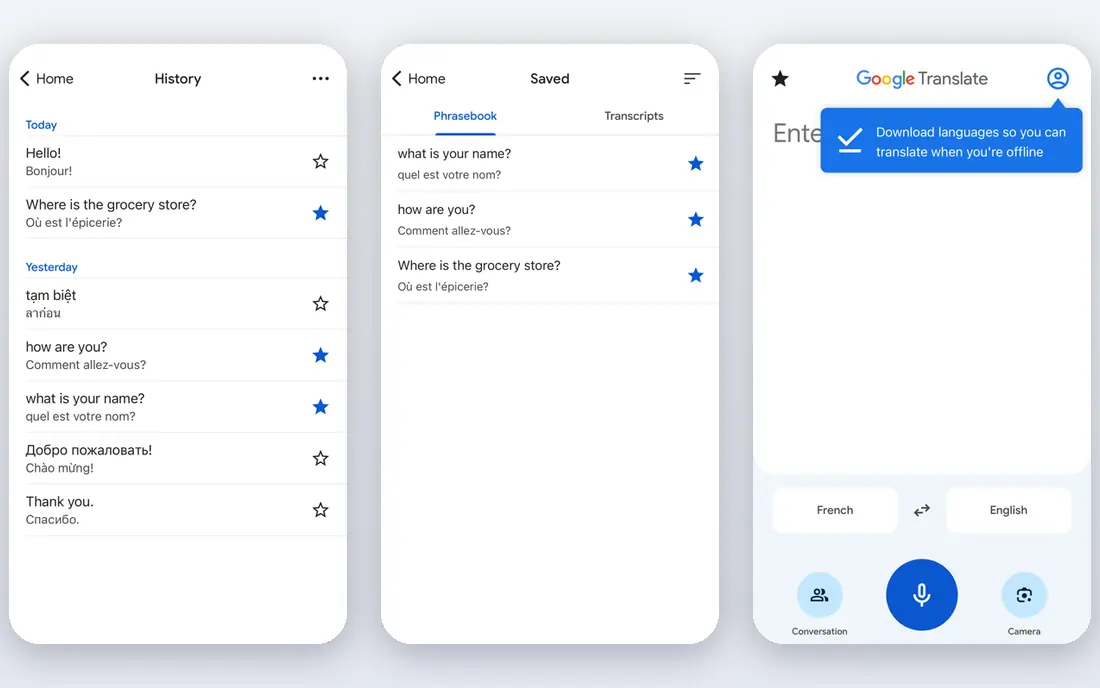
Google Translate is the default for a reason. Point the camera at a menu or sign, speak a sentence, or type a message, and you get a Spanish translation in seconds. Offline packs let you download Spanish before a trip, which helps in areas with weak signal. The app is free, with no subscription needed for core features.
The weakness shows in longer or formal writing. Idioms, polite forms, and business tone do not always survive translation, so read the result back and simplify your sentence if it looks odd. For everyday travel, messages, and quick reading, Google Translate is still our first pick.
- Free for text, voice, and camera translation
- Offline language packs
- Wide language coverage
- Tone and idioms can be flat in longer text
- Online features need a connection
- Privacy depends on account settings
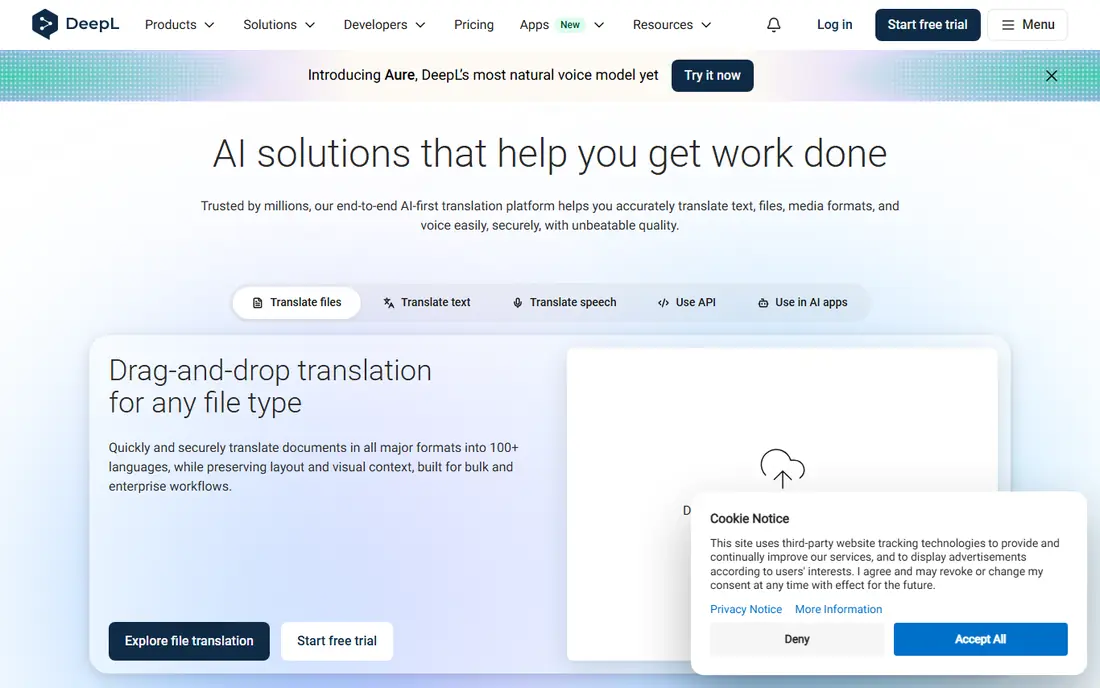
DeepL is the tool we reach for when the Spanish text has to read well. Emails, reports, and website copy tend to come out with better word choice and sentence flow than a general free translator. The free version covers everyday text, while the paid Individual plan raises character and file limits.
DeepL lists an Individual plan around $10.49 per user per month with monthly billing in listings we reviewed, with tax to confirm at checkout. Check the vendor site for current pricing, since plans and limits change. For written Spanish that other people will read, DeepL is worth the extra step.
- Strong accuracy for written European languages
- Formal and informal tone options
- Document translation on paid plans
- Free tier has character and file limits
- Fewer languages than Google
- Speech features are more limited
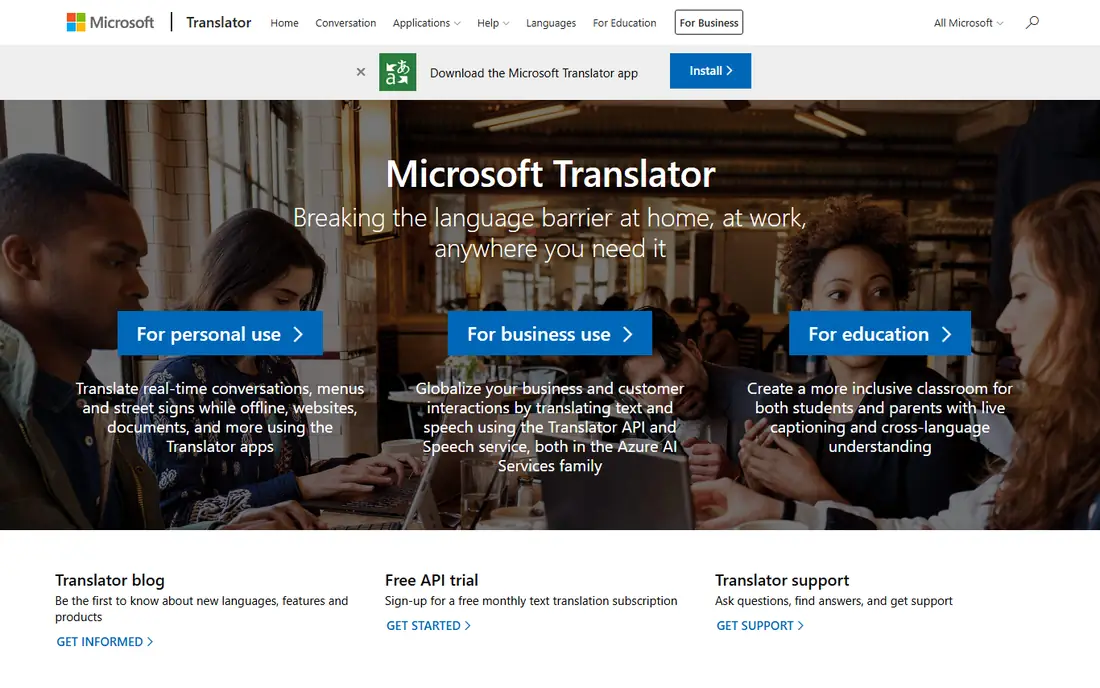
Microsoft Translator covers the same everyday jobs as Google Translate, with a clean interface and offline packs for travel. It also fits people who already use Microsoft 365, since translation appears in Office apps and Teams workflows. The consumer app is free, which makes it easy to keep as a second translator alongside Google.
Check the current feature list on the vendor site before you rely on a group conversation feature, since Microsoft has retired some multi-device conversation options. For one to one conversations and everyday text, Microsoft Translator is a solid free choice.
- Free consumer app
- Text, voice, and camera translation
- Offline packs
- Works with Microsoft 365 apps
- Group conversation features have changed over time
- Translation quality varies by language pair
- Some offline features are limited by platform
iTranslate appeals to travelers who want a polished app rather than a web tool in an app wrapper. Text, voice, and camera translation sit in a simple interface, and a phrasebook covers common travel phrases. That polish makes it pleasant for daily use on a phone.
The free tier covers basic translation, but offline mode and fuller features sit behind a paid plan. Check the App Store or Google Play listing for the current subscription price before you upgrade. If you already use Google Translate for free, iTranslate has to earn its fee with design and convenience.
- Clean mobile design
- Text, voice, and camera features
- Offline mode on paid plans
- Phrasebook for travel
- Core offline and advanced features need a paid plan
- Free tier is more limited than Google or Microsoft
- Subscription price varies by store
SayHi Translate keeps voice translation simple. Open the app, pick English and Spanish, speak, and hear the translation. That single focus suits face to face conversations in shops, clinics, and travel settings, where you do not want to hunt through menus.
SayHi does not try to be a dictionary, a learning app, or a document translator. Use it for spoken conversations, and keep Google Translate or DeepL nearby for text, camera, and documents. For simple, free voice translation, SayHi is hard to beat for ease.
- Free
- Very simple voice conversation flow
- Fast for face to face talk
- Fewer learning and document features
- Needs a connection for most use
- Interface is plain compared with larger apps
SpanishDictionary.com, often called SpanishDict, is a learning tool first and a translator second. Look up a word, see its meanings, hear pronunciation, and check its conjugation in different tenses. Lessons and quizzes help learners move from a single translation to actual use.
Premium plans add lessons and learning features, with listings showing around $12.99 per month, $39.99 for six months, or $59.99 per year, plus a trial. Check the vendor site for current terms. For students and self learners, SpanishDict is more useful than a plain translator, because it explains the word as well as translating it.
- Free dictionary and translator
- Conjugation tables
- Lessons and quizzes for learners
- Premium lessons need a paid plan
- Translator is less suited to long documents
- Ads on the free version
Reverso Context answers a question that a plain translator often misses: how is this word actually used. Search a Spanish phrase and Reverso shows bilingual example sentences, so you can see whether a translation fits a formal email, a casual chat, or a technical text. That context helps learners and writers avoid a word that is correct in isolation but wrong in tone.
The free app covers core lookup and examples, with a Premium option listed around $4.99 for one month in store listings we reviewed. Check the current price before you buy. For word choice and idioms, Reverso is the best companion to Google Translate or DeepL.
- Free
- Shows translations inside real example sentences
- Useful for idioms and word choice
- Grammar and conjugation help
- Interface is busier than Google Translate
- Some advanced features need a paid plan
- Document translation is more limited
WordReference is a dictionary and forum, not a flashy translator. Entries give meanings, usage notes, and conjugations, and the forums let you ask native speakers about a phrase that does not translate cleanly. That depth makes it a favorite for students, translators, and anyone who writes in Spanish regularly.
WordReference will not translate a photo of a menu or hold a voice conversation. Use it when accuracy and word choice matter, and use Google Translate or SayHi for live talk. For a free, deep Spanish dictionary, WordReference remains a standard choice.
- Free dictionary app
- Detailed entries and conjugations
- Active forums for tricky translations
- Needs a connection for forum and full lookup
- No camera translation
- Interface is plain and text heavy
Linguee shows how words and phrases appear in bilingual texts, which helps with professional and technical Spanish. If you need to know whether a term fits a contract, a medical text, or a technical manual, example sentences from real documents give more confidence than a single translated word.
Linguee is a lookup tool, not a conversation app. It works best alongside DeepL for documents and Google Translate for travel. For careful word choice in writing, Linguee is a useful free companion.
- Free public dictionary lookup
- Bilingual example sentences from published texts
- Useful for professional word choice
- No voice conversation
- Lookup only, not a full document translator
- Now closely tied to DeepL
How we picked these
We compared official feature pages, pricing pages, and app store listings for translators with Spanish support in October 2026. We favored tools that are free or have a genuine free tier, cover Spanish well, and serve a distinct job such as travel, writing, conversation, or learning. We did not claim hands-on testing that did not happen; our comparison rests on vendor documentation, pricing, and public listings.
What to check before you choose
Start with your main job. For travel and everyday messages, install Google Translate and download the Spanish offline pack. For written work, add DeepL and check its tone options. For conversations, add SayHi or Microsoft Translator. For learning, add SpanishDictionary.com, Reverso Context, or WordReference.
For important text, do not trust one machine translation alone. Translate, read the Spanish back, simplify long sentences, and check key terms in Reverso or WordReference. For legal, medical, or contract text, use a qualified human translator. Machine tools help you understand and draft, but they do not replace professional judgment where accuracy has legal or health consequences.
Frequently asked questions
What is the best Spanish translation app for travel?
Google Translate is our pick for travel, because it is free, handles text, voice, and camera translation, and offers Spanish offline packs. SayHi is a good second app for simple face to face voice conversations.
What are the best Spanish translation apps for learning?
SpanishDictionary.com, WordReference, Reverso Context, and Linguee suit learners, because they show meanings, conjugations, and example sentences rather than a single translation. Use them alongside a translator such as Google Translate or DeepL.
What is the best translation app for Spanish documents?
DeepL is our pick for written Spanish documents, with stronger sentence flow and tone options than general free translators. Check the free tier limits for long documents, and use a qualified human translator for legal or medical documents.
Is Google Translate free for Spanish?
Yes. Google Translate is free for everyday text, voice, and camera translation, including Spanish. Offline packs are also free, though some features need a connection and language pair support varies by device.
Can I translate Spanish offline?
Yes, with limits. Google Translate and Microsoft Translator offer offline packs for Spanish, and iTranslate offers offline mode on paid plans. Download the pack before you travel, and test voice and camera features offline, since some features need a connection even with a pack installed.
Sources
See where you really rank - block by block
ProMapRanker scans Google Maps across a grid of your service area. Simple monthly plans from $19, white-label on every plan.
Start freeKeep reading
 wpforms alternatives
Best WPForms Alternatives in 2026
We compare 9 wpforms alternatives for WordPress forms, with free and paid options, current pricing notes, and honest limits for small business sites in 2026.
Read → windows task scheduler alternatives
Best Windows Task Scheduler Alternatives in 2026
Looking for Windows Task Scheduler alternatives? We compare 9 schedulers for Windows and cross-platform work, from free tools to enterprise automation.
Read → which ai video service is best
Which AI Video Service Is Best in 2026
which ai video service is best? We compare 10 legitimate AI video services on price, avatars, editing and output quality to help you pick the right tool.
Read →