 ProMapRanker
Best Solar Monitoring Software in 2026

Key takeaways
- Most solar monitoring is tied to your inverter brand, so start with the app made for the hardware you already own.
- Panel level monitoring makes faults easier to spot than system level totals alone.
- Independent monitors such as Sense and Emporia help when you want whole home energy use next to solar output.
- Free monitoring usually covers basic production views, while installer and portfolio tools may carry extra charges.
- Check who creates your account, because some platforms need installer access before a homeowner can log in.
Quick comparison
| Pick | Great for | Pricing starts at | Free tier | |
|---|---|---|---|---|
 Enphase Enlighten | Enphase system owners | Free | Yes | Visit |
 SolarEdge Monitoring | SolarEdge system owners | Free | Yes | Visit |
 Tesla App | Tesla solar and Powerwall owners | Free | Yes | Visit |
 Fronius Solar.web | Fronius system owners | Free | Yes | Visit |
 SMA Sunny Portal | SMA system owners and installers | Free | Yes | Visit |
 Huawei FusionSolar | Huawei system owners | Free | Yes | Visit |
 Growatt Shine | Growatt system owners | Free | Yes | Visit |
 Sense | Whole home energy plus solar | See website | No | Visit |
The best solar monitoring software
We compared official product pages, installer guides, and public platform summaries, and we kept only software that is live in October 2026. Most options here are free for owners of matching hardware, because monitoring is usually part of buying the system, not a separate subscription. Where a price could not be verified, we wrote See website.
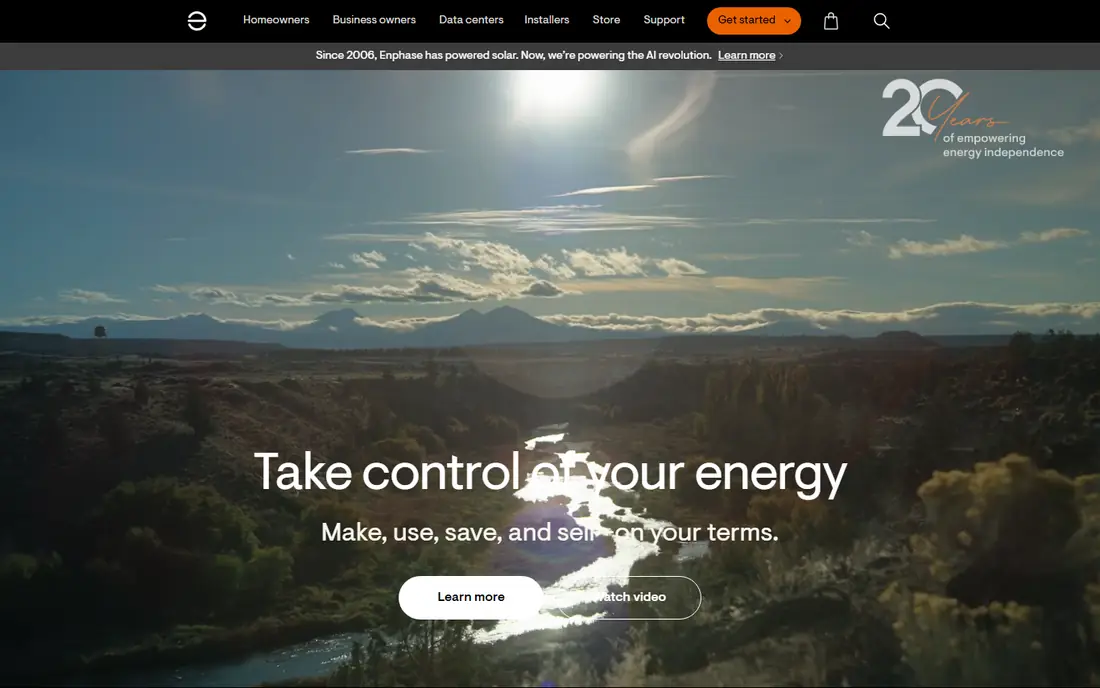
Enphase Enlighten is the natural first stop if your roof uses Enphase microinverters. Because each panel has its own microinverter, the app can show output panel by panel, which makes a single underperforming panel stand out against its neighbours. That detail matters when shade, dirt, or a fault affects one part of the roof and the system total still looks roughly normal.
Standard monitoring does not require a monthly subscription for owners once the system is commissioned, according to Enphase support answers. An optional Enlighten Manager upgrade, reported as a one time fee or a monthly option in community answers, adds deeper reporting for owners who want it. For most homeowners, the standard app is enough for a daily check, and the panel view is the reason to use it.
- Panel level views for Enphase microinverter systems
- Clear production and consumption views
- Free standard monitoring for owners
- Only useful with Enphase hardware
- Advanced manager features may carry an upgrade charge
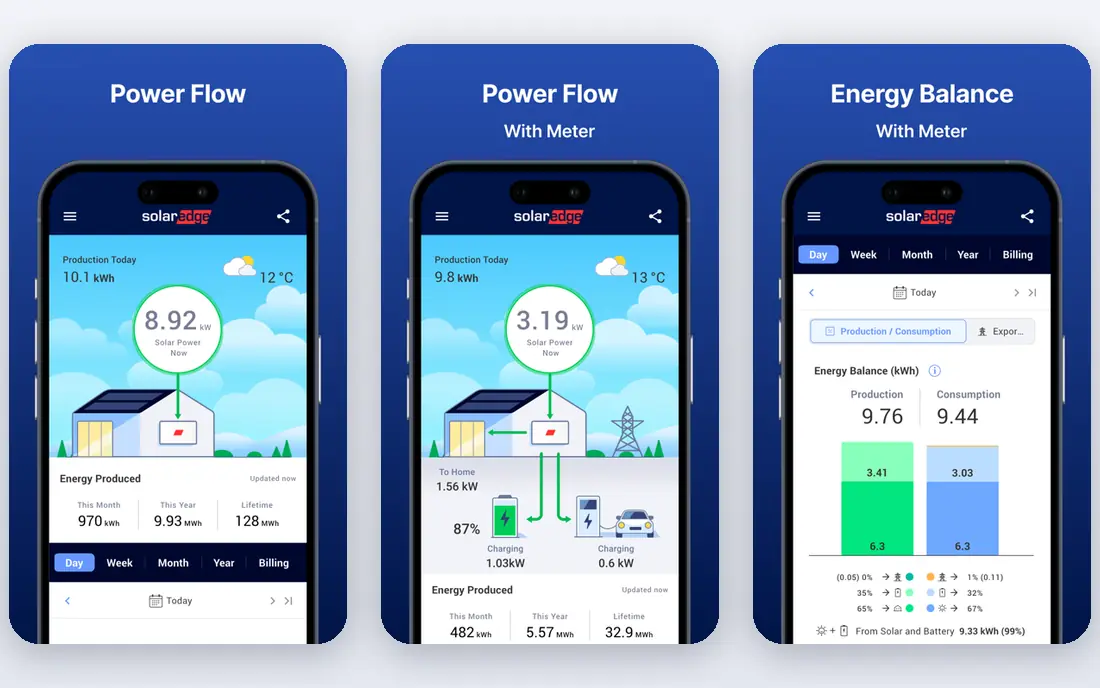
SolarEdge Monitoring, through the mySolarEdge app, gives owners a clear view of production, consumption, and energy flow, with panel level detail from power optimisers on each panel. That makes it useful for spotting a panel that has dropped off, and for checking whether solar is covering home use, charging a battery, or exporting to the grid at a given time. The standard monitoring service is described by SolarEdge as free for plant owners.
The main catch is account setup. The installer creates the site and invites the homeowner, so a homeowner cannot simply self register in the usual flow. If you bought a home with a SolarEdge system, or your installer has closed, getting access can take extra steps and installer cooperation. Ask your installer, at commissioning, what access level you will receive and who to contact if that installer is unavailable later.
- Panel level monitoring with power optimisers
- Free mySolarEdge app for owners
- Energy flow views for home, grid, and battery
- Homeowner account is created by the installer
- Access can be hard if the installer is unresponsive
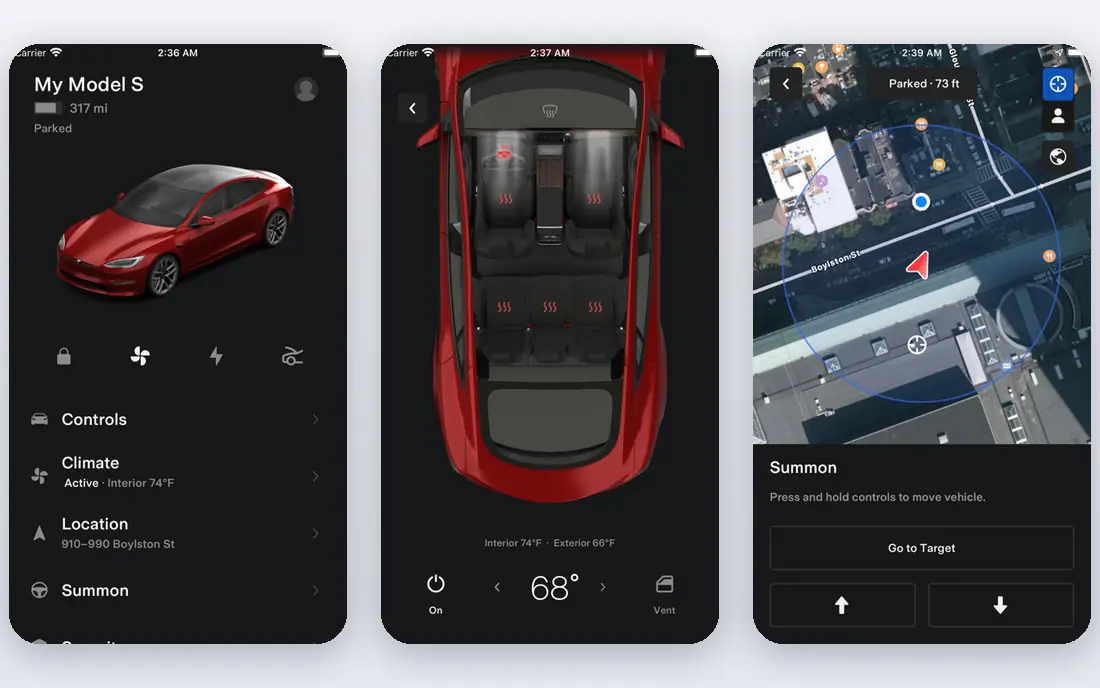
The Tesla app is the monitoring tool for Tesla solar panels, Solar Roof, and Powerwall owners, and its strength is simplicity. One screen shows energy flowing from solar to the home, to the battery, and to or from the grid, in real time. That flow view answers the question most owners ask each day, which is whether the home is running on solar, stored energy, or grid power right now.
It is less focused on deep panel level diagnostics than Enphase or SolarEdge, and it only fits Tesla hardware. If you already have Tesla solar or a Powerwall, though, there is no need for a second monitoring app for daily use. Keep installer or Tesla support details handy for faults, because the app shows the symptom, not always the cause.
- One app for solar, Powerwall, and home energy flow
- Clean real time view
- No separate monitoring subscription for owners
- Only for Tesla solar and Powerwall systems
- Less panel level detail than some rivals
Fronius Solar.web is the monitoring portal for Fronius inverter owners, and it suits owners who like detail. It shows production over days, months, and years, plus consumption where a meter is fitted, and it supports multiple systems in one account for owners or installers with more than one site. That portfolio view is useful for a small business or a homeowner with systems on two properties.
The interface is more technical than a simple phone app, and it will feel dense if you only want a daily total. It also only works with Fronius hardware, so it is not a general monitor you can add to any system. If you own Fronius equipment and you like charts, Solar.web gives you room to explore without an extra subscription for basic monitoring.
- Detailed production and consumption views
- Portfolio views for multiple systems
- Long standing inverter brand
- Only for Fronius systems
- Interface feels more technical than some consumer apps
SMA Sunny Portal is the long running monitoring platform for SMA inverter owners, and it is often praised by installers for detailed, accurate data. It covers production, yield comparisons, and system status, with tools that help an installer or a knowledgeable owner check whether output matches expectations for weather and system size. That depth helps when a small, steady drop needs investigation rather than a quick glance.
For a casual homeowner, Sunny Portal can feel like an installer tool first and a consumer app second. It also only fits SMA systems, so the choice is made when you buy the inverter, not later. If you already have SMA hardware, use Sunny Portal as your source of truth, and ask your installer to walk you through the main charts at handover.
- Detailed and accurate performance data
- Strong installer tools
- Long track record
- Interface can feel technical
- Best value needs SMA hardware and setup
Huawei FusionSolar is the monitoring app for Huawei inverter and battery owners, covering residential and larger systems. It shows production, home use, grid exchange, and battery state where those parts are fitted, in a mobile app that suits daily checks. For owners with a Huawei system, it is the direct equivalent of Enlighten or mySolarEdge, and basic monitoring is free for owners.
The limits are the usual ones for brand tied monitoring. It does not monitor other brands, and some features depend on region, installer configuration, and whether a battery or smart meter is fitted. If a feature you expected is missing, check with your installer whether the hardware and setup support it, rather than assuming the app is at fault.
- Free app for Huawei system owners
- Production, consumption, and battery views
- Supports residential and commercial systems
- Only for Huawei hardware
- Feature availability varies by region and installer setup
Growatt Shine, also known as ShineServer in some guides, is the monitoring service for Growatt inverter owners. It shows plant level production, device status, and history in an app and web portal, which is enough for most owners to check daily output and spot a day when production looks unusually low. Its simplicity is a plus for owners who do not want an installer grade dashboard.
Depth is the trade. Shine does not try to match the portfolio and diagnostic tools of larger installer platforms, and it only works with Growatt hardware. If you own a Growatt system and you want a straightforward daily check, it does the job without an extra fee for basic monitoring. For a fault that needs panel level proof, your installer may need to dig deeper than the app shows.
- Free monitoring for Growatt owners
- Simple app and web views
- Plant and device level data
- Only for Growatt hardware
- Less depth than some installer grade portals
Sense is different from the other tools here, because it is not tied to one inverter brand. It uses a home energy monitor fitted in the electrical panel to track whole home use and solar production together, and over time it tries to identify individual devices by their electrical signatures. That whole home view helps owners answer a different question, which is not just how much solar you made, but where your home used it.
The catch is cost and patience. Sense requires hardware, so the price is not free like brand monitoring, and device detection is gradual, not instant. It also does not replace your inverter app for panel level fault finding. Use Sense when you want energy behaviour insight across the home, and keep your inverter app for solar specific checks.
- Shows whole home use alongside solar output
- Device level insights over time
- Works with many solar systems
- Hardware purchase required
- Device detection improves over time rather than at once
How we picked these
We compared official product pages, installer guides, and public platform summaries, and we kept only software that is live in October 2026 and that truly monitors solar output, not just general energy billing. We favoured brand apps that owners actually receive with their system, plus one independent whole home option for owners who want a wider view. We excluded monitoring claims that could not be tied to a live product page, and we wrote See website where a firm price could not be verified.
How to choose solar monitoring software
Start with your hardware, because that choice is usually already made. If you have Enphase, SolarEdge, Tesla, Fronius, SMA, Huawei, or Growatt equipment, use the matching app first and learn its main views before adding anything else. Check at handover that you have your own login, that you can see your system, and that you know who to contact for access if your installer changes.
Next, learn what normal looks like. Check production on a clear day, then on a cloudy day, and note the shape across the day rather than reacting to a single hour. Compare weeks and months, not just days, and allow for season and weather. If one panel or string drops while neighbours stay normal, that is worth raising with your installer. If the whole system drops, check inverter status lights, internet connection, and any app alerts before assuming a panel fault. Finally, decide if you need a second view. A whole home monitor such as Sense adds behaviour insight, but it does not replace the inverter app for solar faults, so keep both roles clear.
Frequently asked questions
What is the best solar monitoring app?
The best app is usually the one made for your inverter, because only that app sees panel or string level data for your system. Enphase Enlighten suits Enphase owners, mySolarEdge suits SolarEdge owners, and the Tesla app suits Tesla solar and Powerwall owners. If you want whole home use next to solar, add an independent monitor such as Sense.
Is solar monitoring free?
Basic monitoring is free for owners on most brand platforms listed here, because it is part of buying the system. Some advanced installer tools, portfolio features, or manager upgrades may carry a charge, and independent monitors require hardware. Check your installer agreement for any extra monitoring fee before you assume every feature is free.
Can I monitor solar panels from my phone?
Yes. Each brand app above offers a phone app for daily checks, plus a web portal for deeper history. You need an internet connected inverter or gateway, a commissioned system, and your own login. If you cannot see your system, contact your installer first, because account creation often sits with the installer.
What should I check if solar output drops?
Check the weather and season first, then check inverter status, internet connection, and app alerts. Compare panel or string views if your app offers them, and compare the same period last month rather than yesterday alone. If a panel, string, or the whole system stays low without a weather reason, contact your installer with dates and screenshots.
Do I need panel level monitoring?
Panel level monitoring is not essential for every owner, but it makes faults much easier to find. With system totals alone, one faulty panel can hide inside a normal looking total. With panel level views, that panel stands out. If you are buying a new system, ask whether panel level monitoring is included and what it costs over time.
Can one app monitor solar from different brands?
Independent whole home monitors can show total solar production alongside home use across brands, but they do not give panel level data for every brand. Brand apps remain the best source for inverter specific faults. For a portfolio with mixed brands, an installer grade platform or a data aggregator may be needed, and that usually involves installer setup.
Sources
See where you really rank - block by block
ProMapRanker scans Google Maps across a grid of your service area. Simple monthly plans from $19, white-label on every plan.
Start freeKeep reading
 wpforms alternatives
Best WPForms Alternatives in 2026
We compare 9 wpforms alternatives for WordPress forms, with free and paid options, current pricing notes, and honest limits for small business sites in 2026.
Read → windows task scheduler alternatives
Best Windows Task Scheduler Alternatives in 2026
Looking for Windows Task Scheduler alternatives? We compare 9 schedulers for Windows and cross-platform work, from free tools to enterprise automation.
Read → which ai video service is best
Which AI Video Service Is Best in 2026
which ai video service is best? We compare 10 legitimate AI video services on price, avatars, editing and output quality to help you pick the right tool.
Read →