 ProMapRanker
Best Software to Track Rental Property Expenses in 2026

Key takeaways
- Stessa and Baselane give small landlords a free starting point for income and expense tracking.
- RentRedi keeps pricing simple with one flat rate, while Buildium and AppFolio suit larger portfolios.
- Bank feeds and property-level reports matter more than a long feature list.
- Check transaction fees, screening fees and payment fees before you judge a headline price.
- This guide is general information only, not tax advice, and your tax adviser should review your records.
Quick comparison
| Pick | Great for | Pricing starts at | Free tier | |
|---|---|---|---|---|
 Stessa | Free rental bookkeeping | Free | Yes | Visit |
 Baselane | Banking plus bookkeeping | Free | Yes | Visit |
 Landlord Studio | Mobile-first landlords | Free | Yes | Visit |
 RentRedi | Flat-rate simplicity | $12 per month | No | Visit |
 Buildium | Growing management firms | $62 per month | Free trial | Visit |
 AppFolio | Large portfolios | See website | No | Visit |
 Avail | Independent landlords | Free | Yes | Visit |
 TenantCloud | Low-cost management | See website | Free trial | Visit |
 REI Hub | Double-entry rental accounting | Free | Yes | Visit |
The best software to track rental property expenses
Rental bookkeeping goes wrong in small, quiet ways. A repair receipt stays in a pocket, a rent payment is recorded twice, or a property with three units gets mixed up with another one down the street. These tools help you keep each property separate, link the bank account, and turn a year of transactions into reports you can hand over at tax time.
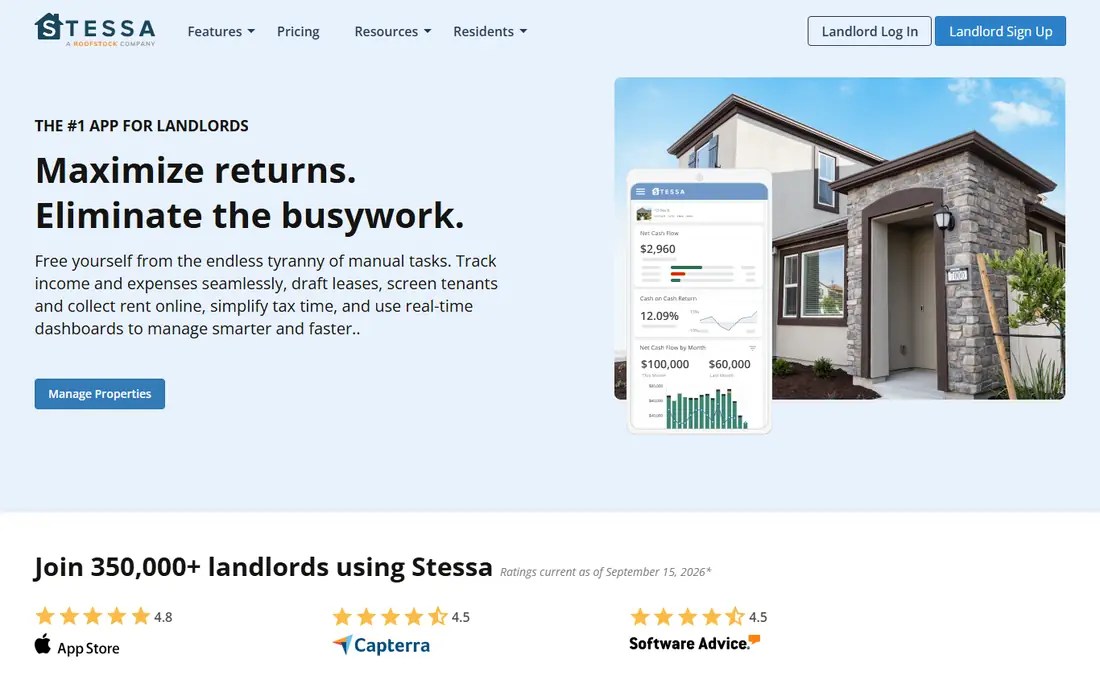
Stessa starts with the job most landlords actually need first, which is a clear record of money in and money out for each property. The free Essentials plan covers income and expense tracking, and the dashboard is built around rental properties rather than a generic business ledger. That focus makes it easier to see which property is performing and which one is eating cash on repairs.
The trade-off is scope. Stessa is not trying to replace a full management platform for a large firm, and landlords who need deep leasing workflows or owner portals may need a second tool. For a self-managing landlord with a handful of doors, though, the free plan is a sensible place to start, and the paid Manage plan adds more management features when the portfolio grows.
- Free Essentials plan
- Property-level income and expense tracking
- Tax-ready reports
- Advanced management tools sit on paid plans
- Not a full property management platform

Baselane joins banking, rent collection and bookkeeping, so a rent payment can move from tenant to account to ledger with fewer manual steps. That link is useful when you have several properties, because it cuts down on the monthly job of matching payments to tenants and units. The free Core plan gives smaller landlords a way to test that setup without a subscription.
The catch is that the most useful extras sit in the paid Smart tier, and landlords who already have a bank they like may not want another account. Still, if you are starting fresh or you want fewer tools to check each week, Baselane is worth a close look. Read the fee schedule for payments and optional services before you commit.
- Free Core plan
- Banking and rent collection in one place
- Automated bookkeeping features
- Paid Smart features cost extra
- Banking features may not suit every landlord
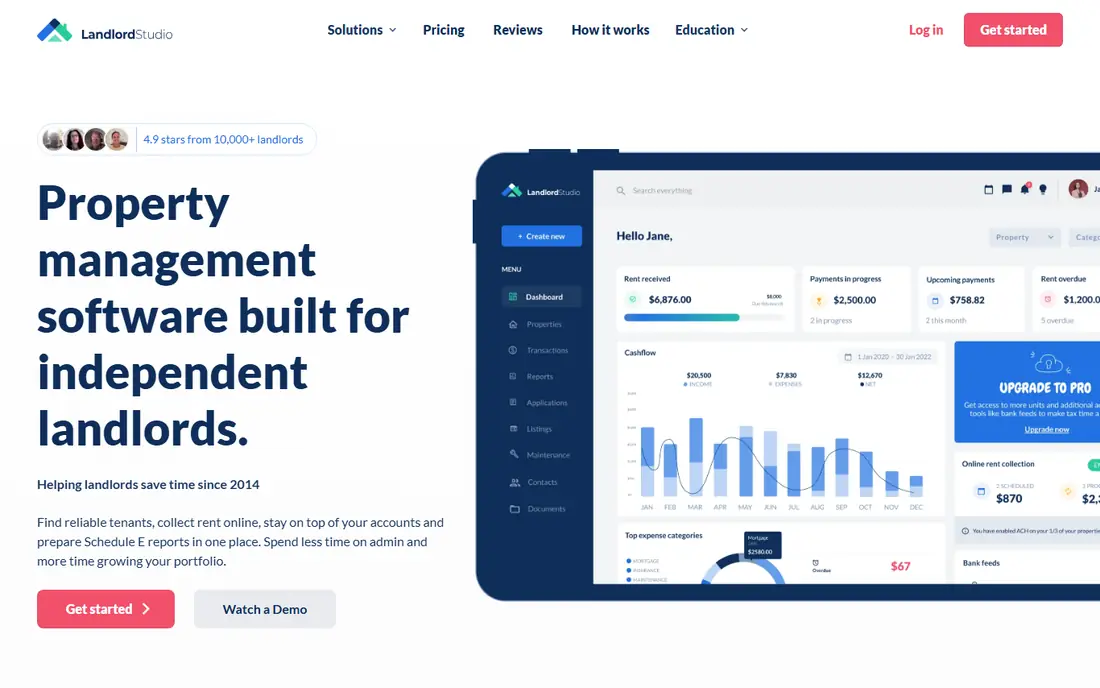
Landlord Studio is built for landlords who do much of their work on a phone. You can record an expense at the property, photograph a receipt, and track mileage for trips to a unit, which helps when small costs would otherwise be forgotten. Bank feeds pull transactions in, and the reports are organised by property, so tax time is less of a hunt through old statements.
The free GO plan covers up to 3 units, which fits a landlord just starting out. Once you pass that limit, the Pro plan at $12 per month and the Pro Plus plan at $28 per month take over, so check the cost at the unit count you expect in a year, not just the count you have today. For landlords who value a phone-first workflow, that price is easy to justify.
- Free plan up to 3 units
- Mobile expense capture
- Bank feeds and mileage tracking
- Free plan has a unit limit
- Larger portfolios need a paid plan
RentRedi appeals to landlords who dislike per-unit pricing. The plan is billed annually at $12 per month and covers unlimited units, which makes the cost predictable as you add doors. Accounting sits inside the same tool as rent collection, listings and tenant screening, so you are not stitching together three subscriptions to run a small portfolio.
The main drawback is the lack of a free plan, so you need a trial or a paid month to test it properly. Some larger management firms may also want deeper owner reporting than RentRedi offers. For an independent landlord who wants one price and one login, however, the flat rate is a clear strength.
- One flat rate for unlimited units
- Accounting included
- Rent collection and screening tools
- No free plan
- Some features may be simpler than larger platforms
Buildium is a step up for landlords who are turning into managers, or for firms that already manage homes for other owners. Accounting, leasing, maintenance and owner statements live in one system, which reduces the copying of figures between tools. The Essential plan starts at $62 per month, and a 14-day free trial lets you test the workflow before paying.
That depth comes with a price and a learning curve. A landlord with two units will find much of Buildium unused, and the monthly cost will feel high next to a free bookkeeping tool. For a growing firm that needs owner reporting and staff workflows, Buildium is a solid middle ground between a simple landlord app and an enterprise platform.
- Full accounting inside a management platform
- Owner and resident portals
- 14-day free trial
- Higher starting price
- More than a small landlord needs
AppFolio is the platform many professional managers move to when spreadsheets and small tools stop coping. Its accounting core includes a full general ledger, automated owner statements and bank reconciliation, all tied to rent collection and maintenance. When a repair is logged and paid, the books reflect it without a second round of data entry.
Pricing is quote-based, so you will need a sales conversation to get a firm figure, and there is no free plan. That alone rules it out for most self-managing landlords. For a management company with staff, owner clients and hundreds of units, the depth and automation can be worth the cost and the setup time.
- Full general ledger accounting
- Automated owner statements
- Bank reconciliation
- Quote-based pricing
- Built for companies, not small landlords
Avail gives independent landlords a free Unlimited plan that covers the basics, including listings, applications, screening and online rent collection. Expense tracking sits alongside those tools, so a landlord can manage a small portfolio without paying for a platform at all. The interface is plain and direct, which suits landlords who do not want to learn a complex system.
The limit is accounting depth. Avail tracks expenses well for a small portfolio, but landlords who want double-entry accounting or detailed tax reports may pair it with a specialist bookkeeping tool. The Unlimited Plus plan is priced per unit, so check that cost before you upgrade. For a first rental or a small local portfolio, Avail is a low-risk start.
- Free Unlimited plan
- Listings, screening and rent collection
- Simple expense tracking
- Paid Plus plan is priced per unit
- Accounting depth is lighter than specialist tools
TenantCloud combines rent collection, accounting and maintenance tracking in a tool aimed at landlords and small managers. Tenants can pay online, submit maintenance requests and see their payment history, while landlords can follow income and expenses by property. That combination keeps day-to-day management in one place.
Pricing varies, and the best features sit on higher tiers, so confirm what your plan includes before you rely on a specific report or workflow. A free trial helps you test the tenant side as well as the landlord side. For landlords who want a low-cost management tool rather than a pure bookkeeping app, TenantCloud deserves a trial.
- Rent collection and accounting tools
- Online payments
- Maintenance tracking
- Pricing varies by plan
- Some advanced features need a higher tier
REI Hub takes a different angle from most landlord apps, because it is built around proper double-entry accounting for rental properties. That matters if your accountant wants clean books, or if you run several entities and need clear separation between them. The free plan lets you test the accounting approach, and the Professional plan starts at $9 per month billed annually.
The trade-off is that REI Hub is not a full property management platform, so landlords who need listings, screening and owner portals will need other tools. For investors who care most about accurate books and tax-ready reports, that focus is a strength rather than a weakness. Check the plan limits against your portfolio size before you move a full year of records across.
- Accounting built for rental properties
- Free plan available
- Professional plan from $9 per month billed annually
- Smaller brand than the big platforms
- Management features are lighter
How we picked these
We compared official pricing pages, product documentation and public feature descriptions for tools that track rental income and expenses in October 2026. We kept only tools that exist and work today, and we favoured tools with bank feeds, property-level reporting and a clear pricing page. Where we could not verify a price from the vendor, we wrote See website rather than guessing a figure.
What to check before you pick a rental expense tool
Start with your unit count and your growth plan. A free plan that covers 3 units is perfect for a first rental and a poor fit for a landlord buying a fourth property next month. A flat-rate plan looks dear at 2 units and cheap at 20 units, so model the cost at twice your current size.
Bank feeds and receipts
Bank feeds save time, but they only help if you review the categorised transactions. Set a weekly habit of checking new entries, attaching receipts, and splitting costs that belong to more than one property. A photo of a receipt taken at the property beats a paper receipt found in a drawer in March.
Reports your accountant can use
Ask for a sample profit and loss report by property and a Schedule E style summary before you commit to a full year in a new tool. Your accountant should be able to use the export without rebuilding it in a spreadsheet. If the export is messy, the tool is costing you money even when the subscription is free.
Fees beyond the subscription
Screening fees, card payment fees and optional services sit outside the headline price on many platforms. Read the fee schedule, check who pays card fees, and confirm whether rent collection by bank transfer is free. Those small fees add up across a year of tenants and turnovers.
Frequently asked questions
What is the best app to track rental property expenses?
The best app to track rental property expenses depends on portfolio size. Stessa and Baselane suit small landlords who want a free start, RentRedi suits landlords who want one flat rate, and Buildium or AppFolio suit firms that manage homes for other owners. Start free where you can, and move up only when a limit costs you time.
Can I track rental expenses for free?
Yes, several tools offer free plans, including Stessa, Baselane, Landlord Studio for up to 3 units, Avail and REI Hub. Free plans usually cover core income and expense tracking, while paid plans add management tools, deeper reports or higher unit limits. Check the unit limit and the fee schedule before you rely on a free plan for a whole year.
Does rental expense software replace an accountant?
No, it replaces the bookkeeping scramble, not professional advice. Good software gives your accountant clean, property-level records and tax-ready reports, but filing, entity structure and deductions still need a qualified adviser. This guide is general information only, not tax advice.
Should I use a general accounting tool instead?
A general tool such as QuickBooks Online can work if your accountant already uses it and you set up property tracking carefully. Specialist rental tools, by contrast, are built around properties, tenants and rent from the start, so they need less setup for a small landlord. Pick the tool your accountant can actually use.
How do I handle expenses shared across properties?
Split the transaction by property in the software, attach the receipt or invoice, and add a short note explaining the split. That note helps you and your accountant months later, when the reason for a split is no longer obvious. Avoid putting shared costs into one property and hoping to fix it at tax time.
What records should I keep for each property?
Keep rent records, repair invoices, receipts, bank statements, lease documents and mileage logs for trips to the property. Most tools in this guide can store or link those records by property, but you should also keep your own backup. Good records protect you in a dispute and make tax filing far simpler.
Sources
See where you really rank - block by block
ProMapRanker scans Google Maps across a grid of your service area. Simple monthly plans from $19, white-label on every plan.
Start freeKeep reading
 wpforms alternatives
Best WPForms Alternatives in 2026
We compare 9 wpforms alternatives for WordPress forms, with free and paid options, current pricing notes, and honest limits for small business sites in 2026.
Read → windows task scheduler alternatives
Best Windows Task Scheduler Alternatives in 2026
Looking for Windows Task Scheduler alternatives? We compare 9 schedulers for Windows and cross-platform work, from free tools to enterprise automation.
Read → which ai video service is best
Which AI Video Service Is Best in 2026
which ai video service is best? We compare 10 legitimate AI video services on price, avatars, editing and output quality to help you pick the right tool.
Read →