 ProMapRanker
Best Screenwriting Software in 2026


Industry-standard studio formatting · Pricing starts at: $249.99 one-time
Key takeaways
- Final Draft remains the industry default for studio submissions, at a one-time price of $249.99.
- Fade In gives most of the same professional features for $79.95 one-time, with free updates.
- WriterDuet is the best choice for real-time co-writing, with a free tier for up to three scripts.
- Free tools such as Trelby and WriterSolo are good enough to finish a first draft without spending anything.
Quick comparison
| Pick | Great for | Pricing starts at | Free tier | |
|---|---|---|---|---|
| Final Draft | Industry-standard studio formatting | $249.99 one-time | Free trial | Visit |
 Fade In | Professional features at a lower one-time price | $79.95 one-time | Free trial | Visit |
 WriterDuet | Real-time co-writing | Free | Yes | Visit |
 Arc Studio Pro | Modern outlining and collaboration | See website | Yes | Visit |
 Celtx | Writing plus production planning | See website | Yes | Visit |
 Highland 2 | Minimal Mac writing in Fountain | $49.99 one-time | No | Visit |
 Trelby | Free desktop screenwriting | Free | Yes | Visit |
 Scrivener | Long-form writing that includes scripts | See website | Free trial | Visit |
The best screenwriting software
Screenwriting software does one job well: it formats as you type, so scene headings, action, character names, and dialogue land in the right place without manual spacing. The differences are price, collaboration, and production tools.
Final Draft is the safe choice when a script will go to agents, studios, or production teams. Its file format is the standard others export to, and its pagination, revision pages, and reports match what production expects. The Beat Board and Story Map help you plan structure before you write scenes, which matters for features and television episodes.
The price and interface are the honest downsides. At $249.99, it costs three times Fade In, and the design has changed less than newer rivals. If you write alone and do not need studio acceptance yet, a cheaper tool may serve you just as well until a script is ready to send out.
- Accepted everywhere in film and television
- Beat Board and Story Map for outlining
- Strong production reports and revision tools
- Highest one-time price in this list
- Interface feels dated next to newer apps
- Collaboration is more limited than WriterDuet
Fade In is our value pick for professional screenwriting. It formats correctly, handles revisions and locked pages, and produces production reports, all for a single payment with free updates. A writer on Linux, or on a tight budget, gets a serious tool without a subscription.
The compromise is polish and collaboration. The interface is functional rather than beautiful, and real-time co-writing is not built in the way WriterDuet offers it. For a solo writer who wants pro formatting at a fair price, those limits rarely matter.
- One-time price with free updates
- Opens and saves Final Draft files
- Runs on Windows, Mac, Linux, iOS, and Android
- Interface is less polished than Arc Studio Pro
- Cloud sync and collaboration cost extra through a separate service
- Smaller community than Final Draft
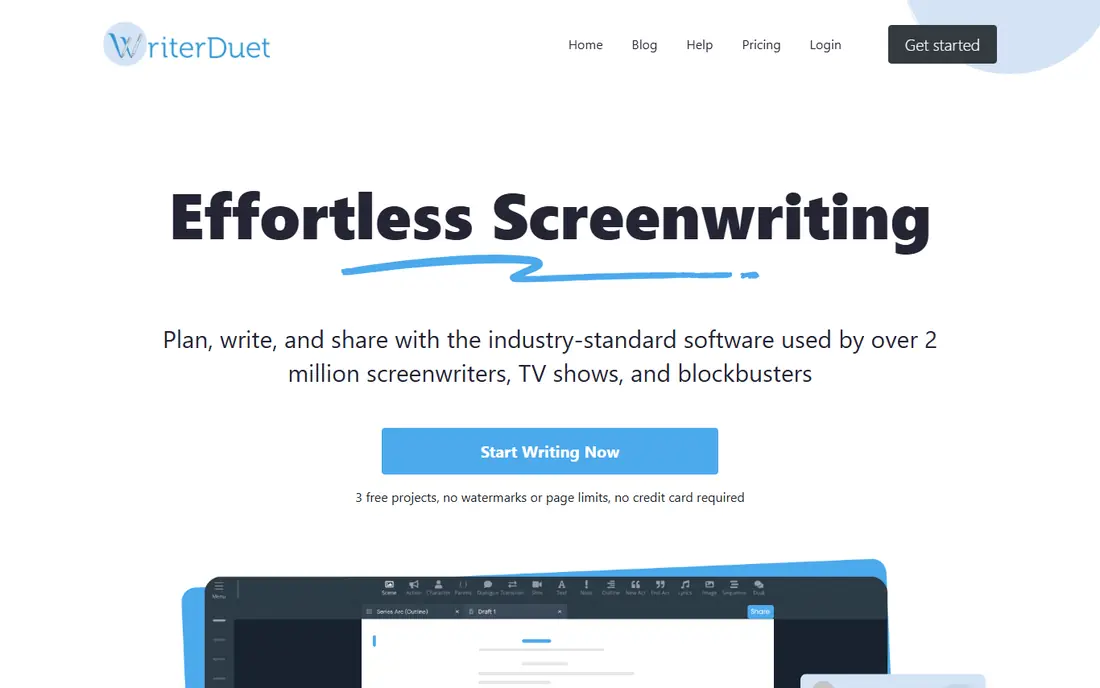
WriterDuet is the best tool for writing partners. Two writers can edit the same script at the same time, leave comments, and talk through a scene without switching apps. The free tier, with up to three scripts, is enough to test a partnership before paying.
Solo writers may prefer a desktop app with stronger offline support, since WriterDuet is web-first. Paid plans add the collaboration features that make it special, so check the current monthly price against how often you actually co-write.
- Real-time collaboration with comments and video chat on paid plans
- Free tier for up to three scripts
- Exports to Final Draft, PDF, and Fountain formats
- Full collaboration needs a paid plan
- Interface is functional rather than elegant
- Offline use is more limited than desktop apps
Arc Studio Pro suits writers who like to outline visually before drafting. The beat board, structure tools, and clean editor make it easier to see a story arc, and collaboration works in the browser without installs. For beginners, that guided structure is a real help.
The subscription is the long-term cost to weigh. Over several years, it can pass the one-time price of Fade In or Final Draft, and some features sit behind add-ons. If you write often and value the modern interface, it is worth it, but occasional writers should compare the annual cost first.
- Clean modern interface
- Beat board and outlining built in
- Real-time collaboration and web access
- Subscription pricing adds up over years
- Production tools are thinner than Celtx
- Some advanced features are paid add-ons
Celtx is for writers who also plan the shoot. Once a script is written, you can break it down into scenes, locations, and cast, then build schedules and call sheets in the same account. For a student film or a small production team, that saves moving data between apps.
Writers who only need a script may find Celtx too much. The monthly cost and the production menus add clutter when you just want to write dialogue. Choose Celtx when production planning is part of the job, not just a nice extra.
- Script writing plus breakdowns, scheduling, and call sheets
- Team collaboration
- Useful for film students and small productions
- Monthly pricing is higher than writing-only tools
- Interface can feel busy
- Pure writing experience is less focused than Fade In
Highland 2, from writer John August, is built around Fountain, a plain-text screenplay format. That choice keeps scripts readable in any text editor and easy to version, which appeals to writers who like simple, durable files. The Mac interface is calm and focused, with little to distract from dialogue.
The limits are platform and scope. There is no Windows version, and production features are thinner than in Final Draft or Celtx. For a Mac writer who values a clean editor and portable files, it is a strong, affordable pick.
- Clean Mac-native interface
- Fountain plain-text format keeps scripts portable
- Good for writers who like minimal distractions
- Mac only
- Collaboration is limited
- Fewer production features than Final Draft or Fade In
Trelby proves that a first draft does not need to cost anything. It formats as you type, handles character and location names, and exports to formats that other tools can open. For students, new writers, and anyone testing whether screenwriting suits them, it removes the price barrier entirely.
The interface shows its age, and there is no built-in collaboration or cloud sync. Those limits matter less for a solo first draft. If you later need production tools or co-writing, export the script and move to a paid tool.
- Completely free and open source
- Correct screenplay formatting
- Exports to Final Draft and PDF formats
- Interface looks dated
- No collaboration
- Development is slower than commercial tools
Scrivener is not a pure screenwriting tool, and that is why it is here: many writers plan a novel, a play, or a series bible alongside a script. Its binder, research folders, and outlining tools help you manage a large project, and screenplay templates give you a workable starting point for a script.
For a script alone, Scrivener needs more setup than Final Draft or Fade In, and formatting requires more attention. Choose it when the script is part of a larger writing project, and choose a dedicated tool when the script is the whole job.
- Strong research, outlining, and long-document organization
- Screenplay templates included
- One-time license with a long trial
- Not a dedicated screenwriting app, so formatting is less automatic
- Learning curve for new users
- Collaboration is limited
How we picked these
We compared official feature and pricing pages for screenwriting tools that are still available in October 2026 and that export to standard formats such as Final Draft or PDF. We favored a mix of industry-standard, value, collaboration, free, and Mac-native tools, and we noted where a subscription, one-time price, or free tier applies. We did not claim hands-on testing, and we left out general word processors that do not format screenplays automatically.
How to choose screenwriting software
Check the export format first
A script that cannot export cleanly to Final Draft format or PDF will cause problems when you send it to readers or production. Test an export early, check pagination and dialogue spacing, and confirm that scene numbers survive the move.
Match collaboration to how you actually write
Solo writers need formatting and revision tools, while writing partners need real-time editing and comments. Paying for collaboration you never use wastes money, while trying to co-write in a solo desktop app wastes time.
Start free, then pay for a real limit
Write a first draft in Trelby, WriterDuet free, or Arc Studio Pro free before buying Final Draft or Fade In. Upgrade when you hit a clear limit, such as needing production reports, studio acceptance, or regular co-writing, rather than buying the most expensive tool first.
Frequently asked questions
What is the best screenwriting software?
Final Draft is the industry standard for studio work, while Fade In offers most of the same professional features at a lower one-time price. WriterDuet is best for co-writing, and Trelby is best if you want a free desktop tool.
What is the best free screenwriting software?
Trelby is the best free desktop option, with correct formatting and Final Draft export. WriterDuet offers a free tier for up to three scripts, and WriterSolo, from the same team, offers free solo writing without collaboration.
What is the best screenwriting app for beginners?
Arc Studio Pro is beginner-friendly, thanks to its clean interface and built-in outlining, while WriterDuet free lets beginners start without paying. Trelby is also a good first tool, since it costs nothing and teaches correct formatting.
Is Final Draft worth the price?
It is worth it when scripts will go to studios, agents, or production teams that expect Final Draft files and reports. For a first draft or a personal project, Fade In or a free tool gives you the same core formatting for far less money.
Can I write a screenplay in Google Docs or Word?
You can, but you will spend time fixing margins, spacing, and pagination by hand. Dedicated screenwriting software formats as you type, which saves time and reduces errors when a script is read by professionals.
What file format do screenplays use?
The industry standard is Final Draft format, with the .fdx extension, plus PDF for reading and Fountain for plain-text portability. Most tools in this list export to at least two of those, so check exports before you commit to one app.
Sources
See where you really rank - block by block
ProMapRanker scans Google Maps across a grid of your service area. Simple monthly plans from $19, white-label on every plan.
Start freeKeep reading
 free alternatives to grok imagine
Free Alternatives to Grok Imagine in 2026
We compared the best free alternatives to grok imagine for image generation, from fast daily credits to design tools, so you can create without paying.
Read → best tools for instagram content creation
Best Tools for Instagram Content Creation in 2026
Compare the best tools for Instagram content creation, from Canva and CapCut to Later and Buffer, on design, video, planning, scheduling, and price in 2026.
Read → best tool to split pdf files
Best Tool to Split PDF Files in 2026
We compared the best tool to split pdf files on split modes, file limits, privacy and price, so you can split a PDF cleanly and keep every page in one go.
Read →