 ProMapRanker
Best Safety Apps in 2026: 8 Apps Compared

Key takeaways
- Noonlight stands out for direct emergency dispatch, while bSafe is a strong free choice for alerts to trusted contacts.
- Life360 fits families who want shared location and driving reports in one place, but its best features sit behind paid plans.
- Free tools such as Apple Find My and Google Family Link cover basic location sharing well, with clear limits on history and alerts.
- A safety app works only when contacts are set up, permissions are on, and the phone has signal and battery, so test it before you need it.
Quick comparison
| Pick | Great for | Pricing starts at | Free tier | |
|---|---|---|---|---|
 Noonlight Noonlight | Emergency dispatch in the US | Free | Yes | Visit |
 bSafe bSafe | SOS alerts to trusted contacts | Free | Yes | Visit |
 Life360 Life360 | Family location and driving reports | Free | Yes | Visit |
 Citizen Citizen | Local crime and incident alerts | Free | Yes | Visit |
 Apple Find My Apple Find My | Apple households sharing location | Free | Yes | Visit |
 Google Family Link Google Family Link | Android child supervision | Free | Yes | Visit |
 TripWhistle Global SOS TripWhistle Global SOS | Emergency numbers while travelling | Free | Yes | Visit |
 Glympse Glympse | Temporary location sharing | Free | Yes | Visit |
The best safety apps
We compared official feature pages, pricing pages and app store listings for apps that help in an emergency, share location, or warn about nearby incidents. The picks below cover solo walkers, families, travellers and parents, with honest limits for each one.
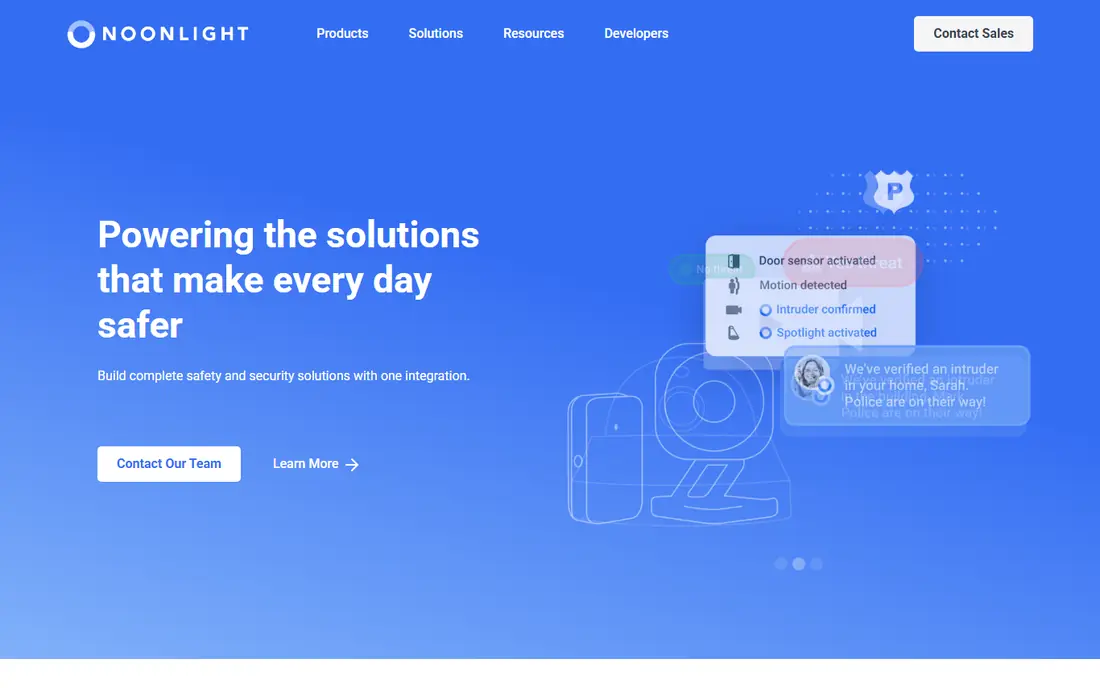
Noonlight is built around one simple action. You hold a button in the app, and if you release it without entering your PIN, Noonlight can dispatch emergency services to your location. That design matters in a stressful moment, because you do not need to find a contact list or explain where you are. The basic app is free, with paid tiers adding features such as crash response and smart home connections.
The catch is that the strongest version is not free. Crash response, voice assistant links and some integrations sit in paid plans, and availability can differ by phone and region. For a solo walker or night-shift worker in the US, the free button plus a paid tier is still a clear setup. Set up your profile and emergency details first, so dispatchers have useful information if an alert is ever sent.
- Direct dispatch to emergency services
- Hold-to-alert button
- Works with rideshare and smart home integrations
- Paid features vary by device
- Full protection requires a subscription
- US focused
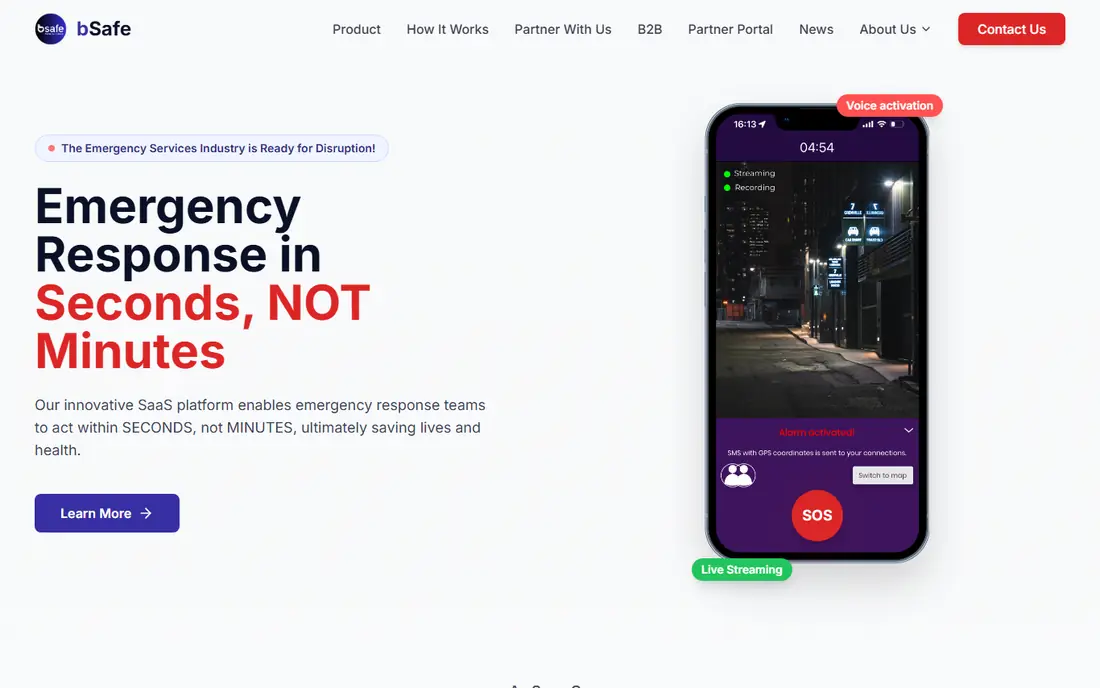
bSafe sends an SOS alert with your location to people you choose, and it can stream live audio and video to them. That combination suits someone who wants friends or family to see what is happening, rather than only receiving a text. The follow-me timer is also practical for a run or a walk home, because it alerts contacts if you do not check in on time.
The limit is human, not technical. If your contacts are asleep or away from their phones, an alert may not get a fast response. We suggest picking contacts in different time zones or routines where possible, and telling them in advance that they are on your list. bSafe is free to start, with premium options for extra features, so check the current pricing page before you rely on a paid feature.
- SOS with live audio and video
- Follow-me timer
- Fake call feature
- Alerts depend on contacts responding
- Some features need a premium plan
- Needs mobile signal
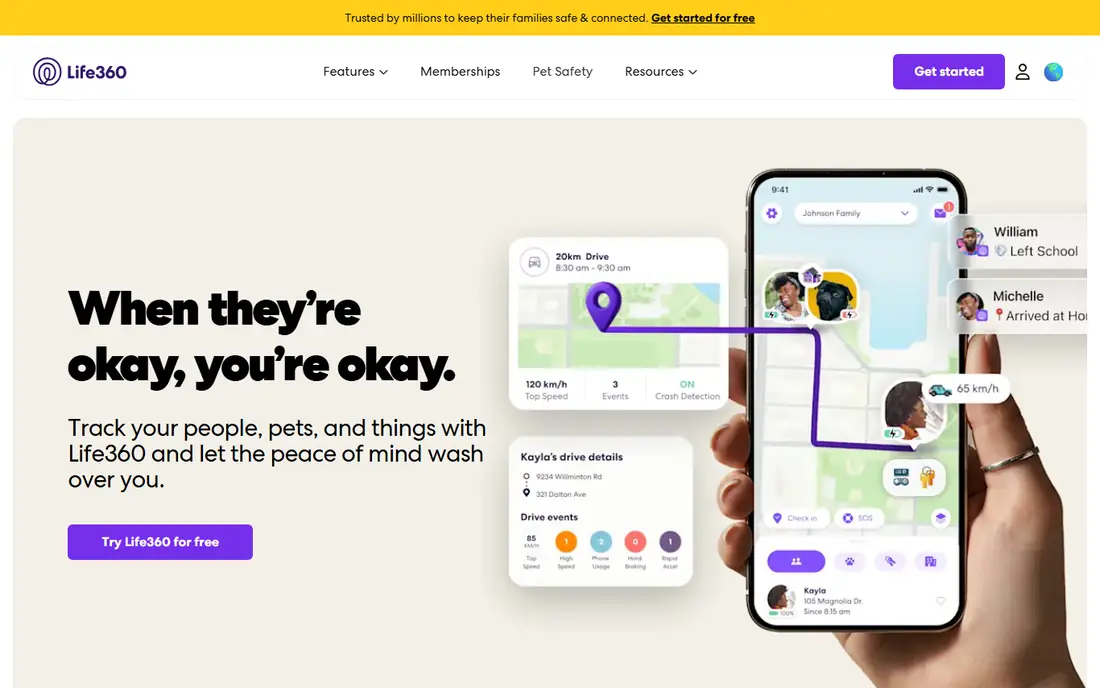
Life360 puts family members into circles where everyone can see each other on a map. Place alerts tell you when someone arrives at or leaves home, school or work, which removes a lot of check-in texts. Paid plans add longer location history, unlimited place alerts, individual driver reports and crash detection, according to the company's pricing page.
That breadth is also the trade-off. The free plan covers only a short location history and a small number of place alerts, so families who want the full picture will pay a monthly fee. Constant sharing also needs a family conversation, especially with teenagers. Agree on what is shared, when alerts are used, and who can see driving data, before you turn everything on.
- Shared family circles
- Place alerts
- Crash detection on paid plans
- Best features require payment
- Location history is limited on the free plan
- Constant sharing can feel intrusive
Citizen focuses on what is happening near you, rather than on who you are with. It shows verified incident reports, emergency activity and a safety map, and users can share live video from an incident area. For someone walking in a city or checking a neighbourhood before heading out, that local picture can be more useful than a general news feed.
Coverage is the main limit. Citizen is stronger in larger US cities and thinner elsewhere, so check your area before you count on it. The free app covers alerts and the map, while a paid Protect plan adds extra safety features. We also suggest tuning alert distance and categories, because a wide radius can turn useful warnings into noise you start to ignore.
- Real-time local incident alerts
- Live video from nearby users
- Safety map
- Coverage varies by city
- Paid Protect plan needed for some features
- Alerts can feel frequent
Apple Find My is already on iPhones, iPads and Macs, which makes it the lowest-friction option for an all-Apple household. You can share your location with chosen people, find a lost device, and use AirTags for bags and keys. There is no extra app to install and no subscription to manage, which helps adoption across a family.
It is not a full safety app. Find My does not offer the same SOS workflow, crash response or incident alerts as Noonlight or Citizen, and it does not keep a long location history for review. Treat it as a solid base layer for location sharing, and add a dedicated safety app if you want emergency dispatch or richer alerts. Privacy controls are clear, since you choose who sees your location and can stop sharing at any time.
- Built into Apple devices
- No extra subscription
- Works with AirTags and devices
- Apple only
- No long location history
- Limited safety alerts compared with dedicated apps
Google Family Link is a free supervision tool for parents, and it includes location for a child's Android device alongside screen time limits and app approvals. That bundle suits younger children with a first phone, because one setup covers safety, content and time limits. Parents manage settings from their own phone, which keeps daily control in one place.
The location side is simpler than a dedicated family tracker. You will not get the same driving reports, long history or crash features found in Life360, and the child experience is centred on Android. For mixed-device families, that gap matters, so test how location shows up for each child device before you promise it as a tracker. Still, for a free starting point with real parental controls, Family Link is hard to beat.
- Free parental controls
- Location for a child's device
- Screen time and app approvals
- Child device is mainly Android
- Location features are lighter than Life360
- Setup needs Google accounts
TripWhistle Global SOS answers a simple travel problem. Emergency numbers differ by country, and in a crisis you may not remember the right one. The app lists police, fire and ambulance numbers for your location, so you can call the correct service quickly. Because the core number list can work without a data connection, it stays useful in places with patchy coverage.
Be clear about what it does not do. TripWhistle does not monitor you, send your location to responders, or dispatch help on its own. It is a dialler and reference tool, best paired with a safety app such as Noonlight or bSafe when you are abroad. Download the country packs you need before you travel, and save your hotel address and local embassy details separately.
- Local emergency numbers by country
- Works offline for numbers
- Simple to use abroad
- Not a live monitoring service
- No automatic dispatch
- Extra country packs may cost extra
Glympse takes the opposite approach to always-on trackers. You share your live location for a chosen period, such as a drive home or a meet-up, and the share stops when the timer ends. People who receive the link do not need an account to view it, which makes it easy for a one-off trip, a delivery window, or a friend picking you up.
That temporary design is both the strength and the limit. Glympse does not keep history, send place alerts over weeks, or dispatch emergency help, so it cannot replace Life360 or Noonlight for ongoing safety. Use it when you want a short, clear share with a defined end, and use a different tool for continuous family location. For privacy, the time limit is a feature, because sharing does not quietly continue after the trip is over.
- Share location for a set time
- No account needed to view
- Works on iOS and Android
- No long-term tracking or history
- No SOS dispatch
- Sharing ends when the timer ends
How we picked these
We started from official product pages, pricing pages and app store listings, and kept only apps that are available and working in October 2026. We looked for a clear safety job, such as SOS, dispatch, location sharing, incident alerts or parental supervision, and we checked whether the free plan actually covers that job or only previews it. Apps that were discontinued, region-locked without a clear note, or built mainly for business fleet tracking were left out.
We also weighed the honest limits. A safety app that needs signal, battery and a responding contact will fail in some real situations, and we have said so for each pick. Prices change, so where a plan price was not confirmed on the vendor page we used in this round, we kept the starting price as Free and pointed readers to check the vendor page. That approach avoids invented numbers while still giving a useful shortlist.
What to check before you choose
How fast can you trigger help
Test the SOS action with your phone locked, in a pocket, and with one hand. If it takes several taps or a menu search, it may be too slow under stress. Pick an app whose trigger you can remember and repeat, and practise it in a safe setting with your contacts informed first.
Who gets the alert, and what do they do
Write down who receives alerts and what you expect them to do. A friend who will call emergency services is more useful than five contacts who only see a notification. Tell your contacts they are listed, agree on a backup contact, and review the list when routines or phone numbers change.
Location, battery and privacy trade-offs
Always-on location uses battery and creates a detailed record of movement. Check how long history is kept, who can see it, and whether you can pause sharing. For children and teenagers, agree on the rules together, explain why sharing is on, and revisit those rules as they get older. Consent and clarity matter as much as the technology.
Frequently asked questions
What is the best safety app overall?
There is no single winner for every person. Noonlight is our pick for emergency dispatch in the US, bSafe is strong for alerts to trusted contacts, and Life360 fits families who want shared location and driving reports. Start with the job you need most, then add a second app only if it covers a different job.
Are safety apps free?
Many safety apps are free to download and use for basic features. Noonlight, bSafe, Life360, Citizen, Apple Find My, Google Family Link, TripWhistle and Glympse all offer free plans. Paid plans usually add longer history, crash detection, unlimited alerts or dispatch features, so read the pricing page before you subscribe.
What is the best safety app for walking alone at night?
Noonlight and bSafe are both strong for solo walking. Noonlight can dispatch help when you hold and release its button, while bSafe alerts chosen contacts with live location and audio or video. Carry a charged phone, keep the app trigger easy to reach, and tell a contact your route and expected arrival time.
Does a safety app work without mobile signal?
Most safety apps need signal to send alerts or share live location. TripWhistle can show emergency numbers offline, and Apple Find My can use nearby Apple devices in some offline cases, but live SOS still needs a connection. If you hike or travel off-grid, plan for signal gaps and carry a separate communication method where possible.
Is Life360 safe for family privacy?
Life360 gives families a shared map, place alerts and driving data, which some families find reassuring and others find intrusive. Review who is in each circle, how long history is kept, and what data is shared with partners in the privacy policy. Agree on sharing rules as a family, and use temporary sharing tools such as Glympse when continuous tracking is not needed.
Sources
See where you really rank - block by block
ProMapRanker scans Google Maps across a grid of your service area. Simple monthly plans from $19, white-label on every plan.
Start freeKeep reading
 zoom alternatives
Best Zoom Alternatives in 2026
Compare Zoom alternatives in 2026, with free meeting limits and prices, so you can pick the best alternative to Zoom for your team, class, or community.
Read → which software is best for remote work
Which Software Is Best for Remote Work in 2026
Answering which software is best for remote work, we compare Slack, Zoom, Asana, Notion, Teams and more, with pricing and honest tradeoffs in 2026 now.
Read → which ai tool is best for content writing
Which AI Tool Is Best for Content Writing in 2026
Wondering which ai tool is best for content writing? We compare ChatGPT, Claude, Jasper, Grammarly, and more on price, quality, and best use in 2026 now.
Read →