 ProMapRanker
Best Restoration Software in 2026


Insurance-driven restoration firms · Pricing starts at: See website
Key takeaways
- This guide covers property damage restoration job management software, not photo restoration tools.
- DASH, Albi and PSA lead for insurance-driven restoration firms that need detailed job documentation.
- Xactimate remains central for estimating, and the best job tool is often the one that works well with it.
- Encircle suits field documentation and drying records, while JobNimbus and Contractor Foreman suit broader contractor workflows.
- Choose by claim volume, documentation standards and whether your work is mostly water, fire, mold or reconstruction.
Quick comparison
| Pick | Great for | Pricing starts at | Free tier | |
|---|---|---|---|---|
| DASH | Insurance-driven restoration firms | See website | No | Visit |
 Albi | Restoration teams needing documentation | See website | No | Visit |
 PSA | Firms needing mold and job compliance | See website | No | Visit |
 Xactimate | Estimating for property claims | See website | Free trial | Visit |
 Encircle | Field documentation and drying | See website | No | Visit |
 JobNimbus | Contractor CRM and job tracking | See website | Free trial | Visit |
 Contractor Foreman | Job costing and field management | See website | Free trial | Visit |
 Xcelerate | Xactimate-linked job costing | See website | No | Visit |
 ServiceTitan | Multi-crew dispatch at scale | See website | No | Visit |
The best restoration software
Property damage restoration work moves fast, and the paperwork must keep up. This article covers software for water, fire, mold and storm damage jobs: intake, dispatch, drying logs, photos, estimates, invoicing and claim records. It does not cover photo restoration apps, which are a different category entirely.
DASH, from Next Gear Solutions, is the best-known job management system in restoration, and it shows in how completely it covers a job. Intake, scheduling, tasks, equipment, documents and billing sit in one record, so office and field teams work from the same job file. For insurance-heavy firms, that single record is what keeps adjuster requests manageable.
The trade-off is complexity. DASH rewards firms that invest in setup and training, and very small crews may find it heavy for simple jobs. Firms doing steady insurance volume, especially across multiple locations, are the ones most likely to get a clear return.
- Built for the full restoration job cycle
- Xactimate and claim workflow links
- Equipment and task tracking
- Setup and training take time
- Pricing suits larger firms more than very small crews
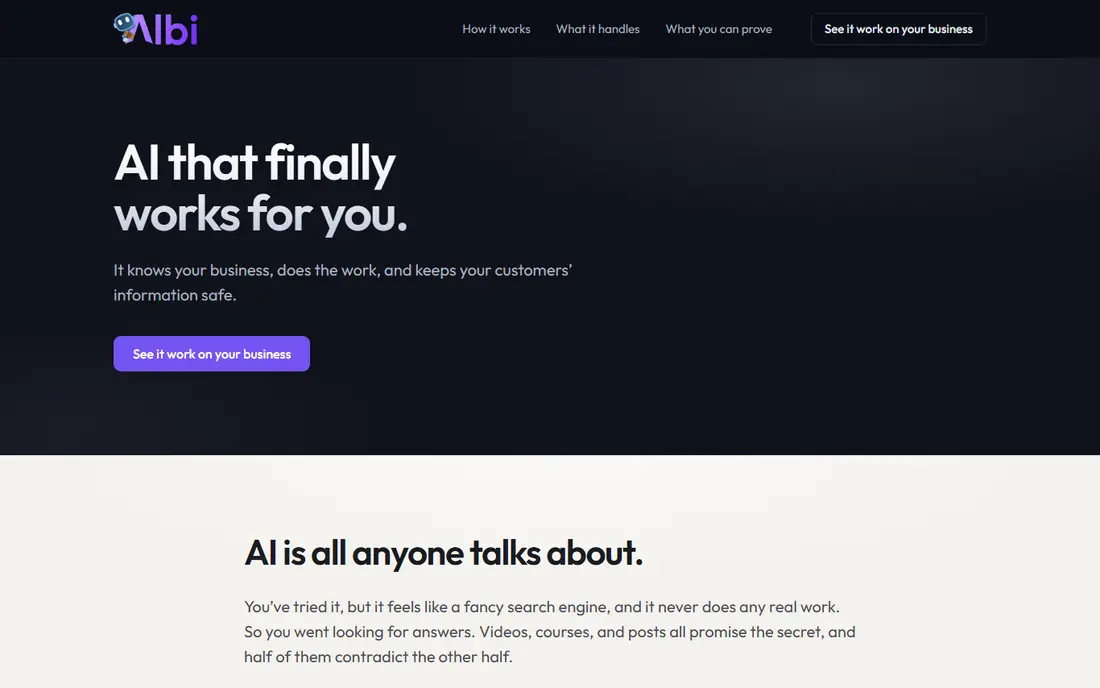
Albi focuses on the documentation that decides whether a claim is paid smoothly. Moisture readings, drying chambers, equipment placement and photos can be captured in the field and turned into reports that adjusters can follow. That detail matters most on water jobs, where drying proof is the core of the file.
It is a specialist tool, so firms that mainly do reconstruction or general contracting may want a broader platform alongside it. For mitigation teams that live on water and mold jobs, Albi keeps field evidence organized without relying on separate photo and spreadsheet tools.
- Moisture mapping and drying documentation
- Job tracking with photos and reports
- Mobile field tools
- Pricing is quote-based
- Smaller firms may need onboarding help
PSA by TrueBuilt suits firms that need structured documentation for mold and water work, including room-by-room readings and insurance-ready reports. The system prompts for missing items and tracks job status, which helps managers spot gaps before a claim is submitted. Field and office sync keeps the job file current as work progresses.
Like other specialist tools, PSA needs onboarding to use well, and its pricing is quoted rather than published. Firms with steady insurance volume and strict documentation standards will value the structure. Smaller cash-pay crews may find a simpler tool enough.
- Restoration job management with compliance alerts
- Room-by-room documentation
- Estimating and field sync
- Pricing is quote-based
- Feature depth takes training
Xactimate is not a general job manager, but no restoration list is complete without it, since so many insurers and contractors price work through it. It lets estimators build detailed scopes with line items, pricing and sketches, and share them with carriers and clients. Accuracy and consistency are why it remains the standard for property claims.
Firms still need a job system like DASH, Albi or PSA to manage dispatch, drying and billing around the estimate. Think of Xactimate as the estimating layer, and pair it with a job tool that links to it cleanly. Buying it alone will not organize your jobs.
- Industry-standard estimating for property claims
- Detailed line items and sketches
- Desktop, web and mobile access
- It is an estimating tool, not a full job management system
- Pricing varies by user and plan
Encircle is the field documentation tool many restoration teams use to capture photos, moisture readings, drying logs and notes on site. It turns field work into clear reports that support claims and show drying progress over time. Crews can work from a phone, which keeps records close to the job instead of recreated later in the office.
It does not replace a full job management or billing system, so most firms pair it with DASH, PSA or a contractor platform. If your main gap is field evidence rather than scheduling or invoicing, Encircle is a focused fix that crews tend to adopt quickly.
- Strong field documentation and moisture logs
- Photo and report tools
- Works alongside job systems
- Not a full CRM or billing system
- Needs pairing for complete job management
JobNimbus suits restoration firms that also do roofing, remodeling or general contracting, since it manages leads, jobs and invoicing across work types. Crews can track job status, photos and tasks from the field, while the office manages contacts and payments in one place. That breadth helps mixed firms avoid a separate system for each trade.
Restoration specialists may miss the drying and compliance depth of Albi or PSA. For firms where restoration is one line of work among several, JobNimbus offers a practical all-round system that keeps jobs visible without specialist complexity.
- CRM, jobs, scheduling and invoicing together
- Mobile app for field teams
- Good for mixed contractor work
- Less restoration-specific documentation than DASH or Albi
- Estimating needs a separate tool
Contractor Foreman gives contractors a broad platform for estimating, scheduling, time tracking, job costing and documents. Restoration firms that do a lot of reconstruction will value the costing and project controls, which help track whether a rebuild stays on budget. The mobile tools keep field updates flowing to the office.
It is a general contractor system, so mitigation documentation and claim workflows are less specialized than in DASH or PSA. Firms that split work between mitigation and reconstruction may pair it with Encircle for drying records, or choose a specialist tool if insurance mitigation dominates.
- Job costing, scheduling and field tools in one system
- Affordable entry plans
- Broad contractor features
- Restoration-specific documentation is thinner than specialist tools
- Setup takes time
Xcelerate is built for restoration firms that want job management tied closely to Xactimate. Estimates, job costs and progress can be tracked together, which helps managers see whether a job is on budget while work is still under way. That link reduces retyping between estimating and job records.
It is a smaller vendor than DASH or ServiceTitan, so firms should ask for references and confirm integration depth during a demo. For Xactimate-led firms that want costing visibility without a large enterprise platform, Xcelerate is a focused option worth shortlisting.
- Links job management to Xactimate estimates
- Job costing and reporting
- Restoration-focused workflows
- Pricing is quote-based
- Smaller vendor than the largest platforms
ServiceTitan is best known in home services, and larger restoration firms use it for dispatch, scheduling and customer management across many crews. It handles job booking, technician dispatch, invoicing and payments in one system, with reporting that shows performance by crew, job type and region.
Restoration-specific drying and claim documentation will need configuration or a paired field tool. Firms with high job volume and multiple crews, especially those with mixed home-service work, will get the most from its dispatch strength. Small mitigation-only crews will find specialist tools simpler.
- Strong dispatch, scheduling and CRM at scale
- Invoicing and payments
- Reporting across crews and jobs
- Pricing is quote-based and suits larger firms
- Restoration documentation needs configuration
How we picked these
We compared official product pages, pricing pages, restoration buyer guides and public reviews for tools live in October 2026 that manage property damage restoration jobs. We kept tools that cover job tracking, dispatch, documentation, estimating or costing as a core job, and we mixed specialist restoration systems with broader contractor platforms. We did not claim hands-on testing, and we used quote-based pricing where vendors do not publish a standard price.
How to choose restoration software
Start with your claim mix. Water and mold jobs need drying logs, moisture mapping and photo evidence above all. Fire and storm jobs need scope, estimating and reconstruction tracking. A tool that excels at one mix may be weak at the other, so shortlist by your most common job type first.
Next, test the field workflow on a real job. A technician should be able to capture photos, readings and notes from a phone without returning to the office to re-enter them. If field entry is slow, office staff will spend their time chasing records, and claim quality will fall.
Finally, confirm how estimates, costs and claim documents flow together. Check the Xactimate link, how job costs roll up, and what a completed claim file looks like to an adjuster. Ask for a sample report from a finished job, since that file is what gets paid.
Frequently asked questions
What is the best restoration tool?
DASH, Albi and PSA lead for insurance-driven restoration firms, since they combine job management with detailed documentation. Xactimate leads for estimating, and Encircle leads for field documentation. The best restoration software for your firm depends on claim volume, job type and whether you need a full job system or a focused field tool.
Is this guide about photo restoration software?
No. This guide covers property damage restoration job management software for water, fire, mold and storm work. Photo restoration tools edit and repair old photos, which is a different category with different products. If you need photo repair, search for photo restoration apps instead.
Do I need Xactimate as well as job management software?
Most insurance-driven firms do, since Xactimate is the standard for property claim estimating. Job tools like DASH, PSA and Xcelerate link to it, while Encircle and Albi focus on documentation around the estimate. Confirm the exact link and any add-on cost during a demo.
How much does restoration software cost?
Pricing is mostly quote-based for specialist tools, with some broader tools publishing entry plans. Small firms may start with a general contractor tool, while insurance-driven firms should budget for a specialist system plus Xactimate. Get a written quote that includes users, locations and any estimating add-on.
What documentation matters most for insurance claims?
Photos, moisture readings, drying logs, equipment records, scopes and signed forms matter most, since they show what was damaged, what was done and why. Tools that prompt for missing items and produce a clear claim file reduce back-and-forth with adjusters. Keep original field records, not just a summary report.
Sources
See where you really rank - block by block
ProMapRanker scans Google Maps across a grid of your service area. Simple monthly plans from $19, white-label on every plan.
Start freeKeep reading
 wpforms alternatives
Best WPForms Alternatives in 2026
We compare 9 wpforms alternatives for WordPress forms, with free and paid options, current pricing notes, and honest limits for small business sites in 2026.
Read → windows task scheduler alternatives
Best Windows Task Scheduler Alternatives in 2026
Looking for Windows Task Scheduler alternatives? We compare 9 schedulers for Windows and cross-platform work, from free tools to enterprise automation.
Read → which ai video service is best
Which AI Video Service Is Best in 2026
which ai video service is best? We compare 10 legitimate AI video services on price, avatars, editing and output quality to help you pick the right tool.
Read →