 ProMapRanker
Best Resource Planning Software in 2026

Key takeaways
- The best resource planning tool is the one your managers will actually update each week, so a clear timeline beats a long feature list.
- Float and Resource Guru suit teams that want fast, visual scheduling without a full project delivery suite.
- Runn, Forecast and Mosaic connect planned hours to budgets and forecasts, which helps agencies price work and protect margins.
- Kantata and Productive suit larger professional services firms that need resource planning inside a wider delivery and finance system.
- Watch how each vendor charges: per scheduled person, per user or per project can change the real monthly cost a lot.
Quick comparison
| Pick | Great for | Pricing starts at | Free tier | |
|---|---|---|---|---|
 Float | Visual team scheduling and capacity | See website | Free trial | Visit |
 Resource Guru | Simple, clear resource booking | See website | Free trial | Visit |
 Teamdeck | Scheduling plus time tracking and leave | See website | Free trial | Visit |
 Runn | Capacity planning tied to project forecasts | See website | Yes | Visit |
 Forecast | AI-assisted planning and project finance | See website | Free trial | Visit |
 Mosaic | Resource planning with utilization views | See website | Free trial | Visit |
 Kantata | Professional services planning at scale | See website | No | Visit |
 Hub Planner | Scheduling, timesheets and reporting | See website | Free trial | Visit |
 Productive | Agencies linking resourcing to budgets | See website | Free trial | Visit |
The best resource planning software
Resource planning answers a plain question: who is free, who is overloaded, and what happens to the plan when a project slips. The tools below are judged on how clearly they answer that question, and how well planned time connects to real time and money.
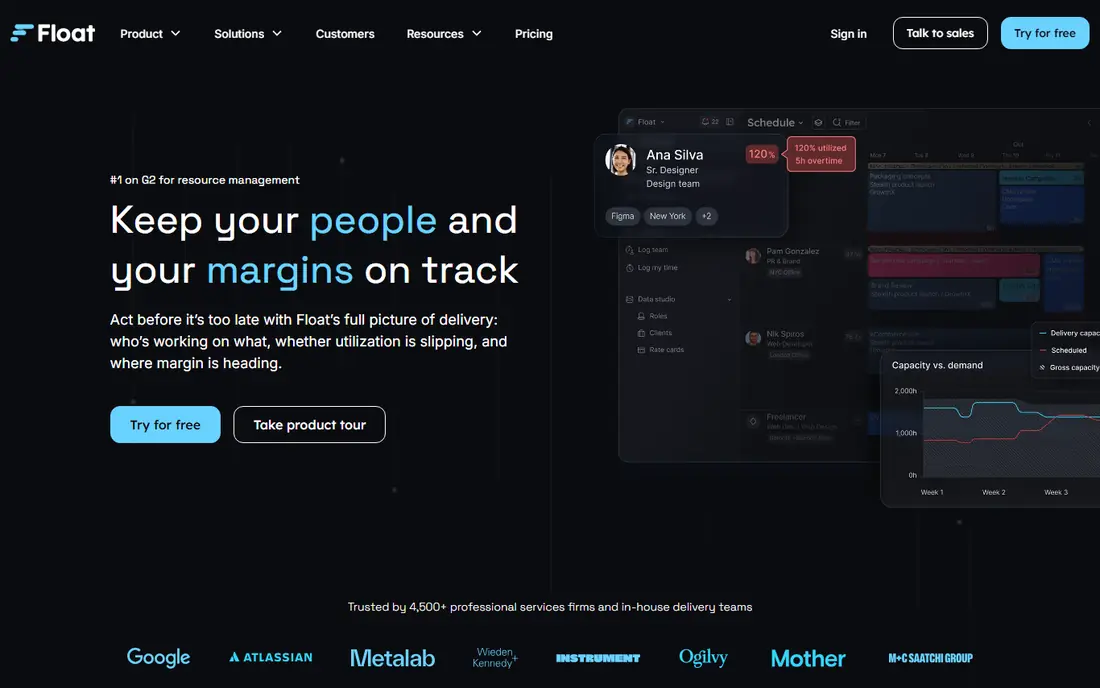
Float is built around one view: people down the side, time across the top, and allocations you can drag into place. Capacity views and time-off records make overallocation obvious before you confirm a week, and placeholders let you hold a role on a project before you know who will fill it. For studios and agencies, that simplicity is the appeal.
The limit is scope. Float does not try to run full project delivery, proofs or invoicing, so many teams pair it with another tool for those jobs. Pricing is per scheduled person, which means the bill grows with the size of the team you plan, not just with admin seats. If scheduling is your main pain and you want managers to adopt a tool fast, Float is a strong first choice.
- Clean drag-and-drop timeline
- Capacity and time-off views
- Placeholders for unfilled roles
- No full task or delivery suite
- Cost scales with scheduled people
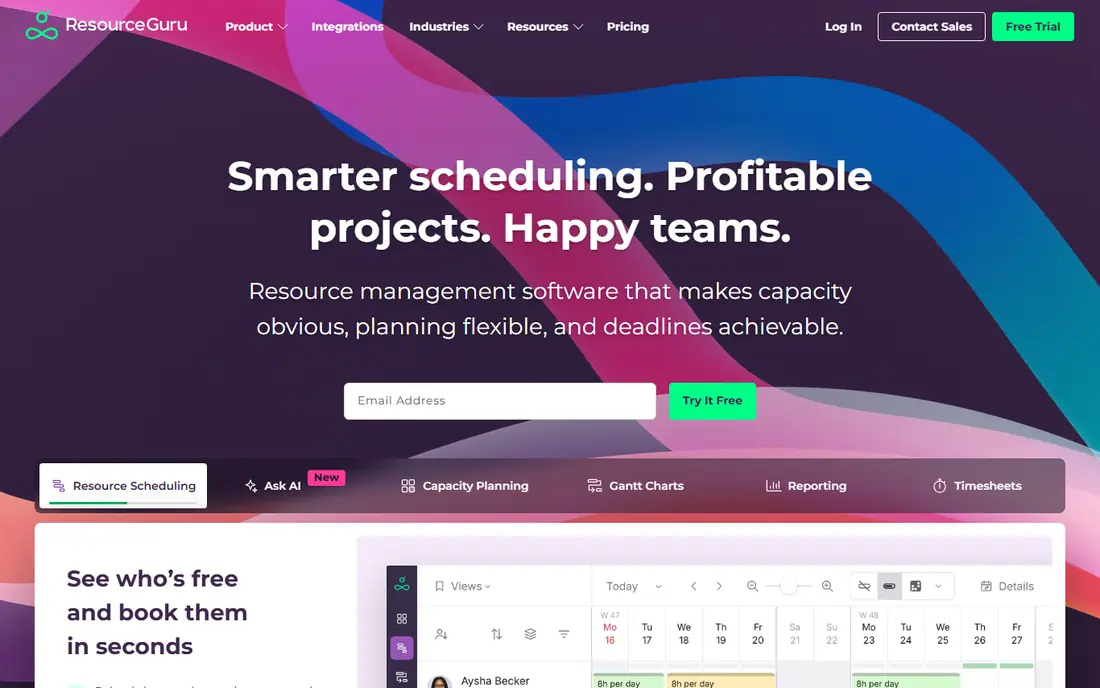
Resource Guru keeps resource planning close to a booking calendar. You add people, equipment or rooms, book them against projects, and the system flags clashes and leave conflicts. Managers can see who is booked, who is free and where gaps sit, without wading through project management features they will never use.
That focus makes it a good fit for smaller teams and for firms booking shared resources such as studios, vehicles or specialists. It is less suited to agencies that need detailed utilization targets, rate cards and margin forecasts in the same tool. If your team still plans in spreadsheets and wants a clear step up without a long rollout, Resource Guru is worth a trial.
- Easy booking and clash detection
- Clear availability views
- Low learning curve
- Less depth on project finance
- Reporting is simpler than specialist tools
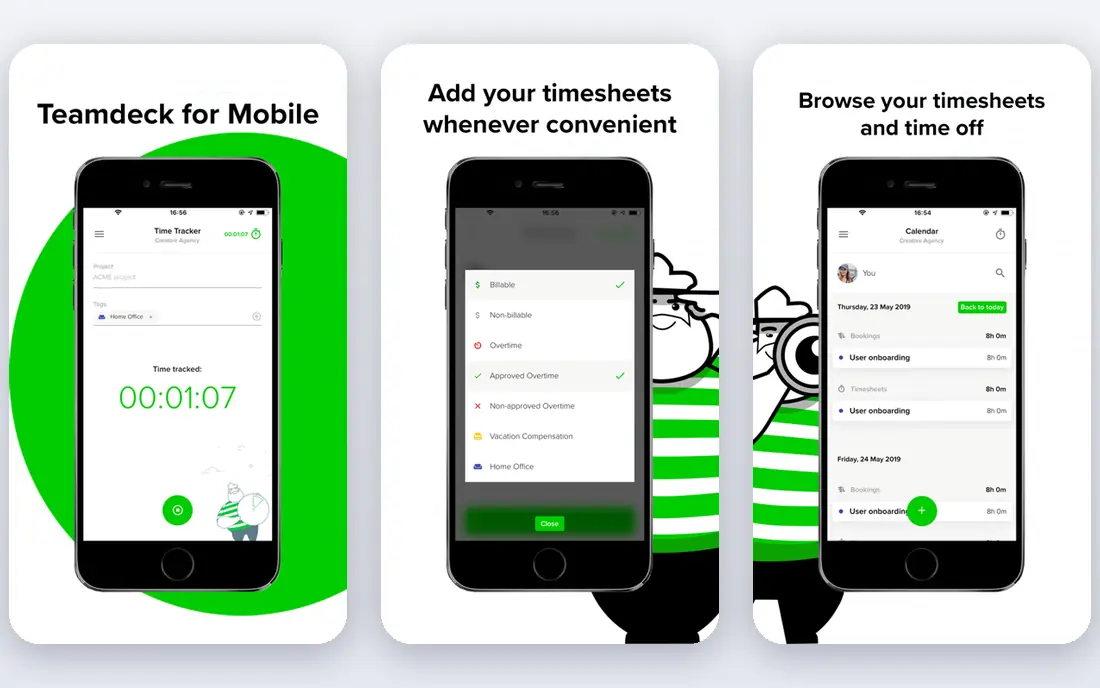
Teamdeck combines resource scheduling with time tracking, time off and reporting, so planned hours can be compared with logged hours in the same workspace. Managers can build a schedule, see availability, approve leave and then check whether the team actually spent time as planned. That closed loop is useful for agencies that bill by the hour or track project cost closely.
The trade-off is that Teamdeck tries to cover more ground than a pure scheduler, so new users may need a week to settle into its views and settings. It is not a full finance system, and firms with complex billing may still need a separate tool. For teams that want scheduling and time tracking together without buying a large professional services suite, it is a practical middle ground.
- Scheduling, time tracking and leave in one place
- Utilization reports
- Calendar views
- Interface can feel busy at first
- Advanced finance features are limited
Runn pairs a project planner with a people planner, so you can see both the pipeline of work and the capacity to deliver it. Allocations feed forecasts, which helps managers judge whether a new project can be staffed, and what hiring or contractor help it would need. A free plan for personal use lets an individual manager test the core scheduling views before committing a team.
Runn is a planning tool first. It does not replace a detailed task manager for day-to-day delivery work, and larger teams will need to confirm paid pricing with the vendor. For agencies and consultancies whose main question is whether they have the people for the work they have sold, Runn gives a clear, honest answer in a single view.
- Project and people planners in one view
- Forecasts tied to allocations
- Free plan for personal use
- Paid plans are quoted for larger teams
- Project task detail is light
Forecast brings resource planning together with project management, time tracking and budgeting, and adds auto-scheduling that suggests assignments based on availability and skills. As plans change, budget and forecast views update, so managers can see the money effect of moving a person from one project to another. That link between people and profit is the product's main strength.
The cost of that breadth is setup. Teams need to enter rates, budgets and project structures before the forecasts mean much, and pricing is quoted rather than published. For mid-sized agencies and consultancies that want one system for delivery and finance, Forecast is a serious option. For a small team that only needs a weekly schedule, a lighter tool will be faster to adopt.
- Planning, time and budgets in one platform
- Auto-scheduling help
- Strong project finance views
- Quoted pricing
- Depth can mean a longer setup
Mosaic is built for firms that manage people across many projects and need to balance workloads before burnout or bench time appears. Utilization views show billable and non-billable time by person and team, while pipeline views show upcoming demand against current capacity. Managers can shift allocations and see the effect across the whole portfolio, not just one project.
Mosaic is less about tracking individual tasks and more about the people picture, so teams that need deep task management will pair it with another tool. Pricing is quoted, so ask how the vendor counts users and whether viewers or part-time staff are charged. For architecture, engineering, consulting and agency firms, Mosaic's focus on utilization is a good match for how they actually staff work.
- Clear utilization and capacity dashboards
- Workload balancing
- Project pipeline views
- Quoted pricing
- Task-level detail is not its focus
Kantata, formerly Mavenlink and Kimble, serves professional services firms that need resource planning joined to project accounting, time, expenses and revenue. Resource managers can plan by role, skill and availability, while finance teams see how those plans affect project margins and forecasts. Portfolio views help leaders judge staffing across dozens of engagements at once.
This is an enterprise purchase, with pricing and implementation to match. Small agencies will find it heavy and costly, and the rollout needs a clear owner on both the delivery and finance sides. For larger services firms that already struggle with separate planning, time and finance tools, Kantata's single system can remove a lot of reconciliation work and give leaders one set of numbers to trust.
- Resource planning inside a full services platform
- Project accounting
- Portfolio views
- Enterprise pricing and rollout
- More system than small teams need
Hub Planner covers the core resource cycle: schedule people, record leave, collect timesheets and report on utilization and project time. A resource request workflow lets project managers ask for people by role and dates, while resource managers approve or adjust those requests. Custom reporting helps firms build the views their own managers actually read each week.
The interface is more functional than polished, and firms that want deep project finance or invoicing will need another system. What Hub Planner offers instead is a steady, complete scheduler that mid-sized teams can run without a large implementation project. If your current process is spreadsheets plus a separate timesheet tool, Hub Planner can replace both in one move.
- Scheduler, timesheets and leave together
- Custom reports
- Resource request workflow
- Design feels dated next to newer rivals
- Finance depth is limited
Productive is built for agencies that sell time and need to judge capacity decisions against margin, not just open hours. Scheduling views stay visual, while budgets, utilization and invoicing update as allocations change. Retainer workflows fit agencies selling ongoing delivery, and time tracking feeds the same financial picture.
The agency focus is a strength for its target users and a limit for others. Manufacturers, hospitals and other sectors may find its language and workflows less natural than a general scheduler. Pricing depends on plan and seat type, so ask for a quote based on your real mix of schedulers, billable staff and viewers. For agencies, Productive is one of the few tools where a scheduling decision and a profit decision happen in the same place.
- Scheduling tied to budgets, utilization and invoicing
- Agency-focused workflows
- Retainer support
- Agency focus may not suit other sectors
- Pricing varies by plan and users
How we picked these
We compared official product pages, pricing pages and public documentation for tools whose main job is planning people against projects. We favored clear capacity views, clash and leave handling, and a link between planned time and actual time or money. We left out generic project managers with only a workload view, because they do not give resource managers the control this category promises. Where pricing was not published by the vendor, we wrote See website.
What to check before you buy
Start with a real week of data. Load your actual team, their leave, and three live projects, then ask each tool to show who is overloaded, who is free, and what happens if one project slips by two weeks. The tool that answers those questions without a workaround is the one your managers will keep using. Also check who counts as a paid user, because scheduled staff, viewers and contractors are treated differently across vendors.
Planning depth against ease of use
A pure scheduler such as Float or Resource Guru will be adopted fast but may leave finance questions unanswered. A full services platform such as Kantata or Productive answers those questions but needs more setup and training. Pick the depth that matches the decisions you actually make each week, and do not pay for finance features no one will maintain.
Trials and rollout
Run a trial with the managers who will own the schedule, not just with the buyer. Give them two weeks to plan real work, compare planned against logged time, and produce one utilization report for leadership. If the report takes manual cleanup in a spreadsheet, the tool has not solved the problem. Set a weekly planning habit before you expand to more teams.
Frequently asked questions
What is the best software for resource planning?
For most small and mid-sized teams, Float is the easiest strong choice because its timeline is clear and managers adopt it quickly. Agencies that need budgets tied to plans should look at Runn, Forecast or Productive, while larger services firms should compare Kantata. The right pick depends on whether you need scheduling alone or scheduling plus finance.
What is the best tool for resource planning on a small budget?
Start with a free plan or trial from Runn or a low-cost scheduler, and test it with real team data before paying. Float and Resource Guru are also worth trialing, because their per-person pricing is easy to model for a small team. Avoid buying an enterprise platform for a team of ten, since setup cost will dwarf the benefit.
How is resource planning software different from project management software?
Project software tracks tasks, deadlines and deliverables. Resource planning software tracks people, capacity, skills and availability across many projects, and shows whether the team can actually deliver the work promised. Many firms use both, with the resource tool answering staffing questions and the project tool answering delivery questions.
Does resource planning software include time tracking?
Some tools do, including Teamdeck, Forecast and Hub Planner, which compare planned hours with logged hours. Pure schedulers such as Float keep time tracking on higher plans or in a separate tool. If billing or utilization reporting matters to you, confirm time tracking is included in the plan you will actually buy.
Can resource planning software handle contractors and part-time staff?
Yes, most tools let you add contractors, part-time staff and placeholders for roles not yet filled. Check how each vendor charges for those seats, because some count every scheduled person while others charge only full users. Also confirm leave and part-time patterns are handled, so capacity is not overstated.
How long does it take to set up resource planning software?
A pure scheduler can be running in days with a team list, leave records and a few projects loaded. A full services platform can take weeks or months, because rates, budgets and finance rules must be set up first. Start with one team and one planning cycle, then expand once the weekly habit is working.
Sources
See where you really rank - block by block
ProMapRanker scans Google Maps across a grid of your service area. Simple monthly plans from $19, white-label on every plan.
Start freeKeep reading
 wpforms alternatives
Best WPForms Alternatives in 2026
We compare 9 wpforms alternatives for WordPress forms, with free and paid options, current pricing notes, and honest limits for small business sites in 2026.
Read → windows task scheduler alternatives
Best Windows Task Scheduler Alternatives in 2026
Looking for Windows Task Scheduler alternatives? We compare 9 schedulers for Windows and cross-platform work, from free tools to enterprise automation.
Read → which ai video service is best
Which AI Video Service Is Best in 2026
which ai video service is best? We compare 10 legitimate AI video services on price, avatars, editing and output quality to help you pick the right tool.
Read →