 ProMapRanker
Best Resource Management Software in 2026


Visual scheduling for creative teams · Pricing starts at: $7 per scheduled person per month
Key takeaways
- Float and Resource Guru are the simplest starting points for visual people scheduling, while Forecast and Mosaic add stronger financial and staffing forecasts.
- Ganttic is the best resource management platform for teams that also book rooms, vehicles or equipment, and it is free for up to 10 resources.
- The best resource management tools price by scheduled person or resource, so count only the people you will actually schedule before you compare monthly totals.
- Most tools here offer a free trial, so test a real two week schedule, including leave and part time hours, before you commit.
Quick comparison
| Pick | Great for | Pricing starts at | Free tier | |
|---|---|---|---|---|
| Float | Visual scheduling for creative teams | $7 per scheduled person per month | Free trial (30 days) | Visit |
 Resource Guru | Simple clash-free scheduling | $5 per person per month | Free trial (30 days) | Visit |
 Teamdeck | Scheduling plus timesheets and leave | $6 per member per month | Free trial (14 days) | Visit |
 Runn | Capacity and budget forecasting | $7 per resource per month | Free trial (30 days) | Visit |
 Ganttic | People plus equipment scheduling | $25 per month | Yes | Visit |
 Hub Planner | Capacity reporting for consultancies | $7 per resource per month | Free trial (60 days) | Visit |
 Forecast | Resourcing tied to project finances | $29 per seat per month | Free trial (14 days) | Visit |
 Mosaic | AI assisted staffing forecasts | $9.99 per user per month | Free trial (30 days) | Visit |
 Smartsheet | Spreadsheet style portfolio planning | $9 per member per month | Free trial (30 days) | Visit |
The best resource management software
We compared official feature pages, pricing pages and public reviews to find tools that plan people well without forcing a full project suite on every team. The best resource planning tools below cover different team sizes, budgets and levels of financial detail.
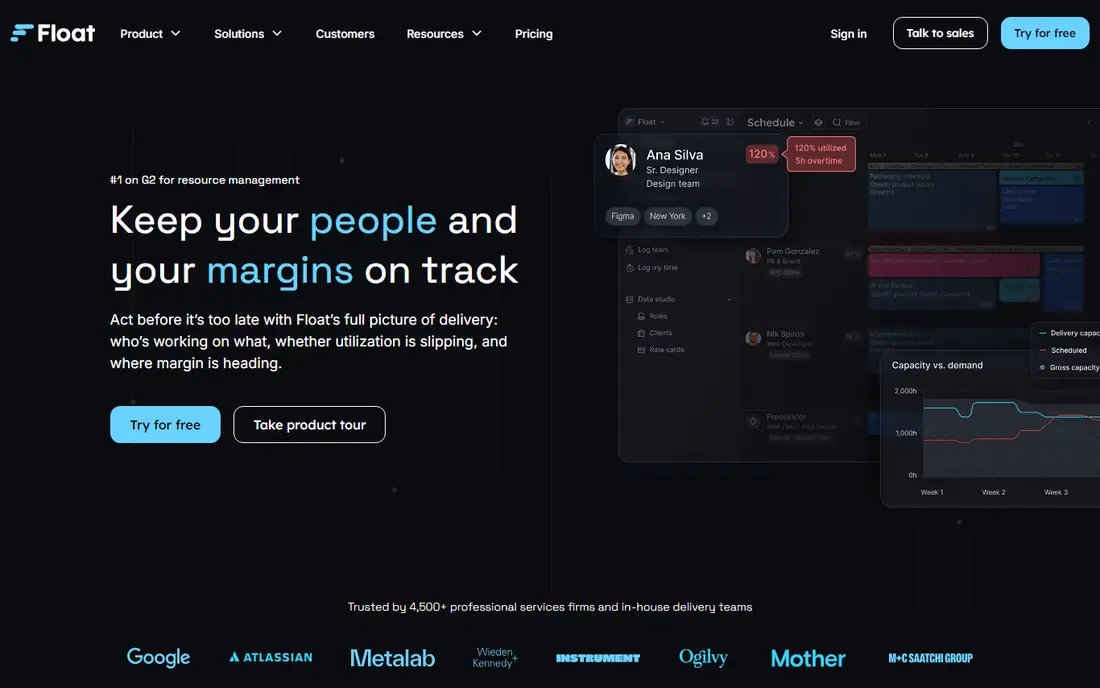
Float suits agencies and studios that plan people across many projects at once. The schedule is easy to read at a glance, with colour coding for projects, leave and tentative bookings, and managers can drag work between people when priorities change. That visual clarity is the main reason smaller creative teams stay with it once they move away from spreadsheets.
The trade off is scope. Float is a scheduling layer, not a place to run every task, document and client conversation, so most teams pair it with a separate project tool. If you want one system for tasks and resourcing, look at Forecast or Smartsheet instead. For pure people planning, though, Float is hard to beat for speed.
- Clear drag and drop schedule
- Bills only for scheduled people
- Useful budget and utilization reporting
- Full project management is not included
- Time tracking needs a higher plan
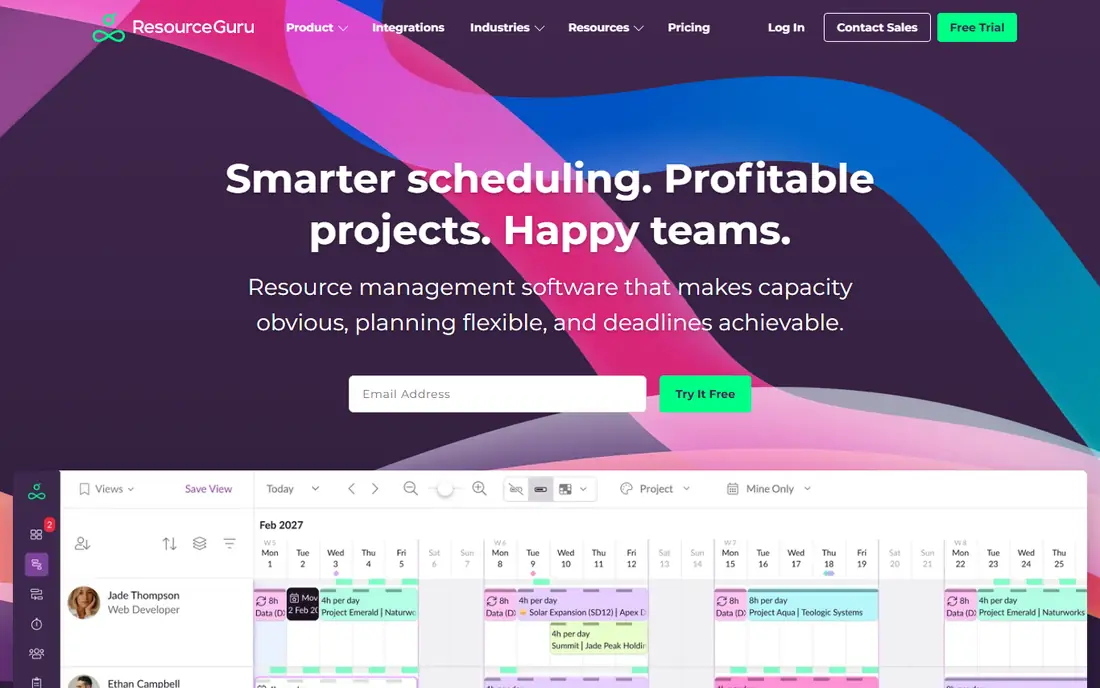
Resource Guru is built around one problem: stopping double bookings before they cause missed deadlines. When you try to book someone who is already busy, on leave or over capacity, the clash is flagged at once. That focus keeps the interface plain and quick to learn, which matters when managers, not administrators, do the scheduling.
It is less suited to teams that need deep revenue forecasting or complex scenario planning. Financial reporting and timesheets sit on higher plans, so check the plan you need before you price a rollout. For a team that mainly needs a reliable, shared schedule, this is the best resource management tool at this price.
- Strong clash detection
- Fast to set up
- Low starting price
- Forecasting is lighter than rivals
- Timesheets need a higher plan
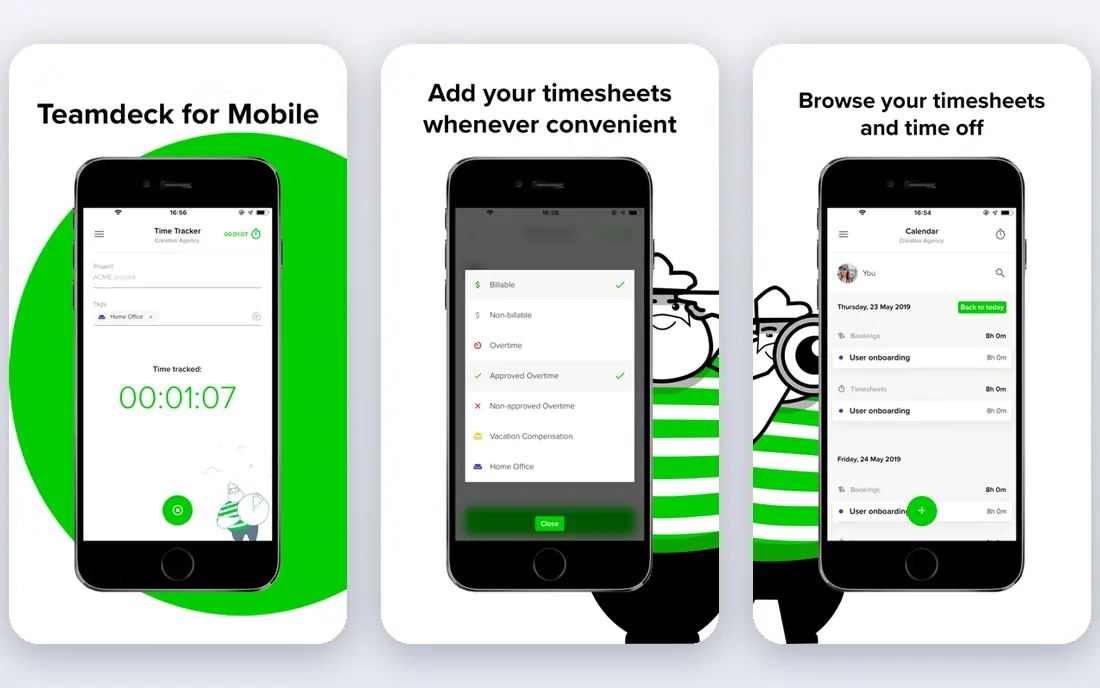
Teamdeck appeals to agencies, software houses and consultancies that want scheduling and time tracking together. Staff can log time against the same projects they were scheduled on, which makes planned versus actual comparisons simple. Leave management is built in, so holidays and sick days show up on the schedule instead of living in a separate calendar.
The tool does not try to match enterprise platforms on forecasting depth or governance, and larger firms may outgrow its reporting. For a team of up to a few dozen people, that restraint is a plus: setup is quick, pricing is clear, and the daily workflow stays in one place. It is a strong middle ground between a plain calendar and a heavy suite.
- Scheduling, timesheets and leave in one tool
- Affordable full member pricing
- Clear availability views
- Reporting is less deep than enterprise tools
- Smaller integration range
Runn is for firms that need to know not just who is free, but what that work is worth. Its capacity views sit next to project budgets and forecast revenue, so leaders can see whether a busy team is also a profitable team. That combination suits IT, software and consulting firms where staffing decisions drive margins.
Runn is not a task tracker, so day to day delivery work still needs another tool. Small teams should also check minimum seat terms, since the per resource price alone does not tell the whole story. If forecasting and utilization are your main gaps, Runn gives you more of that than a plain scheduler.
- Utilization and project cost views
- Helpful revenue forecasts
- Clear capacity charts
- Minimum seat rules can raise the smallest bill
- No full task management
Ganttic stands out because it treats rooms, vehicles and equipment as first class resources, not as an afterthought. A transport firm, clinic or production team can book people and kit on the same timeline and see conflicts across both. Paid pricing is per resource tier, not per user, so inviting clients and stakeholders to view plans does not raise the bill.
The free plan covers up to 10 resources, which makes it a genuine starting point for small teams. Its limits are honest ones: it is not built for invoicing, and detailed task management belongs elsewhere. If your scheduling problem includes things as well as people, Ganttic is the best tool for resource management on this list.
- Free plan for up to 10 resources
- Unlimited users on paid plans
- Books non human resources well
- Not a billing platform
- Task detail is lighter than project tools
Hub Planner suits mid sized consultancies and IT services firms that live by utilization numbers. Its reports go further than a weekly schedule view, helping managers spot over allocation, bench time and future capacity gaps. Leave and timesheets are included, so planned hours, booked leave and logged time can be compared in one place.
That depth comes with a learning curve. Teams that only need a shared calendar may find it heavier than Float or Resource Guru. But if monthly capacity reviews are part of how you run the business, Hub Planner earns its place, and the long trial gives you time to test it properly.
- Deep capacity and utilization reporting
- Scheduling, leave and timesheets together
- Long trial
- Interface feels more businesslike than playful
- Setup takes more care
Forecast is the pick when resourcing decisions and project money must stay connected. Scheduling, project delivery and financial views live in the same system, so a staffing change can be checked against budget and margin without exporting data elsewhere. Professional services firms that bill by project will get the most from that link.
The price reflects that breadth, and small teams with simple scheduling needs will find cheaper options above. Forecast also asks for more setup discipline, since its forecasts are only as good as the project data fed into it. For firms ready to run delivery and resourcing together, it is a strong, integrated choice.
- Projects, resourcing and finances in one system
- Helpful forecasting views
- Good for professional services
- Higher starting price
- More than small teams may need
Mosaic focuses on the staffing question agencies ask every week: who should work on what next, and where will we be short? Its planning views bring availability, project demand and utilization together, and its forecasting tools help managers test staffing options before committing. That makes it useful for firms juggling many concurrent client projects.
Like most dedicated resource tools, Mosaic does not replace detailed task management. Teams should also confirm current pricing for larger plans, since published entry pricing can differ from enterprise quotes. If staffing forecasts are your main need, Mosaic is one of the best resource management apps to shortlist.
- Workload and staffing forecasts
- Cross project visibility
- Clean planning views
- Pricing details need checking on higher tiers
- Still needs a separate task tool for delivery detail
Smartsheet is for teams that already think in rows, columns and formulas. Resource and workload views sit alongside grid, Gantt and board views, so portfolio planning can happen in a format managers already understand. That familiarity speeds adoption in larger organisations where spreadsheets have long been the planning tool of choice.
The catch is that it is a broad work platform, not a dedicated scheduler. Resource management depth depends on the plan, and teams that want only scheduling may pay for features they never use. If you need portfolio visibility across many projects, though, Smartsheet is the best resource management platform for spreadsheet minded teams.
- Familiar spreadsheet style views
- Portfolio and workload views
- Wide integration range
- Resource features need the right plan
- Can feel broad rather than focused
How we picked these
We compared official pricing pages, feature pages and public reviews, and kept only tools that schedule people (and in one case equipment) as a core job in October 2026. We favoured a mix of dedicated schedulers and broader platforms, with a range of prices, so a small agency and a mid sized consultancy can both find a fit. Where a price could not be confirmed on the vendor page, we wrote See website rather than guessing.
What to check before you buy
Start with the headcount you will actually schedule, not your total staff. Some tools bill per scheduled person, others per resource or per seat, and those bases change the monthly total fast. Next, list the inputs you must see: leave, part time hours, public holidays, skills and project budgets. A tool that cannot show leave on the schedule will create clashes no matter how good its charts look.
Run a real two week test
Load two real weeks of work, including one person on leave and one project that moves. Check how quickly a manager can reassign work, whether conflicts are flagged, and whether reports show planned versus actual hours. If the test feels slow, daily use will feel slower.
Match the tool to the decision
Choose a plain scheduler if the decision is who works on what this week. Choose a forecasting tool if the decision is hiring, bench time or project margin next quarter. Buying a forecasting suite for a weekly rota, or a plain calendar for a hiring plan, both waste money in different ways.
Frequently asked questions
What is the best resource management software for a small agency?
Float or Teamdeck are strong starting points. Float gives the fastest visual schedule, while Teamdeck adds timesheets and leave at a similar price. Test both with a real project before you decide.
What is the best resource management tool for forecasting capacity?
Runn, Forecast and Mosaic lead here. Runn links capacity to project cost, Forecast links it to project finances, and Mosaic focuses on staffing forecasts across projects. Pick based on whether money, staffing or both drive your planning.
What are the best resource planning tools for booking equipment?
Ganttic is the clearest fit, since it books people and non human resources on the same timeline and charges per resource tier with unlimited users. Other tools here focus mainly on people.
Is there a best resource management platform with a free plan?
Yes. Ganttic offers a free plan for up to 10 resources, and Smartsheet and others offer free trials. Free plans are best for small teams, since limits on resources or features appear as you grow.
How much does the best resource management software cost?
Entry prices on this list run from free for small Ganttic use to $29 per seat per month for Forecast, with most dedicated tools between $5 and $10 per person per month. Count scheduled people, check billing terms, and confirm whether timesheets or reporting need a higher plan.
Sources
See where you really rank - block by block
ProMapRanker scans Google Maps across a grid of your service area. Simple monthly plans from $19, white-label on every plan.
Start freeKeep reading
 best reporting tools
Best Reporting Tools in 2026
Compare the best reporting tools for dashboards, scheduled reports, and business insights, from Power BI and Tableau to Looker Studio for every team size.
Read → best remote support software
Best Remote Support Software in 2026
Looking for the best remote support software? We compare 9 tools on price, security, session controls, and fit for helpdesks, MSPs, and small teams in 2026.
Read → best real estate investing software
Best Real Estate Investing Software in 2026
We compared the best real estate investing software on minimums, fees, and liquidity, so investors can pick a platform that fits their budget and goals.
Read →