 ProMapRanker
Best Reputation Management Software for Funeral Homes in 2026
Direct answer
For funeral homes, Birdeye is the strongest overall pick because it handles review requests, private feedback and multi-location replies in one place, which fits how families search and choose a funeral home. Pricing is quote-based, so check its pricing page. Grade.us suits smaller firms that want simple review funnels, and Podium fits homes that want reviews and text messaging together.
I compared these tools from vendor documentation and public sources rather than running hands-on tests. I looked at how each one handles review requests, private feedback, replies and multi-location setups, and how that fits the way a funeral home actually works with families. The list below is ordered by overall fit for funeral homes, not by size or marketing budget.
Key takeaways
- Families often read reviews before they ever call, so the software needs to make asking for a review simple and respectful.
- Private feedback matters in this industry because some families will not post a public review but will still share a concern.
- Multi-location support matters for firms that run several chapels under one brand.
- Reply tools should let staff answer with care and without rushing, since a generic reply can read badly on a sensitive review.
- Check that the tool follows Google's review policies and does not filter out unhappy customers before they can post.
Quick comparison
| Pick | Great for | Pricing starts at | Free tier | |
|---|---|---|---|---|
 Birdeye | Multi-location funeral firms | See website | Not stated | Visit |
 Grade.us | Small funeral homes | See website | Free trial | Visit |
 Podium | Reviews plus text messaging | See website | Free trial | Visit |
 NiceJob | Simple review requests | See website | Free trial | Visit |
 Broadly | Review replies and web chat | See website | Not stated | Visit |
 ReviewTrackers | Tracking reviews across sites | See website | Not stated | Visit |
 Whitespark | Local citation and review support | See website | No free plan | Visit |
The best reputation management software for funeral homes compared
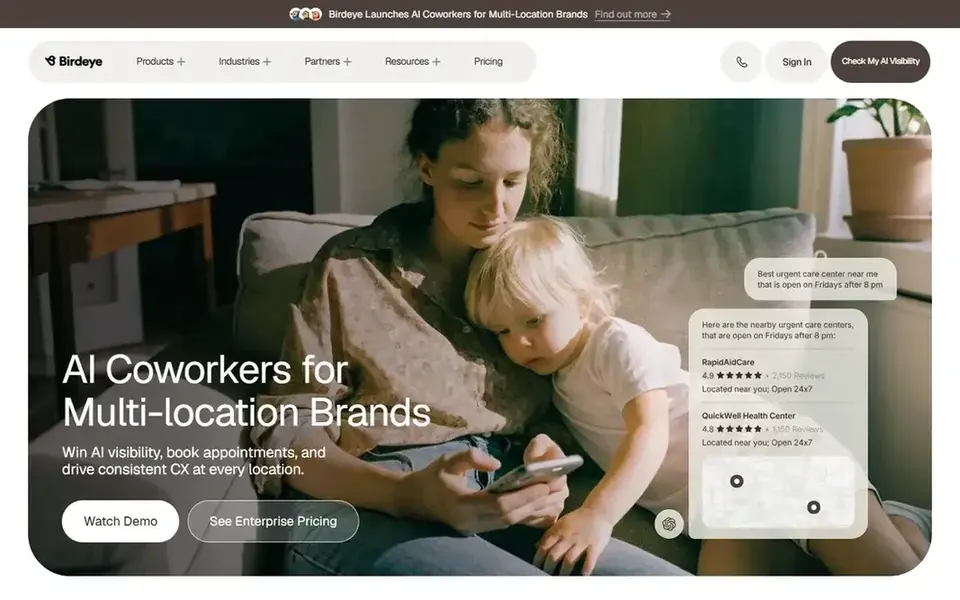
Birdeye is a reputation and customer experience platform used by businesses with several locations. For a funeral firm that runs more than one chapel, it keeps review requests, messages and replies in one dashboard so each location can be managed separately. That structure suits a firm where the office manager at one chapel should not be answering reviews for another.
In practice, a funeral director can send a review request after a service, route unhappy comments into a private channel, and reply to public reviews from the same screen. The private feedback step matters here because some families will share a concern directly rather than post it publicly, and staff can follow up before it becomes a public review.
The main limit is that Birdeye is built for larger operations and is priced by quote, so a single small chapel may find it more than it needs. Skip it if you want a low-cost tool for one location and no messaging features.
- Handles review requests across many locations
- private feedback routing
- reply tools for staff
- Quote-based pricing
- more features than a single chapel needs
Grade.us is a review management tool aimed at smaller businesses, and that fits a single funeral home with a small office team. It sets up a review funnel that asks families for feedback and sends happy ones to a public review site while sending concerns to the funeral home privately. That is a practical way to ask for reviews without pressuring anyone.
The workflow is straightforward: staff add a family contact after a service, the tool sends the request, and the funeral home sees reviews and feedback in one place. For a chapel that does not want a large platform, this keeps the process simple and gives the director a clear view of what families are saying.
Its limits show up when a firm grows to several locations or wants text messaging built in. Skip Grade.us if you need a full messaging suite or deep analytics across many chapels.
- Simple review funnels
- private feedback option
- easy for small teams
- Fewer messaging features
- limited multi-location depth
Podium is known for combining review requests with text messaging, which suits a funeral home that already talks to families by text. Staff can send a review request by text after a service and keep the conversation in one inbox. For a firm that wants one tool for messages and reviews, that saves switching between systems.
The review side lets you ask for feedback, send happy families to Google or another site, and reply from the same place. Because families often have questions after a service, having messaging and reviews together can help the office stay organized without a separate app.
The limit is cost: Podium is priced by quote and add-ons can raise the bill, so a small chapel may pay for features it does not use. Skip it if you only want review requests and no texting.
- Combines reviews with texting
- good for quick family contact
- simple inbox
- Add-ons raise the cost
- more than reviews alone
NiceJob is a review and reputation tool built around simple review requests, and that suits a funeral home that wants a low-friction way to ask families for feedback. Staff can send a request after a service and see the results in a dashboard without a long setup.
For a funeral home, the value is in the routine: add a family, send a request, and check replies in one place. It keeps the process light so the office does not need a dedicated marketing person to run it. The tool also helps a firm keep an eye on new reviews across the main sites.
Its limits appear when a firm has many locations or wants deep reporting. Skip NiceJob if you need a full platform with messaging and advanced analytics.
- Easy review requests
- simple dashboard
- good for small teams
- Less depth for large firms
- fewer advanced options
Broadly is a reputation and customer interaction tool that includes review monitoring, reply tools and web chat. For a funeral home, the web chat can catch inquiries from families who visit the site and want a quick answer, while the review tools help staff reply to public feedback.
The reply side is useful because a funeral home needs to answer sensitive reviews with care. Broadly keeps reviews from several sites in one place so the director can read the full context before replying. That reduces the chance of a rushed or generic response.
The limit is setup: getting chat and reviews working together takes some effort, and pricing is by quote. Skip Broadly if you want a very simple review request tool with no chat.
- Reply tools
- web chat for inquiries
- review monitoring
- Setup takes effort
- quote-based pricing
ReviewTrackers focuses on monitoring reviews across many sites and giving a business a clear view of what is being said. For a funeral home with reviews spread across Google and other platforms, that central view helps the director see new feedback without checking each site by hand.
The tool also supports replies and reporting, so a firm can track how often it responds and what themes come up. That is useful for a funeral home that wants to spot repeated concerns, such as comments about parking or service times, and address them.
Its limit is that it leans toward monitoring and analytics rather than sending review requests. Skip it if your main need is asking families for reviews after a service.
- Monitors reviews from many sites
- reply tools
- reporting
- More analytics than outreach
- quote-based pricing
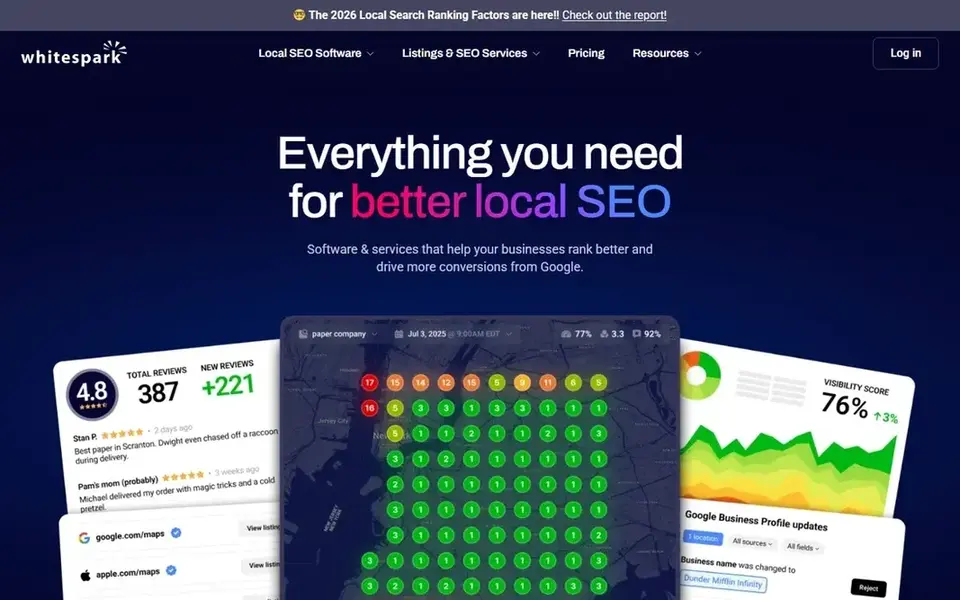
Whitespark is a local SEO toolset known for citation building and local search support. For a funeral home, it helps with the listings side of reputation: making sure the name, address and phone number are consistent across directories, and giving staff a clean review link to share with families.
It is not a full reputation platform, so it does not send review requests or manage a messaging inbox. Instead, it supports the local search foundation that makes a funeral home easier to find and easier to review. That makes it a useful add-on rather than a replacement for a review tool.
The limit is clear: if you need review requests, replies and private feedback in one place, Whitespark alone will not cover it. Skip it if you want a single tool for the whole review workflow.
- Citation tools
- review link tools
- local SEO focus
- Not a full review platform
- needs other tools for requests
How I chose
I chose these tools by reading vendor documentation and public sources, then matching each one to how a funeral home actually works with families. I did not run hands-on tests, so the notes here reflect what the vendors publish and how the features fit this industry. I looked for review requests, private feedback, reply tools, multi-location support and messaging, because those are the parts a funeral home touches most.
I also weighed limits, since a small chapel and a multi-location firm need different things. A tool that is too large for one location adds cost and setup work, while a tool that is too small will not handle several chapels or a messaging inbox. The order reflects overall fit for funeral homes, not a ranking of every feature. Where pricing was not clear from public pages, I noted that a quote is needed.
What to check before you buy
- Confirm the tool follows Google's review policies and does not filter out unhappy families before they can post.
- Check whether private feedback is routed to staff so concerns can be handled before they become public reviews.
- Ask how review requests are sent, since some families prefer email and others prefer text.
- Confirm multi-location support if your firm runs more than one chapel, including separate replies per location.
- Check the reply workflow so staff can answer sensitive reviews with care rather than a template.
- Ask whether pricing is quote-based and what add-ons cost, since messaging and extra locations often change the bill.
Frequently asked questions
What is the best reputation management software for funeral homes?
Birdeye is the strongest overall pick for multi-location funeral firms because it handles review requests, private feedback and replies in one place. Grade.us suits smaller homes that want a simple review funnel, and Podium fits homes that want reviews and text messaging together. The right choice depends on how many locations you run and whether you need messaging.
Do funeral homes need review management software?
It helps because families often read reviews before they call, and a funeral home may not have time to ask for feedback by hand. Software can send requests after a service, route concerns privately and keep replies organized. A small chapel can start with a simple tool and add features as it grows.
How should a funeral home ask for reviews?
Ask after the service, keep the request short and give the family a direct link. Do not offer incentives, do not filter out unhappy families, and do not ask staff to write reviews. Follow Google's review policies, and let families decide whether to post.
Can review software help with private complaints?
Some tools route unhappy feedback into a private channel instead of a public review. That gives the funeral home a chance to follow up directly. Check that the tool does this without blocking a family from posting a public review if they choose to.
Does local SEO matter for funeral homes?
Yes, because families often search by city and compare nearby funeral homes. Consistent listings, a complete Google Business Profile and steady reviews all help a home show up. Citation tools like Whitespark support that foundation, while review tools handle the feedback side.
Sources
See where you really rank - block by block
ProMapRanker scans Google Maps across a grid of your service area. Simple monthly plans from $19, white-label on every plan.
Start freeBrowse all guides
← Best Reputation Management Software for Electricians in 2026Best Reputation Management Software for Gyms in 2026 →
 best reputation management software for dentists
Best Reputation Management Software for Dentists in 2026
A practical guide to the best reputation management software for dentists in 2026, compared from vendor docs and public sources.
Read → best reputation management software for churches
Best Reputation Management Software for Churches in 2026
A guide to the best reputation management software for churches in 2026, compared from vendor documentation and public sources for review and listing needs.
Read → best local seo tools for tree service companies
Best Local SEO Tools for Tree Service Companies in 2026
A practical guide to the best local SEO tools for tree service companies in 2026, covering listings, reviews, rank tracking and call tracking.
Read → local rank tracker for agencies
Local Rank Tracker for Agencies: Scaling Across Many Clients
What agencies need from a local rank tracker: white-label reports, multi-client scaling, and predictable costs.
Read → moz pro alternatives
Moz Pro Alternatives in 2026
Searching for Moz Pro alternatives? We compare 8 SEO tools on keyword research, backlinks, rank tracking, and local SEO, with current prices inside now.
Read → local seo for car wash businesses
Local SEO for Car Wash Businesses
A local SEO guide for car wash businesses: Google Business Profile setup, reviews, and membership and location-based car wash SEO.
Read →More in Local SEO & Google Maps · All guides A to Z by date · Latest guides