 ProMapRanker
Best Reminder App in 2026: 8 Apps Compared

Key takeaways
- Apple Reminders and Microsoft To Do are the best free starting points, depending on whether you use Apple or Microsoft tools.
- Todoist and TickTick suit people who want a full task system behind their reminders.
- Google Tasks suits Gmail and Calendar users who want something simple and free.
- Due suits people who keep ignoring single alerts, because it nags until a task is marked done.
Quick comparison
| Pick | Great for | Pricing starts at | Free tier | |
|---|---|---|---|---|
 Todoist | Cross-platform power users | $7 per month | Yes | Visit |
 TickTick | Tasks, habits, and calendar in one app | See website | Yes | Visit |
 Microsoft To Do | Free reminders for Outlook and Windows users | Free | Yes | Visit |
 Apple Reminders | Free reminders for Apple users | Free | Yes | Visit |
 Google Tasks | Free reminders for Gmail and Calendar users | Free | Yes | Visit |
 Any.do | Shared lists and daily planning | $7.99 per month | Yes | Visit |
 Things 3 | Polished Apple-only task management | See website | No | Visit |
 Due | Nagging reminders that persist until done | See website | No | Visit |
The best reminder app
We compared reminder reliability, recurrence, platforms, sharing, and price, using vendor pricing pages and app store listings. A good reminder app is judged by one test: does the reminder reach you at the right time and get you to act.
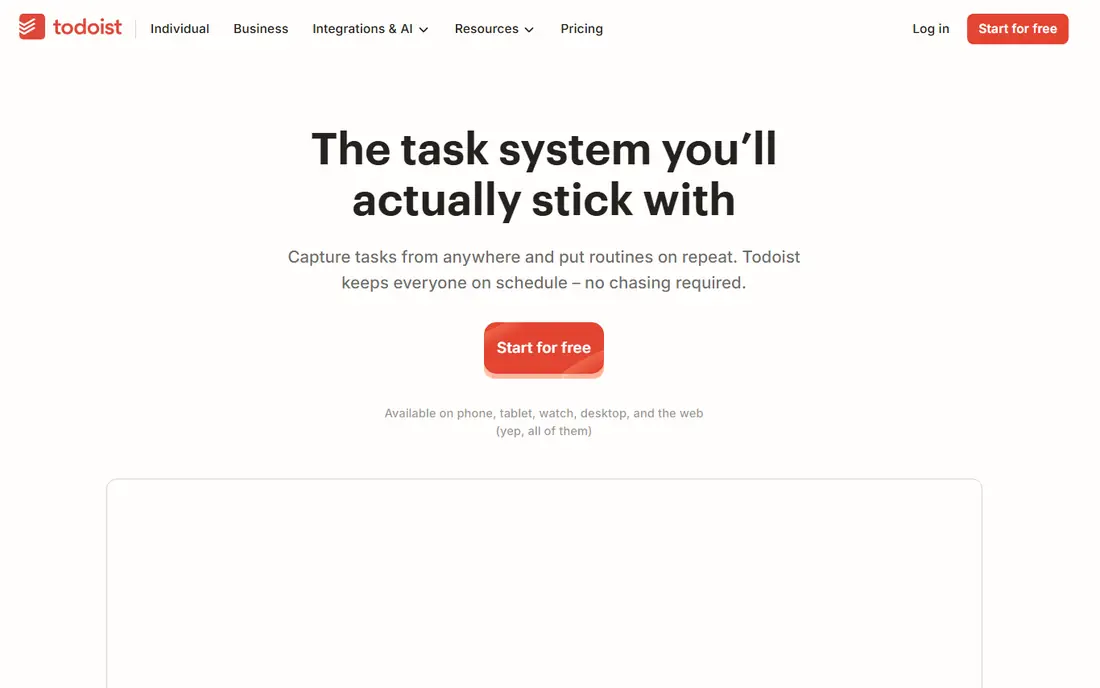
Todoist is the strongest all-round task app with reminders built in. You can type a line such as submit report every second Friday, and it parses the date, project, and recurrence. That speed matters for busy users who capture tasks in seconds, not minutes.
The catch is that reminders sit behind the Pro plan. The free tier covers tasks and projects well, but location and time reminders need a subscription. For users who need reminders every day, the Pro price is the real cost. For users who only need lists, the free tier may be enough.
- Natural-language dates for fast capture
- Projects, labels, and filters
- Works on all major platforms
- Reminders are a paid Pro feature
- Calendar view is newer than rivals
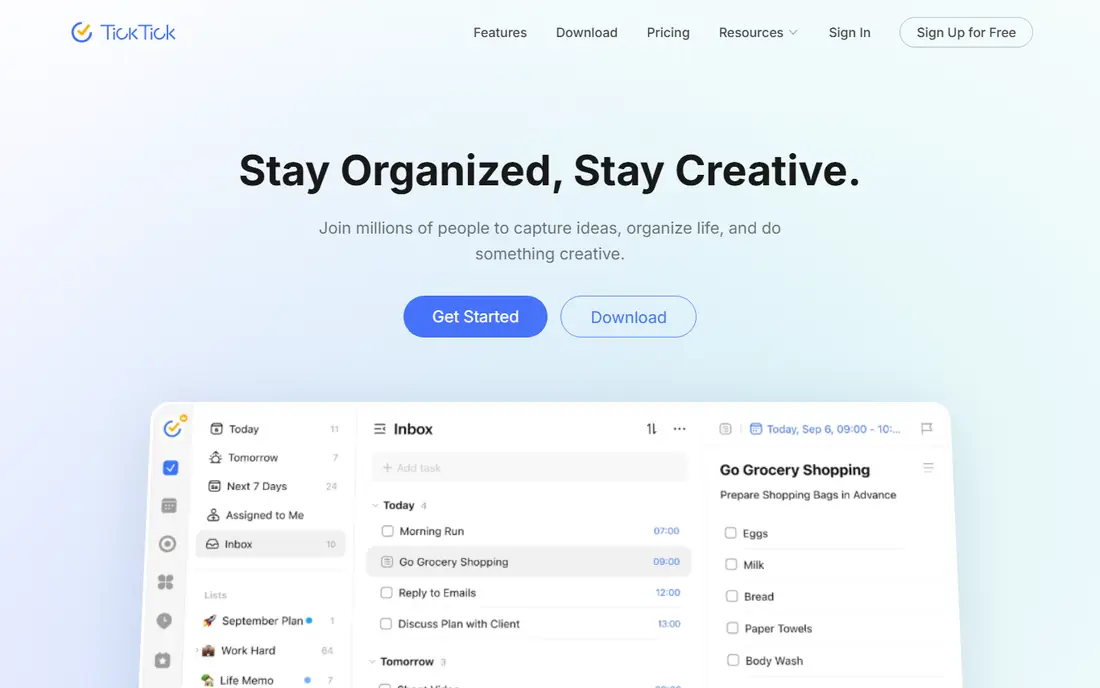
TickTick bundles several apps into one. You get tasks with reminders, a calendar view, habit tracking, and a Pomodoro timer, which suits people who want one daily system instead of four separate apps. Widgets and voice input make capture fast on phones.
The interface can feel busy at first, because so many features share one screen. The free tier also caps reminders per task and limits some features, so heavy users will need Premium. For users who want habits and focus time alongside reminders, TickTick offers strong value.
- Tasks, calendar, habits, and focus timer in one app
- Good widgets and voice input
- Lower annual price than some rivals
- Free tier caps reminders per task
- Interface is busier than Todoist
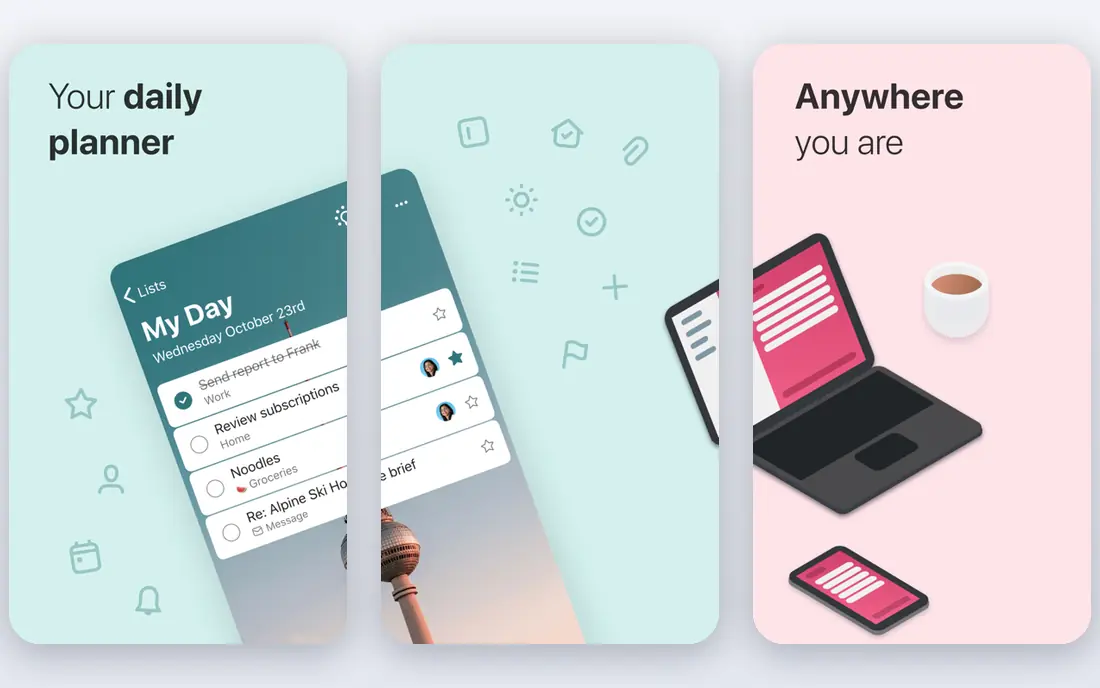
Microsoft To Do is the best genuinely free reminder app for most people. There is no paid tier to open up reminders, and it runs on Windows, Mac, iPhone, Android, and the web. Sync with Outlook tasks and flagged email makes it natural for work users.
It is simpler than Todoist or TickTick. There is no natural-language date parsing, and complex project features are limited. For daily reminders, shared lists, and work tasks, that simplicity is a strength. For power users who need labels, filters, and deep automation, a paid app will fit better.
- Completely free with a Microsoft account
- Syncs with Outlook tasks and flagged mail
- My Day planning ritual
- No natural-language dates
- Thin for complex projects
Apple Reminders is the default pick for iPhone and Mac users, because it is already installed and free. It supports shared lists, Siri capture, and smart lists, and newer iPhones add plain-language input for typed reminders. For households and teams that all use Apple devices, sharing is simple.
The limits are platform and persistence. Apple Reminders does not run natively on Android or Windows in the same way, and a single alert can be easy to dismiss and forget. Users who need nagging reminders or cross-platform access should look at Due, Todoist, or Microsoft To Do instead.
- Free with iOS and Mac
- Siri support and shared lists
- Plain-language input on newer iPhones
- Apple devices only
- One alert, then silence for most reminders
Google Tasks suits people who already live in Gmail and Google Calendar. Tasks appear beside email, sync to Calendar, and cover simple reminders without a new system to learn. For personal errands, bills, and follow-ups, that placement is convenient.
It is a basic tool by design. Notifications are simple, there is no natural-language parsing, and project features are thin. Users who need location reminders, rich projects, or persistent nagging will need another app. Users who want a free, minimal reminder list inside Google will find it enough.
- Free with a Google account
- Lives inside Gmail and Google Calendar
- Simple and fast
- Basic notifications
- No natural-language dates
- Limited project features
Any.do is a polished choice for households and small teams. Its daily planning feature prompts you to schedule tasks each morning, which helps people who open the app but forget to plan. Shared lists work well for shopping, chores, and family tasks.
The free tier covers basic lists, but location reminders and some integrations need Premium. That makes the real cost higher than the free label suggests for users who need those features. For visual planners who value a clean daily ritual, Any.do is still a strong pick.
- Polished lists and daily Plan My Day feature
- Shared lists for households
- Location reminders on paid plans
- Premium needed for full features
- WhatsApp reminders need Premium
Things 3 is the most polished task manager on Apple platforms. Its design makes projects, deadlines, and daily planning feel calm rather than cluttered. Users who care about design and who work only on Apple devices often stay with Things for years.
The cost model needs attention. You buy it once per platform, so the total across iPhone, iPad, and Mac adds up, and there is no Android or Windows version. It also lacks the persistent nagging that Due offers. For Apple-only users who value design over cross-platform access, Things 3 is worth the price.
- Clean, elegant design
- Strong projects and areas
- One-time purchase per platform
- Apple only
- Bought separately for iPhone, iPad, and Mac
- No nagging reminders
Due solves a specific problem: reminders you dismiss and forget. Instead of one alert, Due repeats the reminder until you mark the task done or reschedule it. That persistence helps with bills, medicine, and time-sensitive tasks that cannot wait until tomorrow.
The scope is narrow. Due is a reminder app first, not a full project manager, and it is Apple only. Users who need cross-platform access or complex projects should pair it with another system or choose Todoist instead. Users who keep missing single alerts will find Due worth paying for on its own.
- Auto-snooze nagging until you mark a task done
- Fast capture
- Simple and focused
- Apple only
- Narrow scope beyond reminders
- Paid per platform in some cases
How we picked these
We compared official pricing pages, feature pages, and app store listings, and we kept only apps that were still available in October 2026. We looked at reminder reliability, recurrence options, platform support, sharing, and price, and we kept a mix of free defaults and paid power tools. Each pick had to offer time or location reminders as a core feature, not just a task list without alerts.
How to choose a reminder app
Start with your platform. Apple users get the most from Apple Reminders, Microsoft users from Microsoft To Do, and Google users from Google Tasks, all for free. Next, ask how you forget. If you dismiss alerts, you need a nagging app such as Due. If you forget to plan, you need a daily planning feature such as Any.do or Microsoft To Do My Day.
Check recurrence and sharing before you commit. Bills, medicine, and weekly tasks need flexible recurrence, while households need shared lists. Finally, test notifications on your real phone. Battery settings, focus modes, and notification permissions can silence even the best app, so test a reminder for a few days before you rely on it for important tasks.
Reminders for bills and medicine
For bills and medicine, reliability matters more than design. Choose an app with persistent alerts or a clear snooze system, and set a backup reminder a day before the deadline. Avoid apps that only show a silent badge, since a badge is easy to miss.
Reminders for teams and households
Shared lists need clear ownership and simple editing. A household list that only one person can edit will fail, and a team list without due dates will drift. Test sharing with the people who will actually use it, not just on your own phone.
Frequently asked questions
What is the best free reminder app?
Microsoft To Do is the best free reminder app for most people, because it is free on all major platforms with no paid tier for reminders. Apple Reminders is the best free pick for Apple-only users, and Google Tasks is the best free pick for Gmail and Calendar users. Choose based on the platform you already use.
What is the best reminder app for iPhone?
Apple Reminders is the best free iPhone option, since it is built in and supports Siri and shared lists. Todoist and TickTick suit iPhone users who need cross-platform access and richer task features. Due suits iPhone users who need nagging reminders that repeat until done.
What is the best app for daily reminders?
Todoist, TickTick, and Microsoft To Do all suit daily reminders, but for different users. Todoist suits power users, TickTick suits users who also track habits, and Microsoft To Do suits users who want a free daily planning ritual. Test the daily view for a week before you commit.
Do reminder apps work for medication reminders?
Yes, many reminder apps work for medicine, but persistent alerts matter more than a pretty list. Due is a strong choice because it repeats until you confirm the task, while Todoist and TickTick work well if you check notifications promptly. For critical medicine, also use a second method, such as a pill organizer or a calendar alert.
What is the best task reminder app for Android?
Microsoft To Do, Google Tasks, Todoist, and TickTick all work well on Android. Microsoft To Do and Google Tasks are free and simple, while Todoist and TickTick offer richer projects and reminders on paid plans. Choose based on whether you need a free list or a full task system.
Are paid reminder apps worth it?
Paid apps are worth it when you need reminders, not just lists. Todoist Pro enables reminders, TickTick Premium raises reminder limits, and Due offers persistent nagging. If a free app already reminds you reliably, there is no need to pay. Pay only for the reminder feature you actually miss.
Sources
See where you really rank - block by block
ProMapRanker scans Google Maps across a grid of your service area. Simple monthly plans from $19, white-label on every plan.
Start freeKeep reading
 free alternatives to grok imagine
Free Alternatives to Grok Imagine in 2026
We compared the best free alternatives to grok imagine for image generation, from fast daily credits to design tools, so you can create without paying.
Read → best tools for instagram content creation
Best Tools for Instagram Content Creation in 2026
Compare the best tools for Instagram content creation, from Canva and CapCut to Later and Buffer, on design, video, planning, scheduling, and price in 2026.
Read → best tool to split pdf files
Best Tool to Split PDF Files in 2026
We compared the best tool to split pdf files on split modes, file limits, privacy and price, so you can split a PDF cleanly and keep every page in one go.
Read →