 ProMapRanker
Best Redlining Software in 2026

Key takeaways
- Litera Compare is the enterprise standard for accurate version-to-version redlines, while Draftable Legal is the strongest challenger.
- Diffchecker and NOVO Compare give smaller firms accurate comparison at a far lower price.
- Spellbook, Definely, Robin AI, LegalOn and StrongSuit redline against your standards, which is a different job from comparing two drafts.
- Most firms end up with both a comparison tool and an AI review tool, so budget for the pair if volume is high.
Quick comparison
| Pick | Great for | Pricing starts at | Free tier | |
|---|---|---|---|---|
 Litera Compare | Enterprise document comparison | See website | No | Visit |
 Draftable Legal | Legal comparison at a fair price | $199 per user per year | Free trial | Visit |
 Diffchecker | Fast browser and desktop comparison | $15 per user per month | Yes | Visit |
 NOVO Compare | Lightweight Office comparison | $99 per year | No | Visit |
 Spellbook | AI drafting and review in Word | See website | Free trial | Visit |
 Definely | AI drafting and review in Word | See website | Free trial | Visit |
 Robin AI | AI contract review and redlining | See website | No | Visit |
 LegalOn | Playbook-based contract review | See website | No | Visit |
 StrongSuit | Legal AI with published pricing | $249 per month | Free trial | Visit |
The best redlining software
Redlining covers two different jobs that are easy to confuse. Comparison tools show exactly what changed between two versions of a document. AI review tools check a draft against your standards and suggest redlines. This list covers both, and we say clearly which job each tool does.

Litera Compare, formerly Workshare Compare, is the document comparison tool most large firms already know. It compares two documents and produces a redline that captures changes in text, formatting, tables, footnotes, headers and images, with a change summary grouped by type. It integrates with iManage, NetDocuments and Microsoft 365, and it now extends into Google Workspace as well.
Pricing is sold through enterprise quotes, and third-party estimates vary, so do not budget from a blog figure. The value case is accuracy on complex legal documents, where Word built-in compare produces noisy output on moved paragraphs and renumbered clauses. If your firm handles high-stakes deals and already runs a major DMS, Litera is the benchmark other tools are judged against.
- Highly accurate comparison across text, formatting, tables and images
- Deep DMS and Office integration
- Desktop, cloud and mobile options
- No published pricing
- Enterprise sales process
- Implementation and DMS setup can add cost

Draftable Legal costs $199 per user per year for one to nine licenses, with a free trial, and it is the leading challenger to Litera for many firms. It detects changes across Word, PDF, PowerPoint and Excel, handles scanned documents through OCR, and lets administrators set comparison profiles and output options. Integration with file explorer, Word, Outlook and DMS tools keeps comparison close to daily work.
The trade-off is enterprise depth. Large firms with complex admin, deployment and DMS requirements may still prefer Litera, and the Legal edition is Windows and on-premises oriented. For a solo lawyer, boutique firm or in-house team that wants accurate redlines without an enterprise negotiation, Draftable Legal is our pick for most people.
- Accurate redlines for Word, PDF, PowerPoint and Excel
- Built-in OCR for scanned documents
- Published per-user price
- Desktop and Windows focus for the Legal edition
- Fewer enterprise admin features than Litera
- DMS integration is lighter
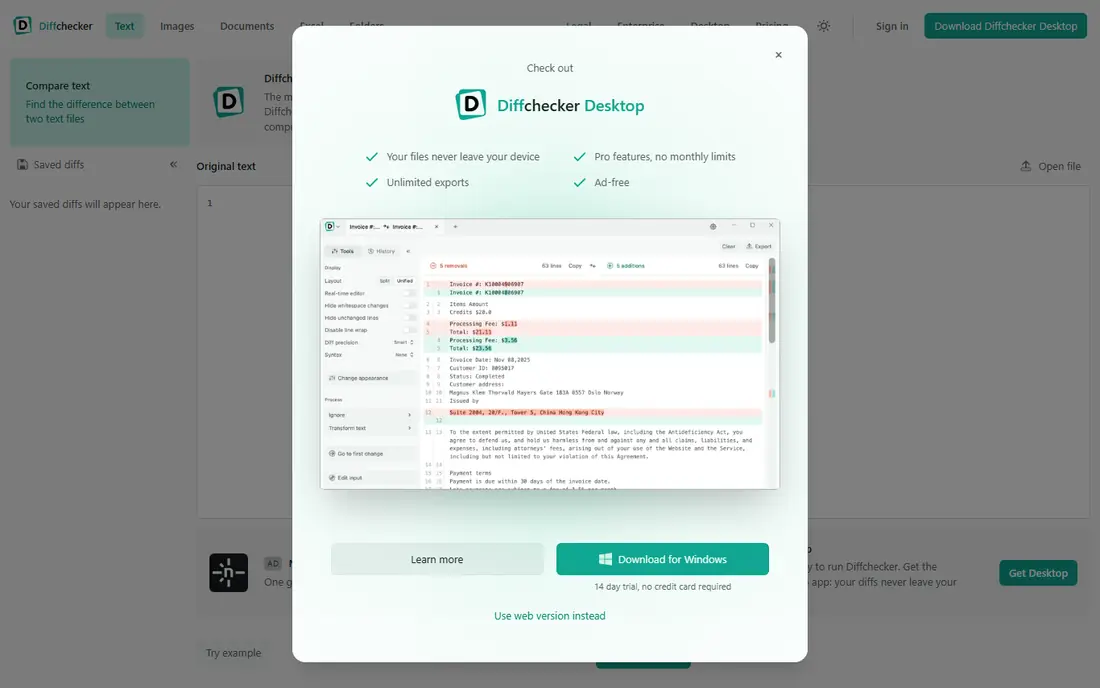
Diffchecker started as a general file comparison tool and has grown into a serious option for legal redlining. The free online tool compares text, code, PDFs, Word documents, spreadsheets and images in a browser, while Diffchecker Desktop runs offline on Windows, Mac and Linux, so confidential files never leave the device. Paid plans start with Pro plus Desktop at $15 per user per month, with Legal at $20 and Enterprise at $40.
Diffchecker is less steeped in legal workflows than Litera or Draftable, and its legal-specific polish is thinner. What it offers is speed, a genuinely useful free tier, and an offline desktop option that privacy-conscious firms will value. For occasional comparison work or a firm testing whether a dedicated tool beats Word compare, Diffchecker is the lowest-friction place to start.
- Free online tool with no sign-up
- Desktop app runs fully offline for confidential work
- Legal plan with iManage integration
- Less legal-specific than Litera or Draftable
- Advanced features sit in paid tiers
- Smaller legal support footprint
NOVO Compare positions itself as a light, fast alternative to bloated comparison suites, with QuickCompare returning results quickly and integrations with leading document management providers. Pricing starts at $99 per year in published listings, which makes it one of the cheapest dedicated comparison tools available. For firms that mainly compare Word documents inside Office, that simplicity is appealing.
The honest limit is scope. NOVO Compare does not match Litera or Draftable on enterprise administration, broad format handling or support footprint, and buyers should trial it against their hardest documents, including tables and tracked changes. If it passes that test, the price is hard to argue with. If it struggles, step up to Draftable Legal.
- Fast, light comparison inside Office workflows
- QuickCompare for instant results
- Low annual price
- Smaller vendor with less market presence
- Fewer DMS integrations than leaders
- Feature depth is narrower
Spellbook is an AI contract tool that lives inside Word, where it reviews contracts, suggests redlines, drafts clauses and flags departures from your playbook. It also benchmarks terms against market norms and lets teams save review instructions as playbooks for consistent positions across deals. Pricing is structured around team size and requires a demo, with a 7-day free trial available.
Spellbook does a different job from Litera and Draftable. It judges whether a draft meets your standards, while comparison tools show what changed between versions. Many transactional teams will want both. The catch is price opacity: get a written quote for your seat count during the trial, and test it on your own precedents, since playbook quality drives the output quality.
- Works inside Microsoft Word and Google Docs
- Reviews against playbooks and benchmarks terms
- 7-day free trial
- No published pricing, quote by seat count
- Word-centric workflow
- Does not replace a comparison engine
Definely is a Word add-in for lawyers that helps draft, review and proofread contracts, with particular strength in defined terms, cross-references and clause consistency. It sits inside the document you are already editing, so redlines and fixes happen in place rather than in a separate portal. That Word-native design is why transactional lawyers tend to adopt it quickly.
Definely does not manage the full contract lifecycle, intake or repository reporting, and its pricing is quote based. Treat it as a drafting and review assistant, not as a replacement for lawyer judgment or for a comparison engine. For teams that spend their days inside Word and lose time to defined-term errors, it is a focused and practical choice.
- Word-native drafting, proofreading and defined-term tools
- Clause and definition handling
- Built for lawyers
- Quote-only pricing
- Narrower scope than full contract lifecycle tools
- Output still needs lawyer review
Robin AI reviews contracts against a team's playbook, suggests redlines, and explains its reasoning, helping in-house legal teams handle higher volumes without lowering standards. It is designed for teams that review many similar agreements, such as NDAs, vendor contracts and sales terms, where consistent positions matter more than bespoke drafting on each deal.
The tool is only as good as the playbook behind it. A vague or outdated playbook produces vague redlines, so budget time to write and maintain your standards. Pricing is quote based and aimed at teams rather than solo users. For an in-house team drowning in routine paper, Robin AI is worth a pilot against your most common agreement type.
- Contract review against playbooks
- Redline suggestions with reasoning
- Suits in-house legal teams at volume
- Quote-only pricing
- Enterprise sales process
- Needs a clear playbook to perform well
LegalOn, formerly LegalOn Technologies, offers AI contract review that checks drafts against playbooks, flags risky clauses and suggests replacement language. It works inside Word workflows and is aimed at in-house legal teams and firms that review contracts at scale. Third-party reports put small team pricing in a multi-thousand dollar annual range, but the vendor does not publish a list price.
LegalOn is a review tool, not a version comparison tool, so pair it with Draftable or Litera if you also need accurate redlines between drafts. Its strength is consistency: every reviewer applies the same positions, which reduces drift across a team. Before buying, run it on your own contracts and check how often its suggestions match what your lawyers would actually send.
- Playbook review with risk flags and suggested language
- Word integration
- Guidance grounded in legal standards
- No published pricing
- Small teams face a multi-thousand dollar annual range in third-party reports
- Review still needs a lawyer
StrongSuit is a legal AI platform that includes contract review and redlining, and it stands out in this list by publishing its price: $249 per month for the standard suite, with a 5-day free trial. Users can redline contracts against their own gold-standard documents, giving small firms a playbook-like workflow without enterprise software. The platform also covers legal research, memo drafting and discovery timelines.
Breadth is the trade-off. StrongSuit does many things well, but a dedicated comparison engine still produces cleaner version-to-version redlines, and the five-day trial demands a focused test plan. For a solo or boutique firm that wants one AI subscription covering review, drafting and research, the published price and scope make StrongSuit an attractive starting point.
- Published $249 per month price
- Review and redline against your own gold-standard documents
- Research and drafting included
- Breadth over depth in some areas
- 5-day trial is short
- Dedicated comparison still renders cleaner version redlines
How we picked these
We compared official product pages, pricing pages and independent 2026 reviews, and kept only tools that perform document comparison or AI-assisted redlining in October 2026. We separated comparison tools from AI review tools, since they solve different problems, and we wrote See website where pricing was quote based rather than repeating third-party estimates as fact.
What to check before you buy
Start by naming the job that costs you the most time. If the pain is missed changes between drafts, buy a comparison tool first and test it on your hardest documents, including tables, footnotes and moved paragraphs. If the pain is inconsistent review positions across a team, buy an AI review tool first and test it on your most common agreement with your real playbook.
Then check confidentiality and workflow fit. Confirm where documents are processed, whether an offline desktop option exists for sensitive matters, and whether the tool works inside Word, your DMS or your browser without forcing a new workflow. Finally, remember that no tool on this list replaces lawyer judgment: AI redlines are a first pass, and every output that goes to a counterparty should be reviewed by a lawyer. That review step is not a weakness of the tools, it is the professional standard they are built to support.
Frequently asked questions
What is the best redlining software?
Litera Compare is the best comparison tool for large firms, and Draftable Legal is the best comparison tool for most smaller firms. For AI-assisted redlining against your standards, Spellbook, Definely and Robin AI lead, depending on Word use and in-house volume.
What is the best AI tool for legal redlining?
Spellbook is the best AI redlining pick for lawyers who live in Word, thanks to playbooks, benchmarking and in-document suggestions. Robin AI and LegalOn suit in-house teams reviewing high volumes of standard agreements. StrongSuit is the best published-price option for a small firm that wants review plus research in one subscription.
Is Microsoft Word compare enough for legal redlines?
Word compare works for simple documents, but it produces noisy and sometimes unreliable output on complex legal documents with moved paragraphs, renumbered clauses and tables. Dedicated tools render those changes more accurately and integrate with legal workflows, which is why firms pay for them.
How much does redlining software cost?
Comparison tools range from $99 per year for NOVO Compare and $199 per user per year for Draftable Legal to quote-based enterprise pricing for Litera. AI review tools are mostly quote based, with StrongSuit publishing $249 per month. Always trial the tool on your own documents before trusting a price comparison.
Can AI redline a contract on its own?
AI tools can produce a strong first pass against a playbook, but their output should always be reviewed by a lawyer before it is sent or relied on. Playbook quality, document type and jurisdiction all affect accuracy, and unusual clauses need human judgment.
Do I need both a comparison tool and an AI review tool?
Many firms do, since comparison shows what changed and AI review checks whether the draft meets your standards. If budget forces a choice, start with whichever pain costs more time: missed changes point to comparison, inconsistent positions point to AI review.
Sources
See where you really rank - block by block
ProMapRanker scans Google Maps across a grid of your service area. Simple monthly plans from $19, white-label on every plan.
Start freeKeep reading
 wpforms alternatives
Best WPForms Alternatives in 2026
We compare 9 wpforms alternatives for WordPress forms, with free and paid options, current pricing notes, and honest limits for small business sites in 2026.
Read → windows task scheduler alternatives
Best Windows Task Scheduler Alternatives in 2026
Looking for Windows Task Scheduler alternatives? We compare 9 schedulers for Windows and cross-platform work, from free tools to enterprise automation.
Read → which ai video service is best
Which AI Video Service Is Best in 2026
which ai video service is best? We compare 10 legitimate AI video services on price, avatars, editing and output quality to help you pick the right tool.
Read →