 ProMapRanker
Best Free Recipe Organizer Apps in 2026

Key takeaways
- Samsung Food is the strongest all-round free option, with saving, meal planning, and shopping lists at no monthly cost.
- Copy Me That and AnyList suit collectors and households, but their free plans cap recipe imports, so check the limit first.
- Recipe Keeper, Mela, and Crouton are better for cooks who want a clean, private library without a social feed.
- Free does not always mean unlimited: check recipe caps, sync, and whether meal planning needs a paid upgrade.
Quick comparison
| Pick | Great for | Pricing starts at | Free tier | |
|---|---|---|---|---|
 Samsung Food | All-round free planning | Free | Yes | Visit |
 Copy Me That | Fast web clipping | Free | Yes | Visit |
 AnyList | Shared household lists | Free | Yes | Visit |
 Recipe Keeper | Cross-platform library | Free | Yes | Visit |
 Mela | Apple-only simplicity | Free | Yes | Visit |
 Recipe One | Import and meal planning | Free | Yes | Visit |
 Crouton | Polished Apple cooking | Free | Yes | Visit |
 Tandoor Recipes | Self-hosted private library | Free | Yes | Visit |
The best free recipe organizer apps
A good recipe organizer should do three jobs: save a recipe cleanly, help you find it later, and turn it into a shopping list. The best free recipe organizer app for you depends on whether you cook from the web, from books, or from family cards, and whether you share lists with a household. These eight apps all start free, though their limits differ.
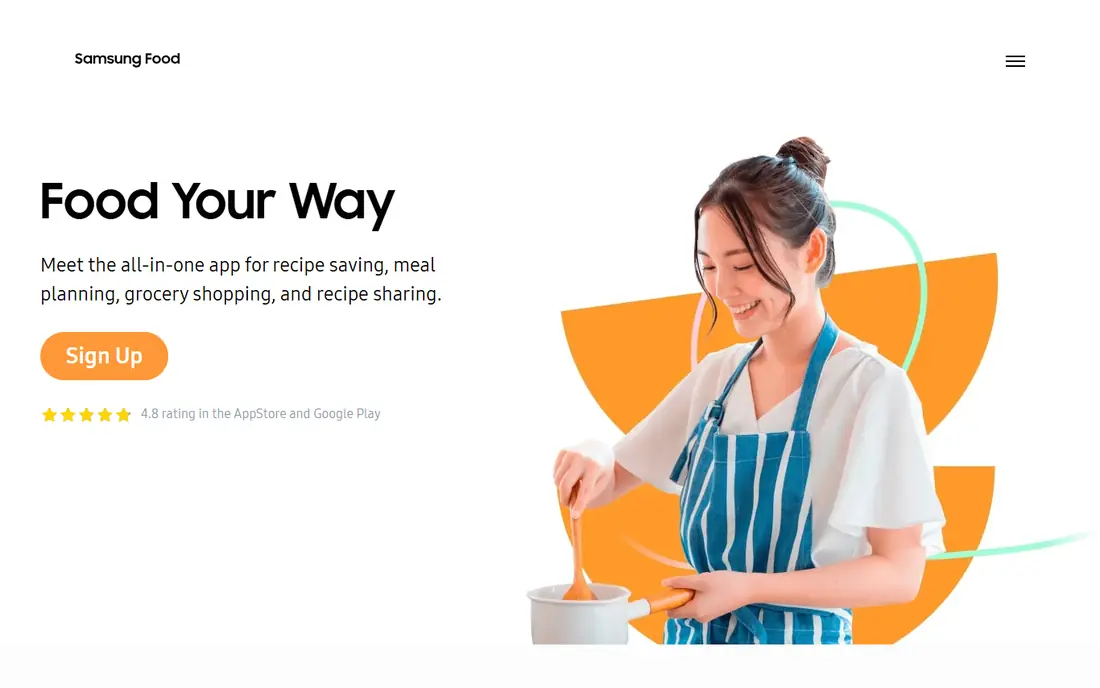
Samsung Food, formerly Whisk, is our pick for most people looking for a free recipe organizer. You can save recipes from any website, organise them into collections, plan the week, and turn the plan into a grouped shopping list that can be shared with family. The community catalogue also helps when you need ideas, not just storage.
The free tier covers the core jobs well. Samsung Food+ at $6.99 per month or $59.99 per year adds advanced AI features and personalised nutrition plans, but most cooks will not need it to save, plan, and shop. If you want one free app that handles the whole week, start here.
- Free saving from any website
- Weekly meal planning and smart shopping lists
- Large community recipe catalogue
- Advanced AI features need Samsung Food+
- Some features vary by region
- A Samsung account is needed for full sync
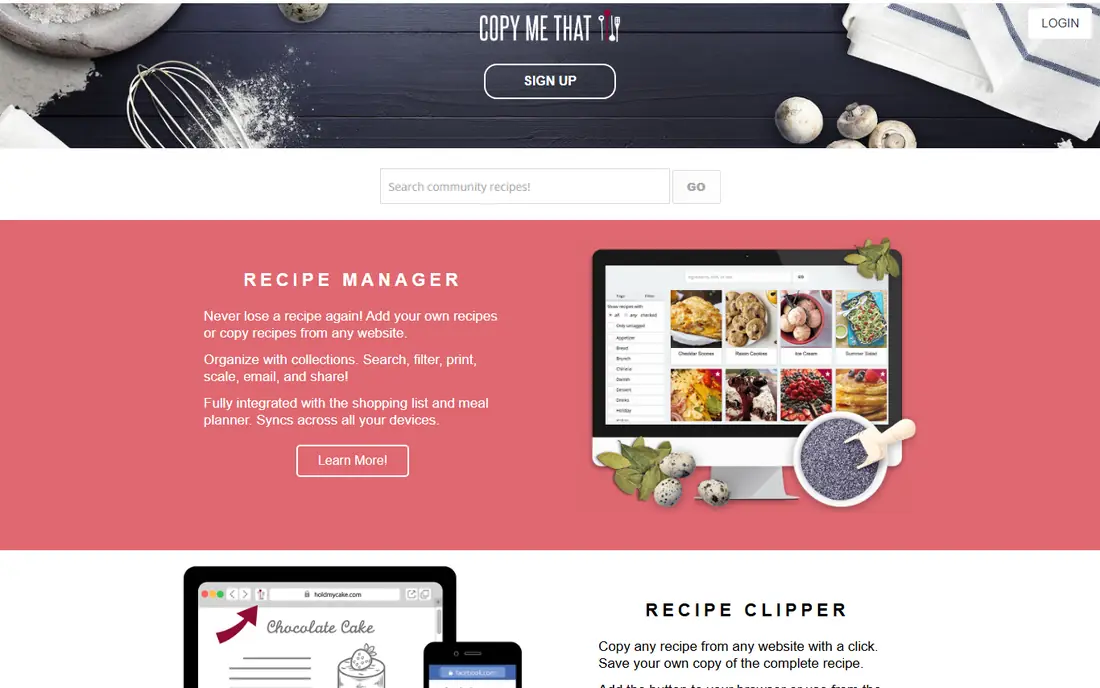
Copy Me That is built for collectors who save recipes constantly. The browser button and app import pull ingredients and steps into a clean format, and you can add tags, notes, and photos so a recipe is easy to find months later. Meal planning and shopping lists are built in, so a saved recipe can become a plan without copying ingredients by hand.
The free tier is useful, but check the current cap before you import a large archive, since some store listings describe a free limit and a low-cost premium for unlimited saves. If you mainly save from the web and want speed over design, Copy Me That is one of the fastest tools on this list.
- One-click import from websites
- Tags, notes, and photos for each recipe
- Meal planner and auto shopping lists
- Free tier caps recipe saves in some listings
- Interface is more practical than polished
- Premium needed for extras
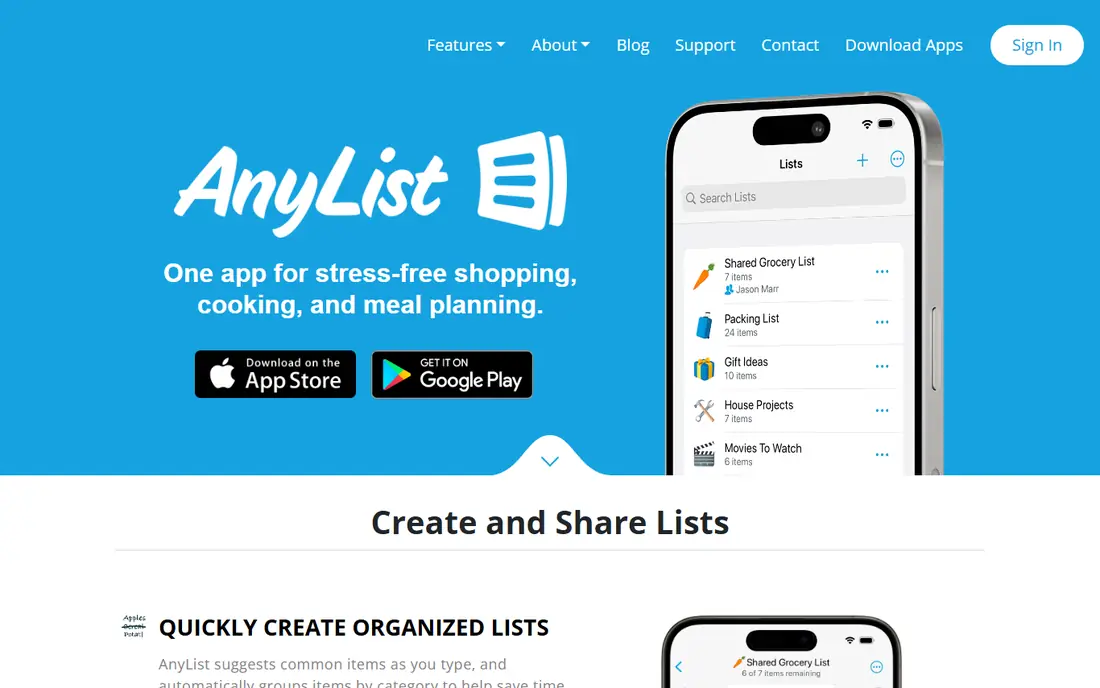
AnyList is a grocery list app first and a recipe app second, and that order matters. Shared lists sync instantly between household members, items are grouped by store category, and photos can be added so the right brand is bought. For a family that mainly needs to stop forgetting items, AnyList is hard to beat.
The free plan is limited for recipe collectors, since it allows only five web recipe imports. AnyList Complete at $9.99 per year for one person or $14.99 per year for a household adds unlimited imports, the meal-planning calendar, and the web and Mac apps. Use AnyList free for lists, and pay Complete if recipes become central to your week.
- Excellent shared grocery lists that sync instantly
- Items grouped by category
- Recipe import and meal calendar on Complete
- Free plan imports only five web recipes
- Meal planning, web app, and Mac app need Complete
- Recipe tools are secondary to lists
Recipe Keeper is a solid choice for a household with mixed devices, since it runs on iOS, Android, Windows, and the web. You can import recipes from websites, add your own, organise by course or collection, scale servings, and build shopping lists from what you plan to cook. OCR helps with printed recipes, and cookbook export is useful for family collections.
The free download covers the basics, while Pro, listed at $19.99 on iPhone and iPad and $29.99 on Mac, adds more features and is bought per platform. That per-platform cost can add up if you use every device, so check which platform you actually cook from before upgrading. For a low-cost, cross-platform library, Recipe Keeper is a dependable pick.
- Free download with import and organisation
- Works across iOS, Android, Windows, and web
- OCR and cookbook export options
- Pro upgrade is priced per platform
- Some advanced features need Pro
- Interface is practical rather than stylish
Mela is the recipe manager for Apple households that want a quiet, private library. It saves recipes from its in-app browser, scans printed recipes with text recognition, follows recipe blogs through feeds, and sends meal plans to Apple Calendar and groceries to Apple Reminders. Sync runs through iCloud, and the maker says it collects no data.
The app is free to download, with Mela+ listed at $6.99 on iOS and iPadOS to open all features. That one-time model is refreshing next to subscriptions, though the price differs on Mac. If everyone in your house uses Apple devices and you want a calm app without a social feed, Mela is an excellent free starting point.
- Clean, calm design for iPhone, iPad, and Mac
- In-app browser import and text recognition for books
- ICloud sync with no data collection claim
- Apple only, so Android and Windows households cannot share it
- Full features need a one-time Mela+ purchase
- No web app
Recipe One is a newer option that focuses on the full loop: save, plan, and shop from the same library. It imports from websites and social posts, standardises the recipe for searching, and lets you plan meals and build grocery lists from what you saved. For cooks who find recipes on social media as often as on blogs, that import range is a real advantage.
The free start is useful, but paid prices in store listings vary, with Pro and Unlimited options listed at several monthly, annual, and one-time prices. That makes it hard to quote one paid price with confidence, so check the listing on your device before you pay. If social import matters to you, Recipe One is worth testing free alongside Samsung Food.
- Import from websites and social posts
- Meal planner and grocery lists in one app
- Fast, searchable library
- Paid Pro and Unlimited prices vary by store listing
- Newer app with a smaller community
- Check the current free limit before importing
Crouton is another Apple-first recipe manager, with a polished design that feels at home on iPhone, iPad, and Mac. It imports recipes, organises them cleanly, and offers a cook mode that keeps the screen readable while you work. For Apple users who want a nicer interface than Recipe Keeper without leaving the Apple ecosystem, Crouton is a strong free download.
The limit is platform, not quality. Android and Windows users cannot join the same library, and the full feature set needs a Plus purchase or a subscription option, depending on the listing. If your household is all Apple, Crouton is a lovely free start. If not, choose a cross-platform app instead.
- Beautiful native Apple design
- Good import and cook mode
- Meal planning and shopping features for Apple users
- Apple only
- Full features need Plus or a subscription option
- Less desktop depth than cross-platform rivals
Tandoor Recipes is the pick for cooks who want to own their recipe data completely. It is free and open-source, with import, meal planning, shopping lists, and an API, and you can run it on your own server or home machine. That means no subscription, no account lock-in, and no social feed, which suits privacy-focused households.
The cost is technical work. You need to set up hosting, keep the app updated, and back it up yourself, and there is no native mobile app, though the web app works on mobile browsers. If you are comfortable with self-hosting, Tandoor is the most flexible free option here. If not, a hosted app will be far simpler.
- Free and open-source
- Full data ownership
- Strong import, search, and API for technical users
- You must provide hosting and maintenance
- No native app, access is through web or mobile browser
- Setup is technical
How we picked these
We compared official app pages, store listings, and public reviews for recipe apps that are live in October 2026 and that offer a real free starting point. We checked import quality, organisation, meal planning, shopping lists, platform support, and free limits, and we kept a mix of all-round, household, Apple-only, and self-hosted options. We did not claim hands-on cooking tests; our comparison is based on vendor pages, store listings, and published reviews.
Choosing by how you actually cook
Start with where your recipes come from. Web and social cooks need strong import, so Samsung Food, Copy Me That, and Recipe One fit best. Book and card cooks need scanning and manual entry, so Recipe Keeper, Mela, and Crouton are stronger. If privacy or ownership matters most, Tandoor is the only fully self-hosted pick here.
Next, decide who shares the work. A household that shops together needs shared lists and sync, which points to Samsung Food or AnyList. A solo cook can choose a simpler, prettier library like Mela or Crouton without paying for household features. Check sync across your actual devices, since some apps are Apple only and some charge per platform.
Finally, test the free limit with a real batch. Import twenty recipes, plan a week, and build a shopping list before you pay for anything. That test will show whether import is clean, whether the planner fits your week, and whether the free cap will force an upgrade sooner than you expected.
Frequently asked questions
What is the best free recipe organizer app?
Samsung Food is the best free recipe organizer app for most people, because it covers saving, meal planning, and shopping lists at no monthly cost. Copy Me That is better for heavy web clipping, AnyList is better for shared household lists, and Mela is better for Apple-only households that want a calm, private library.
Is there a completely free recipe organizer with no limits?
No app here is unlimited in every way, though Samsung Food and Tandoor come closest for different reasons. Samsung Food offers a broad free tier, while Tandoor is free and open-source if you host it yourself. Other free plans cap imports, meal planning, or sync, so read the current limit before you import a large archive.
Can I import recipes from websites for free?
Yes, Samsung Food, Copy Me That, Recipe Keeper, and Recipe One all support free web import, though caps and premium limits vary. AnyList free allows only five web imports, so it is not the best pick for heavy importing unless you pay for Complete. Always check an imported recipe once before cooking, since messy posts can garble amounts.
What is the best recipe organizer app for families?
Samsung Food and AnyList are the best family picks, because both support shared lists and planning across devices. Samsung Food is stronger for recipe discovery and planning, while AnyList is stronger for shared grocery lists that update instantly. Choose Samsung Food if recipes lead the week, and AnyList if the shopping list leads.
Do free recipe apps work offline?
Some do, depending on the app and plan, with Paprika-style offline libraries and downloaded recipes working without a connection. Web-first apps may need a connection to import or sync, though saved recipes are often available offline once downloaded. Check offline access in the app before a trip or a kitchen with weak signal.
Can I keep my recipes if I switch apps?
In most cases, yes, if you export regularly, though the format and ease vary by app. Tandoor and Recipe Keeper offer export options that make moving easier, while some apps lock recipes behind a paid export or a platform-specific format. Export a backup early, and test it in the new app before you delete the old library.
Sources
See where you really rank - block by block
ProMapRanker scans Google Maps across a grid of your service area. Simple monthly plans from $19, white-label on every plan.
Start freeKeep reading
 which software is best for pdf page removal
Which Software Is Best for PDF Page Removal in 2026
Find which software is best for pdf page removal, from free online tools to desktop editors, with page controls, privacy, safety, and pricing compared.
Read → when i work alternatives
Best When I Work Alternatives in 2026
Looking for when i work alternatives? We compare 8 scheduling apps for hourly teams, covering pricing, free plans, time clocks and the best fit for business.
Read → the best tool for keyword analysis
The Best Tool for Keyword Analysis in 2026
Find the best tool for keyword analysis with our 2026 comparison of 10 keyword analysis software tools on data depth, difficulty scores and price today.
Read →