 ProMapRanker
Best Recipe Organizer App in 2026


Serious collectors who hate subscriptions · Pricing starts at: $4.99
Key takeaways
- A good organizer must save recipes from the web cleanly, because manual typing is where most collections fall apart.
- One-time purchases suit collectors who keep recipes for years, while subscriptions suit families who plan meals every week.
- Shared shopping lists matter more than a large recipe library when two or more people cook and shop.
- The best app for storing recipes is often the one already on your phone and computer, not the one with the longest feature list.
- Our pick for most cooks is Paprika, with Recipe Keeper close behind for printed cookbooks and Windows users.
Quick comparison
| Pick | Great for | Pricing starts at | Free tier | |
|---|---|---|---|---|
| Paprika Recipe Manager | Serious collectors who hate subscriptions | $4.99 | No | Visit |
 Recipe Keeper | Family recipes and printable cookbooks | Free | Yes | Visit |
 AnyList | Families sharing lists and meals | Free | Yes | Visit |
 Copy Me That | Heavy web recipe collectors | Free | Yes | Visit |
 Plan to Eat | Weekly meal planners | See website | Free trial | Visit |
 ChefTap | Android and web cooks who clip recipes | See website | Yes | Visit |
 Crouton | Apple users wanting a polished app | Free | Yes | Visit |
 ReciMe | Mobile-first cooks and social recipe savers | Free | Yes | Visit |
 BigOven | Cooks wanting recipes plus inspiration | Free | Yes | Visit |
The best recipe organizer apps
These apps do one job well: keep your recipes in one searchable place, ready to cook from. Some add meal planning and shopping lists, and we note where planning takes over from pure storage, so you can choose the balance that fits how you cook.
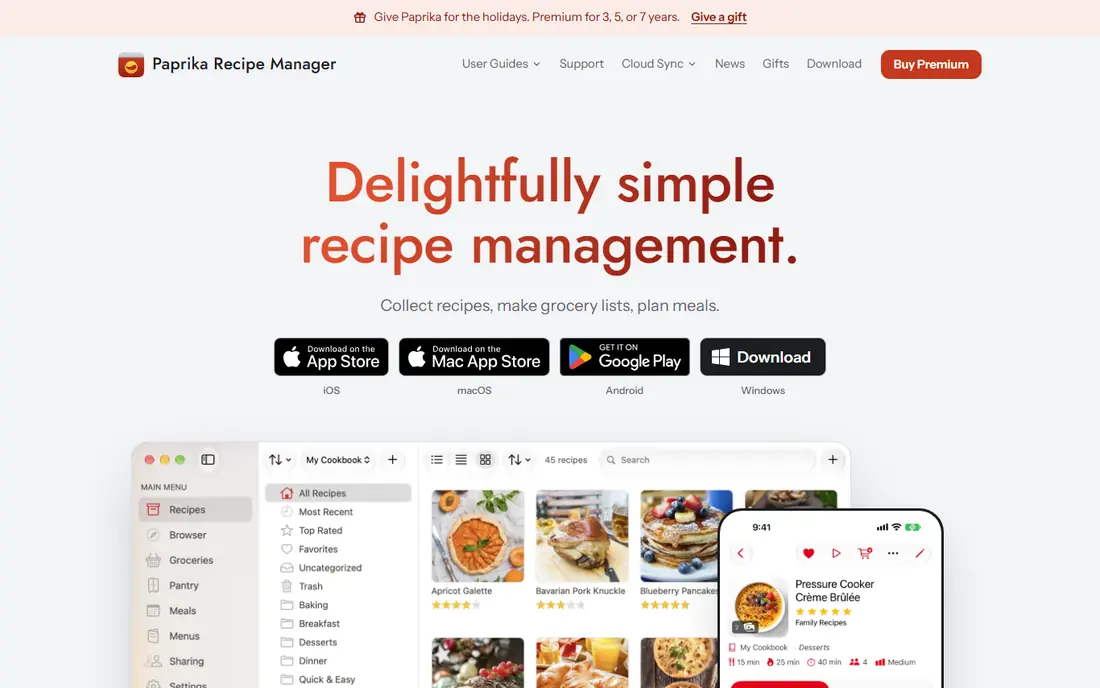
Paprika remains the benchmark for recipe collectors, and its web browser is the reason. Open a food blog inside the app, tap to save, and Paprika pulls ingredients and steps into a clean format, leaving ads and long stories behind. Saved recipes can be scaled, converted between metric and imperial units, and cooked from a mode that keeps the screen on and highlights the current step.
The main drawback is pricing by platform. Buying for phone, tablet and computer adds up, even though each purchase is one time only. The design also feels older than newer apps. If you cook mainly from websites and want a library that lasts for years without a subscription, Paprika is still our first pick.
- One-time purchase per platform
- Strong web saving
- Meal planner and grocery lists
- Each platform version is sold separately
- Interface looks dated to some users
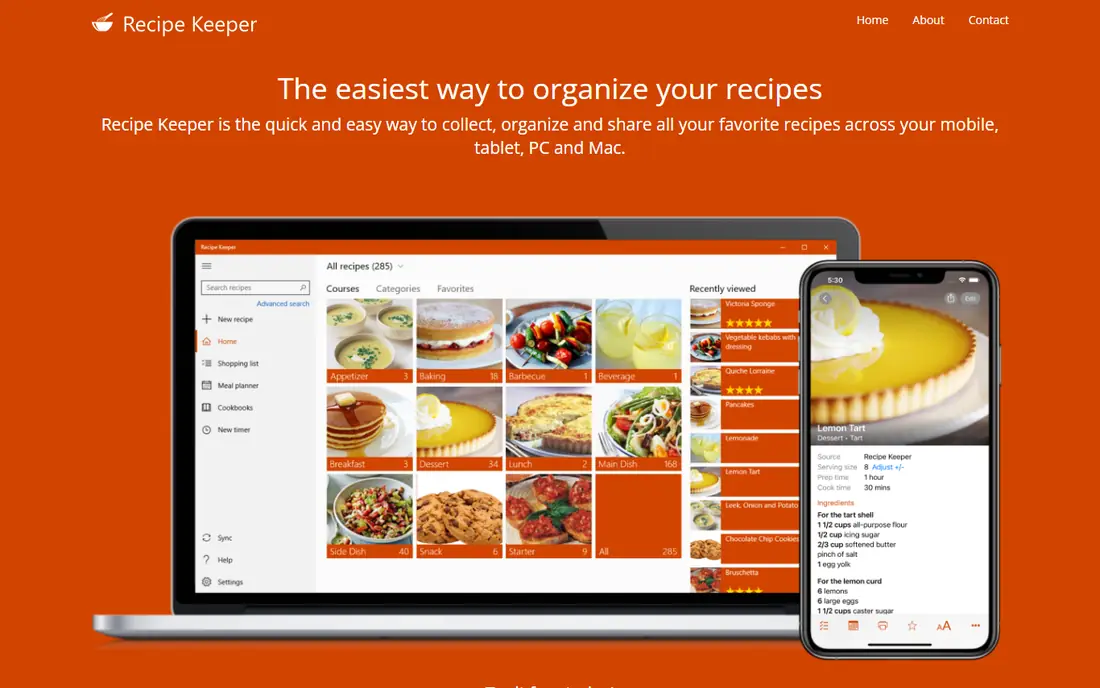
Recipe Keeper stands out for recipes that do not start on the web. Its scanning tools can read printed cookbooks, magazines and handwritten cards, turning them into searchable recipes you can edit. It also imports from recipe sites and social posts, and its cookbook builder can turn a collection into a printable PDF with chapters and a cover.
The free download covers the basics, while Pro adds the fuller set and is bought per platform. The look is practical rather than pretty, which will not bother cooks who care about function. If you have a box of family recipes to preserve, or you use Windows heavily, Recipe Keeper is the strongest choice here.
- OCR scanning for printed recipes
- Cookbook builder
- Broad platform support
- Pro features need a paid upgrade per platform
- Design is functional rather than polished
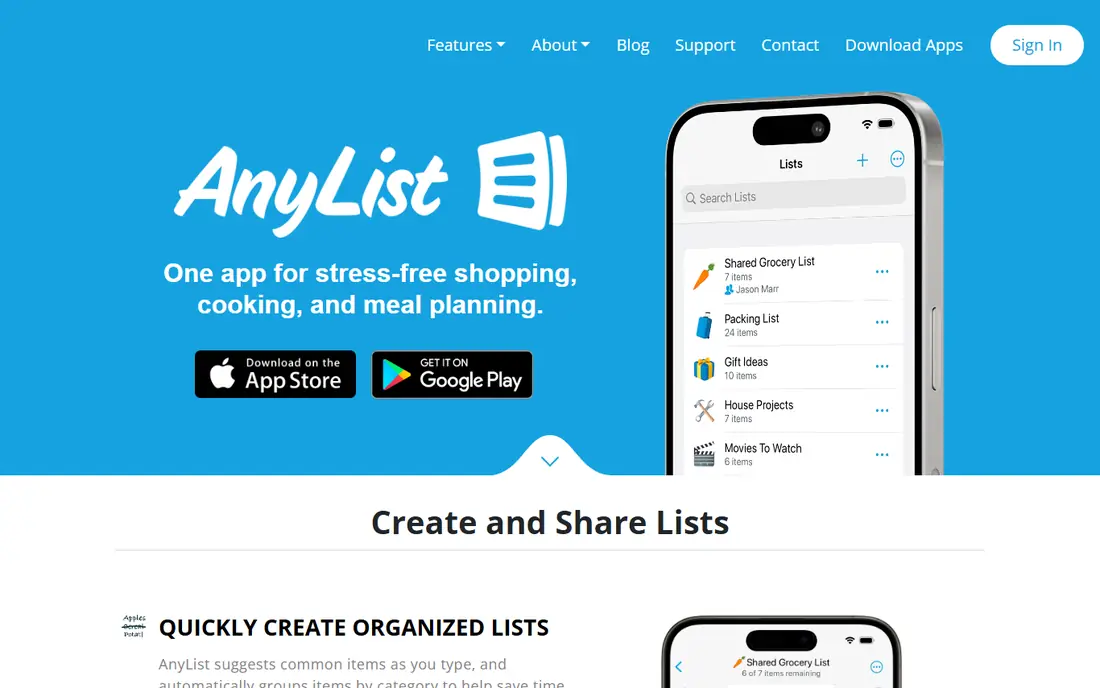
AnyList wins when cooking is a shared job. One person can add a recipe, another can see the shopping list update in real time, and items sort by store aisle as you shop. Recipes import from the web, and the meal calendar ties the week together, so planning, shopping and cooking stay in one flow.
As a pure recipe archive, AnyList is less deep than Paprika or Recipe Keeper. Its best recipe features sit behind the paid tier, and collectors with thousands of recipes may want a dedicated library. For a household that cooks together and shops together, AnyList is the most practical app on this list.
- Excellent shared grocery lists
- Recipe import
- Meal planning calendar
- Recipe storage is secondary to lists
- Full recipe features need a subscription
Copy Me That is built for people who save recipes constantly. Its browser button captures a recipe in a couple of clicks, and the library stays searchable by ingredient or tag. The free tier covers a lot of collecting, and premium adds extras at a low cost, which keeps the total price friendly for years of use.
The trade-off is polish and planning. The design is utilitarian, and meal planning tools are simpler than Plan to Eat or AnyList. If your main habit is saving recipes from blogs and search results, and you want a fast, low-cost way to keep them, Copy Me That does that job with very little fuss.
- Fast browser saving
- Simple library
- Low-cost premium
- Interface feels plain
- Meal planning is more basic than rivals
Plan to Eat starts with the calendar, not the library. Drag recipes onto the week, and the app builds a shopping list from those meals, grouping ingredients so shopping takes less time. Import from the web works well, and the planner suits cooks who decide the week ahead rather than choosing dinner at the last minute.
The subscription is the catch for collectors who only want storage, since there is no free tier for ongoing use. Archiving and tagging are also less central than planning. If weekly planning is your real problem, and a tidy shopping list saves you a store trip, Plan to Eat is worth the subscription.
- Calendar-led planning
- Automatic shopping lists
- Recipe import
- Subscription required
- Less focus on long-term archiving
ChefTap is a long-running clipper that turns web recipes into a personal collection with shopping lists and planning tools. Its browser extension and app make saving quick, and the web version gives cooks a larger screen for editing recipes and planning meals. Pantry and list features help when a recipe is only part of the weekly shop.
The app feels less current than Paprika or AnyList, and its iOS presence is weaker than its Android and web versions. Cooks who live on Apple devices may prefer another pick. For Android and web users who want a capable clipper without a high price, ChefTap remains a solid option.
- Web clipping
- Grocery lists
- Meal planning on the web
- Smaller community and fewer updates than larger rivals
- IOS experience is limited
Crouton is the prettiest recipe app on this list, and it is built for Apple devices from the ground up. Recipes import from the web, steps can be followed hands-free, and meal planning ties into shopping lists without clutter. The design makes browsing a collection feel pleasant, which matters when you open the app every evening.
The limit is clear: Crouton is Apple only, so households mixing iPhone and Android will struggle to share. Plus adds the fuller feature set. If everyone in your kitchen uses Apple devices and you want an organizer that looks as good as it works, Crouton is an easy recommendation.
- Native Apple design
- Hands-free cook mode
- Meal planning
- Apple only
- Some features need a paid Plus upgrade
ReciMe suits cooks who find recipes on social media as often as on blogs. Its mobile app imports from links and posts quickly, and the feed-style browsing makes discovery part of organizing, not a separate chore. Tags and collections keep saved recipes tidy, and the free tier lets you test importing before paying.
Being newer means its desktop and long-term archiving depth is thinner than Paprika or Recipe Keeper. Subscription pricing also adds up over years. For a phone-first cook who saves from Instagram or TikTok and wants a modern library, ReciMe feels current in a way older apps do not.
- Modern mobile design
- Social-style discovery
- Quick imports
- Newer ecosystem
- Desktop depth is thinner than Paprika
BigOven combines a large recipe library with organizing tools, which suits cooks who want ideas as well as storage. You can save your own recipes, browse community recipes, plan meals and turn plans into grocery lists. That mix helps when dinner inspiration runs out, since the next idea is inside the same app.
The free tier carries ads, and its organizing depth does not match Paprika for serious collectors. Tagging and editing are serviceable rather than detailed. If you want one app for finding dinner and keeping your favourites, BigOven is a friendly, low-cost starting point.
- Large recipe library
- Meal planning
- Grocery lists
- Free tier includes ads
- Organizing tools are simpler than Paprika
How we picked these
We compared official app listings, developer sites and feature pages for each app in October 2026. We weighted web saving quality, search and tagging, platform coverage, meal planning and shopping lists, and pricing shape. We did not claim hands-on testing, and where app store prices differed by platform, we noted that platform versions are often sold separately rather than quoting one price as universal.
How to choose a recipe organizer app
Check how you find recipes. If most recipes come from blogs, pick a strong web clipper such as Paprika or Copy Me That. If they come from printed cards or social posts, Recipe Keeper or ReciMe will save more time. The saving step decides whether a library grows or stalls.
Decide between one-time and subscription pricing. Collectors who keep recipes for years usually save money with Paprika or Recipe Keeper. Families who plan weekly may get more value from AnyList or Plan to Eat, even with a yearly fee. Add up five years of cost, not just the first month.
Test sharing before you commit. Add a recipe, share a list and cook from the app during a trial week. Check whether lists update for other household members and whether the cook mode works with messy hands. A library that only one person can use will not last.
Frequently asked questions
What is the best recipe collection app?
Paprika is the strongest collection app for most cooks, thanks to its web saving, scaling and one-time pricing. Recipe Keeper is better for printed and handwritten recipes, while Copy Me That suits heavy web collectors on a budget.
What is the best recipe saving app for families?
AnyList is the best family pick, because shared lists update in real time and meal planning ties into shopping. Paprika also syncs across devices, but AnyList is built around household sharing from the start.
What is the best app for storing recipes long term?
Paprika and Recipe Keeper are the safest long-term picks, because their one-time purchases avoid a subscription that could lapse. Export or print key recipes as a backup, since no app should be the only copy of a family favourite.
Is there a free recipe organizer app?
Yes. Recipe Keeper, AnyList, Copy Me That, Crouton and BigOven all offer free tiers, though full features often need a paid upgrade. Start free, import a test batch, and pay only when the app proves it fits your cooking habits.
What is the best recipe book app for printing a cookbook?
Recipe Keeper is the best pick for printing, thanks to its cookbook builder with chapters and a cover. Paprika can also export recipes, but Recipe Keeper is designed around turning a collection into a printed book.
Sources
See where you really rank - block by block
ProMapRanker scans Google Maps across a grid of your service area. Simple monthly plans from $19, white-label on every plan.
Start freeKeep reading
 best rank tracking software
Best Rank Tracking Software in 2026
Searching for the best rank tracking software? We compare 8 tools for daily keyword tracking, local rankings, client reports, and competitor checks in 2026.
Read → best platform for ecommerce website
Best Platform for Ecommerce Website in 2026
Find the best platform for ecommerce website builds in 2026. We compare Shopify, WooCommerce, BigCommerce, Wix and more on price, fees and scale for stores.
Read → best math apps
Best Math Apps in 2026: 8 Apps Compared
Find the best math apps for homework, revision, and deeper study in our 2026 comparison of 8 free and paid solvers, courses, and visual tools for students.
Read →