 ProMapRanker
Best Read It Later App in 2026


Power readers and highlights · Pricing starts at: $9.99 per month
Key takeaways
- Readwise Reader is our pick for power readers who highlight, review and want their notes in other tools.
- Instapaper remains the best free, distraction free reading app for people who just want a clean article view.
- Matter suits iPhone users who like listening to saved articles as well as reading them.
- Pocket shut down on 8 July 2025 and Omnivore closed in 2024, so export options matter more than they used to.
- GoodLinks is the best one-time purchase option for Apple users who dislike subscriptions.
Quick comparison
| Pick | Great for | Pricing starts at | Free tier | |
|---|---|---|---|---|
| Readwise Reader | Power readers and highlights | $9.99 per month | Free trial | Visit |
 Instapaper | Free distraction free reading | Free | Yes | Visit |
 Matter | Listening to saved articles | Free | Yes | Visit |
 GoodLinks | One-time purchase on Apple devices | $9.99 one-time | No | Visit |
 Raindrop.io | Bookmarks plus read later | Free | Yes | Visit |
 Wallabag | Self-hosted open source reading | Free | Yes | Visit |
 Karakeep | Self-hosted capture and organisation | Free | Yes | Visit |
 Burn 451 | Actually reading what you save | Free | Yes | Visit |
 Safari Reading List | Free built-in Apple option | Free | Yes | Visit |
The best read it later apps
The read it later category changed sharply in the last two years. Pocket, once the default choice, shut down on 8 July 2025, with exports ending in November 2025. Omnivore closed its hosted service in 2024. That history shapes this list: every app below is live in October 2026, and we paid close attention to export, so a future shutdown does not strand your library. We compared reading quality, offline access, saving tools, price and how easily you can get your articles back out.
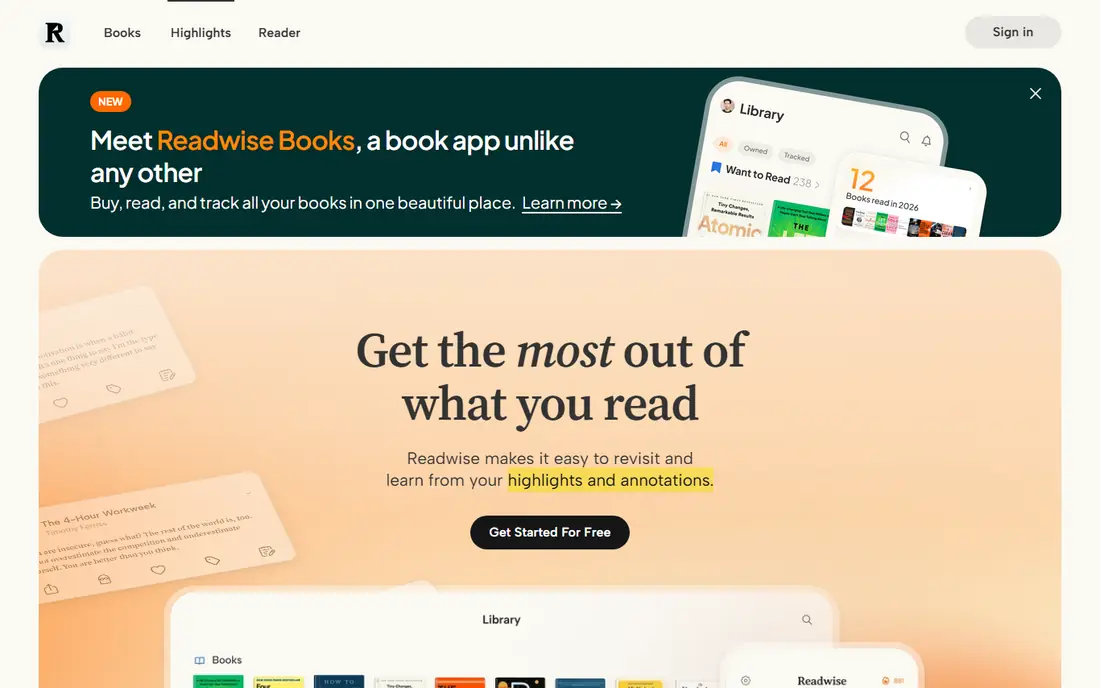
Readwise Reader is the most complete tool in this list for people who read to remember, not just to clear a queue. You save articles, PDFs, newsletters and videos, highlight in a clean reader, and review highlights later through spaced repetition. Notes flow into Obsidian, Notion and Logseq, which makes it a genuine research tool rather than a simple bucket.
The price reflects that depth. At $9.99 per month on annual billing, with a higher monthly rate and a trial, it costs more than every other app here except Matter Premium. Casual readers who save a few articles a week will not need this much power. Serious readers who highlight heavily and revisit notes will find it hard to go back.
- Excellent highlighting and spaced review
- Strong Pocket style import with tags kept
- Exports to note tools such as Obsidian and Notion
- Subscription price is high for casual readers
- Best value needs annual billing
Instapaper is the closest thing to the old Pocket experience, without the shutdown risk that ended Pocket. Save an article from the browser extension or share sheet, and it appears in a stripped back reader with adjustable fonts, margins and themes. Offline reading works well, and the free plan covers the core job.
Premium adds full text search, unlimited highlights and extra text to speech voices, but most readers will be happy on the free tier. The interface is plain by modern standards, and social features are thin. If you want a quiet place to read, with no pressure to highlight or review, Instapaper is the best free starting point.
- Clean, fast reading view
- Free plan covers core saving and reading
- Speed reading and text to speech tools
- Premium features need a paid plan
- Design feels plain next to newer rivals
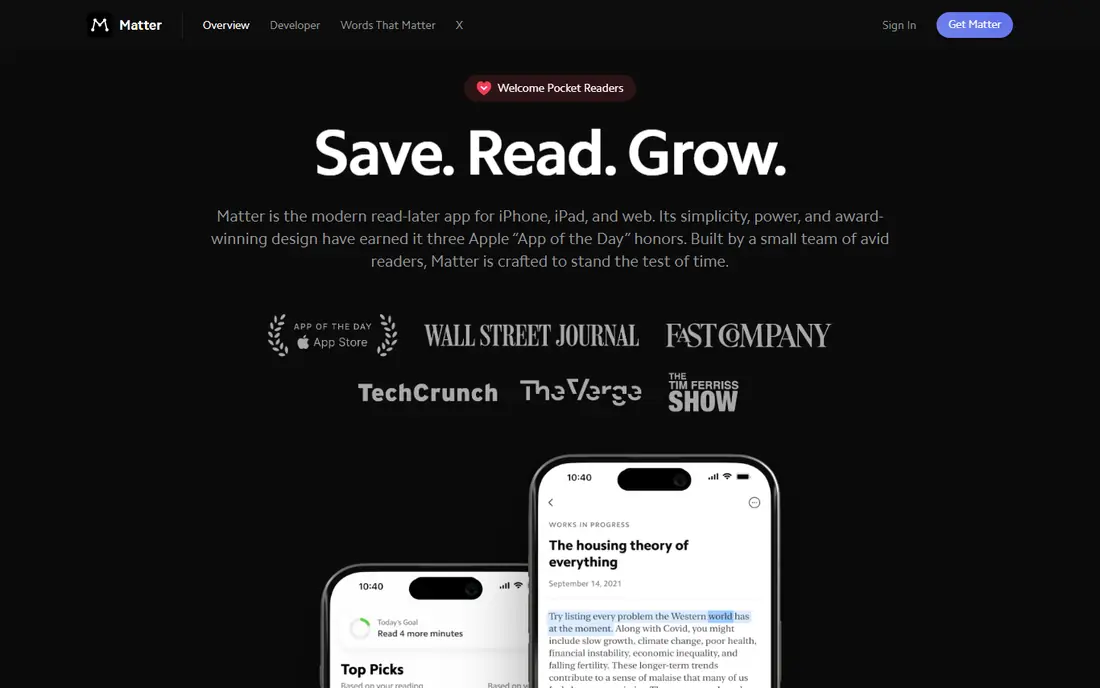
Matter is the pick for people who listen more than they read. Saved articles can be played back in natural sounding voices, so a long feature becomes a podcast for a commute or a walk. The reading view on iOS is clean, and newsletter subscriptions land in the same queue as web saves, which keeps everything in one place.
Android users should check current availability before committing, since Matter has always been iOS first. Premium, at $60 per year on the web, opens unlimited audio and extra features, while the free tier covers basic saving and reading. If audio is how you actually finish articles, Matter wins.
- Natural sounding audio versions of saved articles
- Clean iOS reading view
- Good newsletter handling
- IOS focused, with a weaker Android story
- Premium costs $60 per year on the web
GoodLinks is the anti-subscription choice. Pay $9.99 once and you get a fast, well designed read later app for iPhone, iPad and Mac, with offline reading, tags, folders and a clean article view. Sync runs through iCloud, so it fits naturally into an Apple household.
The limit is platform. There is no Android or Windows version, so mixed device households will struggle. It also lacks the highlight review system of Readwise Reader. For Apple only readers who want to pay once and keep reading, GoodLinks is excellent value.
- One-time purchase, no subscription
- Fast offline reading on iPhone, iPad and Mac
- Article and link saving with tags
- Apple devices only
- No Android or Windows version
- Sync needs iCloud
Raindrop.io started as a bookmark manager and grew into a strong read later option. The free tier covers unlimited bookmarks, collections and cross platform apps, and saved articles open in a readable view with offline access on mobile. That makes it a good home for both permanent bookmarks and articles you plan to read this week.
Power features such as full text search across everything, broken link checks and extra storage sit in Pro, at $28 per year. The reading experience is solid rather than exceptional, and highlight tools are lighter than Readwise. If you want one tool for bookmarks and reading, Raindrop is the best free tier in this list.
- Generous free tier with unlimited bookmarks
- Collections, tags and full text search
- Works on all major platforms
- Reading view is good but not as focused as Instapaper
- Pro needed for some advanced features
Wallabag is the answer to the Pocket shutdown. It is open source, you can host it yourself, and your library lives on your own server, so no company decision can delete it. The reading view is clean, tagging works well, and mobile apps give offline access.
Self-hosting is the trade. You need a server and some comfort with setup and updates, or you can pay for managed hosting at €11 per year. The design is functional rather than polished. If ownership and export matter most to you, Wallabag is the safest long term choice.
- Open source and self-hosted, so no vendor can shut your library down
- Clean reading view
- Tagging and offline apps
- Self-hosting needs technical setup
- Managed hosting costs €11 per year
- Interface is plain
Karakeep, formerly known under an earlier name in this space, is a newer open source option for people who want to save more than articles. It captures web pages, images and videos into a searchable library you can host yourself, with tagging to keep large collections organised.
It is less proven over time than Wallabag, and documentation and community support are still growing. Self-hosting again needs technical confidence. If you like Wallabag's ownership model but want a broader capture tool with a more modern interface, Karakeep is worth testing alongside it.
- Open source self-hosting
- Captures articles, images and videos
- AI style tagging and search in newer versions
- Newer and less proven than Wallabag
- Self-hosting needs setup
Burn 451 takes a different angle on the classic problem: most read later queues grow forever and never get read. Saved items carry a 24 hour timer, which forces a decision to read, archive or let them go. That pressure sounds harsh, but for people with thousands of unread saves, it changes behaviour in a way a bigger bucket never will.
Pro, at $4.99 per month, opens extra features. The toolset is deliberately small, so it will not replace Raindrop for organisation or Readwise for notes. If your queue is the problem, rather than your reader, Burn 451 is a refreshing experiment.
- 24 hour timer pushes you to read saved items
- Simple, focused design
- Free tier covers the core idea
- Timer pressure will not suit everyone
- Smaller library tools than Raindrop or Readwise
Safari Reading List is the option you already own. Save a page in Safari and it appears across your Apple devices, available offline, with no app to install and no subscription to manage. For occasional saves, it is all many people need.
Organisation is basic, with no tags and limited search, and there is no serious highlight or export workflow. Android and Windows users cannot use it at all. Treat it as a free, zero effort starting point, and move to Instapaper or GoodLinks when your queue grows.
- Built into Safari on iPhone, iPad and Mac at no cost
- Offline reading
- No account or install needed
- Apple only
- Basic organisation with no tags
- No highlighting or export system to speak of
How we picked these
We compared official feature and pricing pages, current availability and export options for apps live in October 2026, and we excluded Pocket and Omnivore because their hosted services have closed. We weighed reading quality, offline access, saving tools, price and how easily a library can be exported. We did not claim hands-on testing, and prices are taken from vendor pages, with See website where a price could not be confirmed on the vendor site.
How to choose a read it later app
Start with how you read. If you highlight and revisit notes, pay for Readwise Reader. If you read quietly and want it free, start with Instapaper. If you listen, pick Matter. If you hate subscriptions and live on Apple devices, buy GoodLinks once. If your library is large and permanent, favour Raindrop for organisation or Wallabag for ownership.
Export is the second question, and Pocket's closure made it the most important one. Before you move thousands of articles into any app, save a test batch, export it, and look at what you get back. Prefer tools that return readable files or a clean data export over tools that return a proprietary dump. A beautiful reader is little comfort if your library is trapped.
Finally, be honest about your queue. A read later app that only stores articles will not make you read more. If unread saves pile up, try Burn 451's timer or a simple rule: save no more than five articles at a time, and clear the queue each weekend. The best read it later app is the one whose queue you actually finish.
Frequently asked questions
What is the best read it later app?
Readwise Reader is our pick for power readers, while Instapaper is the best free option for clean reading. Matter wins for listening, GoodLinks wins for a one-time Apple purchase, and Raindrop wins for bookmarks plus reading in one free tier.
What are the best read it later apps after Pocket shut down?
Instapaper, Readwise Reader, Matter, Raindrop.io and Wallabag absorbed most Pocket users after Pocket shut down on 8 July 2025. Instapaper is closest to the old Pocket reading experience, while Readwise Reader best preserves highlights and tags on import.
Is there a free read it later app?
Yes. Instapaper, Raindrop.io, Wallabag self-hosted, Burn 451 and Safari Reading List all offer free tiers or free use. Paid plans add search, audio, highlights or hosting, but the core job of saving and reading offline is free in each of these.
Can I export my articles from a read it later app?
Most apps in this list offer export, but the format varies. Test export with a small batch before you commit a large library, and favour tools that return readable files. Wallabag and Karakeep give the most control, since you host the data yourself.
Which read it later app works offline?
Instapaper, GoodLinks, Readwise Reader, Matter and Raindrop all offer offline reading on mobile, so you can read saved articles on a plane or without a signal. Check that downloads have finished before you travel, since some apps fetch article text on demand.
Does a read it later app work on Android and iPhone?
Most do, with two exceptions in this list. GoodLinks and Safari Reading List are Apple only. Instapaper, Readwise Reader, Raindrop, Wallabag and Burn 451 work across Android and iOS, so mixed device households should pick from those.
Sources
See where you really rank - block by block
ProMapRanker scans Google Maps across a grid of your service area. Simple monthly plans from $19, white-label on every plan.
Start freeKeep reading
 wpforms alternatives
Best WPForms Alternatives in 2026
We compare 9 wpforms alternatives for WordPress forms, with free and paid options, current pricing notes, and honest limits for small business sites in 2026.
Read → windows task scheduler alternatives
Best Windows Task Scheduler Alternatives in 2026
Looking for Windows Task Scheduler alternatives? We compare 9 schedulers for Windows and cross-platform work, from free tools to enterprise automation.
Read → which ai video service is best
Which AI Video Service Is Best in 2026
which ai video service is best? We compare 10 legitimate AI video services on price, avatars, editing and output quality to help you pick the right tool.
Read →