 ProMapRanker
Best QuickBooks Backup Software for Small Business Options (2026)

Server backup with security extras · Pricing starts at: $8.33 per device a month
Direct answer
Our first pick is Acronis Cyber Protect, best for server backup with security extras. Listed starting prices: Acronis Cyber Protect from $8.33 per device a month, MSP360 Backup from $124.99 per computer a year and Rewind Backups for QuickBooks Online from $4.00 per user a month. MSP360 Backup fits Backup to your own storage; Dropsuite fits straightforward cloud backup. All 7 tools are compared below on price, free plan and limits.
ProMapRanker compared 7 tools for QuickBooks backup software for small business. The goal is a practical shortlist: published prices, free plan facts, best-fit use cases and honest limits for every entry.
Key takeaways
- Acronis Cyber Protect is the opening pick, best for server backup with security extras.
- Only QuickBooks Desktop built-in backup offers a free plan among these 7 tools.
- For the cheapest start, look at Rewind Backups for QuickBooks Online: $4.00 per user per month.
- Rewind Backups for QuickBooks Online comes with a trade-off: no separate QuickBooks Online list price published.
Quick comparison
| Pick | Great for | Pricing starts at | Free tier | |
|---|---|---|---|---|
| Acronis Cyber Protect | Server backup with security extras | $8.33 per device a month | Free trial (30 days) | Visit |
 MSP360 Backup | Backup to your own storage | $124.99 per computer a year | Free trial (15 days) | Visit |
 Dropsuite | Straightforward cloud backup | Quote only | Free trial (14 days) | Visit |
 Rewind Backups for QuickBooks Online | Direct QuickBooks Online backup | $4.00 per user a month | Free trial (14 days) | Visit |
 QuickBooks Desktop built-in backup | Free local Desktop backup | $0 | Yes | Visit |
 SysCloud | Businesses with numerous client files | $36 per license a year | Free trial (30 days) | Visit |
 Akika Labs | One company file, flat price | $9.99 per company per month | Free trial (7 days) | Visit |
7 options for QuickBooks backup software for small business in detail
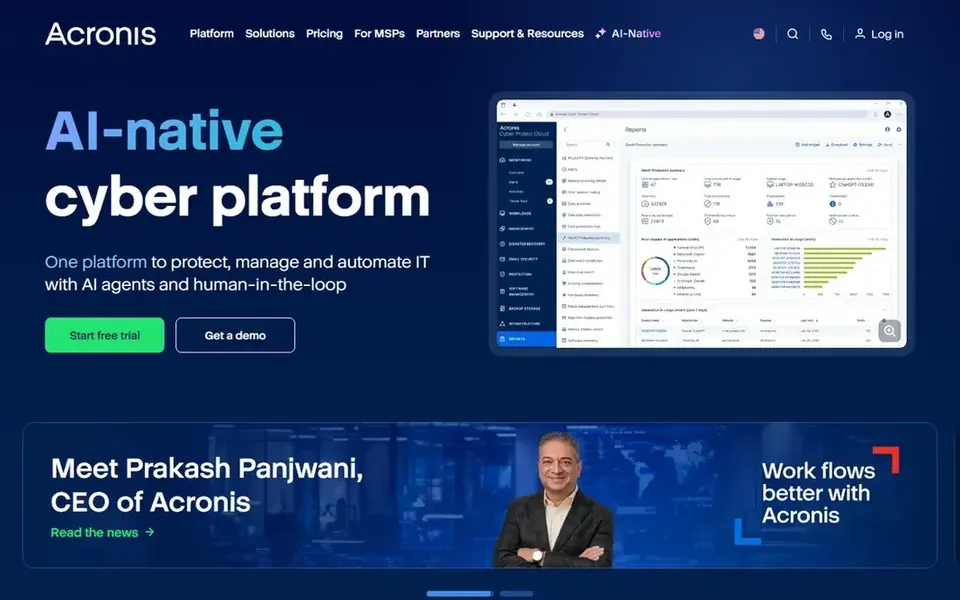
Acronis Cyber Protect makes the most sense for server backup with security extras. The vendor purchasing page lists backup from $8.33 per device a month.
Trade-offs to know: per-device pricing brings up across hosts.
The product backs up the office server as a full image with application-aware consistency. Recovery covers full server restore, bare-metal recovery, and file-level restore, and cloud storage is part of the plan. Starting cost for Acronis Cyber Protect: $8.33 per device per month. Free plan details: Free trial (30 days).
- Quick bare-metal recovery
- Cloud storage included in plans
- No QuickBooks Online connection
Pick MSP360 Backup if this describes you: Backup to your own storage. MSP360 does not link to QuickBooks Online, so a deleted transaction in the cloud ledger is outside its reach.
Watch-outs: no native ledger restore.
What users get: Bring your own S3, Wasabi. On top of that, for a QuickBooks Desktop user, the agent guards the company file and the machine that holds it. You choose the storage region and retention. On cost, MSP360 Backup starts like this: $124.99 per computer per year. On free options: Free trial (15 days).
- Clear per-computer price
- Image and file backup in one agent
- No QuickBooks Online connection
Dropsuite is a good fit for straightforward cloud backup. Ask for a written quote for the company files in scope, and confirm the retention and restore choices on the plan you are quoted.
Dropsuite sells by quote instead of a published price. Free options: Free trial (14 days).
Limits to weigh: No QuickBooks Online list price published.
- Straightforward per-user model
- Spans QuickBooks Online beside Microsoft 365 and Google Workspace
- Backup-first history means checking exact coverage matters
Pick Rewind Backups for QuickBooks Online if this describes you: direct QuickBooks Online backup. The vendor lists its Standard plan from $4.00 per user a month and its Advanced plan from $5.20, with the total based on the system you back up.
The vendor does not publish a separate QuickBooks Online list price. On cost, Rewind Backups for QuickBooks Online starts like this: $4.00 per user per month. On free options: Free trial (14 days).
Limits to weigh: per-user pricing grows with headcount.
- Links straight to QuickBooks Online
- Automatic daily backups
- No separate QuickBooks Online list price published
For free local Desktop backup, QuickBooks Desktop built-in backup is a natural candidate. QuickBooks Desktop comes with its own backup, which copies the company file to local disk or network storage on a schedule you set.
The limits are real. On cost, QuickBooks Desktop built-in backup starts like this: $0. QuickBooks Desktop built-in backup has a free plan.
Where it is weaker: Local copy only with no cloud backup.
- Scheduled local backups
- Simple restore of the company file
- Desktop versions are being retired by Intuit
SysCloud is built with businesses with plenty of client files in mind. Backups run daily, retention is unlimited on the plans shown, and the product brings compliance monitoring and ransomware alerts. In daily use, the vendor lists backup from $36 per license per year on its pricing page, and QuickBooks Online backup is priced per company.
So the total for one file comes from the vendor calculator instead of a flat list price. Some plans also carry a 100-license minimum for a subscription upgrade, so a very small firm should confirm the minimum before signing up. On cost, SysCloud starts like this: $36 per license per year. On free options: Free trial (30 days).
Trade-offs to know: QuickBooks pricing comes from the vendor calculator.
- Compliance monitoring
- Daily automatic backups with unlimited retention
- Some plans carry a 100-license minimum
Where Akika Labs fits: one company file, flat price. The trade is breadth.
Restore choices are also narrower than Rewind or SysCloud, so check the restore path for a deleted transaction before you buy. In daily use, the plan contains a spreadsheet import tool, and the trial runs for 7 days with no credit card required. Akika Labs pricing: $9.99 per company per month. As for free access: Free trial (7 days).
Downsides: Small vendor with a narrow focus.
- Flat $9.99 per company a month on the Standard plan
- 7-day free trial with no credit card
- Fewer restore choices than bigger backup products
Worth knowing about QuickBooks backup software for small business
Confirm the restore path for your most likely failure, which is normally a deleted invoice or a bad import, not a lost server. More specifically, test a restore on a spare company file and time it.
How we chose
We compared the tools on published pricing, free plan or trial availability, feature coverage for QuickBooks backup software for small business, and the limits each vendor documents. Seat minimums, billing terms and add-ons can move the real cost, so the starting prices here are a guide and not a quote. The ranking is editorial: typical fit first, then clear pricing, then free access. If your needs are unusual, read the profiles rather than relying on position.
Questions to settle before buying
- Get a written quote from Dropsuite; the list shows no starting price for them.
- Look at the free plan from QuickBooks Desktop built-in backup closely: its caps decide whether it is usable for real work.
- Run a trial of Acronis Cyber Protect, MSP360 Backup, Dropsuite and others with real work before paying for a year; your own workflow is the best test.
- Read the limits listed for Acronis Cyber Protect first: no QuickBooks Online connection.
- Check the integration list for Dropsuite against the tools you run today, and note which ones need a higher plan.
- Ask MSP360 Backup about contract length, onboarding fees and user minimums before you sign.
Frequently asked questions
Do these tools publish their prices?
Not all of them. Dropsuite publishes no starting price, so expect a quote request for it. The rest, Acronis Cyber Protect included, show a starting price, though seats and billing terms still change the final cost.
What happens if I delete an invoice by mistake?
With Rewind or SysCloud, you open the backup, find the invoice version from before the delete, and restore that record. That is the primary reason to run a direct QuickBooks Online backup instead of relying on file copies alone.
How are the tools for QuickBooks backup software for small business ordered?
The order follows typical fit for QuickBooks backup software for small business, with Acronis Cyber Protect first and Akika Labs last, then price clarity and free access. It is editorial judgement, not a score, so another team could rank the tools differently.
Can I try these tools before paying?
Often, yes. QuickBooks Desktop built-in backup has a free plan and Acronis Cyber Protect, MSP360 Backup, Dropsuite and others offer a free trial. Use your own data and a real task during the test, and check what the free tier or trial limits before you rely on it.
Is Acronis Cyber Protect the right pick for everyone comparing QuickBooks backup software for small business?
No single tool suits every team. Acronis Cyber Protect comes first because it fits server backup with security extras, while MSP360 Backup suits Backup to your own storage and Dropsuite suits simple cloud backup. Match the tool to your own size, budget and workflow before deciding.
How much does it cost to back up QuickBooks Online?
Rewind lists its Standard plan from $4.00 per user a month and its Advanced plan from $5.20, with the total based on the system. Also, SysCloud and Dropsuite price QuickBooks Online backup through a quote or calculator, so get a written total for your company files before you budget.
Sources
See where you really rank - block by block
ProMapRanker scans Google Maps across a grid of your service area. Simple monthly plans from $19, white-label on every plan.
Start freeBrowse all guides
← Cloud Workload Protection Platforms in 2026: Top 6 Compared5 Best SaaS Management Platform for IT Procurement in 2026 →
 best platforms for securing cloud data
Platforms for Securing Cloud Data in 2026: Top 6 Compared
Compare 6 picks for the best platforms for securing cloud data, with prices, free plans and who each fits. Weak spots flagged for every entry. No hype.
Read → best ai healthcare compliance software
AI Healthcare Compliance Software: Best Picks of 2026
Weighing the best AI healthcare compliance software? We lined up 5 products by cost, free access and fit. Every profile names its biggest catch. Prices checked.
Read → best dlp software for ai agents
6 Best DLP Software for AI Agents in 2026
Need the best DLP software for AI agents? We compare 6 tools on cost, free access and who each suits. Every entry states what it lacks. Numbers first.
Read → best rmm software
Best RMM Software in 2026: 9 Tools Compared
Looking for the best rmm software? We compared 9 RMM tools for MSPs and IT teams on pricing, patching, automation, remote access, and PSA features in 2026.
Read → best it consulting company
Best IT Consulting Company in 2026
Compare the best IT consulting companies for 2026, from global integrators to focused firms, with notes on services, scale, and buyer trade-offs for buyers.
Read → best iot platform
Best IoT Platform in 2026
Best IoT platform options compared: we review 8 IoT platforms for devices, dashboards and monitoring, with free tiers, pricing and honest limits here.
Read →More in IT, Cloud & Security · All guides A to Z by date · Latest guides