 ProMapRanker
Best RMM Software in 2026: 9 Tools Compared

Key takeaways
- NinjaOne is our top pick for RMM-only depth and ease of use, while Atera and Syncro lead for per-technician pricing with unlimited endpoints.
- SuperOps suits newer MSPs that want a modern interface and PSA plus RMM in one platform, though its pricing model has shifted toward per-endpoint plans.
- ConnectWise Automate, Datto RMM, N-able N-central, and Kaseya VSA are powerful but quote-only, so budget time for a sales process.
- Action1 is the best free starting point, with free patching for up to 200 endpoints, though it is not a full RMM replacement.
Quick comparison
| Pick | Great for | Pricing starts at | Free tier | |
|---|---|---|---|---|
 NinjaOne | RMM depth and ease of use | See website | Free trial | Visit |
 Atera | Per-technician pricing for growing MSPs | $129 per technician per month | Free trial | Visit |
 ConnectWise Automate | Deep automation for large MSPs | See website | Free trial | Visit |
 Datto RMM | Kaseya ecosystem MSPs | See website | No | Visit |
 N-able N-central | Hybrid and on-prem environments | See website | Free trial | Visit |
 Syncro | RMM plus PSA for small MSPs | $129 per user per month | Free trial | Visit |
 SuperOps | Modern PSA plus RMM | $149 per technician per month | Free trial | Visit |
 Action1 | Free patching for small fleets | Free | Yes | Visit |
 Kaseya VSA | Enterprises on Kaseya | See website | No | Visit |
The best rmm software
We compared these tools on monitoring, patching, scripting, remote access, automation, PSA integration, and published pricing. Per-device pricing suits small fleets, while per-technician pricing suits teams with many endpoints per technician, so model both at your two-year endpoint count before signing. Most enterprise tools here are quote-only, so we wrote "See website" where no public price exists.
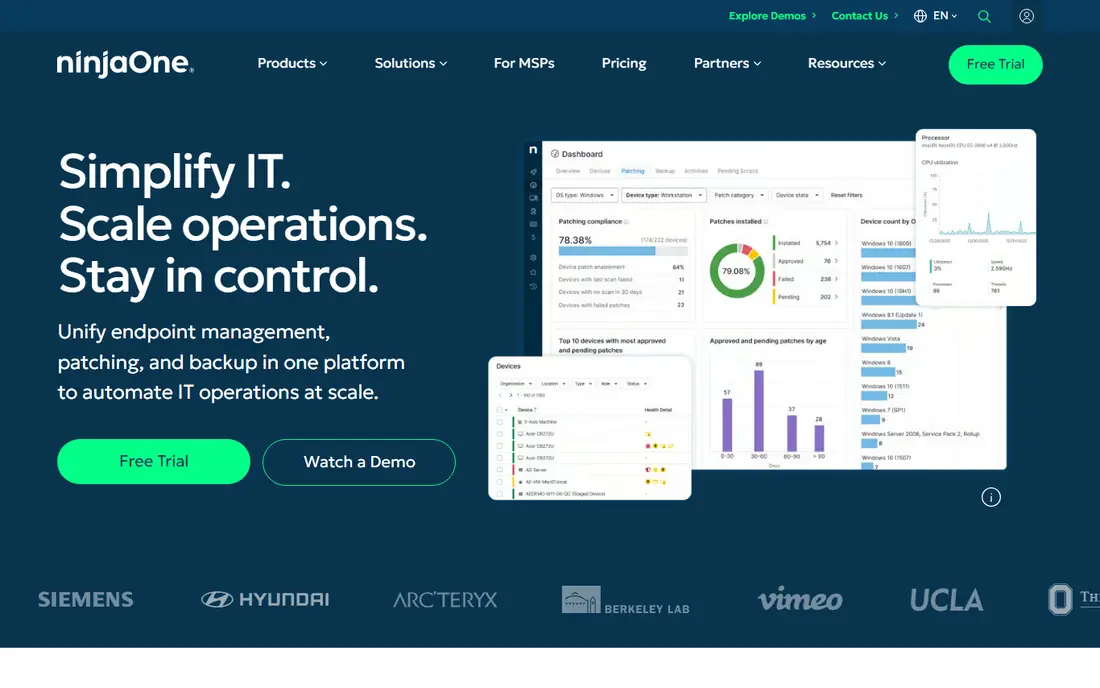
NinjaOne is our pick for most MSPs and IT teams that want a strong RMM without a long onboarding project. Its cloud console is clean, patching and monitoring work across Windows, Mac, and Linux endpoints, and integrations with major PSA tools mean it fits an existing business system rather than forcing a replacement. Published comparisons put its per-device pricing in the range of $1.50 to $3.75 per endpoint per month depending on volume and modules, though the vendor itself prices by quote.
The catch is that quote-based pricing makes exact budgeting harder, and very complex conditional automation can hit scripting limits that a tool like ConnectWise Automate handles more easily. For teams scaling from dozens to thousands of endpoints that value speed and usability, NinjaOne is the safest default. Run the 14-day trial on real endpoints before committing.
- Fast setup and clean console
- Strong patching, scripting, and monitoring
- Broad PSA integrations
- Pricing is quote-based in practice
- Advanced scripting has limits for very complex workflows
Atera suits small to mid-size MSPs whose endpoint count is high relative to headcount. At $129 per technician per month on annual billing for the Pro plan, with unlimited endpoints included, the cost stays flat as clients add devices, which protects margins in a way per-device pricing cannot. The platform combines RMM, ticketing, remote access, and AI assistance for technicians in one console.
The limits are PSA depth and pricing clarity. Atera ticketing covers daily needs, but larger MSPs that need full PSA billing and contracts often pair it with a dedicated tool or move to Syncro. Recent comparisons also note that Atera no longer publishes all MSP tiers as clearly as before, so confirm your tier in writing. For lean teams of two to five technicians, Atera is a strong value pick.
- Per-technician pricing with unlimited endpoints
- RMM plus ticketing in one platform
- AI tools for technicians
- PSA features are lighter than dedicated PSA tools
- Pricing tiers are no longer fully published
ConnectWise Automate is the pick for large MSPs that want to automate almost any endpoint workflow. Its scripting, policy engine, and monitoring depth exceed most rivals, and it fits naturally alongside ConnectWise PSA and IT documentation tools. An MSP with a dedicated Automate administrator can systematize patching, maintenance, and remediation across thousands of endpoints.
That power comes with overhead. Implementation can add thousands of dollars before the first device is managed, and losing the administrator who knows the system can hurt performance quickly. Smaller MSPs will find NinjaOne or Atera faster to run. Large MSPs already in the ConnectWise ecosystem, with staff to run it, will get the most from Automate.
- Highest automation ceiling on this list
- Deep scripting and policy control
- Strong ConnectWise ecosystem fit
- Needs a dedicated administrator
- Implementation can be costly and slow
Datto RMM suits MSPs already running Autotask PSA and Datto backup products, since the stack shares data and workflows. It offers endpoint monitoring, patching, remote access, and a Microsoft 365 management module, with a security posture that has earned independent evaluation attention. For an MSP committed to that ecosystem, the unified operations view is a real advantage.
The drawback is lock-in and pricing. Datto RMM is quote-only, with no public price to compare, and its value drops if you do not use the surrounding Kaseya and Datto products. Smaller MSPs that want transparent pricing should shortlist NinjaOne or Syncro instead. Ecosystem MSPs, though, will find Datto RMM a coherent core tool.
- Strong security focus
- Native Microsoft 365 management
- Fits Autotask and Datto Backup users
- Quote-only pricing
- Value weakens outside the Kaseya and Datto ecosystem
N-able N-central is the pick for MSPs and IT teams that manage hybrid environments, including on-prem servers and networks alongside cloud endpoints. Its monitoring covers networks, servers, and workstations in depth, and deployment options suit teams that cannot move everything to a pure cloud console. It is a mature platform with a long MSP track record.
The trade-offs are pricing and polish. N-able publishes no pricing for N-central, so any per-endpoint figure in a third-party blog should be treated as unverified, and the interface feels dated next to NinjaOne or SuperOps. If hybrid infrastructure is your core workload, N-central earns a trial. If you manage only modern cloud endpoints, a newer console may feel faster.
- Strong network and device monitoring
- On-prem and hybrid deployment options
- Mature MSP feature set
- Quote-only pricing
- Interface feels older than newer rivals
Syncro is the best all-in-one pick for small MSPs that want RMM and PSA without buying two tools. At $129 per user per month billed annually, with unlimited endpoints, it covers monitoring, patching, scripting, remote access, ticketing, billing, asset management, and a client portal in one system. That single data model means profitability reports do not need manual reconciliation between separate tools.
The complaints are interface age and support speed, with some users reporting slow first responses. The feature breadth also means a learning curve for technicians coming from a single-purpose tool. If you run a small MSP and want one platform for operations and business management, Syncro is hard to beat on scope for the price.
- RMM and PSA on one data model
- Per-user pricing with unlimited endpoints
- Client portal and billing included
- Interface feels dated to some users
- Support response times draw criticism
SuperOps suits newer MSPs that want a clean, modern console with AI-assisted workflows built in rather than added later. Its Pro plan is $149 per technician per month, with annual billing saving on that rate, and it bundles PSA and RMM so tickets, assets, and endpoints share one system. Reviewers consistently praise its interface and support responsiveness.
The caution is maturity and pricing structure. SuperOps is younger than ConnectWise or Kaseya, so its integration list and community are smaller, and its per-technician plans cap coverage at 150 endpoints per technician, pushing dense fleets toward a per-endpoint plan from $2.50 per endpoint per month. If modern usability matters more than deep legacy workflow support, SuperOps is an appealing pick.
- Modern interface
- AI-assisted ticket triage and automation
- PSA and RMM in one platform
- Younger platform with fewer integrations
- Per-technician plans cap endpoints per technician
Action1 is the best free starting point for IT teams and small MSPs that mainly need patching. It is free for up to 200 endpoints with no time limit, and it covers patch management, software deployment, and vulnerability reporting from a cloud console. For a small business or a team testing RMM concepts, that free tier removes the budget barrier entirely.
The honest limit is scope. Action1 is a patching platform first, not a full RMM with deep remote access, monitoring, and PSA features, so larger MSPs will still need a full tool from this list. Use Action1 to cover patching now, and add a full RMM when your monitoring, remote support, and ticketing needs outgrow it.
- Free for up to 200 endpoints
- Strong patching and vulnerability reporting
- No time limit on the free tier
- Patching focus, not a full RMM
- Remote access and PSA features are thinner than full platforms
Kaseya VSA suits enterprises and larger MSPs already invested in the Kaseya ecosystem, including IT Glue documentation and related security tools. It offers multi-tenant management, patching, scripting, remote access, and automation across large fleets, with the ecosystem integrations that make a single-vendor stack appealing for big operations.
The downsides mirror Datto RMM: quote-only pricing, a dated interface, and weaker value outside the Kaseya stack. Smaller MSPs should not start here. Larger operations that already run Kaseya tools and need a proven, scalable RMM will find VSA a coherent, if unglamorous, core platform.
- Multi-tenant endpoint management
- Strong fit with IT Glue and Kaseya ecosystem
- Mature automation
- Quote-only pricing
- Interface feels dated
- Value weakens outside the Kaseya stack
How we picked these
We compared official product pages, pricing pages, and recent RMM comparisons, focusing on monitoring, patching, remote access, automation, PSA integration, and published pricing. We kept only tools that are actively sold and that genuinely provide remote monitoring and management, and we wrote "See website" where pricing was quote-only or no longer clearly published. We did not claim hands-on trials we did not run; our findings come from vendor documentation and public reviews.
Choosing the right RMM for your team
Start with your pricing model, since it shapes the bill for years. Per-device pricing suits small fleets or fluctuating endpoint counts, while per-technician pricing suits teams where each technician manages many endpoints, roughly 50 or more. Model both at your current count and at your two-year projection, because switching RMM platforms later is costly and disruptive.
Decide if you need a PSA too
Most growing MSPs end up with both RMM and PSA. Syncro and SuperOps bundle them, Atera includes lighter ticketing, and NinjaOne, Datto RMM, N-able, and Kaseya VSA pair with a separate PSA. If you already run ConnectWise PSA or Autotask, a standalone RMM may integrate better than replacing your business system. If you have neither, an all-in-one saves integration work.
Pilot on real endpoints, not a demo tenant
Run a trial against a real client environment, not a clean demo, and test patching, alert quality, remote access under load, and reporting. Check how alerts become tickets, how approvals work for patch deployment, and if audit logs meet your compliance needs. A two-week trial that only touches test machines will miss the problems that appear at scale.
Get the contract terms in writing
Confirm the minimum commitment, endpoint counting method, module add-on costs, onboarding fees, and renewal terms before signing. Quote-only vendors vary widely, and a low per-device quote with a high minimum can cost more than a published per-technician plan. Get the full quote document, not just the sales call summary, and compare it line by line.
Frequently asked questions
What is the best rmm software for an MSP?
NinjaOne is the best RMM-only pick for most MSPs, while Syncro is the best all-in-one RMM plus PSA pick and Atera is the best per-technician value pick. The right choice depends on your endpoint count per technician, your PSA need, and which ecosystem you already use. Trial two platforms on real endpoints before deciding.
What is the best rmm tool for a small IT team?
Atera and Syncro suit small teams, since both price per technician with unlimited endpoints and include ticketing. Action1 is a strong free option if patching is your main need. Small teams should avoid heavy platforms like ConnectWise Automate until they have staff to administer them.
How much does top rmm software cost?
Published pricing in 2026 runs from free with Action1 up to 200 endpoints, to $129 per technician per month for Atera and Syncro, and around $1.50 to $3.75 per device per month for NinjaOne in third-party comparisons. Quote-only vendors like Datto, N-able, and Kaseya vary widely, so get a written quote before comparing.
What is the difference between RMM and PSA software?
RMM manages endpoints: monitoring, patching, scripting, remote access, and alerts. PSA runs the business: tickets, contracts, time tracking, and invoicing. Most growing MSPs need both, which is why some platforms bundle them and others integrate with a separate PSA tool.
Can I try RMM software before buying?
Yes. Atera offers a 30-day trial, NinjaOne, Syncro, and SuperOps offer trials of 14 to 21 days, and Action1 is free up to 200 endpoints with no time limit. Use the trial on real endpoints and real patch cycles, since a demo tenant hides alert noise, patch failures, and remote access problems.
Is there a top 10 rmm software list I should shortlist from?
The nine tools on this list cover the main shortlist for most MSPs: NinjaOne, Atera, ConnectWise Automate, Datto RMM, N-able N-central, Syncro, SuperOps, Action1, and Kaseya VSA. Add Pulseway if mobile-first management matters to your team. Shortlist by pricing model and PSA need first, then trial the top two.
Sources
- https://www.ninjaone.com
- https://www.atera.com
- https://www.connectwise.com
- https://www.datto.com
- https://www.n-able.com
- https://www.syncro.com
- https://www.superops.com
- https://www.action1.com
- https://www.kaseya.com
- https://rankite.com/blog/best-rmm-software-for-msp
- https://syncrosecure.com/blog/best-rmm-software/
See where you really rank - block by block
ProMapRanker scans Google Maps across a grid of your service area. Simple monthly plans from $19, white-label on every plan.
Start freeKeep reading
 best tour operator software
Best Tour Operator Software in 2026
Compare the best tour operator software for bookings, channel management, waivers and payments, with pricing models for day tours and multi-day trips.
Read → best time clock app for small business
Best Time Clock App for Small Business in 2026
We compare the best time clock app for small business options, with free plans, GPS clock ins, scheduling and payroll links for hourly teams and payroll help.
Read → best test automation tools
Best Test Automation Tools in 2026
Compare the best test automation tools, from Playwright and Selenium to Cypress, Katalon and BrowserStack, with prices, languages and best uses explained.
Read →