 ProMapRanker
Best Project Management Tools for Agencies in 2026

Key takeaways
- Agency tools must cover clients, budgets and billable time, not just tasks and deadlines.
- General platforms suit agencies that want flexibility, while agency-built tools suit firms that want billing in the same system.
- Per-user pricing grows with freelancers and clients, so check guest and client access rules before you count seats.
- Resource views and profitability reports are the features that separate an agency tool from a simple board.
Quick comparison
| Pick | Great for | Pricing starts at | Free tier | |
|---|---|---|---|---|
 Asana | Structured agency workflows | $10.99 per user per month | Yes | Visit |
 monday.com | Visual client boards | $9 per seat per month | Yes | Visit |
 ClickUp | Most features per dollar | $7 per user per month | Yes | Visit |
 Teamwork.com | Client delivery and profitability | $9.99 per user per month | Yes | Visit |
 Wrike | Creative and marketing operations | $10 per user per month | Yes | Visit |
 Smartsheet | Spreadsheet-style agency planning | $9 per member per month | Free trial | Visit |
 Basecamp | Simple flat-rate client work | $15 per user per month | Yes | Visit |
 Scoro | Agency projects plus finances | See website | Free trial | Visit |
 Accelo | Professional services automation | See website | Free trial | Visit |
 Notion | Docs, wikis and light agency projects | $10 per seat per month | Yes | Visit |
The best project management tools for agencies
Agencies do not just manage tasks; they manage clients, retainers, billable hours, budgets and deadlines across many projects at once. A general task board can track a to-do list, but it will not tell you whether a client project is profitable, whether a team member is overbooked, or whether a retainer is about to run out. The tools below are judged on that agency work, not just on task lists.
We compared official product pages, pricing pages and documentation, and we favoured tools with client-facing features, time tracking, budgets, resource views and reporting that an agency owner can actually use.
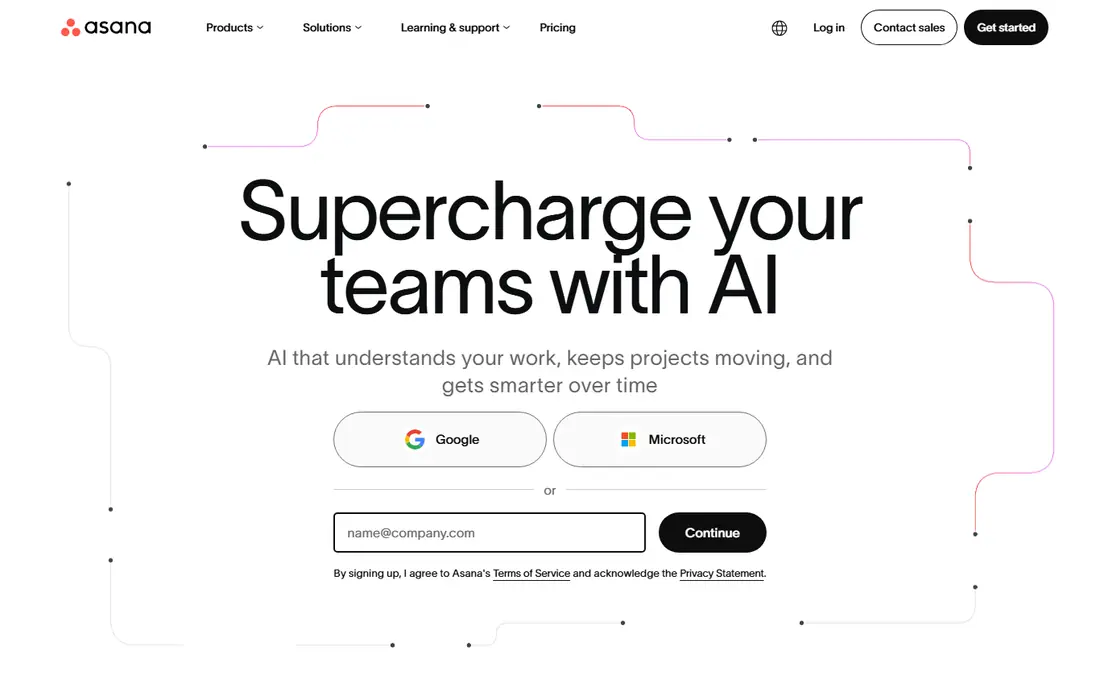
Asana is a strong match for structured agency workflows. Asana suits agencies that need structured workflows across many clients, with timelines, portfolios and goals that show how projects connect. Templates help a team repeat a proven client process without rebuilding it each time, and integrations with time tracking and communication tools fill gaps the core product leaves. Its interface is clean enough that clients and freelancers can follow a project without training.
The catch is worth stating plainly. The free Personal plan covers only up to two users, so most agencies need Starter from $10.99 per user per month, and advanced reporting sits higher. Asana also lacks native billing, so agencies that want invoicing in the same system should pair it with another tool or choose Scoro or Accelo. If that trade-off fits your budget and your team, it earns a place on a shortlist, but check the current plan limits and contract terms on the vendor site before you commit.
- Timelines, portfolios and goals
- Templates for repeatable client work
- Strong integrations
- Free plan covers only up to two users
- Advanced reporting needs higher tiers
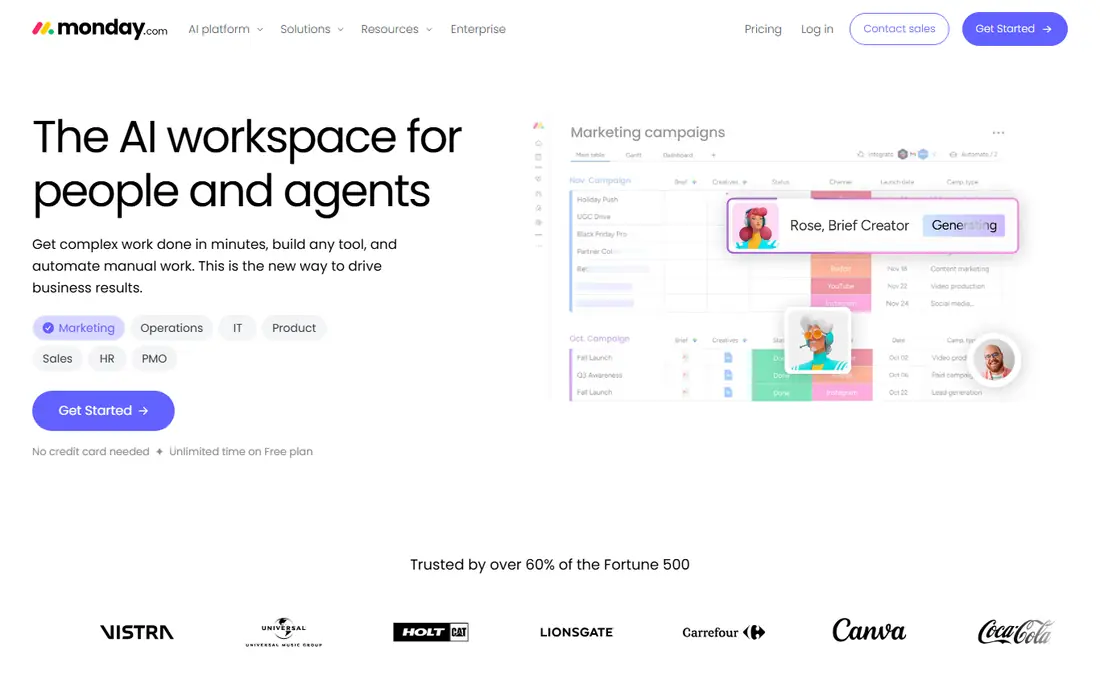
monday.com is a strong match for visual client boards. monday.com is the visual pick for agencies, because boards, dashboards and colour-coded status views make client progress easy to explain at a glance. Automations reduce manual updates, and custom boards let each client workflow look different without a new tool. Non-technical team members usually adopt it quickly, which matters when freelancers join a project mid-stream.
The catch is worth stating plainly. The free Individual plan covers only two seats, and the Basic paid plan from $9 per seat per month has a three-seat minimum. Deeper agency features such as advanced reporting and time tracking sit on higher tiers, so model the full plan, not just the entry price. If that trade-off fits your budget and your team, it earns a place on a shortlist, but check the current plan limits and contract terms on the vendor site before you commit.
- Highly visual boards and dashboards
- Automations
- Client-friendly views
- Free plan covers only two seats
- Basic plan has a three-seat minimum
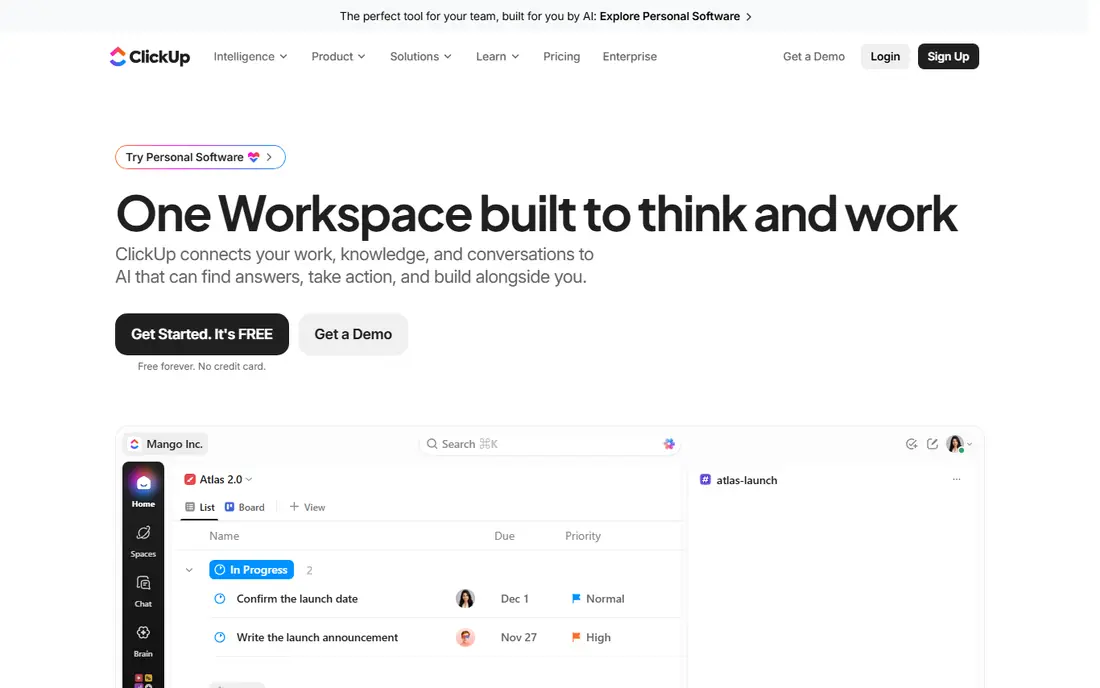
ClickUp is a strong match for most features per dollar. ClickUp is the value pick for agencies, because its Unlimited plan from $7 per user per month packs tasks, docs, goals, time tracking and dashboards into one workspace. The free plan covers unlimited members, which helps agencies that work with many freelancers. That breadth lets a small agency replace several tools with one subscription.
The catch is worth stating plainly. The catch is setup: the same breadth that makes ClickUp powerful can overwhelm a new team, and agency templates take time to build well. Invest a week in setup and training, or the tool will feel messy instead of flexible. If that trade-off fits your budget and your team, it earns a place on a shortlist, but check the current plan limits and contract terms on the vendor site before you commit.
- Very wide feature set
- Docs, goals and time tracking in one workspace
- Free plan with unlimited members
- Breadth can overwhelm new teams
- Setup time is real for agency templates
Teamwork.com is a strong match for client delivery and profitability. Teamwork.com is built for client delivery, with projects, time tracking, budgets and profitability views in one place. That combination lets an agency see whether a project is on budget while it is still running, not after it ends. Client access and workload planning help managers balance work across a team and keep clients informed without extra reporting.
The catch is worth stating plainly. Pricing has changed over time, so confirm the current plan on the vendor site before budgeting, with entry around $9.99 per user per month on recent listings. Setup also takes care, because agency workflows need templates and permissions configured well to work. If that trade-off fits your budget and your team, it earns a place on a shortlist, but check the current plan limits and contract terms on the vendor site before you commit.
- Client projects with time, budgets and profitability views
- Client access
- Workload planning
- Pricing details change often, so confirm the current plan
- Setup takes care for agency workflows
Wrike is a strong match for creative and marketing operations. Wrike suits agencies and marketing operations teams that need request intake, proofing and approvals alongside project tracking. Creative work benefits from proofing, where clients can comment directly on assets, and workload views help managers spot overbooked designers. Enterprise reporting on higher tiers gives leaders a portfolio view across clients.
The catch is worth stating plainly. The Team plan from $10 per user per month covers 2 to 15 users, which suits small agencies but not larger ones without an upgrade. Agencies that need billing should also note that Wrike is a work management tool, not a full agency finance system. If that trade-off fits your budget and your team, it earns a place on a shortlist, but check the current plan limits and contract terms on the vendor site before you commit.
- Request intake, proofing and approvals
- Workload and resource views
- Enterprise reporting
- Team plan covers 2 to 15 users
- Advanced agency reporting needs higher tiers
Smartsheet is a strong match for spreadsheet-style agency planning. Smartsheet suits agencies that already plan in spreadsheets, because its grid view feels familiar while adding Gantt, card views, formulas and reports. That familiarity shortens training, and its reporting helps managers track many client projects from one dashboard. It works well for operations-heavy agencies that love structured plans.
The catch is worth stating plainly. There is no free plan, only a 30-day trial, and Pro starts from $9 per member per month. Smartsheet also lacks native agency billing, so firms that want invoicing in the same system will need a separate finance tool. If that trade-off fits your budget and your team, it earns a place on a shortlist, but check the current plan limits and contract terms on the vendor site before you commit.
- Grid, Gantt and card views
- Formulas and reports
- Familiar spreadsheet feel
- No free plan, only a 30-day trial
- Client billing needs another tool
Basecamp is a strong match for simple flat-rate client work. Basecamp is the simplicity pick for agencies that want client work without per-project complexity. Message boards, to-dos, schedules and file sharing live in one place, and clients can follow a project without learning a complex system. Flat-rate Pro Unlimited pricing suits large teams that dislike per-user seat math, while Plus from $15 per user per month suits smaller teams.
The catch is worth stating plainly. The trade-off is depth: Basecamp lacks the billing, profitability and resource planning that agency-built tools provide. It fits agencies that value calm, clear client communication over detailed financial reporting. If that trade-off fits your budget and your team, it earns a place on a shortlist, but check the current plan limits and contract terms on the vendor site before you commit.
- Flat-rate options
- Message boards, to-dos and schedules in one place
- Client access
- Simpler feature set than agency-built tools
- No native billing or profitability views
Scoro is a strong match for agency projects plus finances. Scoro is the agency-built pick, combining projects, quotes, time tracking, invoices and budgets in one system, with utilisation and margin reports that show whether work is profitable. That end-to-end view is the reason agencies choose it over a general task tool: sales, delivery and finance share the same data. A client portal also lets clients follow progress without extra reporting.
The catch is worth stating plainly. Paid plans require a minimum of five users, and pricing is quoted on current listings, so small agencies should ask for a clear quote early. The breadth also means setup takes time, but for firms that want one system for delivery and finance, that investment pays off. If that trade-off fits your budget and your team, it earns a place on a shortlist, but check the current plan limits and contract terms on the vendor site before you commit.
- Projects, quotes, invoices and budgets in one system
- Utilisation and margin reports
- Client portal
- Minimum five users on paid plans
- Pricing needs a quote on current listings
Accelo is a strong match for professional services automation. Accelo is the professional services pick, covering the full client journey from quote to cash: CRM, sales pipeline, projects, retainers, time tracking and invoicing in one platform. That lifecycle view suits agencies running mixed project and retainer work, where a client relationship spans sales, delivery and renewal. Its depth is the main reason firms choose it over a simpler project tool.
The catch is worth stating plainly. The drawback is transparency: pricing is not published and requires a sales request, and the learning curve is steep. Agencies that want a quick setup should trial a simpler tool first, and choose Accelo only when they need the full services automation. If that trade-off fits your budget and your team, it earns a place on a shortlist, but check the current plan limits and contract terms on the vendor site before you commit.
- CRM, projects, retainers, time and invoicing in one platform
- Client lifecycle views
- Pricing is hidden behind a sales request
- Learning curve is steep for new teams
Notion is a strong match for docs, wikis and light agency projects. Notion suits agencies that want client hubs, docs and light project tracking in one flexible workspace. Databases let a team build a client portal, a content calendar or a project tracker without code, and templates speed up setup. Its Plus plan from $10 per seat per month is also affordable for small agencies that already use it for documentation.
The catch is worth stating plainly. Project features are lighter than dedicated agency tools, with no native time billing or profitability reporting. It fits agencies that value documentation and flexibility, and that are happy to add time tracking or finance tools alongside it. If that trade-off fits your budget and your team, it earns a place on a shortlist, but check the current plan limits and contract terms on the vendor site before you commit.
- Docs, wikis, databases and tasks in one workspace
- Flexible client hubs
- Many templates
- Light project features compared with agency tools
- Time and billing need integrations
How we picked these
We compared vendor product pages, pricing pages and documentation, and we checked client access, time tracking, budgets, resource views and reporting. We did not claim hands-on testing, and where a vendor does not publish a clear price we wrote See website. The list mixes general platforms with agency-built tools, because agencies buy both, for different reasons.
What to check before you buy
Decide whether you need billing in the same system. If yes, shortlist Scoro and Accelo first, because general tools will always need a finance add-on. If no, a general platform such as Asana, monday.com or ClickUp gives more flexibility and lower cost.
Count seats honestly, including freelancers and clients. Per-user pricing looks cheap until every freelancer needs a paid seat, so check guest, collaborator and client access rules before you sign. A flat-rate tool such as Basecamp can win for large, fluid teams.
Run a real client project through the trial, from brief to invoice, and measure how many spreadsheets you still need.
Frequently asked questions
What is the best project management tool for agencies?
For general agency work, Asana, monday.com and ClickUp are strong, flexible picks. For client delivery with profitability views, Teamwork.com is built for that job. For projects plus billing in one system, Scoro and Accelo are the agency-built options.
What tools do agencies use for client project management?
Agencies commonly use Asana, monday.com, ClickUp, Teamwork.com, Wrike and Smartsheet for project work, plus Scoro or Accelo when they want quotes, time and invoicing in the same system. Many also use Notion for client hubs and documentation alongside a project tool.
How much do agency project management tools cost?
ClickUp Unlimited starts at $7 per user per month, monday.com Basic at $9 per seat per month, Smartsheet Pro at $9 per member per month, Teamwork.com around $9.99 per user per month, and Asana Starter and Wrike Team at $10 to $10.99 per user per month. Basecamp Plus is $15 per user per month, with a flat-rate Pro Unlimited option. Scoro and Accelo price by quote.
Do agencies need time tracking in project management?
Yes, for most agencies, because billable hours, retainer burn and project profitability all depend on time data. Tools such as Teamwork.com, Scoro and Accelo include time tracking, while Asana, monday.com and ClickUp need time tracking features or integrations to cover it well.
Can clients access agency project management tools?
Most tools on this list offer client or guest access, but the rules differ: some allow free collaborators, others charge for client seats, and some limit what guests can see. Check guest permissions during a trial, and set client views so clients see progress without seeing internal costs or other clients.
Sources
See where you really rank - block by block
ProMapRanker scans Google Maps across a grid of your service area. Simple monthly plans from $19, white-label on every plan.
Start freeKeep reading
 wpforms alternatives
Best WPForms Alternatives in 2026
We compare 9 wpforms alternatives for WordPress forms, with free and paid options, current pricing notes, and honest limits for small business sites in 2026.
Read → windows task scheduler alternatives
Best Windows Task Scheduler Alternatives in 2026
Looking for Windows Task Scheduler alternatives? We compare 9 schedulers for Windows and cross-platform work, from free tools to enterprise automation.
Read → which ai video service is best
Which AI Video Service Is Best in 2026
which ai video service is best? We compare 10 legitimate AI video services on price, avatars, editing and output quality to help you pick the right tool.
Read →