 ProMapRanker
Best Project Management Software for Accounting Firms in 2026


Email-driven firm collaboration · Pricing starts at: $59 per user per month
Key takeaways
- Karbon suits growing firms where client work runs through email, while TaxDome suits firms that want one client portal for the whole engagement.
- Financial Cents suits small firms that want workflows running quickly, and Jetpack Workflow suits firms that only need recurring task tracking.
- Canopy suits tax-heavy firms, and Pixie suits small firms that want simple per-workspace pricing.
- Check portal, e-signature, billing, and integration limits, since a project tool without those features leaves client work in other systems.
Quick comparison
| Pick | Great for | Pricing starts at | Free tier | |
|---|---|---|---|---|
| Karbon | Email-driven firm collaboration | $59 per user per month | No | Visit |
 Financial Cents | Small firms getting started fast | $19 per month | No | Visit |
 Jetpack Workflow | Recurring compliance tracking | $40 per user per month | No | Visit |
 TaxDome | Portal-led practice management | $800 per seat per year | No | Visit |
 Canopy | Tax-focused practice management | $74 per user per month | No | Visit |
 Pixie | Small firms, simple pricing | $129 per month | No | Visit |
 Aero Workflow | Simple, stable workflow core | See website | No | Visit |
 Tidyflow | Karbon-style depth at lower price | $39 per user per month | No | Visit |
 Uku | Profitability on advisory work | $19 per member per month | No | Visit |
The best project management software for accounting firms
Accounting firms do not manage generic projects. They manage recurring client work with deadlines, documents, approvals, and a client portal for requests and signatures. A purpose-built tool handles tax season capacity, client follow-up, and recurring monthly work in ways a general task app cannot. We compared official pricing and feature pages in October 2026, and we kept tools that are live for accounting, bookkeeping, and tax firms.

Karbon suits a growing firm where client work arrives by email and needs to become a tracked job. Email threads, tasks, clients, and notes sit in one timeline, so a manager can see who owns a job and what was last said to the client without opening several apps. Workflow automation, capacity planning, and reporting help a firm through tax season, when job volume and deadlines spike together. Integrations cover common accounting, document, and communication tools.
The price and setup are the trade-offs. Team starts at $59 per user per month on annual billing, and Business at $89 adds features many firms will want. Implementation is a project, not an afternoon, and smaller firms may find the depth more than they need. For a firm of 10 to 100 staff that will use the full system, Karbon is a strong pick. For a five-person firm, Financial Cents or Jetpack Workflow may be a better fit.
- Email, tasks, clients, and billing in one timeline
- Workflow automation and capacity views
- Wide integration list
- Higher price than simpler tools
- Setup takes weeks for larger firms
- Some features such as automatic reminders need higher plans
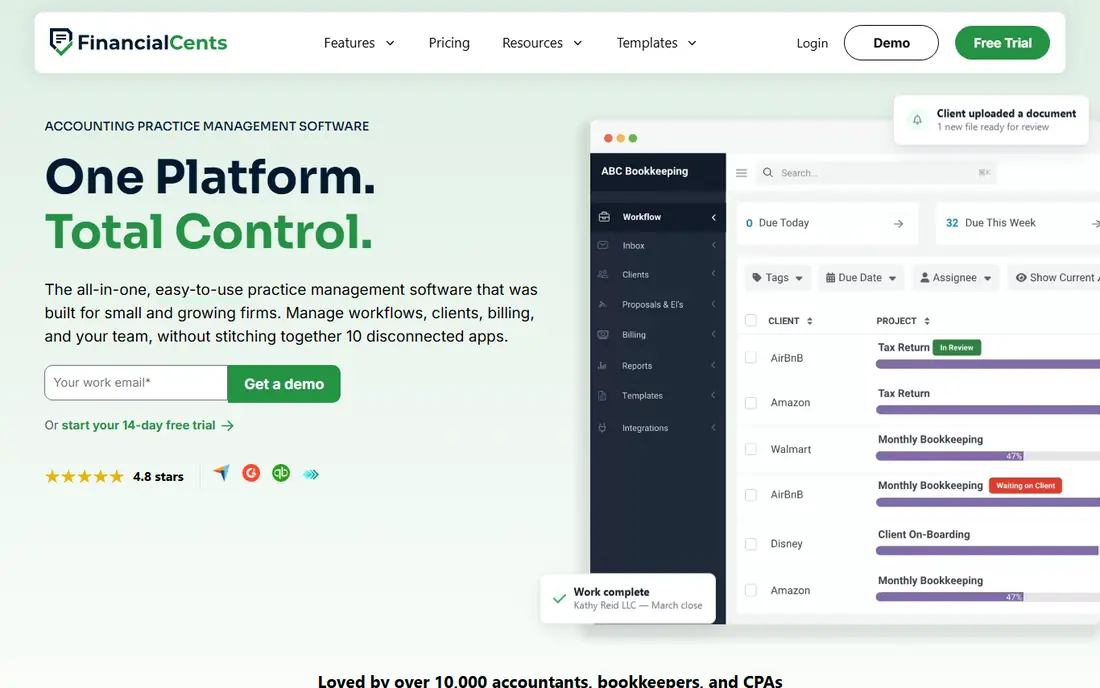
Financial Cents suits a small or mid-size firm that wants an all-round practice tool without a long rollout. Recurring workflows cover monthly bookkeeping, payroll, and tax jobs, while automated client requests chase missing documents and reduce email chasing. Capacity planning shows who is overloaded before a deadline crunch, and a 14-day trial lets a firm test real workflows before paying.
Solo pricing at $19 per month is attractive, but team pricing at $49 per user per month is the relevant figure for most firms. Some portal, signature, and automation features sit on higher plans, so the plan comparison should be read carefully. For a firm that wants to be running in a week, Financial Cents is our pick for speed. For a large firm with complex email workflows, Karbon offers more depth.
- Recurring workflows and client requests in one place
- Capacity planning
- Quick setup for small firms
- Team plan is $49 per user per month, higher than the solo rate
- Portal and signature features vary by plan
- Less depth than Karbon for large firms
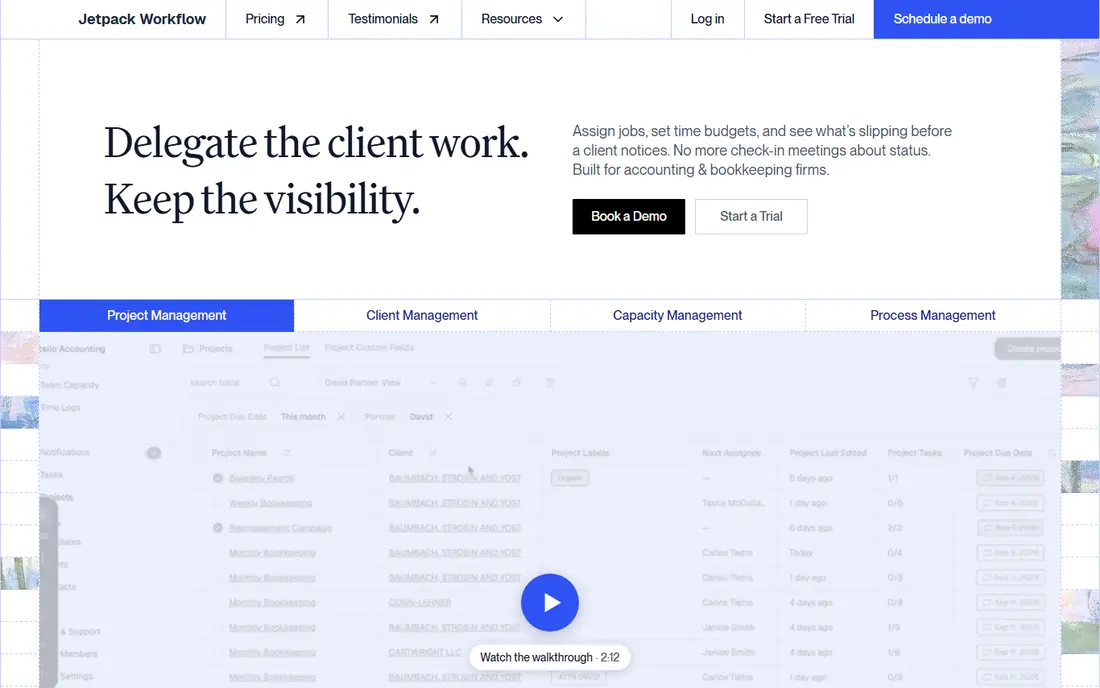
Jetpack Workflow does a narrower job well: track recurring client work and deadlines. Templates cover monthly, quarterly, and annual jobs, and a firm can see at a glance which clients are on track and which jobs are overdue. That clarity helps solo accountants and small firms that mainly need to stop work slipping through tax season. A 14-day trial covers the core workflow.
The limit is scope. Jetpack Workflow has limited client collaboration features and no built-in client portal or e-signatures of the kind TaxDome and Canopy offer. Firms that need document collection, signatures, and billing in the same system will need extra tools. Choose Jetpack Workflow when recurring task tracking is the main gap, and choose a suite when client-facing work also needs a home.
- Simple recurring workflow templates
- Deadline tracking for compliance work
- Easy to learn for small teams
- Limited client portal and CRM features
- No built-in e-signatures
- Less suited to firms that need a full practice suite
TaxDome suits tax and accounting firms that want one client-facing system. Clients upload documents through a portal, sign forms, pay invoices, and message the firm, while staff run workflows, tasks, and CRM records behind the same login. That single portal reduces the email and file-sharing sprawl that slows tax season. Essentials starts at $800 per seat per year, with Pro at a higher annual rate.
Annual upfront billing is the main caution, since there is no monthly option reported for new firms. Setup also takes care, because workflows, portal templates, and client onboarding need to be configured well to pay off. For a firm that wants a portal-led practice in one tool, TaxDome is a strong pick. For a firm that only needs internal task tracking, Jetpack Workflow costs less.
- Client portal, document management, CRM, and e-signatures in one system
- Workflow automation
- Predictable per-seat annual price
- Annual billing upfront with no monthly option reported
- Setup learning curve
- Price is high for a very small firm
Canopy suits mid-size and larger tax and accounting firms, especially those with tax resolution work. The platform covers client portal access, document management, workflow, billing, and tax resolution tools, so a firm can handle a tax case from intake to resolution in one system. Standard starts from $74 per user per month on annual billing, with higher tiers adding modules and capacity.
Modular pricing is the catch: the real total can exceed the headline tier once needed modules are added. A demo is often the first step, rather than a self-serve trial, so a firm should use that demo to walk through a real tax workflow. Choose Canopy when tax work and resolution are central to the practice. Choose TaxDome when a single portal and predictable per-seat price matter more.
- Tax resolution and practice management in one platform
- Client portal and document tools
- Billing and time tracking
- Modular pricing can raise the total above the headline tier
- Interface can feel slow with large data sets
- Demo often needed before trial
Pixie suits small firms that dislike per-user billing. A workspace price of $129 per month covers unlimited users in that workspace, which helps a small team with part-time staff or seasonal help. The workflow is email-first, so client emails become tasks and jobs without a separate inbox tool. That simplicity helps firms under 20 staff that want a stable core without a large platform.
Portal features are limited compared with TaxDome and Canopy, and billing depth is thinner, so firms that need invoicing and payments in the same system may need another tool. Pixie is also popular with UK firms, so US firms should check integrations and tax workflow fit during a trial. Choose Pixie when simple pricing and a light workflow matter most.
- Per-workspace pricing, not per-user pricing
- Email-first workflow
- Simple task and client tracking
- Limited client portal features
- No built-in billing depth
- UK focus may affect US integrations for some firms
Aero Workflow suits firms that want procedure consistency above all else. Workflows are built around firm procedures, so a bookkeeping or tax job follows the same steps each time, no matter who runs it. That consistency helps quality control and training, especially for firms with repeatable monthly work. A free trial is available, and pricing should be confirmed on the vendor site for the current user count.
The tool is narrower than a full practice suite. Client portal, billing, and signature features are limited, so firms that need those will pair Aero with other tools. The interface is functional rather than polished. Choose Aero when a stable, procedure-driven workflow core is the priority, and choose a suite when client-facing features must live in the same system.
- Procedure-based workflows for consistent delivery
- Simple task tracking
- Long track record with accounting firms
- Pricing should be confirmed on the vendor site
- Fewer client portal features than suites
- Interface is functional rather than modern
Tidyflow positions itself as a lower-cost alternative to Karbon, at $39 per user per month, with client portal, invoicing, e-signatures, and workflow features in one package. That combination suits a growing firm that wants suite depth without Karbon pricing or seat rules. The packaged price makes budgeting simpler than a modular system, and the feature list covers the core practice jobs.
The trade-off is maturity. Tidyflow is newer and smaller, so its integration list and community resources are thinner than Karbon or TaxDome. Firms with complex integrations should test those links during a trial. Choose Tidyflow when price and packaged features matter most, and choose Karbon when proven scale and a wide integration list matter more.
- All-round practice features at a lower per-user price
- Client portal, invoicing, and e-signatures
- No user minimum reported
- Newer and smaller than Karbon
- Integration list is shorter
- Long-term track record is still building
Uku suits firms that want to see which clients and services actually make money. Task and time tracking link to client work, so a firm can review profitability by client, service, or team member, not just by hours billed. That view helps advisory work, where scope and time can drift without a clear signal. Solo starts at $19 per member per month on annual billing, with team plans above that.
US firms should check integrations and support coverage, since Uku has a smaller US footprint than the larger US-focused tools. Portal features are lighter than TaxDome, so client document and signature work may need another tool. Choose Uku when profitability insight is the gap in your practice, and choose a portal-led suite when client collection is the bigger pain.
- Task, time, and profitability views for client work
- Modular monthly billing
- 14-day trial
- Smaller presence in the US market
- Portal features are lighter than TaxDome
- Setup needs time to map services to tasks
How we picked these
We compared official pricing and feature pages, plus recent accounting practice roundups, for tools live in October 2026. We kept tools built for accounting, bookkeeping, or tax firms, with workflow, deadline, or portal features, and we favored a mix of suites, workflow-only tools, and lower-cost options. Prices that vary by plan or billing term are noted as such, and trial terms are included where they affect a decision.
What to check before you buy
Start with a real client journey. Pick one monthly bookkeeping client and one annual tax client, then walk both through the tool: intake, document request, task assignment, review, signature, invoice, and delivery. If any step needs email or a separate app, note it, because that gap will repeat across every client. Portal quality matters here: a portal clients actually use saves more time than a feature list that clients ignore.
Check capacity and deadlines next. Tax season, month-end, and payroll dates create peaks, so the tool should show workload by person and by deadline, not just a task list. Then check integrations with your accounting software, document storage, and e-signature tool, since a workflow tool that cannot pull client data will need manual entry. Finally, compare total cost for your team size, including portal, signature, and billing add-ons, rather than only the headline rate.
Frequently asked questions
What is the best portals software for accounting firms?
TaxDome is our pick for a portal-led firm, because its client portal covers documents, signatures, messages, and payments in one system. Canopy also offers a strong portal for tax firms, while Karbon and Tidyflow include portal features as part of a wider practice suite. Test the portal with a real client during a trial, since portal use depends on how simple it feels to clients.
Do accounting firms need purpose-built project software?
A general task app can track tasks, but it lacks recurring accounting workflows, deadline rules, client portals, and accounting integrations. Purpose-built tools save setup time and reduce missed deadlines during tax season. A very small firm with few clients may manage with a general tool, but most firms outgrow it once client count and deadlines rise.
How much does accounting practice software cost?
Prices on this list range from $19 per month for solo plans to $800 per seat per year for TaxDome and $89 per user per month for Karbon Business. Team rates are the relevant figure for most firms, and add-ons can raise the total. Always compare the cost for your exact team size and required portal and signature features.
Can I migrate from spreadsheets to practice software?
Yes, but plan the move. Import clients, set up recurring workflows for your top services, and migrate one client group at a time. Keep spreadsheets as a backup until the new system has handled a full month-end or tax cycle. A phased move reduces errors and gives staff time to learn the new workflow.
Which tool is best for a solo accountant?
Financial Cents Solo at $19 per month and Jetpack Workflow at $40 per user per month are both strong solo options, depending on whether you need client requests or only recurring task tracking. Uku Solo at $19 per member per month suits a solo adviser who wants profitability views. Trial each with real client work before committing.
Sources
See where you really rank - block by block
ProMapRanker scans Google Maps across a grid of your service area. Simple monthly plans from $19, white-label on every plan.
Start freeKeep reading
 wpforms alternatives
Best WPForms Alternatives in 2026
We compare 9 wpforms alternatives for WordPress forms, with free and paid options, current pricing notes, and honest limits for small business sites in 2026.
Read → windows task scheduler alternatives
Best Windows Task Scheduler Alternatives in 2026
Looking for Windows Task Scheduler alternatives? We compare 9 schedulers for Windows and cross-platform work, from free tools to enterprise automation.
Read → which ai video service is best
Which AI Video Service Is Best in 2026
which ai video service is best? We compare 10 legitimate AI video services on price, avatars, editing and output quality to help you pick the right tool.
Read →