 ProMapRanker
Best Process Serving Software in 2026


Established all-in-one serving · Pricing starts at: See website
Key takeaways
- Process serving software for process servers and law firms manages service of process from intake and dispatch to attempts, proof and billing.
- ServeManager is the established all-in-one pick, while Serva and DocketServe suit agencies that want a modern field-first workflow.
- Pricing models differ widely, from per-job-volume plans to flat monthly fees and per-serve services.
- Service rules vary by jurisdiction, so confirm local rules, forms and proof requirements before you rely on any template.
Quick comparison
| Pick | Great for | Pricing starts at | Free tier | |
|---|---|---|---|---|
| ServeManager | Established all-in-one serving | See website | Free trial | Visit |
 Serva | Modern agency workflow | See website | No | Visit |
 CROSStrax | Serving inside case work | See website | No | Visit |
 DocketServe | Mobile-first field serving | Free | Yes | Visit |
 ServeNow | Directory reach plus software | See website | No | Visit |
 Process Server's Toolbox | Broad operations plus admin | See website | No | Visit |
 Paper Tracker | Classic serving operations | See website | No | Visit |
 Court Runner | Canadian serving and filing | See website | No | Visit |
The best process serving software
This article angles process serving software plainly as software for process servers and law firms to manage service of process. The job is to take a serve from intake, assign it to a server, record attempts with location and time, produce a proof or affidavit, share status with the client, and bill for the work. The tools below cover that job in different ways, from dedicated serving platforms to wider case tools that include serving.
A note on jurisdiction: service rules vary by jurisdiction. Who may serve, how service must be made, what forms are required, and how proof must be completed all differ by court and place. Software can help you record and file the work, but it does not replace checking the rules that apply to each serve.
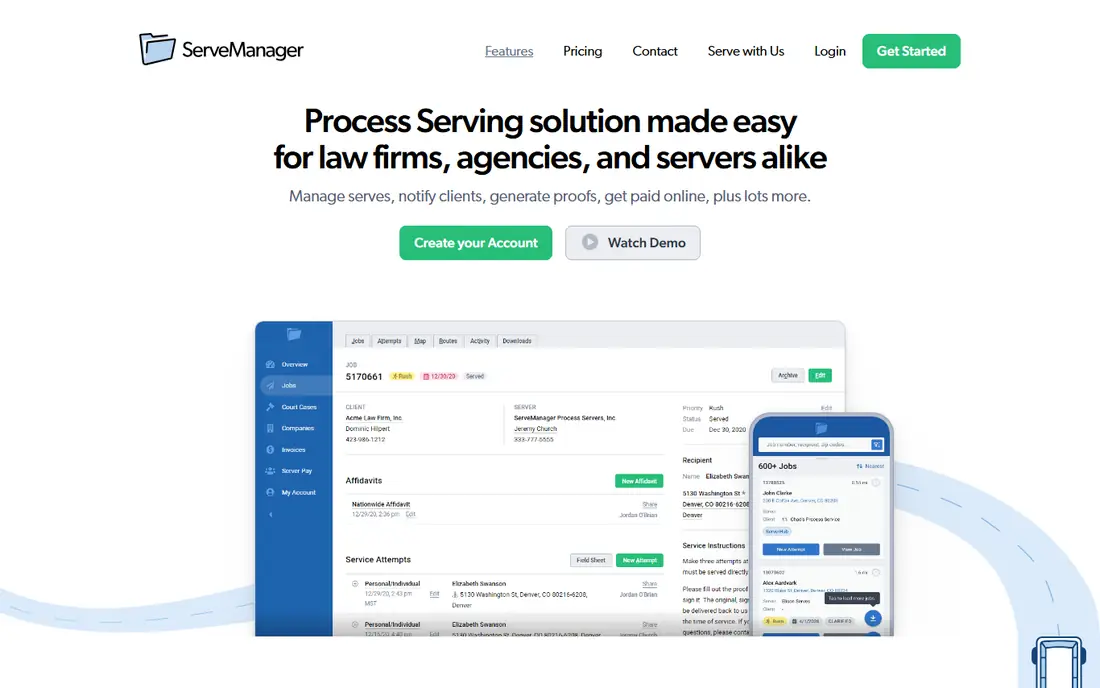
ServeManager is one of the most established names in process serving software, built for law firms, agencies and individual process servers. It handles job creation and assignment, attempt tracking, document uploads, client portals and affidavit generation, with a mobile app so field servers can log attempts on site. The vendor notes that pricing is based on job volume, starts as low as $44 per month, and does not charge per user seat, with a free trial available.
The volume model is both a strength and a limit. Low-volume teams pay little, while high-volume agencies should check the tier that matches their monthly caseload. Public guides place a 75-job plan around $51.74 per month, so confirm the current tier on the vendor site before you budget.
- Job management and tracking for firms and agencies
- GPS-logged service attempts
- Mobile app for field work
- Pricing scales by job volume, so high-volume teams pay more
- Some reviewers note a dated feel in parts of the product
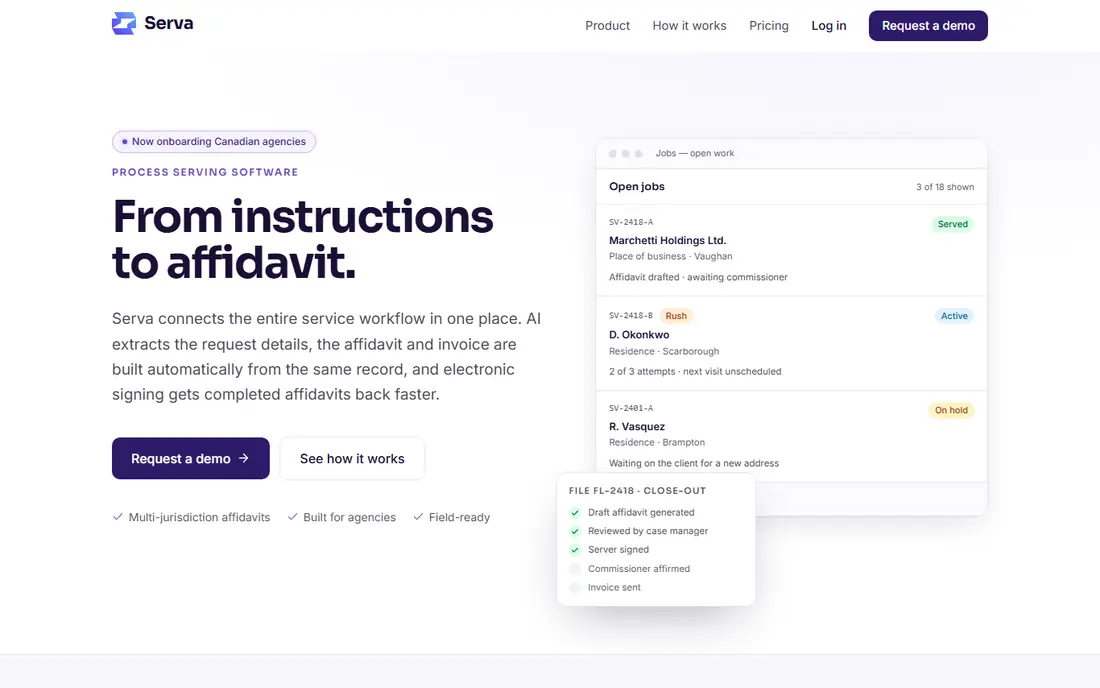
Serva is a newer platform built for process-serving agencies, from intake to affidavit. It covers assignment, open jobs servers can claim, route planning, consistent attempt records, affidavits on court forms, invoicing and server pay on the same file. Attempt records are append-only, with changes written to an audit log, which suits work that may later be filed as sworn evidence.
Serva runs in the browser, so a dispatcher on desktop and a server on a phone use the same system. The court directory material in public pages leans toward Canada, with many registries seeded there, so US agencies should confirm court form coverage for their states before switching.
- Intake, dispatch, field attempts, affidavits and billing in one file
- Append-only attempt records with audit logs
- Browser-based, so no install for office staff
- Newer and less established than ServeManager
- Court directory focus is strongest for Canada in public material
CROSStrax suits firms that do more than serving alone. It places process serving inside a wider case management and investigative workflow, so a firm that handles investigations, surveillance support or related legal support work can track serving alongside other case tasks. That breadth helps firms that would otherwise run serving in a separate tool.
The trade-off is focus. Pure serving agencies may find a dedicated tool such as ServeManager or Serva more direct for dispatch and affidavits. Pricing is not publicly listed, so get a quote and a demo on a real serving workflow before you compare it.
- Process serving inside wider investigative case management
- Useful for firms that also handle investigations
- Client and case tracking in one place
- Pricing is not publicly listed
- Broader focus means serving is one part of a larger tool
DocketServe is the mobile-first option for field teams. Public guides describe GPS-gated attempts, photo evidence, route batching and Stripe billing, with a free tier up to 5 jobs per month and paid plans reported at $49 and $99 per month. That free tier makes it easy for a solo server to test the workflow on real jobs.
The limit is establishment. DocketServe is less widely known than ServeManager, and buyers should confirm current pricing and features on the vendor site, since guide prices can change. For solo servers and small teams that live in the field, the mobile focus is still a strong reason to trial it.
- Free tier up to 5 jobs per month in public guides
- GPS-gated attempts and photo evidence
- Stripe billing for field teams
- Smaller and less established than ServeManager
- Paid tiers need confirmation on the vendor site
ServeNow pairs a process server directory with software tools, which helps law firms that need to find a server in a new area as well as track the serve. Firms can search the network, place work, and use software features to manage jobs, while servers gain visibility to firms that need coverage. Public guides place software from $44 per month, with directory pricing quoted separately.
The split model needs care. A firm that only needs software may prefer a dedicated platform, while a firm that often needs new coverage will value the directory. Check which software features sit on your plan, and confirm directory fees before you rely on it for urgent work.
- Server network directory paired with software tools
- Useful for law firms finding servers
- Software plans reported from $44 per month
- Directory pricing is quote-based
- Software depth varies by plan
Process Server's Toolbox aims at broad agency operations, with jobs, clients, invoicing and document generation in one system. That admin breadth suits agencies that want to cut separate invoicing and document tools, and keep client communication tied to each job. Public guides describe it as a broad operations pick with admin automation as a strength.
Pricing is not publicly listed, and public reviewer coverage is thinner than for ServeManager. Ask for a demo that covers a full job, from intake to invoice, and get the price and support terms in writing before you switch.
- Jobs, clients, invoicing and document generation in one place
- Broad admin automation for agencies
- Useful for firms that want one operations tool
- Pricing is not publicly listed
- Less public reviewer coverage than ServeManager
Paper Tracker is one of the older names in serving software, with features for tracking jobs, generating invoices, returns and proofs of service, and running a client portal. Its mobile app gives servers routing directions, attempt recording, GPS timestamps and photo uploads tied to each job. For agencies that want a proven, classic workflow, that coverage is reassuring.
The main question is current pricing and product freshness. Public guides have listed it around $50 per month in older material, but buyers should confirm the current price on the vendor site. Teams that want a modern interface may prefer Serva or DocketServe, while teams that value a long track record may prefer Paper Tracker.
- Long-standing serving features
- Invoicing, proofs and client portal
- Mobile app with GPS timestamps and photos
- Pricing is not publicly confirmed in current guides
- Interface feels older than newer platforms
Court Runner is a user-friendly app for legal document services, with process serving, court filing and skip tracing in one place. Users receive notifications on delivery, including time and date stamps, and proof of submission is stored in the account for court filing work. That combination suits firms and servers that handle both serving and filing.
The focus is Canadian, based on public material, so US firms should confirm coverage, forms and proof requirements for their courts before adopting it. For Canadian teams, Court Runner is a practical alternative to a US-first platform.
- Process serving, court filing and skip tracing in one app
- Time and date stamped delivery notifications
- Proof of filing stored in the account
- Canadian focus, so US coverage needs confirmation
- Smaller user base than US-focused tools
How we picked these
We compared official product pages, public guides on serving software, field features such as GPS attempts and mobile apps, client portals, affidavit tools and billing features. We kept tools that are live, serve process servers or law firms, and cover the core serving workflow. We left out general case management tools without a clear serving workflow, and pure directories without software features, except ServeNow where software is paired with the directory.
What to check before you buy
Run a real job through a trial, from intake to affidavit and invoice. Check that attempt records capture location, time and notes in a form your courts accept, and that the affidavit template matches the form for that court. A tool that looks good on a sales page can still miss a local form field.
Also check client visibility and billing. Law firm clients want status without calling, and agencies need clean invoicing and server pay records. Confirm who sees what in the client portal, how documents are shared, and how billing handles rush fees, mileage and additional attempts.
Keep the record clean
Attempt notes should be factual, timed and complete. Avoid opinions or extra detail that could hurt a filing, and keep photos and GPS records tied to the job. Good software helps, but the quality of the record still depends on the server writing it promptly in the field.
Frequently asked questions
What is the best software for process serving?
ServeManager is the established all-in-one pick for firms and agencies, while Serva and DocketServe suit modern field-first teams. The best pick depends on job volume, court forms and whether you also need a server directory.
How much does process serving software cost?
Pricing varies by model. ServeManager notes plans from as low as $44 per month by job volume, ServeNow software is reported from $44 per month, and DocketServe offers a free tier up to 5 jobs per month in public guides. Other tools are quote-based, so confirm the current price on the vendor site.
Can law firms use process serving software?
Yes. Law firms can use these tools to place jobs, track status, receive proofs and pay invoices, while agencies run dispatch and field work. ServeManager, Serva and ServeNow all support that firm-and-agency split.
Do these tools create affidavits?
Most dedicated tools in this list generate affidavits or proofs of service from attempt records, using templates for the relevant court. Confirm the template matches your court form, since service rules vary by jurisdiction.
Is service of process the same in every state?
No. Service rules vary by jurisdiction, including who may serve, how service must be made, and what proof is required. Check the rules for each court and place before you rely on a template or a standard workflow.
Sources
See where you really rank - block by block
ProMapRanker scans Google Maps across a grid of your service area. Simple monthly plans from $19, white-label on every plan.
Start freeKeep reading
 wpforms alternatives
Best WPForms Alternatives in 2026
We compare 9 wpforms alternatives for WordPress forms, with free and paid options, current pricing notes, and honest limits for small business sites in 2026.
Read → windows task scheduler alternatives
Best Windows Task Scheduler Alternatives in 2026
Looking for Windows Task Scheduler alternatives? We compare 9 schedulers for Windows and cross-platform work, from free tools to enterprise automation.
Read → which ai video service is best
Which AI Video Service Is Best in 2026
which ai video service is best? We compare 10 legitimate AI video services on price, avatars, editing and output quality to help you pick the right tool.
Read →