 ProMapRanker
Best Primer Design Software in 2026

Key takeaways
- Free web tools such as Primer3Plus and Primer-BLAST cover most routine PCR design, while paid suites add cloning, plasmid maps, and team sharing.
- Primer-BLAST stands out when off-target binding matters, because it checks candidate primers against sequence databases during design.
- SnapGene and Geneious Prime suit labs that want primer design inside a wider sequence and cloning workflow, not a single-purpose calculator.
- IDT tools are practical when you plan to order oligos from IDT, since analysis and ordering sit close together.
- Always check melting temperature, GC content, and dimer risk before ordering, even when a tool reports a high score.
Quick comparison
| Pick | Great for | Pricing starts at | Free tier | |
|---|---|---|---|---|
 Primer3Plus | Free routine PCR design | Free | Yes | Visit |
 Primer-BLAST | Checking off-target binding | Free | Yes | Visit |
 SnapGene | Cloning and plasmid work | See website | Free trial | Visit |
 Geneious Prime | Broad sequence analysis | See website | Free trial | Visit |
 Benchling | Shared lab projects | See website | Free trial | Visit |
 IDT OligoAnalyzer | Checking primer properties | Free | Yes | Visit |
 PrimerQuest | qPCR and probe design | Free | Yes | Visit |
 Primer Premier | Detailed primer analysis | See website | Free trial | Visit |
 DNASTAR Lasergene | Integrated sequence work | See website | Free trial | Visit |
The best primer design software
These tools range from free web calculators to full molecular biology suites. We compared them on design controls, specificity checking, cloning support, and price.
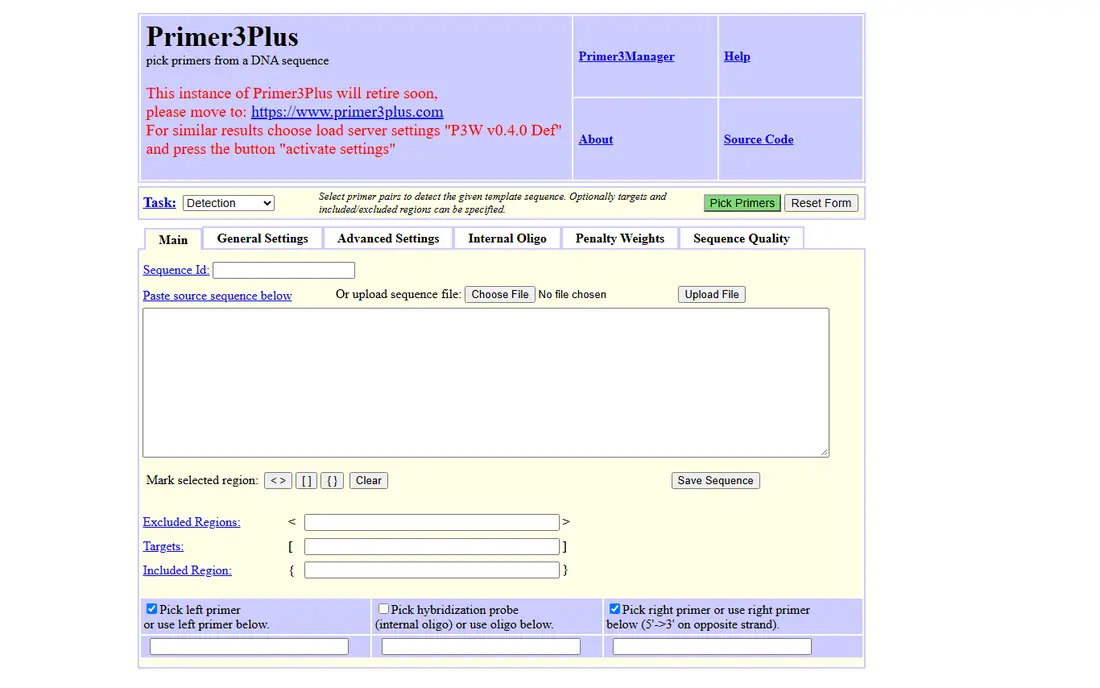
Primer3Plus is a good first stop for standard PCR. It builds on the widely used Primer3 engine and lets you set practical limits for primer length, melting temperature, GC content, and product size. For a straightforward amplicon, that control is usually enough, and there is no account or payment step in the way.
The trade-off is scope. Primer3Plus is a design tool, not a cloning suite, so you will still need other software for plasmid maps, Gibson assembly planning, or sequence annotation. It also puts the checking work on you. Read the dimer and hairpin warnings, compare the top candidates, and confirm the primers against your template before you order.
- Free to use
- Wide control over length, melting temperature, and product size
- Long track record in labs
- Plain web interface
- No built-in cloning or plasmid tools
- Results need manual review
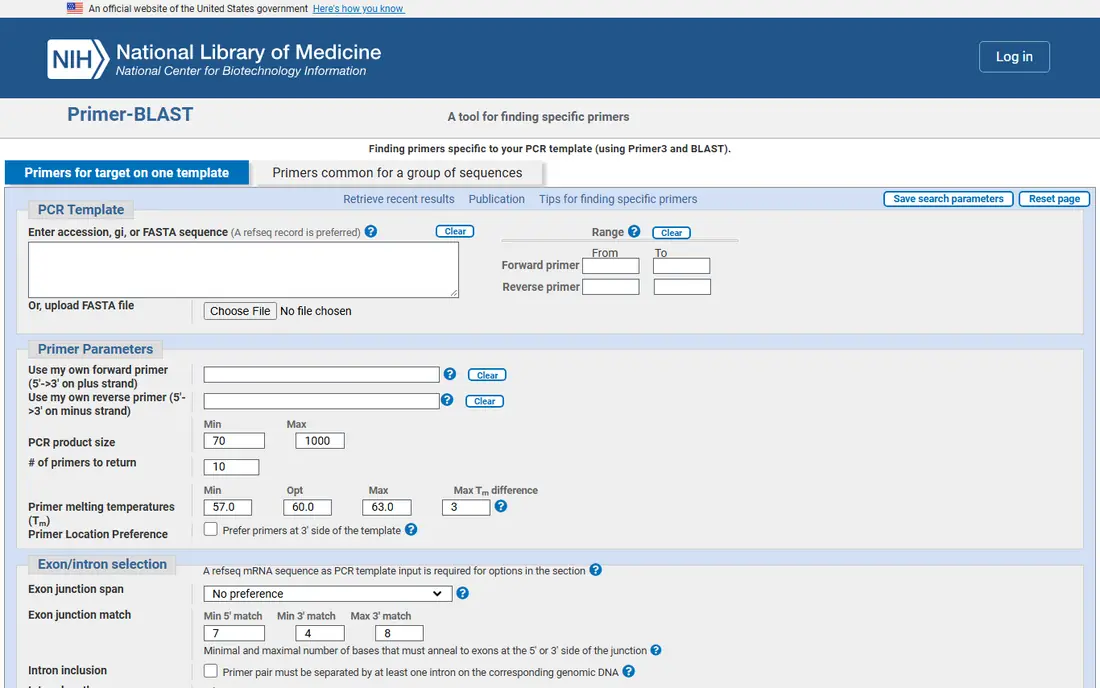
Primer-BLAST pairs primer design with a specificity check. Instead of only scoring melting temperature and GC content, it searches for other places a primer pair might bind. That step matters when you work with gene families, closely related sequences, or complex genomes where a clean-looking pair could still amplify the wrong target.
The tool is not the fastest option for a quick pair, and its many settings can feel crowded at first. It also focuses on PCR specificity rather than plasmid construction. For gene-specific PCR, diagnostic assays, and work where off-target products would waste time, that focus is exactly the point.
- Free from NCBI
- Checks specificity against sequence databases
- Useful for gene-specific PCR
- Interface takes practice
- Searches can take time
- Less suited to cloning design
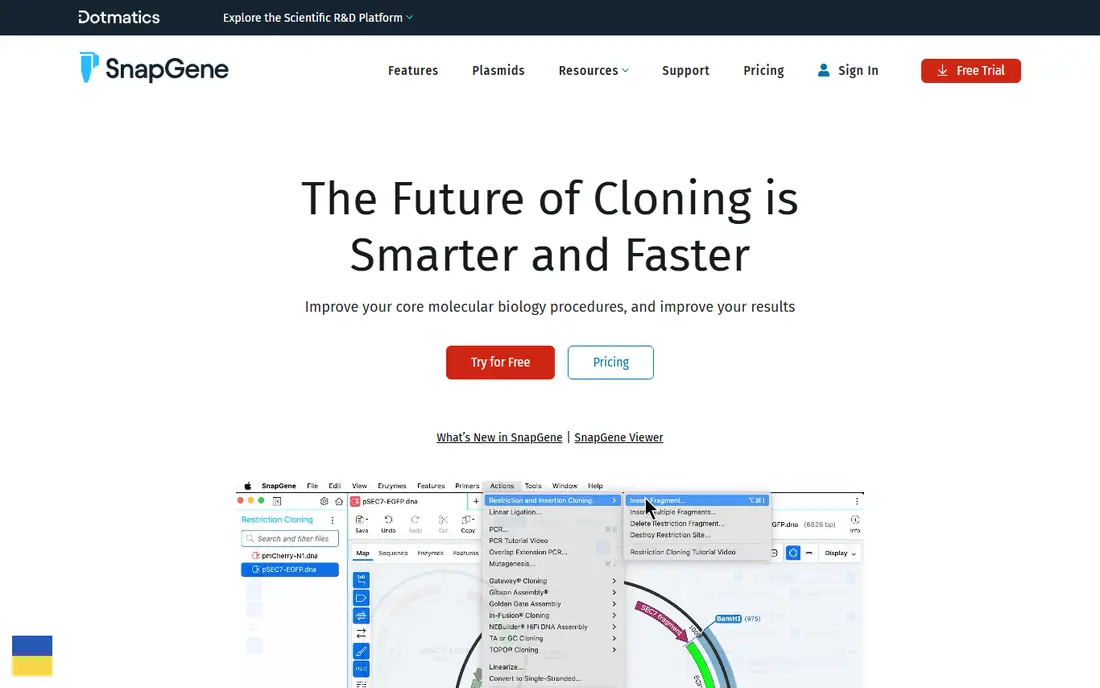
SnapGene suits researchers who design primers as part of cloning. You can see primers on a plasmid map, plan restriction cloning or Gibson assembly, and simulate the resulting construct before you order anything. That visual link between a primer and the final plasmid catches mistakes that a table of numbers can hide.
It is a paid product, so a lab that only needs a few PCR primers a year may find a free web tool enough. Its strength is also its limit: SnapGene is built around cloning and sequence editing, not large-scale bioinformatics. For everyday molecular cloning, though, that focus keeps the workflow short and easy to follow.
- Clear plasmid maps
- Strong cloning simulation
- Primer design fits into cloning plans
- Paid licence
- Price is not aimed at occasional users
- Wider analysis is narrower than Geneious Prime
Geneious Prime is the broader suite in this list. Primer design sits beside alignment, assembly, annotation, and sequence searching, so a team that already analyses sequences in Geneious Prime does not need a separate design tool. That breadth helps when one project moves from primer design to alignment, variant review, and reporting.
Breadth brings weight. A user who only needs PCR primers may find the interface and price more than necessary, and free tools will do that one job well. For labs with mixed work, from Sanger analysis to sequence assembly, the single workspace can save the time lost switching between tools.
- Wide analysis toolkit
- Primer design plus alignment and assembly
- Good for varied lab work
- Paid licence
- Broad feature set can feel large for simple PCR
- Pricing varies by licence type
Benchling is best judged as a lab workspace with primer tools inside it, rather than a single-purpose designer. Teams can store sequences, design primers, plan plasmids, and share work with set permissions. For a group where several people touch the same constructs, that shared record matters more than any single design score.
Small labs or solo researchers may not need that layer. A free web tool will design a primer pair faster, and Benchling adds admin and setup work in return for collaboration. When traceability, shared libraries, and team access are part of the job, Benchling earns its place.
- Cloud workspace for teams
- Sequence and plasmid tools in one place
- Sharing and permissions built in
- Paid plans for full use
- Setup takes thought for small labs
- Pricing is quote-based for many teams
OligoAnalyzer answers a different question from Primer3Plus. It does not start from a template and propose primers. Instead, you paste a primer sequence and it reports melting temperature, GC content, hairpin risk, and homo- and hetero-dimer risk. That check is worth running on any primer you plan to order, even one designed elsewhere.
Settings matter here. Melting temperature changes with salt concentration and oligo concentration, so use values that match your reaction conditions rather than accepting defaults without thought. Used that way, OligoAnalyzer is a cheap safety net that catches weak primers before they cost a failed PCR.
- Free to use
- Checks melting temperature, hairpins, and dimers
- Helpful before ordering
- Analysis tool, not a full designer
- Tied to the IDT site
- Results need care with salt and concentration settings
PrimerQuest is IDT's design tool for quantitative PCR. It helps design primers, and where needed probes, for a target sequence, with settings suited to qPCR rather than long amplicon cloning. For labs setting up expression assays or detection assays, that focus saves time compared with adapting a general PCR tool.
It is not the right pick for every primer job. Cloning primers, sequencing primers, and long-range PCR need different settings and checks, and a general tool or a cloning suite will fit better. For qPCR, PrimerQuest gives a clear path from target sequence to an orderable assay design.
- Free web tool
- Designed for qPCR assays
- Supports probe-based designs
- Focused on qPCR use
- Less useful for general cloning
- Ordering link assumes IDT supply
Primer Premier is a desktop program built only for primer work. It analyses melting temperature, GC content, secondary structure, and cross-dimer risk in detail, and it supports multiplex PCR and probe design. Labs that design many primers, or that need careful multiplex sets, can benefit from that depth.
The cost and style are the drawbacks. It is paid software with a desktop feel, and teams that want cloud sharing or plasmid maps will need other tools beside it. For a specialist who values detailed primer analysis over a broad suite, that narrow focus is a strength, not a gap.
- Detailed analysis of primer quality
- Multiplex and probe support
- Long history in primer design
- Paid software
- Interface looks dated next to cloud tools
- No shared cloud workspace
DNASTAR Lasergene bundles primer design with sequence assembly, alignment, cloning, and annotation. A lab that already uses Lasergene for sequence work can design primers without exporting sequences to a web tool and re-importing results. That continuity helps when a project involves assembly, primer design, and construct checking in sequence.
For a single PCR job, Lasergene is more than needed, and its price reflects a suite rather than a calculator. New users also face a learning curve across its modules. It fits best in labs that want desktop sequence software covering design, assembly, and cloning in one package.
- Primer design inside a sequence analysis suite
- Cloning and assembly tools included
- Desktop software
- Paid licence
- Suite pricing can be high for one user
- Learning curve for new users
How we picked these
We compared official feature pages, pricing pages, and public documentation for tools that design or check PCR primers in October 2026. We kept tools that are still available and that fit primer design directly, and we left out general sequence viewers with no real design function. Prices marked as See website were not published clearly on the vendor site at the time we checked, so we did not guess at a figure.
What to check before you order primers
Start with the job, not the tool. A routine PCR pair, a qPCR assay, and a cloning primer set need different settings, and the best tool is the one that matches that job. Free tools cover routine PCR well. Paid suites pay off when primers feed into cloning, shared libraries, or repeated assay design.
Check four things on every candidate pair. First, melting temperatures should be close for the forward and reverse primers. Second, GC content should sit in a workable range for your template. Third, look for hairpin and dimer warnings, since those can cut yield. Fourth, confirm specificity for your organism or sample type, ideally with a database check such as Primer-BLAST. A tool that skips any of these checks is asking you to do that work by hand.
Also think about where the primers live after design. A solo researcher can keep a spreadsheet. A team needs shared sequences, version notes, and a record of what was ordered. That difference often decides between a free web tool and a paid suite more than any single design score does.
Frequently asked questions
What is the best free primer design software?
Primer3Plus and Primer-BLAST are strong free starting points. Primer3Plus gives flexible control for routine PCR, while Primer-BLAST adds a specificity check against sequence databases. Pair either with OligoAnalyzer to check dimer and hairpin risk before ordering.
Is Primer-BLAST better than Primer3Plus?
It depends on the job. Primer3Plus is simpler for routine design with set product sizes and temperatures. Primer-BLAST is better when off-target binding is a real risk, because it checks candidates against a database. Many labs use Primer3Plus first and Primer-BLAST for gene-specific work.
Do I need paid software for PCR primers?
No, not for routine PCR. Free tools design sound primers for most standard jobs. Paid software helps when you also need cloning simulation, plasmid maps, shared team libraries, or high-volume assay design.
What makes a good primer pair?
Good primers have matched melting temperatures, moderate GC content, low dimer and hairpin risk, and a single clear binding site in your template. Length, product size, and the 3-prime end also matter. Check all of these, not just the score a tool prints.
Can I design qPCR primers with a general PCR tool?
You can, but a qPCR-focused tool such as PrimerQuest makes the job easier. It uses settings suited to short amplicons and probe assays. For cloning or long PCR, use a general designer or a cloning suite instead.
How do I avoid off-target PCR products?
Design with specificity in mind from the start. Use Primer-BLAST or a similar database check, avoid primers that match related genes, and confirm the product size on a gel for new assays. A clean design score alone does not prove specificity.
Sources
- https://www.bioinformatics.nl/primer3plus/
- https://www.ncbi.nlm.nih.gov/tools/primer-blast/
- https://www.snapgene.com/
- https://www.geneious.com/
- https://www.benchling.com/
- https://www.idtdna.com/pages/tools/oligoanalyzer
- https://www.idtdna.com/pages/tools/primerquest
- https://www.premierbiosoft.com/primerdesign/
- https://www.dnastar.com/
See where you really rank - block by block
ProMapRanker scans Google Maps across a grid of your service area. Simple monthly plans from $19, white-label on every plan.
Start freeKeep reading
 wpforms alternatives
Best WPForms Alternatives in 2026
We compare 9 wpforms alternatives for WordPress forms, with free and paid options, current pricing notes, and honest limits for small business sites in 2026.
Read → windows task scheduler alternatives
Best Windows Task Scheduler Alternatives in 2026
Looking for Windows Task Scheduler alternatives? We compare 9 schedulers for Windows and cross-platform work, from free tools to enterprise automation.
Read → which ai video service is best
Which AI Video Service Is Best in 2026
which ai video service is best? We compare 10 legitimate AI video services on price, avatars, editing and output quality to help you pick the right tool.
Read →