 ProMapRanker
Best Pregnancy Tracker App for Free in 2026


Week-by-week content and community · Pricing starts at: Free
Key takeaways
- What to Expect is our pick for most people who want a free all-round tracker with week-by-week content and community support.
- Ovia is the strongest free choice for detailed health logging, including kick counts, symptoms and contraction timing.
- BabyCenter is a strong free alternative with due date Birth Clubs and childbirth preparation content.
- Pregnancy+ suits visual learners who like interactive 3D baby images, though some tools sit behind a paid plan.
- These apps give general information only and do not replace prenatal care, so check any worrying symptom with your care team.
Quick comparison
| Pick | Great for | Pricing starts at | Free tier | |
|---|---|---|---|---|
| What to Expect | Week-by-week content and community | Free | Yes | Visit |
 Ovia Pregnancy Tracker | Detailed health logging | Free | Yes | Visit |
 BabyCenter | Free community and visuals | Free | Yes | Visit |
 Pregnancy+ | Interactive 3D visuals | Free | Yes | Visit |
 Flo | Cycle to pregnancy continuity | Free | Yes | Visit |
 The Bump | Planning and checklists | Free | Yes | Visit |
 Glow Nurture | Symptom and health logging | Free | Yes | Visit |
 Baby2Body | Fitness and wellness guidance | Free | Yes | Visit |
 Sprout Pregnancy | Clean week-by-week tracking | Free | Yes | Visit |
The best free pregnancy tracker apps
A good free pregnancy tracker should do three things well: tell you what is happening each week, let you log what matters to you, and stay clear about what it does with your health data. The apps below all offer a usable free version in October 2026. This article gives general information only and is not medical advice. Before you rely on any tracker, read its privacy policy, since pregnancy data is sensitive, and check what is shared, sold or used for ads.
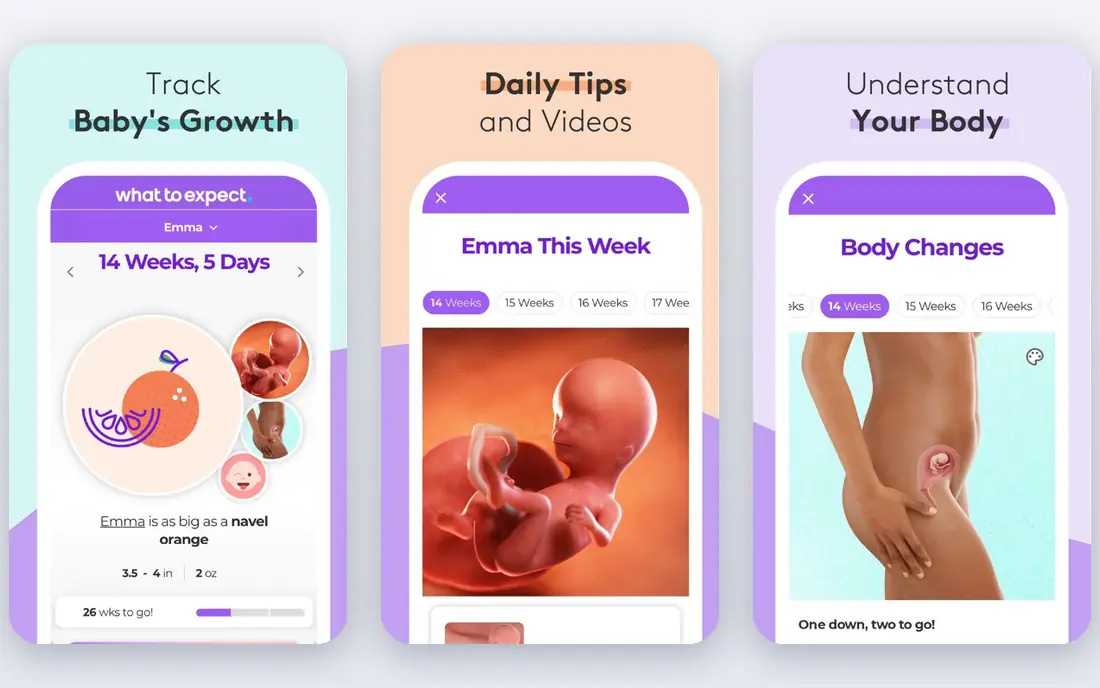
What to Expect is built on the long running book and website of the same name, and that shows in the depth of its weekly content. You get a due date calculator, daily tips, themed baby size comparisons and expert reviewed articles for each stage, plus a journal to log symptoms, weight, kick counts and memories. The community forums are a real draw at 3 a.m. when a question feels urgent and your next appointment is days away.
The free version is genuinely usable without paying, but it is ad supported and includes product guides, so the feed can feel commercial at times. Privacy matters here as with every app in this list: check the settings for data sharing and location use before you log detailed health notes. For most people, the mix of content, tracking and community is the best free starting point.
- Week-by-week tracker with 3D videos and size comparisons
- Large community forums
- Journal for symptoms, weight and kick counts
- Ads and product content in the free version
- Privacy settings need a careful read
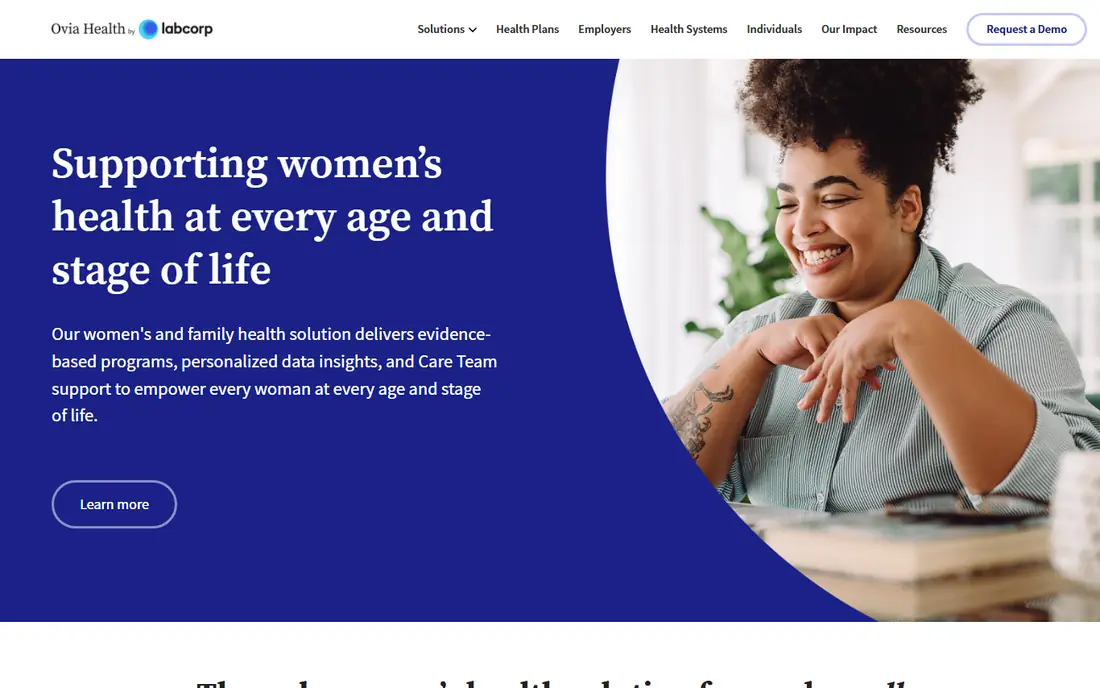
Ovia is the tracker to pick if logging matters more than browsing articles. It covers kick counts, contraction timing, weight, mood, symptoms and sleep, and it includes a food safety lookup that answers the everyday question about what is safe to eat. Content adjusts to your due date and to the details you log, so the feed stays relevant week to week.
That depth has a cost in setup time. You will be asked for more personal detail than a simpler tracker needs, and the free version includes sponsored content. Read the privacy policy and decide what you are comfortable sharing before you fill in every field. If you want a detailed health record to discuss at appointments, Ovia is the strongest free option.
- Kick counter, contraction timer and symptom logging
- Food safety lookup
- Personalised content by due date
- Free version includes sponsored content
- Setup asks for a lot of personal detail
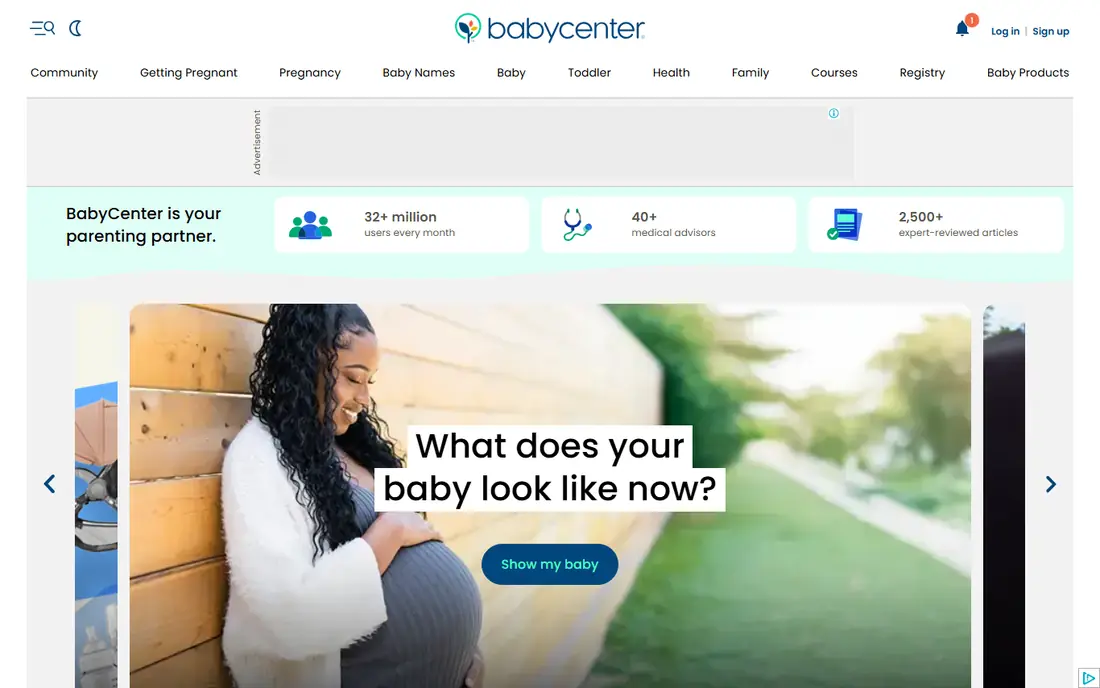
BabyCenter pairs a clean week-by-week tracker with one of the best free community features in this list. Birth Clubs group you with people who share your due date month, so the conversation stays close to the stage you are actually in. You also get 3D development videos, a kick tracker and free childbirth preparation classes.
Tracking itself is simpler than Ovia, so people who want deep symptom or blood pressure logs may find it thin. Privacy is the main thing to check: its store privacy label lists contact info, identifiers, usage data and sensitive info that may be used for tracking, so review the settings and the California opt out notice if it applies to you. If community and classes matter most, BabyCenter is a strong free pick.
- Birth Club communities grouped by due date
- 3D fetal development videos
- Free childbirth and baby safety classes
- Data sharing practices need a close look
- Symptom tracking is basic
Pregnancy+ is the visual pick. Its interactive 3D images show development week by week in a way that text alone does not, and you can rotate and explore the model rather than just reading about size. It also includes a kick counter, contraction timer, weight log and daily articles matched to your stage.
Not everything is free. Some tools and extra content need a paid upgrade, so check which features you actually use before you pay. The free version still covers the core weekly view and basic tracking well. If you learn best by seeing development, start here.
- Interactive 3D baby images by week
- Kick counter and contraction timer
- Personalised daily articles
- Some tools and content sit behind a paid plan
- Free version includes ads
Flo suits people who already tracked cycles in Flo before pregnancy. Switching to pregnancy mode keeps your history in one place, and you get symptom, mood and weight logging plus a large library of health articles. The daily view is tidy and easy to scan.
The free version is usable, but premium upsells are frequent, and Flo has faced past scrutiny over data handling, so privacy settings and data sharing choices deserve extra care. If you already use Flo, staying put is convenient. If you are starting fresh, compare it with Ovia on logging depth before you commit.
- Smooth move from cycle tracking to pregnancy mode
- Symptom and mood logging
- Large article library
- Premium features are heavily promoted
- Past privacy concerns mean settings deserve attention
The Bump is a planning friendly tracker. Daily content follows your exact week, size comparisons keep development concrete, and checklists cover appointments, hospital bag prep and registry building. That structure helps if you like a clear list of what to do next.
Health logging is lighter here than in Ovia or Glow Nurture, so it fits people who want guidance and planning more than a detailed symptom record. Product content is prominent, which some readers will enjoy and others will find noisy. For a free, organised companion to pregnancy planning, it earns its place.
- Daily updates matched to your week
- Checklists and registry tools
- Baby size comparisons
- Product and registry content is prominent
- Health logging is lighter than Ovia
Glow Nurture comes from the same family as the Glow cycle tracker, and it brings the same logging focus to pregnancy. You can track symptoms, mood, weight and health readings, join community discussions and share selected updates with a partner. That combination suits people who want both a record and a support group.
The interface packs a lot in, so it can feel busy at first, and premium prompts appear often in the free version. Give it a week to settle before you judge it. If detailed logging plus community is your priority, Glow Nurture is a solid free choice.
- Symptom, mood and health logging
- Community forums
- Partner sharing options
- Premium features are promoted often
- Interface can feel busy
Baby2Body focuses on staying active and well during pregnancy rather than on medical style logging. It offers fitness guidance shaped for each stage, wellbeing and nutrition articles, and week-by-week updates that sit alongside your workout plan. That makes it a good second app if your main tracker is thin on movement guidance.
It is not the best single tracker if you want kick counts, contraction timing and deep symptom logs in one place. Some content also sits behind a paid plan. Pair it with Ovia or What to Expect if you want both fitness guidance and full tracking.
- Pregnancy safe fitness and wellness guidance
- Week-by-week content
- Nutrition and wellbeing articles
- Tracking tools are lighter than Ovia
- Some content needs a paid plan
Sprout Pregnancy keeps things calm and clear. The week-by-week view uses 3D images and plain language, and it covers weight, kick counts and appointments without burying them under feeds and shopping content. That simplicity is its main strength.
The community is smaller than What to Expect or BabyCenter, so if peer support is your priority, look at those first. Some extra features need a paid upgrade. If you want a tidy tracker that stays out of your way, Sprout is a good free pick.
- Clear week-by-week view with 3D images
- Weight, kick and appointment tracking
- Simple layout
- Smaller community than the big names
- Some features need a paid upgrade
How we picked these
We compared official feature pages, app store listings and current free tier details for trackers that are live in October 2026, and we favoured apps with a genuinely usable free version rather than a short trial. We weighed week-by-week content, logging tools, community, privacy transparency and whether the free version covers the core job. We did not claim hands-on testing, and we did not treat any app as a substitute for prenatal care.
How to choose a free pregnancy tracker
Start by deciding what you will actually open every day. If you want reading and reassurance, pick What to Expect or BabyCenter. If you want a record to take to appointments, pick Ovia or Glow Nurture. If visuals help you understand development, pick Pregnancy+ or Sprout. Most people only need one main tracker, plus a second app for fitness or community if the first is thin there.
Privacy should be part of the choice, not an afterthought. Pregnancy data can reveal health details, location patterns and life plans, so read the privacy policy before you log symptoms in detail. Check what data is shared with advertisers or data brokers, whether you can delete your data, and whether the app offers an opt out where the law requires one. An app with a slightly smaller feature list and clearer privacy practice can be the better choice.
Finally, set expectations. A tracker can help you notice patterns, prepare questions and feel less alone between appointments, but it cannot diagnose a problem or replace your clinician. Use the log as a conversation starter at your next visit, and seek care promptly for worrying symptoms such as bleeding, severe pain, reduced movement late in pregnancy or signs of preeclampsia. If an app ever makes you feel anxious rather than informed, switch to a simpler one.
Frequently asked questions
What is the best pregnancy tracker app for free?
What to Expect is our pick for most people, since its free version covers week-by-week content, basic tracking and a large community. Ovia is better if detailed health logging is your priority, and BabyCenter is the best free alternative for Birth Club community support.
Are the best free pregnancy tracker apps really free?
Yes, the apps in this list all offer a usable free version. Most earn money from ads, sponsored content or optional paid upgrades that open extra tools. Check which features are free before you pay, since the core weekly tracker is usually free.
Which free pregnancy tracker app is best for kick counts?
Ovia and Pregnancy+ both include a kick counter in their free versions, and What to Expect includes kick logging in its journal. Pick Ovia if you also want contraction timing and detailed symptom logs in the same app.
Do pregnancy tracker apps share my data?
Practices vary, so read the privacy policy and store privacy label for each app. Some list identifiers, usage data and sensitive info that may be used for tracking or advertising. Review sharing settings, turn off what you do not need, and check whether you can delete your data.
Can a pregnancy tracker app replace prenatal care?
No. These apps give general information only and are not medical advice. They can help you prepare questions and notice patterns, but they cannot diagnose symptoms or replace appointments, scans or advice from your care team.
What is the best free pregnancy tracker app for first time parents?
What to Expect or BabyCenter are good first picks, since both explain each week in plain language and offer community support from people at the same stage. Add Ovia if you want a more detailed health log alongside the weekly content.
Sources
See where you really rank - block by block
ProMapRanker scans Google Maps across a grid of your service area. Simple monthly plans from $19, white-label on every plan.
Start freeKeep reading
 wpforms alternatives
Best WPForms Alternatives in 2026
We compare 9 wpforms alternatives for WordPress forms, with free and paid options, current pricing notes, and honest limits for small business sites in 2026.
Read → windows task scheduler alternatives
Best Windows Task Scheduler Alternatives in 2026
Looking for Windows Task Scheduler alternatives? We compare 9 schedulers for Windows and cross-platform work, from free tools to enterprise automation.
Read → which ai video service is best
Which AI Video Service Is Best in 2026
which ai video service is best? We compare 10 legitimate AI video services on price, avatars, editing and output quality to help you pick the right tool.
Read →