 ProMapRanker
Best Platform for Creating Interactive Demos in 2026

Key takeaways
- Interactive demos let buyers click through a guided product tour without a live call, which helps sales teams qualify interest earlier.
- Screenshot demos are cheapest and fastest to build, while HTML demos feel more like the real product but cost much more on most platforms.
- Storylane and Supademo offer the easiest starting points, while Walnut, Demostack, and Reprise suit enterprise teams with complex products.
- Check which features sit on which plan, because HTML capture, sandbox demos, and single sign-on are often gated to higher tiers.
- Demo upkeep matters as much as creation, since a product change means refreshing the affected demos or they will mislead buyers.
Quick comparison
| Pick | Great for | Pricing starts at | Free tier | |
|---|---|---|---|---|
 Storylane | fast screenshot and HTML demos | $40 per month | Yes | Visit |
 Navattic | HTML demos for marketing pages | See website | Yes | Visit |
 Walnut | personalized sales demos | $575 per month | No | Visit |
 Supademo | budget tours and enablement | $38 per creator per month | Yes | Visit |
 Arcade | polished marketing demos and video | $42.50 per user per month | Yes | Visit |
 Demostack | sandbox demos for complex products | See website | No | Visit |
 Reprise | enterprise demo cloning | See website | Yes | Visit |
 Tourial | guided tours for marketing teams | See website | Free trial | Visit |
 Guideflow | granular pricing and HTML tours | $35 per month | Yes | Visit |
The best platforms for creating interactive demos
An interactive demo is a clickable tour of a product that a buyer can explore on their own, often embedded on a website, sent after a sales call, or used in onboarding. The tools below differ in capture method, personalization, analytics, and price, so the right pick depends on whether you need a quick tour or a full demo environment.
These nine platforms cover the main demo approaches, from screenshot tours to full sandbox environments. Start with the demo your buyers actually need, then check the plan that adds that format, because the cheapest plan rarely includes every format.
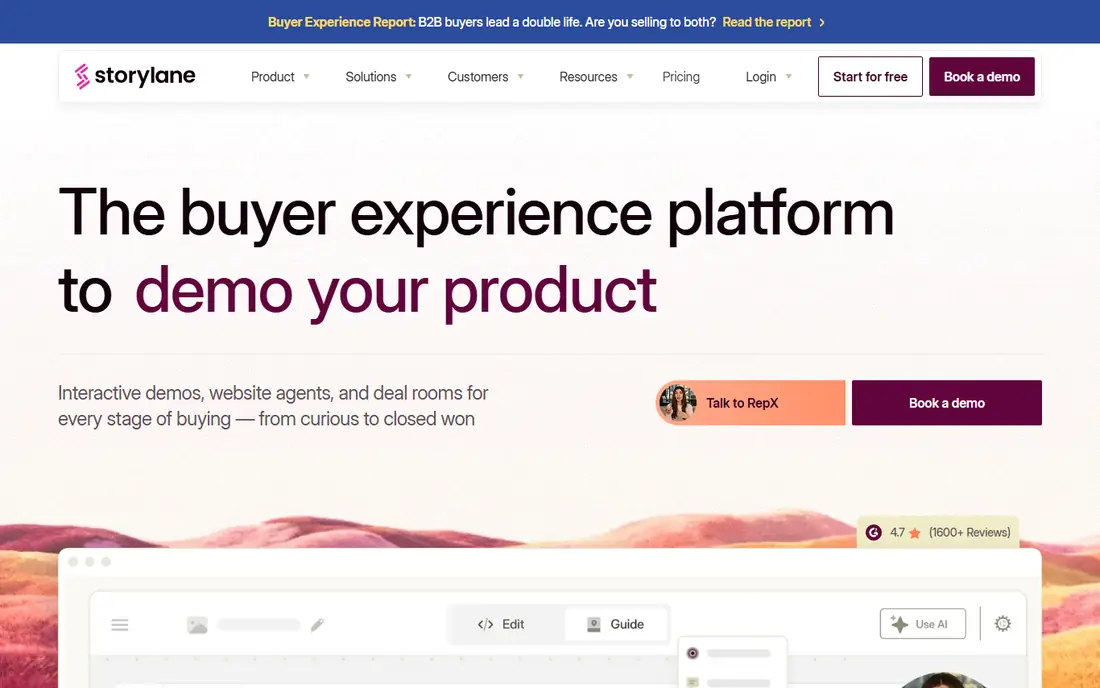
Storylane is the easiest starting point for most teams, because a marketer can capture screens, add guides and tooltips, and publish a tour in a day without engineering help. The free plan covers one published demo, while Starter at $40 per month adds unlimited published screenshot and video demos. Growth at $500 per month for five seats adds HTML demos, personalization, A/B testing, and offline demos, which is the realistic tier for teams that want demos to feel like the real product.
The pricing jump from Starter to Growth is the main caution, since HTML is what most buyers expect from a modern demo. Storylane also offers presenter demos, hubs, and deal intelligence on higher plans, which help sales teams use demos on live calls and track engagement. For a team starting with demos, Storylane is a practical first trial.
- Screenshot, video, and HTML demos in one editor
- Deal intelligence
- Presenter demos on higher plans
- HTML capture starts on Growth
- Seat costs rise quickly on higher plans
Navattic focuses on HTML demos, which capture the live product interface rather than static screenshots, so buyers can click through a tour that feels closer to real use. Its Launchpad helps sales teams share the right demo for each prospect, and analytics show where buyers drop off or engage most. That combination suits marketing teams that embed demos on product pages and sales teams that send leave-behind tours.
Recent guides report that Navattic paid pricing is quote-based rather than published as a simple list, and sandbox demos sit on higher tiers, so request a quote for your team size and demo count. A free Starter plan covers one demo, which is enough to test capture quality. If HTML realism is your top priority, Navattic is a strong contender alongside Storylane.
- HTML capture as the core format
- Launchpad for sales
- Analytics and lead capture
- Paid pricing is quote-based in recent guides
- Sandbox demos sit on higher tiers
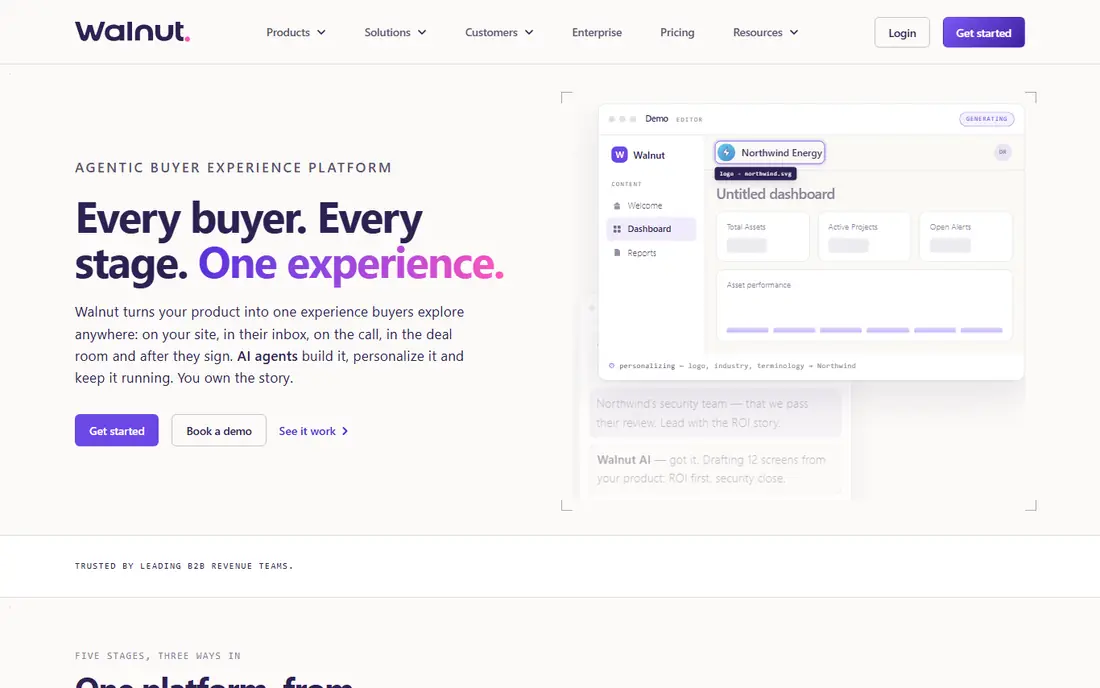
Walnut suits sales teams that personalize demos for each prospect, with separate editor and presenter seats and tools for tailoring a tour to a buyer, industry, or use case. Presenter-led demos help reps guide a live call, while leave-behind demos let buyers explore on their own afterward. AI-assisted building speeds up the first version of a demo, though a human should still check every step for accuracy.
Pricing starts at $575 per month for the Ignite plan with three seats when billed annually, rising to $1,550 per month for Accelerate with eight seats. That entry price puts Walnut out of reach for small teams, but it makes sense for sales teams closing larger deals. Check whether sandbox demos, single sign-on, and governance features sit on the plan you would buy, because they are gated to higher tiers.
- Personalized demos for each prospect
- Presenter and leave-behind modes
- AI-assisted building
- No free plan listed
- Higher entry price
- Sandbox starts on higher plans
Supademo is the budget pick on this list for teams that need many simple tours quickly. Its editor lets a team member record a walkthrough, add steps and annotations, and publish it for onboarding, support, or sales enablement. The free plan covers basic tours, while paid plans start at $38 per creator per month, with Growth adding more creators and features.
HTML capture and unlimited sandbox demos sit on Growth, so teams that need fully realistic demos should check that tier rather than the entry price. Supademo also offers AI demo agent features as a paid add-on, which suits teams experimenting with guided buyer conversations. For enablement and simple product tours, Supademo offers strong value.
- Low entry price
- Fast tour creation
- Good for onboarding and enablement
- HTML and sandbox features gated to Growth
- AI agent features cost extra
Arcade turns one screen recording into a clickable demo, social clips, GIFs, and an AI-narrated video, which makes it popular with product marketing teams launching new features. The free plan includes one demo and one video, while paid plans start at $42.50 per user per month when billed annually. That output range helps a small marketing team get more mileage from a single recording session.
The catch is depth. HTML capture and voice cloning sit on Enterprise, and Arcade is lighter on presales workflow than Storylane, Walnut, or Demostack. If your main need is a beautiful launch demo and social cuts, Arcade is an excellent pick. If your main need is a governed sales demo library, a presales-focused tool will fit better.
- One recording becomes a demo, GIFs, and video
- Polished look
- Easy sharing
- HTML capture and voice cloning sit on Enterprise
- Light on presales workflow
Demostack suits enterprise teams selling complex software where a screenshot tour cannot show the real workflow. It clones product environments into sandbox demos, so buyers can try realistic data, settings, and integrations without access to a live customer system. That realism helps presales teams win deals that hinge on hands-on evaluation, especially for products with deep configuration.
Pricing is quote-based and enterprise-level, with published estimates in the tens of thousands of dollars a year, and implementation takes longer than a self-serve tour tool. Demostack is overkill for a simple marketing tour, but it is the right class of tool when a deal depends on a buyer testing a realistic environment. Budget for implementation and upkeep, not just the license.
- Cloned product environments
- Realistic data and workflows
- Enterprise security
- Quote-based enterprise pricing
- Longer implementation
- Overkill for simple tours
Reprise offers demo cloning and live demo infrastructure for enterprise go-to-market teams, with tools for building reusable demo environments, personalizing tours, and sharing them across sales and marketing. Its platform suits companies with many products, many buyer personas, and a presales team that needs governed, repeatable demos rather than one-off tours.
Pricing is quote-based, with published estimates ranging widely by platform and user count, and implementation is an enterprise project rather than a same-day trial. A free option is listed in some comparisons, but the full platform is enterprise-priced. If your demo program spans many teams and products, Reprise is worth evaluating. If you need one tour this week, start with Storylane or Supademo.
- Demo cloning and live demo environments
- Enterprise security
- Sales and marketing use
- Quote-based pricing
- Enterprise implementation
- Costly for small teams
Tourial helps marketing teams build guided product tours that can be embedded on a website or shared by link, with analytics on engagement and lead capture forms for interested buyers. That focus suits teams whose main goal is turning website visitors into qualified leads, rather than building a full presales demo library. Tours can highlight key workflows in order, which helps buyers who would otherwise bounce from a feature list.
Pricing is not published as a simple list in recent guides, so request a quote for your demo count and team size, and confirm which analytics and integration features are included. Tourial has a smaller ecosystem than Storylane or Walnut, so check integrations with your CRM and marketing tools before committing. For website-led demo programs, it is a solid specialist option.
- Guided tours with analytics
- Lead capture
- Website embedding
- Pricing not published plainly
- Smaller ecosystem than larger rivals
Guideflow stands out for granular pricing, with tiers from a $35 per month Solo plan up to Advanced and Enterprise plans. The free plan lets a team test basic tours, while Solo covers simple needs at a low cost. Growth at $499 per month adds HTML capture, and Advanced at $1,499 per month adds sandbox and offline demos, so teams can see exactly which format each tier adds.
That clarity helps budgeting, but the jump to HTML is large, similar to Storylane. Guideflow suits teams that want a low entry price for simple tours and a clear upgrade path as demo needs grow. Check the current tier list before buying, because demo platforms change tier boundaries often, and confirm analytics and lead capture on the tier you choose.
- Five pricing tiers
- HTML capture on Growth
- Sandbox on Advanced
- Clear step pricing
- HTML starts at $499 per month
- Sandbox starts at $1,499 per month
How we picked these
We compared official pricing pages, feature documentation, and recent 2026 comparisons, and we kept only platforms with a live interactive demo product in October 2026. We favored tools that let non-technical teams build and publish demos, offer analytics and lead capture, and support embedding on websites or sharing by link. We did not claim hands-on testing, and we used "See website" where pricing is quote-based or varies by seats and packages.
What to check before you choose
Start by choosing your demo format. If a screenshot tour is enough to explain your product, a low-cost tool such as Supademo or Storylane Starter will do the job. If buyers need to feel the real product, budget for an HTML tier such as Storylane Growth, Navattic, or Guideflow Growth, and test capture quality on your own product before signing. If buyers need to try realistic data and settings, only a sandbox tool such as Demostack or Reprise will do, and the budget should reflect that.
Next, check upkeep and analytics. Ask how a demo is updated when your product changes, who owns that update, and whether analytics show drop-off points, engagement time, and lead capture. A demo library that goes stale will mislead buyers and hurt trust, so assign an owner and a review cadence. Finally, confirm embedding, CRM integration, and single sign-on on the plan you would buy, because those features are often gated to higher tiers and matter once demos move beyond a single team.
Frequently asked questions
What is the best platform for creating interactive demos?
For most teams, Storylane is the best starting point, because it offers a free plan, a low-cost Starter tier, and a clear upgrade path to HTML demos. Supademo is the best budget pick for simple tours, while Walnut suits sales teams that personalize demos per prospect. Demostack and Reprise suit enterprise teams that need sandbox environments.
What is the best software for creating interactive demos?
The best software for creating interactive demos depends on format. Storylane, Navattic, and Guideflow cover HTML tours, Supademo and Arcade cover fast screenshot and video tours, and Demostack and Reprise cover sandbox demos. Tourial covers website-led guided tours, and Walnut covers personalized sales demos. Match the tool to the format your buyers need.
How much does interactive demo software cost?
Entry prices range from free plans at Storylane, Supademo, Arcade, and Guideflow to $35 to $42.50 per month for low paid tiers. HTML tiers often start around $500 per month, as with Storylane Growth and Guideflow Growth, while Walnut starts at $575 per month. Enterprise sandbox tools such as Demostack and Reprise are quote-based and cost far more.
Are screenshot demos or HTML demos better?
Screenshot demos are faster and cheaper to build, and they work well for simple tours and enablement. HTML demos feel more like the real product and support realistic clicking, but they cost more and take more upkeep. Choose screenshot demos for speed, HTML demos for sales pages and leave-behind tours, and sandbox demos when buyers must try realistic data.
How do you keep interactive demos up to date?
Assign an owner for each demo, review demos when the product changes, and use analytics to spot tours with falling engagement. Screenshot demos need manual refreshing of changed screens, while HTML and sandbox demos need re-capture or re-cloning when workflows change. Build demo review into your release process, so a launch does not leave stale tours live on your website.
Sources
See where you really rank - block by block
ProMapRanker scans Google Maps across a grid of your service area. Simple monthly plans from $19, white-label on every plan.
Start freeKeep reading
 wpforms alternatives
Best WPForms Alternatives in 2026
We compare 9 wpforms alternatives for WordPress forms, with free and paid options, current pricing notes, and honest limits for small business sites in 2026.
Read → windows task scheduler alternatives
Best Windows Task Scheduler Alternatives in 2026
Looking for Windows Task Scheduler alternatives? We compare 9 schedulers for Windows and cross-platform work, from free tools to enterprise automation.
Read → which ai video service is best
Which AI Video Service Is Best in 2026
which ai video service is best? We compare 10 legitimate AI video services on price, avatars, editing and output quality to help you pick the right tool.
Read →