 ProMapRanker
Best Photo Sharing Platform for Photographers in 2026

Key takeaways
- Pixieset, ShootProof, and Pic-Time lead for client galleries and proofing, with favorites, selections, and print sales built in.
- SmugMug suits photographers who want unlimited storage and mature print fulfillment in one place.
- Pixpa and Format suit photographers who want a portfolio site plus galleries, rather than delivery alone.
- Flickr and 500px suit exposure and community feedback more than private client delivery, so pick by job, not by popularity.
Quick comparison
| Pick | Great for | Pricing starts at | Free tier | |
|---|---|---|---|---|
 SmugMug | Unlimited storage and print sales | $20 per month | Free trial | Visit |
 Pixieset | Client delivery and proofing | See website | Yes | Visit |
 ShootProof | High-volume proofing on a budget | See website | Yes | Visit |
 Zenfolio | Delivery plus booking and print labs | $7 per month | Free trial | Visit |
 Pic-Time | Premium galleries and automated print sales | $7 per month | Yes | Visit |
 Pixpa | Portfolio site plus galleries and store | See website | Free trial | Visit |
 Format | Clean portfolio-first display | See website | Free trial | Visit |
 Flickr | Community exposure and sharing | See website | Yes | Visit |
 500px | Licensing and community feedback | See website | Yes | Visit |
The best photo sharing platform for photographers
Photographers share photos for different reasons: deliver to a client, let a client pick favorites, sell prints, build a portfolio, or get feedback. No single platform wins every job. The list below separates client delivery tools from portfolio and community platforms, so you can pick by the job you do most.

SmugMug is a workhorse for photographers who shoot a lot and sell prints. Unlimited storage removes the worry about gallery size, and print fulfillment through partner labs handles ordering, printing, and shipping without a separate store. Lightroom sync also helps photographers who already edit in Lightroom, since galleries can update without manual re-uploads.
The catch is proofing and cost. Client proofing exists, but it is less deep than dedicated proofing tools, and a commission applies to print markup. Photographers who mainly need clients to pick favorites may prefer Pixieset or ShootProof. Photographers who sell prints at volume and want one home for every shoot will get more from SmugMug.
- Unlimited storage on paid plans
- Mature print fulfillment with partner labs
- Lightroom sync and custom site options
- Print markup commission applies
- Proofing tools are thinner than Pixieset or ShootProof
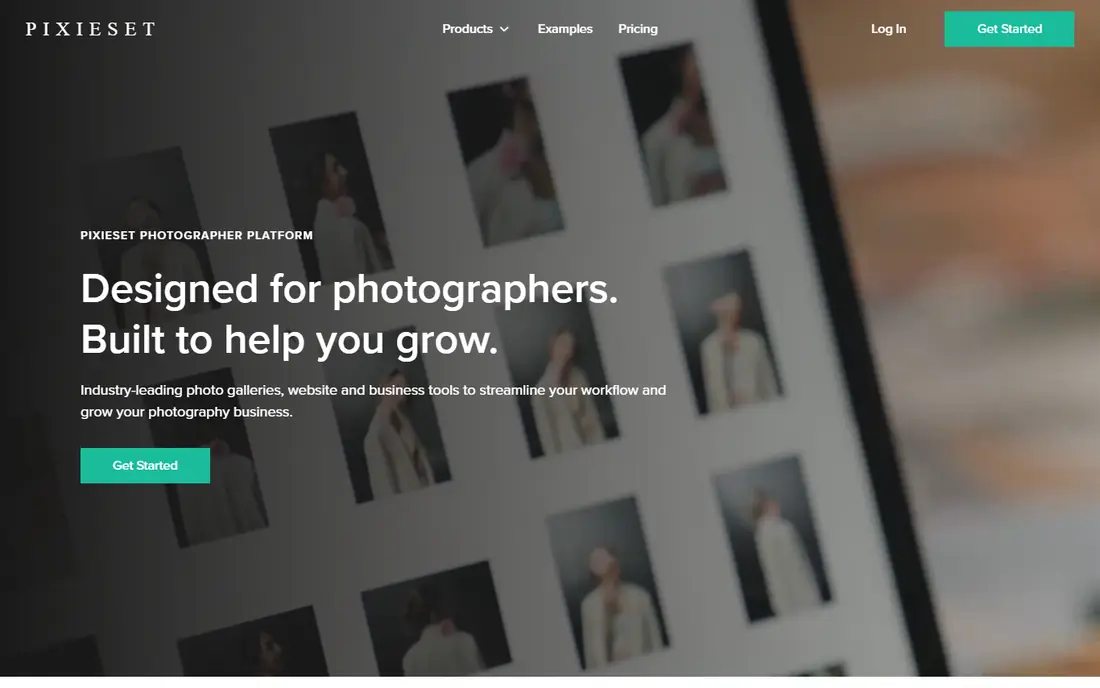
Pixieset is a favorite for wedding and portrait photographers because client galleries look clean and proofing feels simple. Clients can mark favorites, build selections, and download approved images, while photographers keep control over which files are downloadable and at what size. Print sales through partner labs add income without a separate storefront.
The trade-off is plan structure. A full website and studio manager sit on separate or higher plans, so the total cost can rise if you want everything in one subscription. The free plan also carries a commission on sales. For delivery and proofing alone, Pixieset is hard to beat. For an all-in-one business system, check the combined plan price first.
- Clean client galleries
- Favorites and selections for proofing
- Print sales with partner labs
- Free plan to start
- Website builder and studio tools sit on separate plans
- Commission applies on the free plan
ShootProof suits school, sports, event, and high-volume portrait photographers who deliver many galleries and need clients to choose fast. Favorites, labels, and selections make proofing clear, and print sales run through partner labs with no commission on paid plans. Invoicing and contracts, available as add-ons, help small studios handle booking and payment without another tool.
The limit is scale by photo count. Plans are based on photo numbers, so a photographer with a huge back catalog may hit limits sooner than on unlimited storage platforms. The website builder is also basic compared with Pixpa or Format. For proofing volume at a fair price, ShootProof is a strong, practical pick.
- Proofing with favorites, labels, and selections
- No commission on print sales on paid plans
- Invoicing and contracts available
- Photo-count plans can limit very large libraries
- Website builder is basic
Zenfolio gives photographers delivery, a website, booking, and print fulfillment in one subscription, at an entry price that undercuts many rivals. Client galleries support favorites and proofing, while ProSuite adds studio management for photographers who want bookings and client records in the same place. Integrated labs handle print orders without a separate store setup.
The downside is polish and commission. The interface feels older than Pixieset or Pic-Time, and lower tiers carry a commission on sales. Photographers who value a modern gallery feel may prefer a newer platform. Photographers who want one affordable system for delivery, site, and bookings will find Zenfolio good value.
- Client galleries plus website and booking tools
- Integrated print labs
- Affordable entry plan
- Commission on lower tiers
- Interface feels older than newer rivals
Pic-Time stands out for gallery presentation and follow-up sales. Galleries look premium, which matters for wedding and portrait clients who share links with family, and automated print campaigns run after delivery to prompt orders without manual emails. Favorites, selections, and comments support proofing, and partner labs handle fulfillment.
The catch is scope. Pic-Time does not include a website builder, so photographers who want a portfolio site will need another tool. Studio management is also limited on lower plans. If your priority is beautiful delivery that keeps selling prints after the shoot, Pic-Time earns its place. If you want site plus delivery in one login, look at Pixpa or Zenfolio.
- Premium gallery presentation
- Automated print marketing after delivery
- No commission on paid plans for self-collected sales
- No website builder
- Limited studio management on lower plans
Pixpa suits photographers who want a portfolio that also delivers client work and sells prints. The website builder, client galleries, store, and blog live in one subscription, with no commission on sales, which simplifies pricing for photographers who sell digital files and prints. Proofing tools, including favorites and comments, cover most client delivery needs.
The limit is storage and labs. Entry plans cap storage, so high-volume shooters may need a higher tier, and print fulfillment is narrower than SmugMug's mature lab network. For photographers building a brand site first and delivering galleries second, Pixpa is strong value. For pure high-volume delivery, a dedicated gallery tool may fit better.
- Website, galleries, store, and blog in one plan
- No commission on sales
- Client proofing included
- Storage caps on entry plans
- Print fulfillment is narrower than SmugMug
Format is a portfolio-first platform, built to make photos look their best to an art director, editor, or prospective client. Templates are clean, image-led, and easy to customize without design skills, and a basic store and proofing cover simple sales and selections. For photographers whose main job is winning work with a strong portfolio, that focus is a strength.
The trade-off is delivery depth. Proofing is basic compared with Pixieset, ShootProof, or Pic-Time, and storage tiers can limit large archives. Format works best as a showcase with light delivery, paired with a dedicated gallery tool for heavy client work. As a single home for portfolio and light delivery, it is a clean, professional choice.
- Portfolio templates built for photos
- Clean presentation for art directors and clients
- Basic store and proofing
- Proofing is basic
- Storage tiers cap larger libraries
Flickr remains a useful place to share work, join groups, and get feedback from other photographers. Discovery, comments, and groups help emerging photographers learn and get seen, and Pro removes free-plan storage limits while adding stats and ad-free browsing. For personal sharing and community, Flickr is still relevant.
The limit is client work. Flickr is not built for private proofing, selections, contracts, or print sales in the way Pixieset or ShootProof are. A photographer can share a private album link, but that is not a professional delivery workflow. Use Flickr for exposure and community, and a client gallery tool for paid delivery.
- Large photo community and groups
- Strong sharing and discovery
- Pro adds unlimited storage and stats
- Not built for private client proofing
- Free plan limits full-resolution storage
500px suits photographers who want feedback and licensing exposure for strong single images. The community, Pulse scoring, and licensing marketplace give outdoor, travel, and creative photographers a place to be seen and, in some cases, to license work. Portfolio display is clean, and the free tier lets new photographers start without cost.
The catch is client delivery. 500px does not offer proofing, selections, contracts, or print fulfillment for client shoots, so wedding and portrait photographers will still need a delivery tool. Licensing income also varies widely and should not be counted as steady revenue. Use 500px for exposure and licensing attempts, not as a client delivery system.
- Community feedback and Pulse scoring
- Licensing marketplace for stock-style work
- Portfolio display
- Not a client proofing tool
- Licensing income varies and is not guaranteed
How we picked these
We compared official feature pages, pricing pages, and public documentation for platforms that photographers actually use for sharing, delivery, proofing, or portfolios. We kept only platforms that exist and work today and that serve photographers, not general file storage alone. We separated client delivery tools from portfolio and community tools, because a platform that wins on exposure may fail on proofing, and vice versa. Where pricing varies by billing period or plan, we used annual or entry figures from vendor and comparison pages and marked unclear prices as See website.
How to choose by your main job
Start with the job you do most each month. If you deliver client galleries weekly, pick a proofing tool with favorites, selections, download controls, and print labs, and test it with a real client gallery before you move your archive. If you mainly need to win work, pick a portfolio tool with clean templates and a custom domain, and keep delivery separate if needed. If you want feedback and licensing, a community platform is the right home, but do not force it to do client delivery.
Next, check storage, commission, and download controls together. Unlimited storage sounds generous until a commission takes a cut of every print sale, and a cheap plan sounds good until a storage cap forces an upgrade mid-season. Test download sizes, watermarking, and expiry settings, and confirm that clients can view galleries easily on phones, since most clients open links on mobile first. The right platform is the one clients find easy and you find affordable across a full season.
Frequently asked questions
What is the best photo sharing platform for client galleries?
Pixieset and ShootProof are strong for client galleries because proofing, favorites, selections, and print sales are built in. Pixieset leads on clean presentation, while ShootProof leads on high-volume proofing value. SmugMug suits photographers who also want unlimited storage and mature print fulfillment.
Can I sell prints through a photo sharing platform?
Yes, SmugMug, Pixieset, ShootProof, Zenfolio, and Pic-Time all support print sales through partner labs, with different commission rules. Check the commission on your plan, the lab options, and whether you collect payment yourself or the platform handles it. Pic-Time also runs automated print campaigns after delivery.
Is there a free photo sharing platform for photographers?
Yes, Pixieset, ShootProof, Pic-Time, Flickr, and 500px offer free plans or free tiers, with limits on storage, galleries, or sales commission. Free plans suit testing and small portfolios, but working photographers usually need a paid plan for full-resolution delivery, more storage, and no commission. Test the free plan with one real gallery before you commit.
What is the difference between a portfolio site and a client gallery tool?
A portfolio site showcases your best work to win new clients, while a client gallery tool delivers a specific shoot, lets clients pick favorites, and handles downloads and print orders. Pixpa and Format lean toward portfolios, while Pixieset, ShootProof, and Pic-Time lean toward delivery. Some photographers use one tool for each job.
Do clients need an account to view my galleries?
In most cases, no. Clients usually open a gallery link and enter a password or PIN if you set one, without creating an account. That low friction matters for family members and wedding guests who view and order prints. Check password, expiry, and download controls on your chosen platform before you send a gallery to a paying client.
How do I protect my photos when sharing online?
Use watermarking where available, limit download sizes for proofing galleries, set passwords and expiry dates, and deliver full-resolution files only after payment or approval. Keep original files backed up locally as well as in the cloud, since a sharing platform is not a full backup system. Check the platform terms on licensing and reuse before you upload client work.
Sources
See where you really rank - block by block
ProMapRanker scans Google Maps across a grid of your service area. Simple monthly plans from $19, white-label on every plan.
Start freeKeep reading
 wpforms alternatives
Best WPForms Alternatives in 2026
We compare 9 wpforms alternatives for WordPress forms, with free and paid options, current pricing notes, and honest limits for small business sites in 2026.
Read → windows task scheduler alternatives
Best Windows Task Scheduler Alternatives in 2026
Looking for Windows Task Scheduler alternatives? We compare 9 schedulers for Windows and cross-platform work, from free tools to enterprise automation.
Read → which ai video service is best
Which AI Video Service Is Best in 2026
which ai video service is best? We compare 10 legitimate AI video services on price, avatars, editing and output quality to help you pick the right tool.
Read →