 ProMapRanker
Best Photo Organizing Software Free in 2026

Key takeaways
- digiKam is our pick for most people who want a powerful free organizer, with tagging, face recognition and batch tools at no cost.
- XnView MP and Adobe Bridge suit folder based libraries, since they browse and catalog files without forcing a new structure.
- Google Photos and Apple Photos are the simplest free starts for phone libraries, but free storage limits apply.
- Every tool here has a genuinely free tier, not just a trial, though paid plans add storage, sync or advanced features.
Quick comparison
| Pick | Great for | Pricing starts at | Free tier | |
|---|---|---|---|---|
 digiKam | Powerful free organizing on desktop | Free | Yes | Visit |
 XnView MP | Fast free browsing and cataloging | Free | Yes | Visit |
 Google Photos | Cloud search for phone libraries | Free | Yes | Visit |
 Adobe Bridge | Free Adobe asset browsing | Free | Yes | Visit |
 Apple Photos | Free organizing on Apple devices | Free | Yes | Visit |
 Mylio Photos | Free multi-device library organizing | Free | Yes | Visit |
 Immich | Free self-hosted photo library | Free | Yes | Visit |
 PhotoPrism | Free self-hosted AI tagging | Free | Yes | Visit |
 Lychee | Free simple self-hosted albums | Free | Yes | Visit |
The best photo organizing software free
Free photo organizing should mean free, not a trial that locks your library after fourteen days. We compared official product pages and download pages, and we kept only tools with a genuinely free tier for organizing, tagging or albums. Paid storage or paid sync may exist, but the organizing core on this list can be used without paying.
digiKam is the most capable free photo organizer we found for a desktop library. It works with your existing folders, builds a searchable database around them, and adds tagging, ratings, metadata editing, face recognition and batch renaming without a subscription. Support for a wide range of RAW formats, plus geolocation and duplicate finding, makes it useful for a large archive that has grown messy over years.
The interface is dense, and a new user should expect a learning curve before the tagging and search tools feel natural. Importing a very large library also takes time while digiKam builds previews and face data. There is no built-in cloud sync, so backups remain your job. For a photographer or archivist who wants power without paying, digiKam is the clear first choice.
- Free and open source
- Face recognition and tagging
- Batch processing and RAW support
- Interface feels dense for beginners
- Setup takes time for large libraries
- No built-in cloud sync
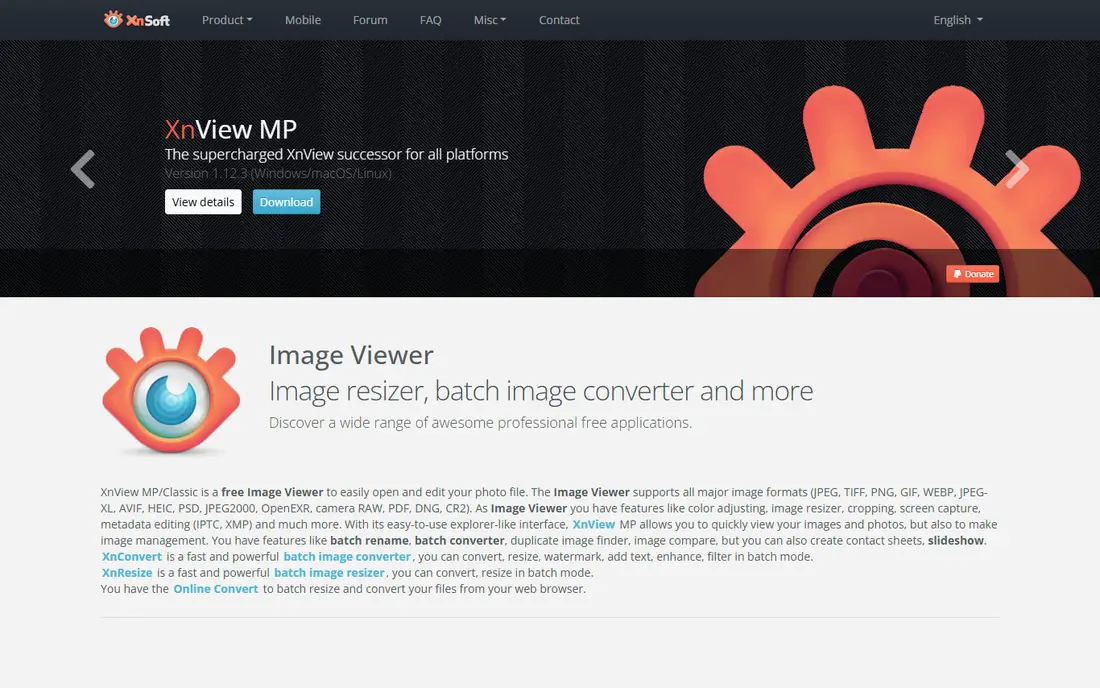
XnView MP is a fast viewer and organizer that browses folders directly, which suits people who do not want to import photos into a closed catalog. It shows thumbnails quickly, supports many image formats, and adds ratings, tags, categories and batch rename and convert tools. For a folder based archive, XnView MP brings order without moving files or changing a workflow that already works.
Catalog depth is lighter than digiKam, and face recognition and AI tagging are not its strengths. Business use licensing also differs from personal use, so a commercial user should check the current license terms. For a personal library where speed and folder control matter most, XnView MP is a fast and genuinely free organizer.
- Free for personal use
- Fast browsing of large folders
- Batch rename and convert tools
- Catalog depth is lighter than digiKam
- Face recognition is limited
- Some features are paid for business use
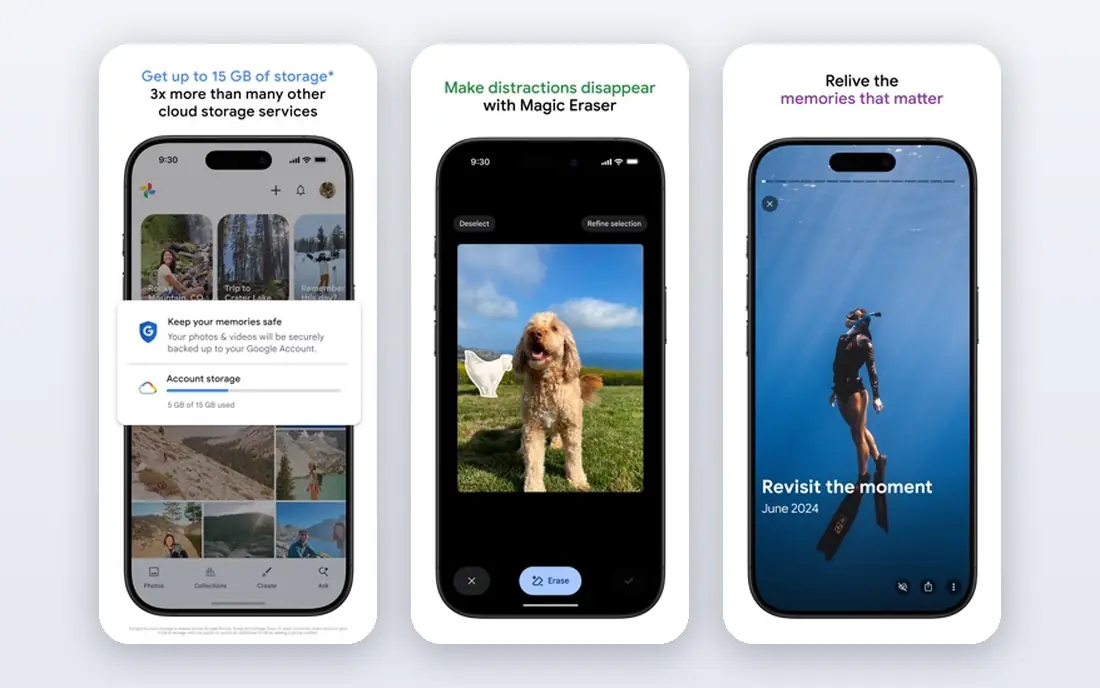
Google Photos is the simplest free organizer for a phone library, because backup, search, albums and sharing work together without desktop software. Search by person, place, object or date finds photos that folder browsing would miss, and automatic albums group trips, people and events. Sharing an album with family takes a link rather than a file transfer.
Free storage is the limit to understand. Google Photos shares 15 GB of free storage with Gmail and Google Drive, and photos and videos count against that total unless you use a storage saver option that may reduce quality. A large library will eventually need paid Google One storage. For a phone user who wants search and backup with no software to learn, Google Photos remains the easiest free start.
- Strong search and face grouping
- Automatic albums and backup
- Easy sharing
- Free storage is shared and limited to 15 GB
- Full resolution counts against storage
- Privacy depends on Google account settings
Adobe Bridge is free for local creative asset management and works well for photographers who already use Adobe apps or who manage files in folders. It browses images, videos and documents, supports ratings, labels, keywords and metadata editing, and adds batch rename and export tools. Collections group files across folders without moving them, which helps a project based library.
Bridge is not a cloud photo library, and it does not sync albums across devices by itself. It is also heavier than XnView MP for simple browsing, and its strength shows most when paired with Adobe editing tools. For a creative user who wants a free, professional file browser with strong metadata control, Adobe Bridge is a solid choice.
- Free for local asset management
- Strong metadata and batch tools
- Works with Adobe apps
- No cloud library or sync by itself
- Heavier than a simple viewer
- Catalog features are folder based
Apple Photos is free on iPhone, iPad and Mac, and it organizes a library with albums, people, places, search and automatic Memories without extra software. Face grouping, object search and date and place views make a large phone library searchable, and edits sync across Apple devices through iCloud. For a household that already uses Apple devices, Apple Photos is the path of least resistance.
The ecosystem is the limit. Apple Photos works best inside Apple devices, and iCloud free storage is 5 GB, so a large library with iCloud sync will need a paid iCloud plan for storage, even though the app itself is free. Windows and Android access is limited compared with Google Photos. For an Apple user who wants a free, simple organizer, Apple Photos is the obvious pick.
- Free with Apple devices
- Face and object search
- Albums and Memories built in
- Best inside the Apple ecosystem
- ICloud storage beyond 5 GB is paid
- Windows and Android access is limited
Mylio Photos organizes photos across devices while keeping files under your control, with local storage, external drives and optional cloud backup. The free tier lets you organize, tag, search by person and calendar, and view a library without paying, which suits a family archive spread across phones, computers and drives. Privacy controls and local-first storage appeal to users who do not want every photo in a single cloud service.
Paid plans add fuller device sync, larger library support and cloud backup features, and the free tier has limits that a very large library will hit. A user should check current free tier limits on the vendor site before importing a lifetime archive. For a multi-device household that wants a free organizing core with local control, Mylio Photos is worth trying first.
- Free tier for organizing
- Local-first library control
- Face and calendar views
- Paid plans add full sync and larger libraries
- Free tier limits apply
- Cloud backup is a paid option
Immich is a free, open source, self-hosted photo library that gives Google Photos style search, face recognition, albums, map views and mobile backup without a cloud subscription. You run it on your own server, home computer or network storage, and your photos stay on hardware you control. Mobile apps back up camera photos automatically, which makes Immich a strong free alternative for a privacy minded household.
Self-hosting is the honest barrier. Setup needs comfort with servers, Docker or a similar tool, and you pay for hardware, storage and electricity rather than a subscription. Updates, backups and security also become your job. For a technical user who wants a free, private, cloud style library, Immich is the most complete self-hosted option here.
- Free and open source
- Face recognition and search
- Mobile apps for backup
- Self-hosting needs technical setup
- Server and storage are your cost
- Updates need maintenance
PhotoPrism is a free, open source, self-hosted photo organizer with AI tagging, search, map views, albums and metadata tools. It indexes a folder library and lets you search by content, date, place and camera details, which helps a large archive that lacks consistent tags. The web interface works from any browser, so a household can browse a shared library without installing desktop software on every computer.
As with Immich, self-hosting needs technical setup and ongoing maintenance, and face recognition and mobile backup are less polished than Google Photos or Apple Photos. PhotoPrism suits a user who already runs a home server and wants AI tagging over a folder archive. For a technical archivist who values open source and local control, PhotoPrism is a strong free choice.
- Free and open source
- AI tagging and search
- Map and calendar views
- Self-hosting needs setup
- Face recognition depends on configuration
- Mobile backup is less polished
Lychee is a free, open source, self-hosted photo manager focused on simple albums and sharing. You upload photos into albums, share them with family or friends through links, and browse a clean gallery from any browser. Server needs are light compared with Immich or PhotoPrism, which helps a user with a small home server or shared hosting.
Tagging, search and AI features are simpler than digiKam or PhotoPrism, so Lychee suits sharing and browsing more than deep archive research. Self-hosting still needs setup and backup care. For a user who wants a free, simple, private album site for family photos, Lychee is an easy and lightweight option.
- Free and open source
- Simple album sharing
- Lightweight server needs
- Tagging and search are simpler
- Self-hosting needs setup
- No built-in AI tagging
How we picked these
We compared official product pages, download pages and pricing information, and we kept only tools with a genuinely free tier for organizing in October 2026, not trial only tools. We weighted tagging and search, album and folder handling, face recognition, device support and whether free use remains useful without paying. We did not claim hands-on testing, and we excluded tools whose free tier was only a short trial or a viewer with no organizing tools.
What to check before you choose a free photo organizer
Start with where your photos live. A phone library suits Google Photos or Apple Photos, a desktop archive suits digiKam or XnView MP, and a home server suits Immich, PhotoPrism or Lychee. A tool that fights your current storage layout will not stay in use, no matter how strong its tagging looks in a demo.
Next, test search on your own messy photos. Import a folder with duplicates, poor filenames, screenshots and old scans, then search by person, place and keyword. A good organizer finds photos without perfect filenames, while a weak one only works when you tag everything by hand first.
Finally, plan backup before you organize. A free organizer is not a backup, and sync can spread deletions if settings are wrong. Keep an independent copy of originals on a separate drive, test a restore, and check storage limits for cloud tools before you import a full archive.
Frequently asked questions
What is the best free photo organizing software?
digiKam is our pick for most desktop users because it is free, open source and offers tagging, face recognition, batch tools and RAW support. XnView MP is our pick for fast folder browsing, while Google Photos is our pick for simple cloud search on a phone.
What is the best free photo management software for large libraries?
digiKam handles large desktop libraries well, with a database, tagging and duplicate tools. Immich and PhotoPrism suit large self-hosted libraries, since they run on your own storage and offer search across the full archive. Whichever you choose, allow time for initial indexing on a large library.
Can I organize photos without paying for any software?
Yes. digiKam, XnView MP, Adobe Bridge, Google Photos, Apple Photos and Mylio Photos all offer free organizing tiers, and Immich, PhotoPrism and Lychee are free and open source for self-hosting. Paid costs usually come from cloud storage or full device sync, not from basic organizing.
Is free photo software safe for private photos?
Local and self-hosted tools such as digiKam, XnView MP, Immich and PhotoPrism keep photos on your own devices, which gives you control over access. Cloud tools such as Google Photos and Apple Photos store photos on vendor servers, so check account security, sharing settings and storage terms before uploading sensitive images.
What is the best photo sorting software for beginners?
Google Photos and Apple Photos are the simplest starts, since search, albums and backup work with little setup. XnView MP is a good desktop step up for folder users, while digiKam suits a beginner who is willing to learn a deeper tool in exchange for more control.
Sources
See where you really rank - block by block
ProMapRanker scans Google Maps across a grid of your service area. Simple monthly plans from $19, white-label on every plan.
Start freeKeep reading
 wpforms alternatives
Best WPForms Alternatives in 2026
We compare 9 wpforms alternatives for WordPress forms, with free and paid options, current pricing notes, and honest limits for small business sites in 2026.
Read → windows task scheduler alternatives
Best Windows Task Scheduler Alternatives in 2026
Looking for Windows Task Scheduler alternatives? We compare 9 schedulers for Windows and cross-platform work, from free tools to enterprise automation.
Read → which ai video service is best
Which AI Video Service Is Best in 2026
which ai video service is best? We compare 10 legitimate AI video services on price, avatars, editing and output quality to help you pick the right tool.
Read →