 ProMapRanker
Best Personal Branding Tools for Executives in 2026

Key takeaways
- LinkedIn is the center of most executive brands, so tools that help you write, schedule, and measure LinkedIn posts matter most.
- Canva and Adobe Express handle visuals, while Taplio and AuthoredUp help with drafting and consistency on LinkedIn.
- A simple personal site and a link page give your brand a home outside social platforms.
- Executives should keep approval and compliance in mind, especially when a team drafts posts in their name.
Quick comparison
| Pick | Great for | Pricing starts at | Free tier | |
|---|---|---|---|---|
 LinkedIn | Executive presence and networking | Free | Yes | Visit |
 Canva | Branded visuals and carousels | Free | Yes | Visit |
 Taplio | LinkedIn writing and scheduling | See website | Free trial | Visit |
 AuthoredUp | LinkedIn drafting and analytics | See website | Free trial | Visit |
 Buffer | Simple social scheduling | Free | Yes | Visit |
 Hootsuite | Team scheduling and approvals | See website | Free trial | Visit |
 Linktree | One link page for profiles | Free | Yes | Visit |
 Carrd | Simple personal website | See website | Free trial | Visit |
The best personal branding tools for executives
An executive brand is not built by posting more. It is built by saying something clear, showing up on a steady rhythm, and making it easy for the right people to find you and contact you. These tools help with each part: writing, visuals, scheduling, measurement, and a personal home page. None of them replace judgment about what to say, and a ghostwritten post still needs your review before it goes out in your name.
LinkedIn is the foundation, not just another channel, for most executive brands. A complete profile, a clear headline, and a steady stream of posts about decisions, lessons, and industry views do more than a polished website alone. Recruiters, partners, and journalists check LinkedIn first, so gaps there are noticed quickly.
The platform itself is also the limit. Reach can swing with algorithm changes, and premium tools for search and insights cost extra. Treat LinkedIn as your public record and your conversation space, and use the other tools here to draft better, schedule reliably, and point readers to work that lives elsewhere.
- Where executives, recruiters, and clients already look
- Built-in articles, newsletters, and events
- Direct connection to professional network
- Organic reach varies and changes often
- Premium features need a paid plan
Canva helps an executive look consistent without hiring a designer for every post. You can build a LinkedIn banner, a carousel that explains a point in slides, and a set of quote graphics in one brand style, then reuse that style across posts. For a busy executive, that consistency is valuable, since followers start to recognize your posts before they read your name.
Generic design is the risk. A template with stock imagery and the same layout as thousands of other posts will not build a distinct brand. Use your own photos, your own data, and a restrained color palette, and keep text short enough to read on a phone.
- Large template library for LinkedIn posts and banners
- Brand kit for colors and fonts
- Easy collaboration
- Best templates and stock assets need a paid plan
- Designs can look generic without custom photos
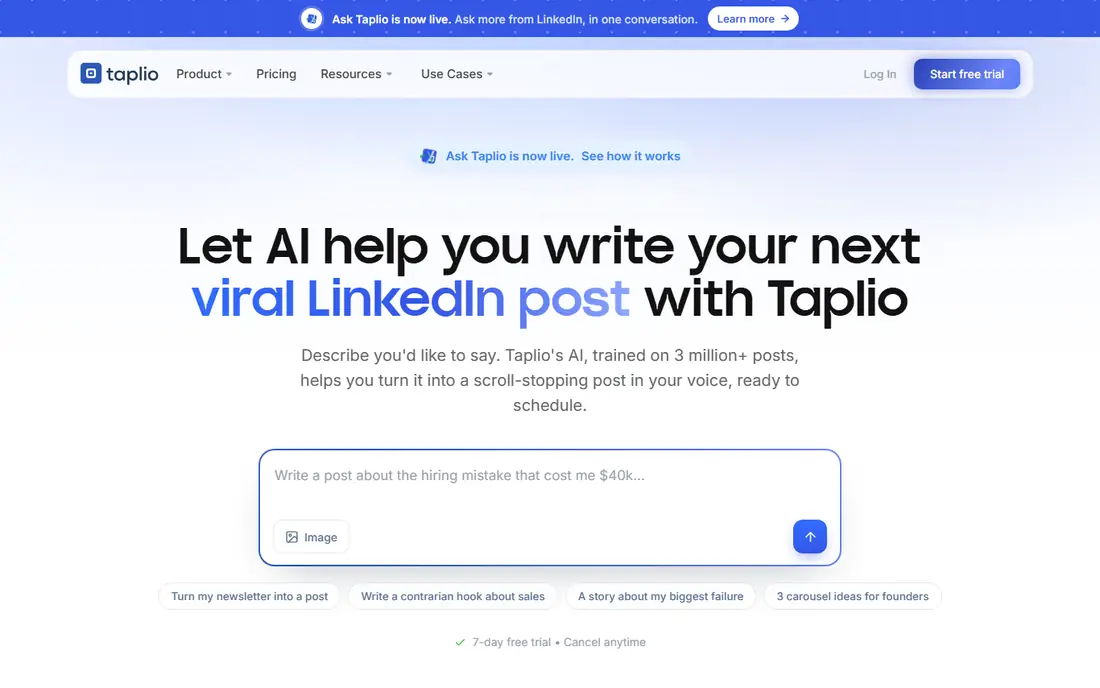
Taplio is designed for people who want to post on LinkedIn often but struggle to start. It offers post ideas, drafting help, scheduling, and analytics, so you can plan a week of posts in one sitting and see which topics draw real comments. For an executive with a communications team, it also gives a shared workflow for drafts and review.
The main caution is voice. An AI draft can sound smooth and empty at the same time, and followers notice when a post does not sound like the person named on it. Use Taplio for structure and scheduling, then rewrite the post in your own words and check every claim before publishing.
- AI drafting help and post ideas
- Scheduling and analytics in one place
- Viral post research for topic ideas
- AI drafts need careful editing to sound like you
- Subscription cost is hard to justify for infrequent posters
AuthoredUp is a narrower tool than Taplio or Hootsuite, and that focus is its strength. It helps you draft LinkedIn posts with proper formatting, preview how they will look, save drafts, and track which posts perform. For an executive who posts mainly on LinkedIn, that simplicity beats a large platform full of channels you never use.
The limit is scope. AuthoredUp does not manage a full multi-channel brand, a website, or a newsletter. Pair it with Canva for visuals and a link page or personal site for a home base, and it covers the LinkedIn part of the job well.
- Clean LinkedIn post editor with formatting preview
- Draft library and analytics
- Useful for consistent posting habits
- LinkedIn-only focus
- Smaller feature set than full social suites
Buffer suits an executive, or a small support team, who wants scheduling without complexity. You can queue LinkedIn, X, and other posts, see them on a calendar, and keep a steady rhythm even during travel or busy weeks. The interface is plain enough that a non-technical assistant can use it after a short introduction.
Larger organizations may need more. Approval chains, detailed reporting, and social listening are stronger in Hootsuite or Sprout Social. For a single executive brand, though, Buffer often covers the real need: posts go out on time, in the right order, without a tangled workflow.
- Easy scheduling across several networks
- Clear calendar view
- Low cost for small teams
- Analytics are lighter than enterprise tools
- Approval workflows are limited on lower plans
Hootsuite is the pick when an executive brand is managed by a team, or when personal and company accounts need to stay aligned. Drafts can pass through review, scheduled posts can be checked against company news, and reports can show what is working across channels. That control matters when a post in your name carries reputational risk.
For a solo executive, Hootsuite may be more than needed, and the per-user price can be hard to justify. It earns its place here for executives with communications staff, multiple accounts, or a need for formal approval before anything publishes.
- Multi-network scheduling and team approvals
- Social listening and reporting
- Useful for executive and company accounts together
- Price rises quickly per user
- Interface can feel heavy for a solo executive
Linktree solves a small but constant problem: a social profile allows only one link, while an executive usually has several places worth visiting. A Linktree page can hold a recent article, a speaking page, a book or company site, and a contact link in one clean list. Updates take minutes, which matters when a talk or article is timely.
It is not a substitute for a personal website. Design options are limited on the free plan, and the page itself tells a visitor little about you beyond links. Use Linktree as a bridge from social profiles, and build a fuller site when you have a body of work worth presenting.
- Fast setup for a bio link page
- Easy to update links for talks, articles, and contact pages
- Works across social profiles
- Limited design control on the free plan
- Visitors leave social platforms to reach your page
Carrd is ideal for an executive who needs a clean one-page home: photo, short bio, key achievements, selected articles, and contact details. It launches quickly, loads fast, and avoids the maintenance of a full website. For a speaker, board candidate, or consultant, that single page often answers the first questions a visitor has.
Carrd is not a blogging platform or a portfolio system for a large body of work. If you publish weekly articles or need detailed case studies, a fuller site or newsletter platform will serve you better. As a focused, professional landing page, Carrd is hard to beat for effort versus result.
- Very simple one-page sites
- Low cost compared with full website builders
- Fast to launch and update
- Limited for blogs or large sites
- Design options are simple by design
How we picked these
We compared official feature and pricing pages, and we favored tools that executives actually use for LinkedIn, visuals, scheduling, and a personal home page in October 2026. We looked for a mix of free starting points and team tools, and we excluded generic marketing suites that do not help an individual executive publish in their own voice. Where a price could not be confirmed on the vendor site at the time of writing, we wrote See website instead of guessing.
How to build an executive brand without sounding generic
Start with a clear point of view. Pick two or three topics you can speak about with real experience, such as hiring, pricing, operations, or a specific industry change, and return to them often. A broad feed that comments on everything reads as noise, while a focused feed builds a reason for people to follow you.
Set a rhythm you can keep
One thoughtful post per week beats five rushed posts in one week followed by silence. Use Buffer or Hootsuite to schedule, Canva for a consistent visual style, and Taplio or AuthoredUp for drafting, but keep final approval with you. Readers trust a steady, honest voice more than a perfect posting calendar.
Keep your home base current
Social posts fade quickly, so your Linktree page or Carrd site should hold your best work: a bio, recent talks, key articles, and a clear contact route. Update it after each major talk or publication, and check links monthly. A broken link on a profile page undermines the polish of the posts that lead to it.
Frequently asked questions
What is the best personal branding tool for executives starting out?
Start with LinkedIn, Canva, and Linktree. LinkedIn gives you the audience, Canva gives you a consistent look, and Linktree gives visitors one place to find your work. Add a scheduling tool once you are posting regularly and need help keeping the rhythm.
Should executives use AI to write LinkedIn posts?
AI can help with outlines, hooks, and first drafts, but the final post should be rewritten in your own voice and checked for accuracy. Followers, colleagues, and journalists notice generic phrasing quickly, and a post in your name carries your reputation. Treat AI as a drafting assistant, not a publisher.
How often should an executive post on LinkedIn?
One to three posts per week is a realistic rhythm for most executives, with comments on other posts in between. Consistency matters more than volume. If travel or work makes posting hard, schedule in advance rather than disappearing for a month.
Do executives need a personal website?
A simple one-page site helps when someone searches your name after a talk, article, or meeting. Carrd covers that need for most executives, while a fuller site suits authors, speakers, and consultants with a large body of work. At minimum, keep your LinkedIn profile complete and current.
How do I keep a team from changing my voice?
Set clear rules: no post publishes without your review, keep a short style note with phrases you use and phrases you avoid, and review analytics together each month. Tools with approval workflows, such as Hootsuite, help, but the real control is a habit of reading every draft before it goes out.
Sources
See where you really rank - block by block
ProMapRanker scans Google Maps across a grid of your service area. Simple monthly plans from $19, white-label on every plan.
Start freeKeep reading
 free alternatives to grok imagine
Free Alternatives to Grok Imagine in 2026
We compared the best free alternatives to grok imagine for image generation, from fast daily credits to design tools, so you can create without paying.
Read → best tools for instagram content creation
Best Tools for Instagram Content Creation in 2026
Compare the best tools for Instagram content creation, from Canva and CapCut to Later and Buffer, on design, video, planning, scheduling, and price in 2026.
Read → best tool to split pdf files
Best Tool to Split PDF Files in 2026
We compared the best tool to split pdf files on split modes, file limits, privacy and price, so you can split a PDF cleanly and keep every page in one go.
Read →