 ProMapRanker
Best Period Apps for Teens in 2026

Key takeaways
- Clue and Apple Health Cycle Tracking are the strongest privacy-first picks, with clear data controls and plain, science-based explanations.
- Spot On and Euki are good free options for younger teens because they keep the language simple and do not push paid upgrades hard.
- Flo has the largest content library, but families should read its privacy settings and Anonymous Mode notes before creating an account.
- No period app replaces medical advice. See a clinician for very irregular cycles, severe pain, or cycles that stop without a clear reason.
Quick comparison
| Pick | Great for | Pricing starts at | Free tier | |
|---|---|---|---|---|
 Clue | Privacy-first tracking for older teens | Free | Yes | Visit |
 Flo | Health articles and symptom tracking | Free | Yes | Visit |
 Apple Health Cycle Tracking | On-device tracking on iPhone | Free | Yes | Visit |
 Spot On | Simple free tracking for younger teens | Free | Yes | Visit |
 Stardust | Friendly daily cycle view | Free | Yes | Visit |
 Euki | Private tracking with safety tools | Free | Yes | Visit |
 drip. | Open-source local tracking | Free | Yes | Visit |
 MyFloo | Free tracking with education | Free | Yes | Visit |
The best period apps for teens
A good teen period app should do three things well: predict the next period with reasonable honesty about uncertainty, explain symptoms in plain language, and handle private health data with care. The apps below meet that bar in different ways, so the best choice depends on age, phone type, and how much privacy matters to your family.
Privacy note
Period data is health data, and privacy matters more for teens than for most app categories. Before you download any tracker, check where data is stored, whether an account is required, and how to delete entries. On-device options keep data on the phone, while account-based apps store data on company servers under their privacy policy. Talk through those settings together, use a passcode lock where offered, and skip any app that does not explain its data handling in plain terms. This article is general information, not medical advice.
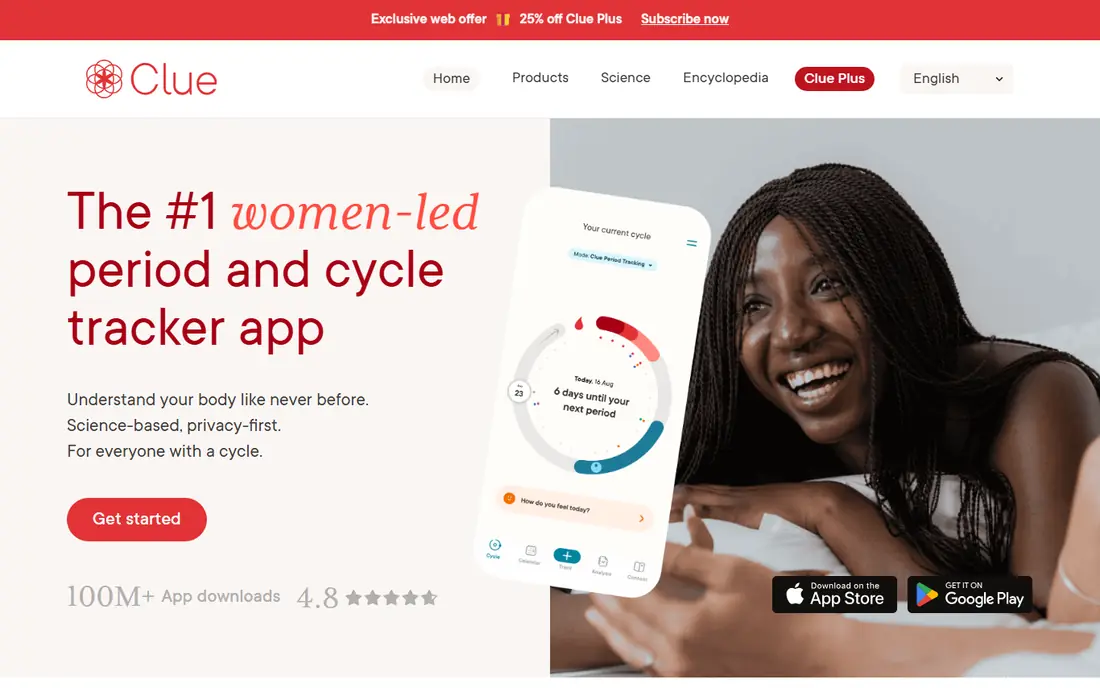
Clue is our pick for older teens who want a serious tracker without pink branding or chatty extras. The app logs periods, symptoms, mood, and flow, then shows predictions with explanations of how cycles work. The language is direct and science-based, which suits teens who want to understand their bodies rather than just see a calendar date.
Privacy is the other reason Clue leads here. The company is based in Berlin, so its handling of health data falls under EU privacy law, and its public privacy pages describe data controls in clearer terms than many rivals. Basic tracking is free, while Clue Plus adds extra features for a fee listed on the vendor site. If a paid plan is not wanted, the free version still covers core tracking well.
- Science-based explanations
- Berlin-based company under EU privacy law
- Clean, gender-neutral design
- Some advanced features need a paid plan
- Predictions are less certain for irregular cycles
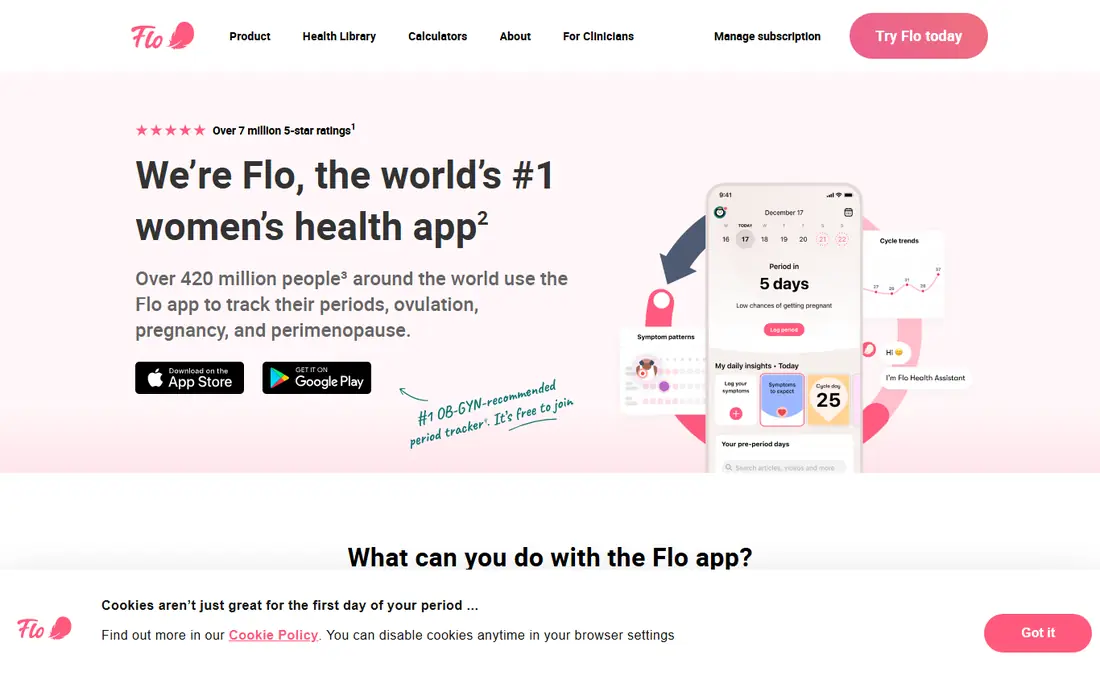
Flo is the most content-rich option on this list. Beyond period and symptom tracking, it offers articles on cycles, skin, mood, sleep, and general teen health, written in accessible language. For a teen who wants to learn as well as track, that library is a real advantage, and the daily insights can help connect symptoms to cycle phases.
Flo also carries a privacy history families should know. The company settled a US Federal Trade Commission case in 2021 over data sharing, and it has since added an Anonymous Mode option. That does not make Flo unsafe to use, but it does mean you should read the current privacy settings, use Anonymous Mode if it fits your needs, and avoid linking the app to accounts you do not want connected to health data.
- Large library of health articles
- Wide symptom and mood logging
- Anonymous Mode option
- Many features sit behind a paid plan
- Past data-sharing settlement means families should check settings carefully
Apple Health Cycle Tracking is the simplest privacy-first choice for iPhone owners. Cycle data is stored on the device and protected by the phone passcode, with no separate tracker account to manage. Teens can log periods, symptoms, and flow, see predictions, and get notifications, all inside an app that is already on the phone.
The trade-off is depth. Apple Health does not offer the article libraries of Flo or Clue, and it has no social features, which is a plus for privacy but a minus for teens who want to learn from articles. For families who want tracking with the smallest data footprint, it is hard to beat, and it pairs well with a trusted health site for questions.
- Data stays on the device
- No separate account or subscription
- Built into iPhone
- IPhone only
- Simpler than dedicated apps
- No community or article library
Spot On, built by Planned Parenthood, is a good first tracker for younger teens. It explains periods, symptoms, and cycle basics in plain language, and it can be used without creating an account or sharing personal identifiers. The design is calm and straightforward, which helps a teen who is still learning what a regular cycle looks like.
Spot On does not try to do everything. Predictions are basic, and the symptom list is shorter than Flo or Clue. That simplicity is the point for a first app: fewer settings to manage, no upgrade prompts to navigate, and a clear focus on tracking and learning. Teens who outgrow it can move to Clue later without losing the habit of regular logging.
- Free with no account pressure
- Plain language from a nonprofit
- Birth control reminders included
- Simpler predictions than paid rivals
- Fewer symptom categories
- No advanced charts
Stardust stands out for design. It presents each day in terms of cycle phase and hormones, with a friendly tone that many teens find easier to read than a plain calendar. The app also allows cycle sharing with friends, which some teens enjoy, though families should talk about that setting before turning it on, since shared health data cannot be taken back easily.
For tracking itself, Stardust covers periods, symptoms, and mood, and it offers a paid tier for extra features. The free version is enough to test whether the daily view suits your teen. If privacy is the top concern, prefer the on-device or local options on this list, and keep sharing turned off.
- Friendly daily hormone and cycle view
- Cycle sharing with friends if wanted
- Modern design teens like
- Sharing features need care with privacy
- Some features need a paid plan
- Predictions vary with irregular cycles
Euki is a safety-first app built with privacy as the core feature. Data is stored locally on the phone, there is no account requirement, and the app includes quick deletion tools for entries. That combination is valuable for teens who want control over sensitive health data, and the included sexual health resources are written in plain, non-judgmental language.
The cost of local-only storage is convenience. There is no cloud backup, so changing phones means losing history unless you export it first. Predictions are also basic compared with Clue or Flo. For a teen who values privacy over charts and syncing, Euki is a strong, free choice.
- Local-only storage
- Quick deletion tools
- Sexual health resources in plain language
- No sync or backup
- Slower update pace
- Predictions are basic
drip. is an open-source tracker for Android that keeps data on the device, protects entries with a PIN, and uses no ads or trackers. Because the code is open, anyone can check how it handles data, which gives privacy-minded families an extra layer of confidence. It is a good pick for a teen with an Android phone who wants a tracker that does one job well.
The design is plain, and there is no sync, backup, or learning library. Teens who want articles or a polished daily view may prefer Clue or Spot On. Teens who want a quiet, private calendar will find drip. refreshingly simple, and the price is free.
- Free and open source
- Data stays on the device
- PIN protection for entries
- Android only
- Plain design
- No sync or article library
MyFloo is a free tracker aimed at teens and young users, with period, mood, flow, and symptom logging plus health education content. It works as a web app as well as on phones, which helps teens who share a device or prefer a larger screen. The tone is supportive and shame-free, which matters for a first tracker.
Because MyFloo is newer and less widely reviewed than Clue or Flo, families should take an extra minute to read its privacy page and account settings before logging health data. Used with those settings checked, it is a useful free option, especially for teens who want education alongside tracking.
- Free tracking with mood, flow, and symptom logging
- Health education content
- Web app option
- Newer and less widely reviewed than Clue or Flo
- Check privacy settings before creating an account
How we picked these
We compared official feature pages, app store listings, and privacy policies for teen-appropriate trackers, and we excluded apps built around dating, anonymous chat, or adult content. We favored apps with clear privacy explanations, age-appropriate language, and free core tracking, and we noted where data is stored on the device versus on company servers. We did not claim hands-on testing, and we treated predictions as estimates, especially for teens whose cycles are still settling into a pattern.
How to choose a period tracker for a teen
Start with the phone and the privacy question. If your teen has an iPhone, Apple Health is the lowest-data option. If they have an Android phone, drip. or Euki give local storage without an account. If they want articles and a polished app, Clue is the safer account-based pick, while Flo suits teens who want the largest content library and are willing to manage privacy settings carefully.
Next, test the language together. Open the app, log a past period, and read one article or insight. The right app should explain symptoms without scary language, and it should not push a paid plan or a chat feature on the first screen. A teen who finds the tone embarrassing or confusing will stop logging, and regular logging matters more than any single feature.
Finally, agree on the basics: a passcode lock, who can see the phone, and how to delete data. Remind your teen that predictions are estimates, not guarantees, and that a late or missed period, severe pain, very heavy bleeding, or a cycle that stops should be checked with a clinician. The app is a notebook and a learning tool, not a diagnosis.
Frequently asked questions
What is the best period app for teens?
Clue is a strong overall pick for older teens because of its science-based explanations and EU privacy protections. For younger teens, Spot On is simpler and free, while Apple Health is the most private option on iPhone.
What are the best period apps for teens that protect privacy?
Apple Health Cycle Tracking, drip., and Euki keep data on the device or locally, which limits what any company can see. Clue is the strongest account-based pick for privacy, thanks to its EU base and clear data controls. Always check the current privacy settings before you log health data.
Is there a good period tracker app for tweens?
Spot On is a good starting point for tweens because it uses plain language, needs no account, and focuses on basics. A parent or guardian should help set it up, talk through privacy settings, and explain that predictions are estimates while cycles are still irregular.
Are period tracker apps safe for teens?
Reputable trackers are safe when used with care, but safety depends on privacy settings. Choose apps that explain where data goes, use a passcode lock, avoid sharing features, and skip apps that ask for unnecessary personal details. Talk to a clinician about any worrying symptoms rather than relying on an app.
Do period apps predict accurately for teens?
Predictions are estimates, and they are less accurate for teens because cycles are often irregular in the first years after periods start. Logging regularly improves predictions over time, but a late period does not always mean something is wrong, and an app prediction is never a medical diagnosis.
Should a teen use Flo or Clue?
Choose Clue if privacy and science-based explanations matter most, and choose Flo if a large article library and community-style content matter more. If you choose Flo, use its privacy settings and Anonymous Mode where appropriate, and avoid linking accounts you do not want tied to health data.
Sources
See where you really rank - block by block
ProMapRanker scans Google Maps across a grid of your service area. Simple monthly plans from $19, white-label on every plan.
Start freeKeep reading
 wpforms alternatives
Best WPForms Alternatives in 2026
We compare 9 wpforms alternatives for WordPress forms, with free and paid options, current pricing notes, and honest limits for small business sites in 2026.
Read → windows task scheduler alternatives
Best Windows Task Scheduler Alternatives in 2026
Looking for Windows Task Scheduler alternatives? We compare 9 schedulers for Windows and cross-platform work, from free tools to enterprise automation.
Read → which ai video service is best
Which AI Video Service Is Best in 2026
which ai video service is best? We compare 10 legitimate AI video services on price, avatars, editing and output quality to help you pick the right tool.
Read →