 ProMapRanker
Best PDF Remover Tool in 2026

Key takeaways
- PDF24 Tools and PDFsam Basic are our best free starting points for removing pages and splitting files without a subscription.
- iLovePDF and Smallpdf suit quick online jobs, while Sejda suits occasional use with no account and clear file limits.
- Adobe Acrobat and Foxit PDF Editor suit work teams that also need full editing, redaction, and signing in one app.
- For sensitive documents, prefer an offline desktop tool or a service with clear privacy practices, and only remove passwords from files you own or have permission to edit.
Quick comparison
| Pick | Great for | Pricing starts at | Free tier | |
|---|---|---|---|---|
 Adobe Acrobat | Full professional PDF work | $19.99 per month | Free trial | Visit |
 Smallpdf | Quick online PDF jobs | $10 per month | Yes | Visit |
 iLovePDF | Beginner-friendly online tools | $4 per month | Yes | Visit |
 PDF24 Tools | Unlimited free online tools | Free | Yes | Visit |
 Sejda | Occasional use with no account | $7.50 per month | Yes | Visit |
 PDFsam Basic | Offline page removal and splitting | Free | Yes | Visit |
 Foxit PDF Editor | Cheaper full editor than Acrobat | $10.99 per month | Free trial | Visit |
 PDF Candy | Simple online removal tasks | $6 per month | Yes | Visit |
The best pdf remover tool
A PDF remover tool covers several jobs, and the right pick depends on what you need to remove. Some people need to delete pages, some need to remove a password or editing restriction from a file they own, and some need to strip metadata, watermarks, or blank pages before sharing. The tools below cover page removal, password and restriction removal with the correct password, splitting, and redaction, using vendor pages and recent PDF comparisons. Be careful with sensitive documents, and prefer tools with clear privacy practices, especially for contracts, IDs, medical files, or financial records. Only remove protection from files you own or have permission to edit.
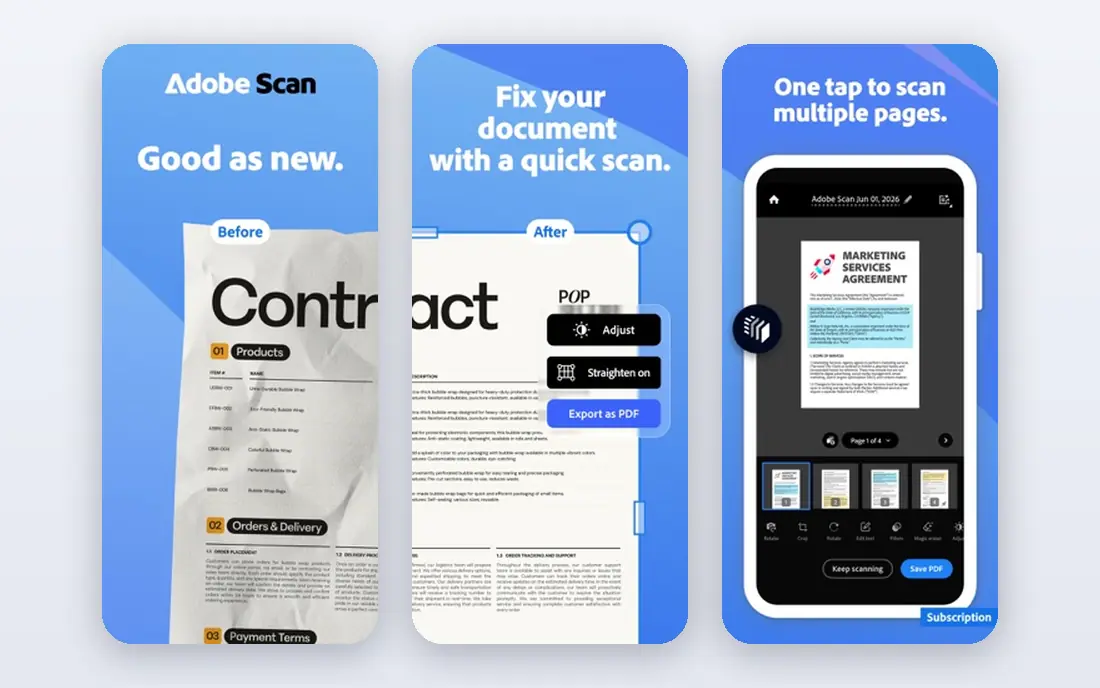
Adobe Acrobat is the most complete tool here, and it is the safest choice for work documents. You can delete pages, reorder pages, split a file, remove password protection when you know the password, and apply true redaction that removes hidden text rather than just covering it with a black box. That last point matters for legal, HR, and finance files, since a simple black rectangle can still leave text readable underneath. Acrobat also handles forms, signatures, and document comparison in the same app.
The price is the main barrier. Pro is listed from $19.99 per month on an annual plan billed monthly, with a free trial, while online tools offer only limited free use. Casual users who delete a page once a month will not need this depth. For teams that handle sensitive PDFs every day, Acrobat is still the most reliable and complete option.
- Page deletion, splitting, and true redaction in one app
- Strong security and signing tools
- Desktop and mobile apps
- Highest price here
- Online free tools are limited
- Full power needs the desktop app
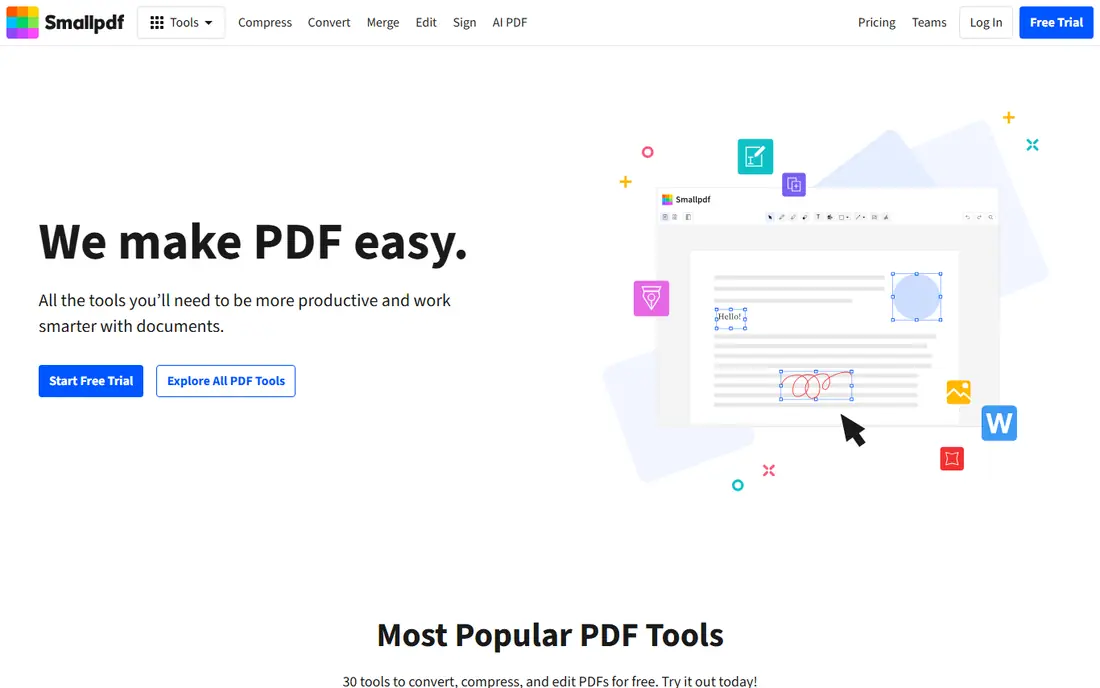
Smallpdf is built for speed. Upload a file, pick pages to delete, or use its tools to remove password protection from a file you own, then download the result in a few clicks. The interface is clear on desktop and mobile, and the toolset covers merging, splitting, compressing, converting, and signing alongside removal tasks. Pro is listed at $10 per month billed annually, with a higher monthly rate, and it removes daily limits and adds batch processing and OCR.
The free limit is the catch. Two tasks per day is enough for an occasional fix, but it will frustrate anyone processing resumes, invoices, or class materials in bulk. Files are also uploaded to Smallpdf servers, so sensitive documents deserve extra thought. For fast, everyday PDF fixes, Smallpdf remains one of the easiest tools to use.
- Clean interface and mobile apps
- Page deletion, splitting, and password removal tools
- Good file handling for everyday jobs
- Free plan allows two tasks per day
- Larger files and batch work need Pro
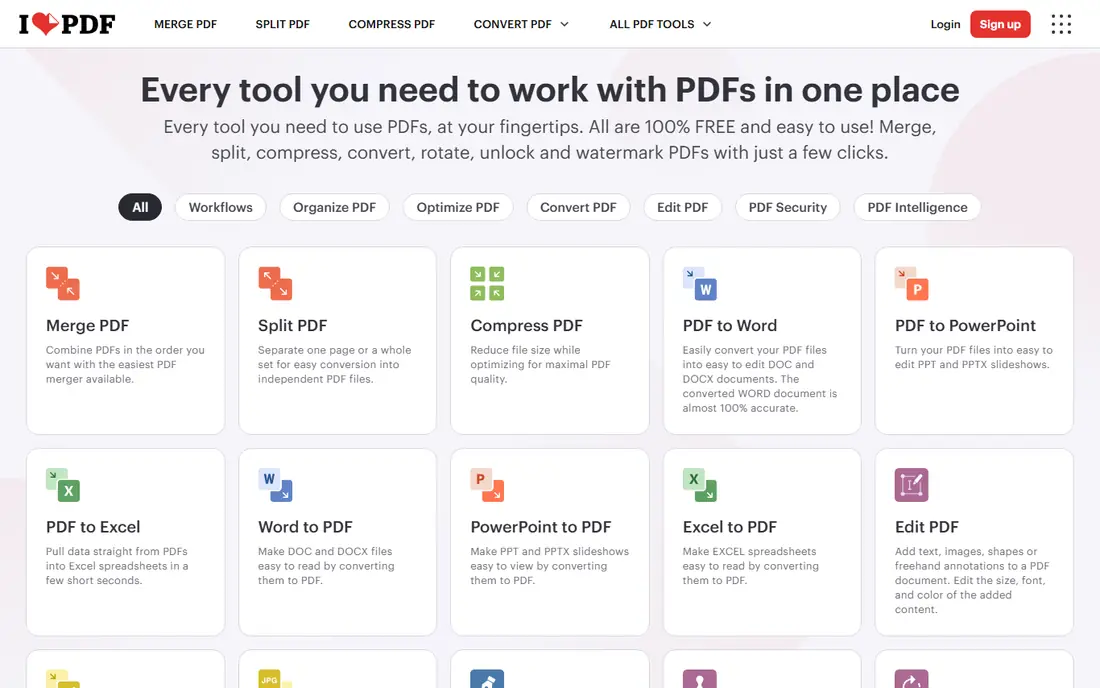
iLovePDF is the most beginner-friendly online suite here, with large buttons and a clear step for each job. Its tools let you delete pages, split and merge files, and remove password protection from files you have permission to edit, plus convert and compress PDFs. Premium starts from $4 per month depending on billing term, with higher tiers for business users, and it raises limits and removes ads. The free tier is more generous on task count than Smallpdf, though file size and batch speed are limited.
iLovePDF uploads files to its servers and states a short deletion window, so it suits menus, homework, and public documents better than private contracts. Text editing is also limited without Premium, so it works best as a removal and conversion tool rather than a full editor. For simple jobs done fast, it is a strong free starting point.
- Generous free tier for one-off jobs
- Simple tools for pages, passwords, and splitting
- Desktop and mobile apps
- Free tier limits file size and processing
- Text editing needs a paid plan
PDF24 Tools stands out because it is free without the daily task limits that shape most rivals. You can delete pages, split files, merge documents, and remove password protection from files you own, online or through a Windows desktop app. That offline option matters for sensitive files, since desktop processing avoids uploading a private document to a server. The suite covers a wide set of PDF jobs, from compression to conversion, at no cost.
The design is plain compared with Smallpdf or iLovePDF, and some editing features are basic rather than deep. Support and polish also feel more utilitarian than premium. If your main goal is free, unlimited removal work, PDF24 Tools is hard to beat, and the desktop app makes it a good privacy-conscious choice as well.
- Free with no task counter
- Page deletion, splitting, and password removal tools
- Windows desktop app for offline work
- Interface is functional rather than polished
- Some advanced editing features are basic
Sejda is a good middle ground between a fully free tool and a paid editor. You can delete pages, edit text, split files, and remove password protection from files you own, without creating an account for basic tasks. The free plan allows three tasks per hour, with files up to 50 MB or 200 pages, which suits occasional personal and school work. Premium is listed at $7.50 per month, with a week pass also available, and it raises limits for frequent users.
The hourly limit will annoy anyone processing many files in one sitting, and very large documents need a paid plan or a desktop alternative. Sejda is based in the Netherlands and publishes clear privacy handling, which helps when choosing an online tool. For clean, occasional PDF removal without signup friction, Sejda is a thoughtful pick.
- No account needed for free tasks
- Clear limits on file size and pages
- Desktop app for Windows, Mac, and Linux
- Free plan allows three tasks per hour
- Free files capped at 50 MB or 200 pages
PDFsam Basic is the best choice for users who want page removal without uploading anything. It is free, open source, and runs offline, so contracts, medical forms, and internal reports never leave your computer. Its core strengths are splitting, merging, extracting pages, rotating pages, and deleting pages, with batch handling for folders of files. That focused design makes it fast to learn for file-level jobs, even if it looks plain next to a full editor.
PDFsam Basic does not edit text inside a PDF, apply redaction, or remove password protection in the same way as a full editor, so pair it with another tool when you need those jobs. For pure page removal, splitting, and reordering, it is private, free, and dependable, and it deserves a place on any desktop used for document work.
- Free and open source
- Runs offline on Windows, Mac, and Linux
- Strong split, merge, and page extraction tools
- No full text editing
- Interface is focused on file tasks rather than page design
Foxit PDF Editor gives teams most of Acrobat power at a lower monthly price. It supports page deletion and reordering, text and image editing, redaction, forms, and signing, plus password and permission controls for files you manage. Pricing starts from $10.99 per user per month on an annual plan, with a perpetual license also listed, and a free trial lets teams test it before switching. For offices that process PDFs daily but do not need Adobe pricing, Foxit is a practical alternative.
The interface packs many tools into one window, which can feel busy at first, and some advanced collaboration features sit on higher tiers. Foxit also uploads less of your work when you use the desktop app, which helps with sensitive files. If Acrobat feels too costly for your team, Foxit is the closest full-editor replacement here.
- Full editing, page management, and redaction at a lower price than Acrobat
- Desktop and mobile apps
- Good for daily office work
- Interface can feel busy
- Some advanced features need higher tiers
PDF Candy is a simple online suite for people who want a quick fix without installing software. Its tools cover page deletion, splitting, merging, and removing password protection from files you own, alongside conversion and compression tools. Many tools work without registration, which lowers friction for a one-off job, and paid plans start at $6 per month for higher limits and faster processing. The interface is plain and easy to follow, even for users who rarely edit PDFs.
Free use is limited, and online upload means sensitive documents should go to an offline tool instead. PDF Candy also lacks the deep redaction and signing controls of Acrobat or Foxit. For a fast, no-install removal job on a non-sensitive file, it is a useful and low-cost option.
- No registration needed for many tools
- Simple page deletion and password removal tools
- Wide set of conversion tools
- Free use has limits
- Privacy depends on online upload, so avoid sensitive files
How we picked these
We compared vendor pages and recent PDF tool comparisons for page removal, password and restriction handling, splitting, redaction, privacy model, and price. We favored tools that still work in October 2026, state their free limits clearly, and handle the job without forcing a subscription for a single task. We also favored offline options for sensitive work, since online tools upload files to a server by design. Prices change, so check the vendor pricing page before paying.
Choosing between online and offline tools
Use an online tool when the file is public, the job is quick, and you have a stable connection. Use an offline desktop tool such as PDFsam Basic, PDF24 Creator, Acrobat, or Foxit when the file contains personal, financial, medical, or client data. Before you upload anything, check the service deletion policy and avoid tools that keep files longer than you need. Always keep a backup copy of the original file before deleting pages or changing protection, since removal cannot always be undone.
A safe removal routine
Make a copy of the original file and work on the copy. Delete or split pages, then open the result and check page order, text, and images before sharing. If you removed a password, store the new file securely and do not send an unprotected sensitive file by email without encryption. For redaction, use a true redaction tool, not a black shape drawn over text, and verify that hidden text is gone.
Frequently asked questions
What does a PDF remover tool actually remove?
It depends on the tool. Most tools in this list remove pages, split files, or remove password and editing restrictions from files you own. Full editors can also redact text, remove metadata, and delete annotations, while simpler tools focus on pages and file structure.
Can I remove a password from a PDF I do not own?
No, you should only remove protection from files you own or have permission to edit. Legitimate tools ask for the correct password or permission, and they cannot open a file whose password you have truly lost without recovery software, which is a separate category.
Is it safe to use an online PDF remover for sensitive files?
It is safer to use an offline desktop tool for sensitive files, since online tools upload your document to a server. If you must use an online tool, pick one with clear privacy and deletion practices, and avoid uploading IDs, contracts, medical records, or financial statements.
Which free PDF remover is best?
PDF24 Tools is best for unlimited free online work, while PDFsam Basic is best for free offline page removal and splitting. Sejda and iLovePDF are also strong free options for occasional online jobs, with clear limits on tasks and file size.
Can I delete pages from a PDF on my phone?
Yes. Smallpdf, iLovePDF, and PDF24 Tools work in a mobile browser, and Acrobat and Foxit offer mobile apps. For a large or sensitive file, a desktop tool gives you more control and better privacy.
Sources
See where you really rank - block by block
ProMapRanker scans Google Maps across a grid of your service area. Simple monthly plans from $19, white-label on every plan.
Start freeKeep reading
 best resource management software
Best Resource Management Software in 2026
We compared the best resource management software for scheduling, capacity and utilization, with current pricing and free trials, to help teams choose well.
Read → best reporting tools
Best Reporting Tools in 2026
Compare the best reporting tools for dashboards, scheduled reports, and business insights, from Power BI and Tableau to Looker Studio for every team size.
Read → best remote support software
Best Remote Support Software in 2026
Looking for the best remote support software? We compare 9 tools on price, security, session controls, and fit for helpdesks, MSPs, and small teams in 2026.
Read →