 ProMapRanker
Best Paper Trading Platform in 2026


Advanced traders and options practice · Pricing starts at: Free
Key takeaways
- Thinkorswim paperMoney is the most complete free simulator for options and advanced tools, while Webull is the friendliest starting point for beginners.
- TradingView is the best paper trading choice for chart-based traders, since simulated trades sit directly on the chart.
- Paper trading uses virtual money, so fills can look better than real trading, where slippage, fees, and emotion change results.
- This is not financial advice, and trading carries risk, so treat paper results as practice, not as a promise of real returns.
Quick comparison
| Pick | Great for | Pricing starts at | Free tier | |
|---|---|---|---|---|
| thinkorswim paperMoney | Advanced traders and options practice | Free | Yes | Visit |
 Webull Webull | Beginners learning stocks and options on mobile | Free | Yes | Visit |
 TradingView TradingView | Chart-based traders and strategy testing | Free | Yes | Visit |
 TradeStation TradeStation | Automated strategies, options, and futures | Free | Yes | Visit |
 Interactive Brokers Interactive Brokers | Global multi-asset practice | Free | Yes | Visit |
 Moomoo Moomoo | Data depth and mobile research | Free | Yes | Visit |
 eToro eToro | Virtual portfolio practice and learning from others | Free | Yes | Visit |
 Investopedia Simulator Investopedia Simulator | Classrooms, groups, and friendly contests | Free | Yes | Visit |
The best paper trading platform
Paper trading lets you learn order types, test a strategy, and make mistakes with virtual money instead of real savings. The eight platforms below all offer free simulated accounts, but they differ in assets, options tools, charting, and how realistic their fills feel, so the best choice depends on what you plan to trade for real.
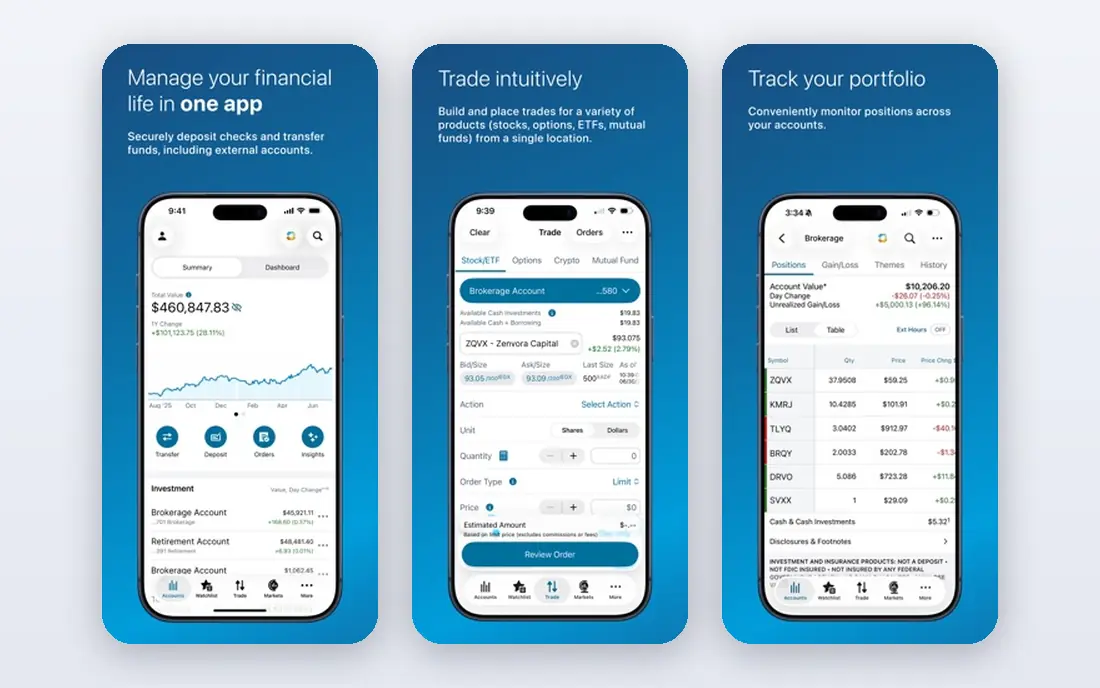
Thinkorswim paperMoney, from Charles Schwab, is the simulator most serious traders point beginners toward once they are past the basics. It loads a virtual environment that looks and works like the live platform, with the same tools, order types, and multi-leg options capability, so the skills you build transfer directly when you switch to real money. For options practice in particular, with Greeks, time decay, and complex spreads, it is the strongest free option on this list.
The downside is complexity. New traders can feel lost in the desktop platform, and the learning curve is real. A Schwab brokerage account gives the full experience, while a guest pass without an account defaults to delayed data and expires after 30 days in recent guides. If you want the most complete practice, and you are willing to learn a professional platform, start here.
- Same platform as live trading, with full options chains
- Hundreds of technical studies
- Virtual account mirrors live order types
- Steep learning curve for beginners
- Guest access without an account has delayed data and a time limit
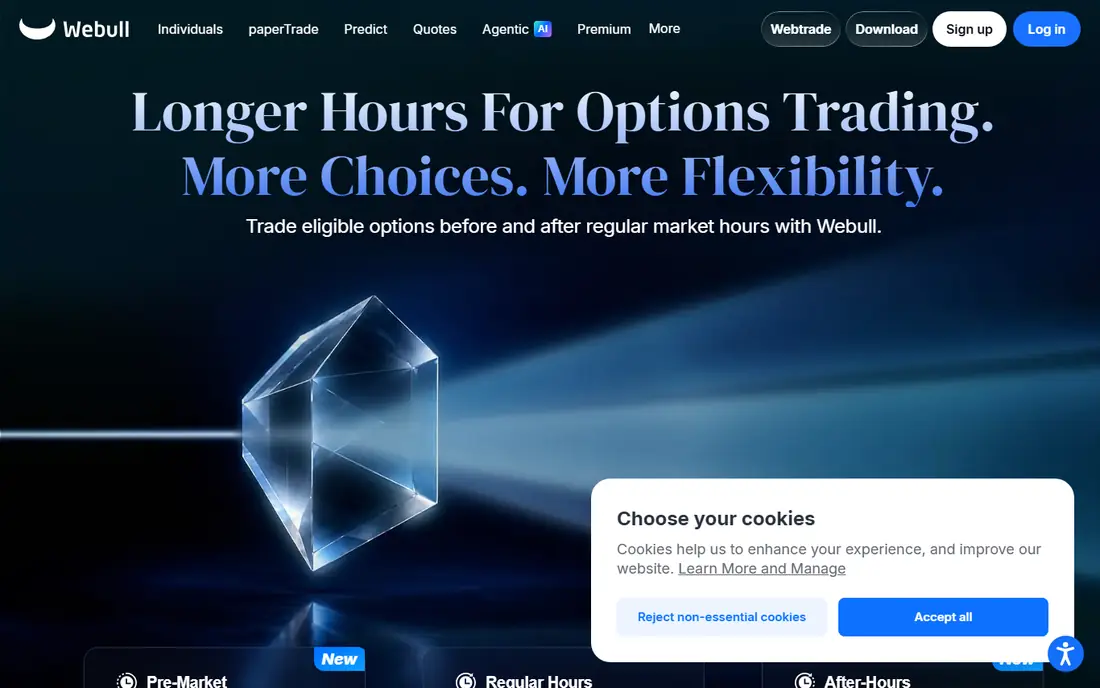
Webull is the friendliest paper trading app for most beginners. Paper trading sits clearly in the app, you get a large virtual balance to practice with, and you can trade stocks, ETFs, and options with real-time quotes, charts, and news in the same place as live trading. The mobile experience is clean enough that a new trader can place a first simulated trade in minutes, which matters when the goal is learning order mechanics.
The honest catch is behavioral. Webull community leaderboards reward the highest simulated returns, which can push new traders toward oversized bets they would never take with real money. Treat the leaderboard as entertainment, set a realistic virtual position size, and judge yourself on following your rules over many trades, not on one lucky week. For learning the mechanics, Webull is an excellent start.
- Easy to find paper trading in the app
- $1 million in virtual funds in guides
- Stocks, ETFs, and options in one place
- Leaderboards can encourage oversized risky trades
- Fills can feel easier than real trading

TradingView is the best paper trading choice if your trading starts from a chart. You select Paper Trading in the broker panel, then place market, limit, stop, and bracket orders directly on the chart, with stop-loss and take-profit tools built in. That tight link between analysis and execution helps you practice entries, exits, and risk management in context, and Pine Script lets you test custom indicators and strategies.
Paper trading itself is free, with paid plans from $12.95 per month billed annually adding more charts, indicators, and features. The free plan limits you to one chart per tab and two indicators, and live NASDAQ and NYSE primary feeds are a separate paid add-on, though crypto, forex, and Cboe US stock prices are live on free. For chart traders, those limits are worth accepting for the quality of the charting alone.
- Simulated trades placed directly on charts
- Hundreds of indicators and Pine Script strategies
- Paper account open to all users
- Free plan limits charts and indicators
- Live primary exchange data costs extra on paid plans
TradeStation suits traders who want to test rules, not just place manual trades. Its platform supports stocks, options, and futures simulation with strong charting and strategy tools, which makes it a good step up from a simple mobile simulator. Options traders in particular benefit from the depth of the options tools, and futures traders get a simulator that covers an asset class many free apps ignore.
The trade-off is that TradeStation feels like a professional tool, and beginners may find the setup and terminology heavier than Webull or TradingView. It is best for traders who already understand order types and want to test a defined strategy over many simulated trades. If you are just learning what a limit order is, start simpler and move to TradeStation when you have a strategy to test.
- Strong options and futures simulation
- Strategy testing and automation tools
- Professional-grade charting
- Platform complexity suits experienced traders more than beginners
- Some advanced features need a funded account context
Interactive Brokers is the choice for traders who want to practice across many markets and asset types, not just US stocks. Its paper trading account gives access to a global, multi-asset platform, which suits experienced traders, international investors, and anyone who plans to trade outside a single market. The depth of order types and market access is broader than most free simulators.
That breadth comes with a dense interface. Trader Workstation is powerful but not friendly at first glance, and new traders may spend more time learning the platform than learning to trade. If your goal is simple US stock practice, Webull or TradingView will teach you faster. If your goal is global multi-asset trading, Interactive Brokers paper trading is worth the learning curve.
- Very broad global market and asset coverage
- Paper account mirrors the live Trader Workstation
- Strong for experienced traders
- Interface is dense and intimidating for beginners
- Setup takes more time than mobile-first apps
Moomoo appeals to traders who like data. Its mobile app packs screening, market depth, charts, and research tools into a free paper trading environment, so you can practice with more information than a simple simulator offers. For traders who enjoy digging into fundamentals, options chains, and market breadth before placing a trade, that depth is a genuine advantage.
The risk is distraction. Like Webull, Moomoo includes community features that can pull attention toward popular trades and short-term performance rather than a personal plan. Use the data tools, ignore the noise, and keep a simple journal of why you entered and exited each simulated trade. For data-hungry mobile traders, Moomoo is a strong free option.
- Rich market data and screening tools on mobile
- Stocks and options paper trading
- Active community features
- Data depth can overwhelm beginners
- Community and gamified features can distract from disciplined practice
eToro offers a virtual portfolio that lets beginners practice stocks and crypto in a simple app, with a large virtual balance to learn position sizing without real risk. Its copy trading feature also lets you study how other traders build portfolios, which can be educational if you treat it as a learning tool rather than a signal to follow blindly. For a first taste of investing, eToro is approachable.
The catch is realism. Virtual portfolios do not fully replicate real spreads, fees, slippage, and tax effects, and copy trading past performance does not predict future results. Availability of assets also varies by country, so check what is offered in the US before relying on a specific market. Use eToro to learn the basics, then move to a broker simulator such as thinkorswim or Webull for serious strategy testing.
- Virtual portfolio with a large starting balance
- Simple interface for stocks and crypto
- Copy trading ideas to study
- Simulated fills and spreads differ from real trading
- Crypto and stock availability varies by region
Investopedia Simulator is the best choice for learning in a group. Teachers, study groups, and friends can run a contest with the same starting balance and rules, compare results, and learn from each other's trades, with Investopedia educational content close at hand. That social and classroom structure helps beginners stay engaged longer than a solo simulator.
The limits are scope and realism. It focuses on stocks, so options, futures, and advanced order strategies are not the point, and its fills are simpler than a broker platform. Treat it as a learning game with real educational value, not as a professional backtesting tool. For a first month of practice, especially with others, it is an excellent and free way to start.
- Free stock simulator with contests and leaderboards
- Good for classes and study groups
- Educational articles alongside trading
- Stock-only focus limits options and futures practice
- Fills and features are simpler than broker platforms
How we picked these
We compared official broker pages and recent 2026 guides for platforms with a free, actively available paper trading account in the US, and we favored platforms that cover different needs, including options, charting, automation, global markets, and classroom use. We did not rank on simulated returns, since those depend on the trader, not the platform, and we avoided any claim about future real profits. Where a platform requires an account for full data access, we noted that limit rather than hiding it.
How to make paper trading actually useful
Set rules before your first simulated trade, and write them down. Decide your position size, your stop loss, your profit target, and the setup you will trade, then judge yourself on whether you followed those rules over at least 50 to 100 trades. A single winning trade teaches little, while a journal of rule-following trades shows whether a strategy has any edge at all.
Also remember what paper trading cannot teach. Real trading involves slippage, fees, taxes, and emotion, and fills in a simulator are often cleaner than fills in a live market. Keep your virtual position sizes realistic, include a rough cost for commissions and spreads where the platform allows it, and expect real results to be worse than paper results. This is not financial advice, and trading carries risk, including the risk of losing money, so never trade with money you cannot afford to lose.
Frequently asked questions
What is the best paper trading app for beginners?
Webull is the best paper trading app for most beginners, since paper trading is easy to find, the app is mobile-friendly, and stocks, ETFs, and options are in one place. Investopedia Simulator is a good alternative for classroom or group learning. Start with one, learn order types, and move to thinkorswim when you want deeper options tools.
What is the best paper trading platform for options?
Thinkorswim paperMoney is the best paper trading platform for options, thanks to full options chains, multi-leg spreads, and the same tools as live trading. TradeStation is a strong second choice for options and futures traders. Both require more learning than a simple mobile app, but that depth is what makes options practice useful.
What is the best app for paper trading stocks on a chart?
TradingView is the best chart-based paper trading choice, since you place simulated trades directly on the chart with bracket orders and risk tools. Webull and Moomoo also offer good mobile charting, but TradingView indicators, drawing tools, and Pine Script strategies are in a different class for technical traders.
How long should I paper trade before trading for real?
Many educators suggest three to six months of consistent paper trading, but time alone is a weak benchmark. A better test is at least 100 trades following written rules, with a journal that shows disciplined risk management. If you cannot follow your rules with virtual money, real money will not fix that problem.
Is paper trading free?
Yes, all eight platforms on this list offer a free paper trading account, though some give full real-time data only with a brokerage account. TradingView paper trading is free, with paid plans adding charts and data. Always check whether the account requires a funded brokerage account or just a free signup.
Does paper trading prepare you for real trading?
Paper trading prepares you for mechanics, order types, and strategy testing, but it does not fully prepare you for emotion, slippage, and fees in live markets. Treat paper profits with caution, keep position sizes realistic, and start live trading small if you decide to move to real money. This is not financial advice, and trading carries risk.
Sources
- https://www.nerdwallet.com/investing/best/brokers-paper-trading
- https://www.tradiecapital.com/blog/paper-trading
- https://financeillustrated.com/best-stock-market-simulators/
- https://www.schwab.com
- https://www.webull.com
- https://www.tradingview.com
- https://www.tradestation.com
- https://www.interactivebrokers.com
- https://www.moomoo.com
- https://www.etoro.com
- https://www.investopedia.com
See where you really rank - block by block
ProMapRanker scans Google Maps across a grid of your service area. Simple monthly plans from $19, white-label on every plan.
Start freeKeep reading
 zoom alternatives
Best Zoom Alternatives in 2026
Compare Zoom alternatives in 2026, with free meeting limits and prices, so you can pick the best alternative to Zoom for your team, class, or community.
Read → which software is best for remote work
Which Software Is Best for Remote Work in 2026
Answering which software is best for remote work, we compare Slack, Zoom, Asana, Notion, Teams and more, with pricing and honest tradeoffs in 2026 now.
Read → which ai tool is best for content writing
Which AI Tool Is Best for Content Writing in 2026
Wondering which ai tool is best for content writing? We compare ChatGPT, Claude, Jasper, Grammarly, and more on price, quality, and best use in 2026 now.
Read →