 ProMapRanker
Best Online Tools to Measure Ping Time in 2026

Key takeaways
- Ping, or latency, is the round trip time for a packet, and it matters more than download speed for gaming and calls.
- Cloudflare Speed Test gives the most detail, with unloaded and loaded latency, jitter and packet loss in one run.
- Speedtest by Ookla is the best general starting point, with a large server network and result history.
- Fast.com is the simplest test, while TestMy.net suits users who want longer, less burst friendly measurements.
- Run each test more than once, at different times, since a single result can reflect a busy moment rather than your normal connection.
Quick comparison
| Pick | Great for | Pricing starts at | Free tier | |
|---|---|---|---|---|
 Speedtest by Ookla | General ping and speed checks | Free | Yes | Visit |
 Cloudflare Speed Test | Detailed latency and jitter | Free | Yes | Visit |
 Fast.com | Simplest quick test | Free | Yes | Visit |
 TestMy.net | Longer independent measurements | Free | Yes | Visit |
 Meter.net | Clean browser test | Free | Yes | Visit |
 DSLReports Speed Test | Detailed connection reports | Free | Yes | Visit |
 OpenSpeedTest | Self hosted and browser tests | Free | Yes | Visit |
 Measurement Lab | Open research grade tests | Free | Yes | Visit |
 SpeedOf.me | Lightweight HTML5 test | Free | Yes | Visit |
The best online tools to measure ping time
Ping is measured in milliseconds, and lower is better. The tools below all report ping, but they differ in how much detail they add around that single number.
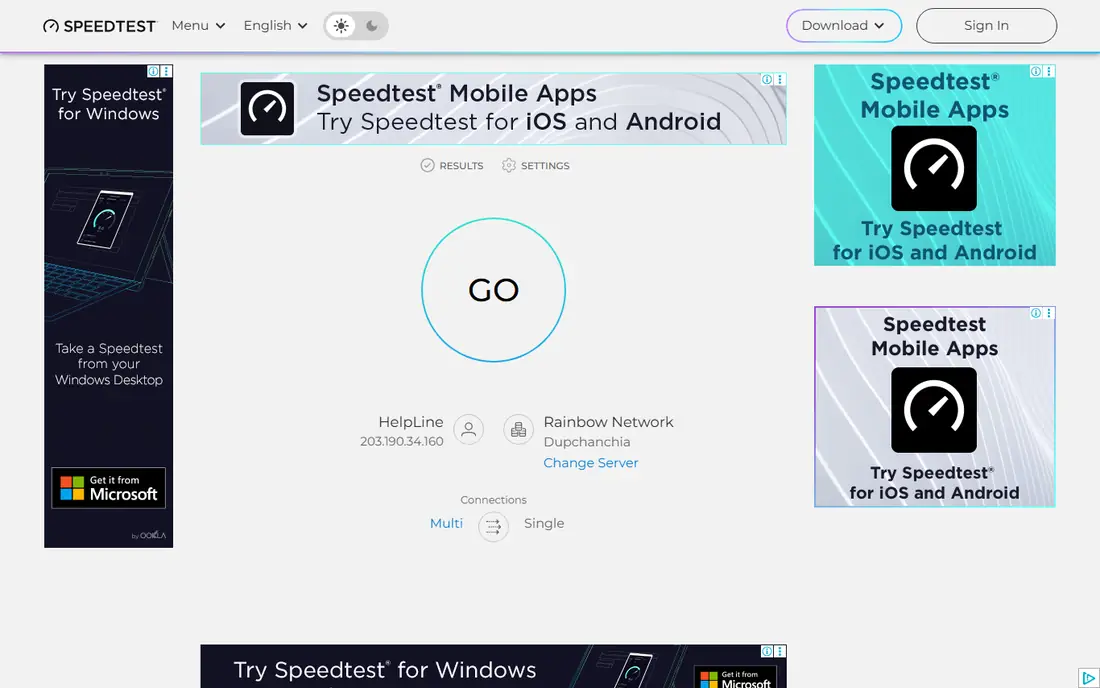
Speedtest by Ookla is the default test for most people, and for good reason. It picks a nearby server, measures ping, download and upload, and saves results so you can compare over time. That history helps when you need to show an internet provider that a problem is not a one off event.
Short burst tests can make some connections look better than they feel during a long call or game session. Run the test a few times and compare with Cloudflare or TestMy.net if the numbers do not match your experience. For a first check, Speedtest is still the easiest place to start.
- Large server network
- Result history
- Apps for phone and desktop
- Short burst tests can flatter some connections
- Ads on the free web test
Cloudflare Speed Test goes beyond a single ping number. It measures unloaded latency, loaded latency, jitter and packet loss, then turns those results into quality scores for streaming, gaming and real time calls. Loaded latency is especially useful, since it shows if your connection stutters when downloads and uploads run at the same time.
The test takes longer than a quick Fast.com check, and the extra detail can feel like a lot at first. Focus on loaded latency and packet loss if you only have a minute. For diagnosing a real problem, Cloudflare gives the most useful free report on this list.
- Unloaded and loaded latency
- Jitter and packet loss
- Quality scores for gaming and calls
- Longer test than Fast.com
- Detail can overwhelm new users
Fast.com, run by Netflix, starts measuring as soon as the page loads, with no buttons to find or servers to pick. The main page shows download speed, while a details page adds upload and latency. That simplicity makes it ideal for a quick check on a phone or a borrowed computer.
The trade off is detail. You get less about jitter, packet loss and loaded latency than Cloudflare offers, and the test route goes to Netflix servers, which may differ from a game server route. Use Fast.com for a fast answer, then use a deeper tool if the answer does not match what you feel.
- No setup
- Starts at once
- Shows latency on a details page
- Limited detail
- Netflix servers may not match your game or call route
TestMy.net is an independent test that uses longer, randomized transfers rather than short bursts. That approach makes it harder for a provider to boost a test result, and it gives a more realistic average for sustained use. Results are shown as graphs, which help you spot dips over time.
The interface is plainer than Speedtest or Cloudflare, and a full test takes longer. If you want a quick number, use Fast.com instead. If you want evidence for a provider complaint or a careful comparison, TestMy.net is the more careful choice.
- Independent of providers
- Longer test runs
- Clear graphs and history
- Interface is plainer
- Tests take longer than burst tests
Meter.net offers a clean browser test that measures ping, download and upload without an install or an account. The interface stays simple, which helps when you need a result quickly on any computer. It is a good middle ground between Fast.com simplicity and Cloudflare detail.
Its server network is smaller than Ookla, so server choice can affect results more in some regions. Run the test more than once if the first result looks odd. For a no fuss browser check, Meter.net is a reliable bookmark.
- Clean browser interface
- Ping, download and upload in one run
- No install needed
- Smaller server network than Ookla
- Fewer diagnostic details than Cloudflare
DSLReports Speed Test has been used by network enthusiasts for years, and its reports cover more than a headline speed. Bufferbloat, quality and consistency scores help explain why a connection with fast download speeds can still feel laggy in calls and games. That detail suits users who want to diagnose, not just measure.
The interface feels dated next to Cloudflare, and some features work better with a free account. If you are comfortable with a technical report, DSLReports adds a useful second opinion. If you want a simple number, start with Speedtest or Fast.com.
- Detailed bufferbloat and quality reports
- Long running test community
- Interface feels dated
- Some features need a free account
OpenSpeedTest is an open source speed test that runs in the browser and can also run on your own server. That self hosting option suits schools, offices and network teams that want to test a local network without sending traffic to a public test server. The public site also works as a simple browser test.
Public server choice varies, so results can differ from Ookla or Cloudflare in some regions. For a general home check, a commercial test may be simpler. For a local network test or an open source workflow, OpenSpeedTest is the most flexible option here.
- Open source
- Can run on your own server
- No account needed
- Public server choice varies
- Less polished than commercial tests
Measurement Lab, often called M-Lab, runs open internet measurement tests backed by research partners. Its speed test reports download, upload, latency and retransmission, which is a useful indicator of packet loss. Results feed open datasets, which helps researchers study internet performance over time.
The interface is plainer than commercial tests, and it offers fewer history and sharing features. If you want a research grade, provider independent test, M-Lab is a strong choice. If you want a polished consumer dashboard, Speedtest is easier to use.
- Open data and research backing
- Latency and retransmission detail
- No account
- Plainer interface
- Fewer consumer features than Speedtest
SpeedOf.me is a lightweight HTML5 test that measures ping, download and upload in the browser without plugins. It works on most devices and browsers, which helps when you need a quick check on an older computer or a phone. The test is simple to run and easy to understand.
Its server network is smaller than Ookla, and it offers less diagnostic detail than Cloudflare or DSLReports. Use it as a quick cross check alongside a larger test, especially if Speedtest is blocked or slow on your network. For a light, portable test, SpeedOf.me does the job.
- Lightweight HTML5 test
- Works in most browsers
- No plugin needed
- Smaller server network
- Less detail than Cloudflare
How we picked these
We compared official tool pages and recent speed test comparisons, and kept only tools that exist and work in October 2026, that report ping or latency in the browser, and that are free to use without a paid plan. We favored tools with clear latency, jitter or packet loss reporting, and we noted where a test uses short bursts rather than longer measurements.
What to check before you trust a ping result
Test wired first, then Wi-Fi
Run a test on a wired Ethernet connection before you blame your provider. Wi-Fi adds its own latency and variation, especially on a busy network. If wired ping is low and Wi-Fi ping is high, the fix may be router placement or a Wi-Fi upgrade, not a faster plan.
Run tests at different times of day
Ping varies with network load, so a single evening test can look worse than your normal daytime result. Run the same tool morning, afternoon and evening, and note the range rather than one number. A consistent problem at all times points to a different cause than a peak time slowdown.
Compare loaded and unloaded latency
Unloaded ping shows your connection at rest, while loaded ping shows it under download and upload strain. A large gap between the two points to bufferbloat, which makes calls and games stutter even when download speed looks fine. Cloudflare and DSLReports both report loaded latency clearly.
Match the test route to the real use
A test to a nearby server will show lower ping than a game server in another country. If gaming is the issue, also test to a server near the game, or check the game itself for a ping display. A general speed test is a starting point, not a substitute for the real route.
Frequently asked questions
What is a good ping time?
For most uses, under 50 milliseconds is acceptable, and under 20 milliseconds is excellent for gaming and video calls. Above 100 milliseconds, calls can feel delayed and games can feel unresponsive. The right target depends on the activity, since browsing tolerates higher ping than competitive gaming.
How do I measure ping time online?
Open a tool like Speedtest, Cloudflare Speed Test or Fast.com in a browser and run the test. The result shows ping in milliseconds, alongside download and upload speeds. For a fuller picture, use Cloudflare to check loaded latency, jitter and packet loss as well.
Why is my ping high even with fast download speed?
Download speed and ping measure different things. A fast connection can still have high latency if the route is long, the network is congested, or bufferbloat delays packets under load. Test wired, check loaded latency, and try a different time of day before you upgrade your plan.
Does Wi-Fi increase ping?
Yes, Wi-Fi usually adds latency and variation compared with a wired connection, especially on a busy or distant network. A wired test gives a cleaner baseline, while a Wi-Fi test shows what your devices actually experience. Router placement, interference and older Wi-Fi standards can all raise ping.
Which tool is best for gaming ping?
Cloudflare Speed Test is best for gaming diagnosis, since it reports loaded latency, jitter and packet loss in one run. Speedtest is a good general check, while DSLReports adds bufferbloat detail. Use more than one tool, and also check the ping display inside the game itself.
Sources
See where you really rank - block by block
ProMapRanker scans Google Maps across a grid of your service area. Simple monthly plans from $19, white-label on every plan.
Start freeKeep reading
 free alternatives to grok imagine
Free Alternatives to Grok Imagine in 2026
We compared the best free alternatives to grok imagine for image generation, from fast daily credits to design tools, so you can create without paying.
Read → best tools for instagram content creation
Best Tools for Instagram Content Creation in 2026
Compare the best tools for Instagram content creation, from Canva and CapCut to Later and Buffer, on design, video, planning, scheduling, and price in 2026.
Read → best tool to split pdf files
Best Tool to Split PDF Files in 2026
We compared the best tool to split pdf files on split modes, file limits, privacy and price, so you can split a PDF cleanly and keep every page in one go.
Read →