 ProMapRanker
Best Online Proctoring Software in 2026


Live and automated proctoring at scale · Pricing starts at: See website
Key takeaways
- Proctoring pricing is usually quoted per exam, per student or per course, so compare the same unit across vendors before you judge cost.
- Live human proctoring suits high-stakes exams, while automated proctoring suits large classes that need scale and lower cost.
- Privacy and consent note: these tools collect webcam, screen and identity data, so institutions must disclose what is collected and students must be told before an exam.
- Lockdown browsers, LMS integration and human review of flags matter more than a long feature list, because flags alone should not decide a result.
Quick comparison
| Pick | Great for | Pricing starts at | Free tier | |
|---|---|---|---|---|
| ProctorU | Live and automated proctoring at scale | See website | No | Visit |
 Examity | Live, recorded and automated options | See website | No | Visit |
 Honorlock | Automated proctoring with live pop-in | See website | No | Visit |
 Proctorio | Automated proctoring inside the LMS | See website | No | Visit |
 Respondus Monitor | Low-cost automated proctoring for classes | $3,950 per year | No | Visit |
 PSI | High-stakes testing with live support | See website | No | Visit |
 Mercer Mettl | Hiring and corporate assessments | See website | No | Visit |
 Talview | Hiring assessments with proctoring | See website | No | Visit |
 ExamSoft | Secure exam delivery for health sciences | See website | No | Visit |
The best online proctoring software
We compared official feature pages, pricing listings and public institution guides for online proctoring tools that exist and work in October 2026. Privacy and consent note: these tools collect webcam, screen and identity data, so institutions must disclose what is collected and students must be told before an exam.

ProctorU, now part of Meazure Learning in many listings, is one of the longest-running names in remote proctoring. It offers live proctoring with a human watching in real time, recorded review, and automated options, so an institution can match the level of oversight to the stakes of the exam. Students can schedule exams around the clock in many setups, which helps distance learners in different time zones.
The cost model is the main question to settle early. Some institutions pay, some pass per-exam fees to students, and late scheduling can add fees in older university listings. Get the fee model in writing, including who pays and what happens if a session drops, before you roll ProctorU out to a large cohort.
- Live human proctors and automated options
- 24/7 scheduling in many listings
- Guardian Browser for lockdown exams
- Pricing is quoted and varies by model
- Students may pay per-exam fees in some institution setups
Examity lets an institution choose automated proctoring, recorded review or live proctoring for different exams, rather than forcing one model on every course. Identity checks, browser lockdown and session recording sit across those levels, and human reviewers can check flagged sessions where the automated system raises a concern. That range helps a university that runs both low-stakes quizzes and high-stakes finals.
The breadth also adds setup work. Staff need to decide which level fits each exam type, train faculty on flag review, and confirm LMS integration for each course. Firms that want a single simple model may prefer Respondus Monitor or Proctorio. Firms that want choice across exam types will find Examity flexible.
- Three proctoring levels from automated to live
- Identity verification and browser controls
- Human review options
- Pricing is quoted
- Feature depth can make setup longer than simpler tools
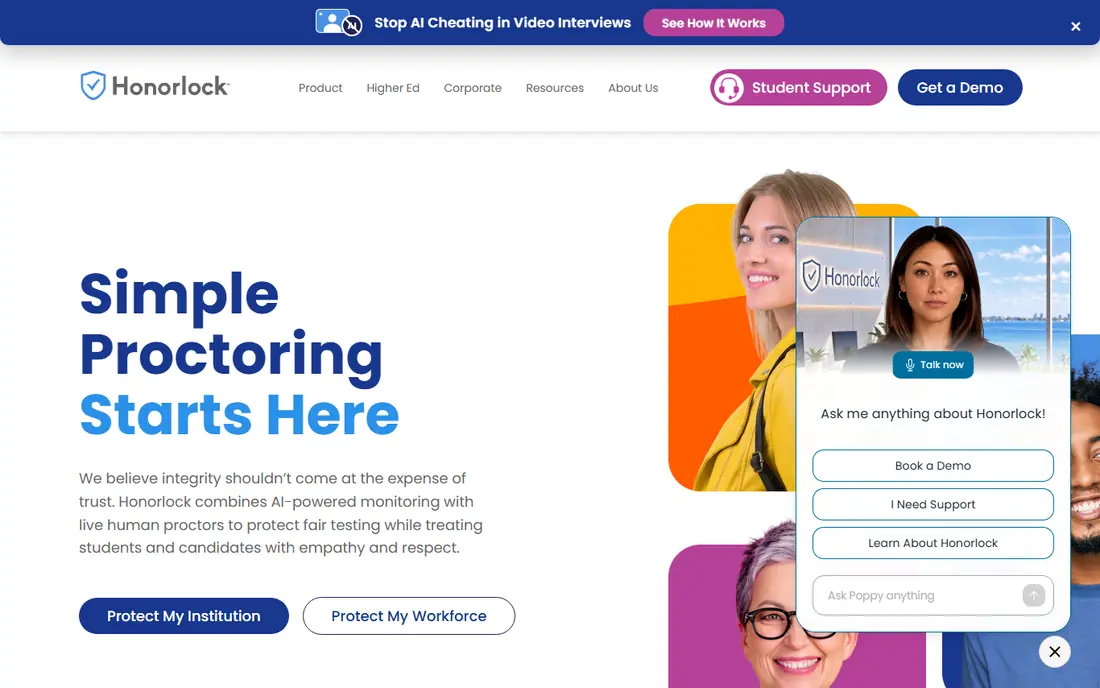
Honorlock combines automated monitoring with live proctors who can pop into a session when the system flags a concern. That middle path aims to keep automated scale while adding a human check at the moments that matter, rather than watching every minute of every exam. Faculty get flagged sessions and search tools to review what happened, instead of raw video alone.
Student experience is the point to handle with care. Webcam, microphone, room scan and ID checks are part of the model, so clear pre-exam instructions and a practice exam reduce stress and technical failures. Institutions should also confirm current per-exam, per-course and per-user pricing, because older public price sheets no longer reflect every current plan.
- Automated detection with live proctor pop-in
- Search and flag tools for faculty
- LMS integration
- Pricing is quoted and has changed over time
- Webcam and room scan requirements can worry students
Proctorio is built to live inside the learning system an institution already runs. Instructors turn proctoring on from inside the assessment, students launch from the same link, and results return to the same place. That low friction helps adoption, especially for large courses where a separate portal and scheduling system would slow faculty down.
Proctorio uses automated detection rather than a live proctor for every session, with live options as paid add-ons in recent listings. That means faculty must review flags with care and avoid treating an automated flag as proof on its own. For institutions that want scale, LMS-native delivery and lower bandwidth needs, Proctorio is a strong contender.
- Works inside Canvas, Blackboard, Moodle and Brightspace
- No separate student portal in many setups
- Lock Down, Recording and Verification options
- Pricing is quoted
- Automated flags need human review before any academic decision
Respondus Monitor is the low-cost automated option many universities pair with LockDown Browser. Students do not book an appointment; they launch the exam, the webcam records, and video analytics flag moments for faculty review, ranked by risk so instructors check the most concerning sessions first. The starting price was listed at $3,950 per year in public listings, which is low compared with per-exam live models at scale.
The limit is live support. There is no human proctor watching in real time in the core model, so a student who hits a technical problem during an exam needs a clear support path. For regular class exams where cost and scale matter more than live oversight, Respondus Monitor offers strong value.
- Builds on LockDown Browser
- Automated webcam analysis with risk ranking
- No student appointment needed
- No live proctor in the core model
- Faculty must review flagged sessions
PSI is a testing company as much as a software vendor, and that shows in its online proctoring offer. It provides identity authentication, live proctoring options, a lockdown browser and 24/7 student support in many listings, with integration into learning and exam delivery systems. PSI states it does not rely on AI alone to decide pass or fail, which matters for high-stakes decisions.
PSI is likely more than a small class needs, and pricing is quoted for the testing programme, not a simple monthly plan. For certification bodies, professional exams and institutions that need a full-service testing partner, PSI is a serious option. For a single course quiz, a simpler automated tool will cost less and set up faster.
- Full-service testing provider
- Live support in many setups
- Lockdown browser and LMS integration
- Pricing is quoted
- Better suited to certification and high-stakes testing than small class quizzes
Mercer Mettl, now part of Mercer, focuses on hiring and workforce assessment rather than academic exams. Proctoring sits inside skill tests, coding tests and aptitude assessments, with live and automated options depending on the hiring stakes. That integration helps recruiters run a proctored assessment without stitching a separate proctoring tool onto a test platform.
Academic teams should check fit carefully. Mettl covers assessment well, but LMS workflows, gradebook integration and academic integrity processes are not its core strength. For firms hiring at volume and testing candidates remotely, Mettl offers a practical all-in-one path.
- Proctoring built into hiring and skill assessments
- Blended live and automated options
- Large assessment library
- Pricing is quoted
- Education features are thinner than dedicated academic tools
Talview unifies screening, interviews and proctored assessments for hiring teams. Candidates can complete assessments and interviews from a phone or laptop, and proctoring runs as automated monitoring or live proctoring depending on the role. That single flow helps firms that hire remotely and want one candidate record from application to decision.
Like Mettl, Talview is a hiring tool first. Universities that need deep LMS integration and academic workflows should compare Proctorio, Honorlock or Respondus Monitor first. Firms that hire at scale and need proctored assessments inside a hiring process will find Talview a natural fit.
- End-to-end hiring flow from screening to interview
- Automated and live proctoring options
- Mobile-friendly candidate experience
- Pricing is quoted
- Academic exam features are not the main focus
ExamSoft, with its Examplify delivery app, is widely used in health sciences and professional programmes where secure, high-stakes exams matter. Exams can be delivered with lockdown controls, and reporting helps faculty review performance and exam quality, not just proctoring flags. That combination suits programmes that need both secure delivery and assessment analytics.
ExamSoft is heavier than a browser-based proctoring add-on. Exam creation, secure delivery setup and student onboarding take time, and pricing is quoted. For a medical, nursing or law programme with secure exam needs, that effort is justified. For a general course that only needs occasional proctoring, a lighter tool will be faster to adopt.
- Secure exam delivery with offline capability in many listings
- Strong fit for health and professional programmes
- Detailed reporting
- Pricing is quoted
- Setup and exam creation take more effort than a simple LMS quiz
How we picked these
We compared official feature pages, pricing listings and public institution guides for proctoring tools that exist and work in October 2026. A tool made this list only if it offers live, automated or recorded remote proctoring for exams or assessments, with identity checks and session review. We used See website where pricing was quoted, and we flagged where older public prices may no longer apply.
What to check before you buy
Start with the stakes of the exam. High-stakes certification and finals justify live proctoring and human review, while regular class quizzes often work well with automated proctoring and faculty review of flags. Match the model to the exam, not the other way round, and budget by the same unit the vendor uses, whether that is per exam, per student or per course.
Handle privacy and access from the start. Tell students before an exam what webcam, screen and identity data will be collected, how long recordings are kept, and who can review them. Offer a practice exam, a system check and a clear support contact for technical problems. Check accessibility, bandwidth needs and device requirements, because a tool that works in a campus lab may fail for a student on a shared home connection.
Frequently asked questions
What is the best proctoring software?
ProctorU and Examity suit institutions that want live and automated choice, Proctorio suits LMS-native automated proctoring, and Respondus Monitor suits low-cost class exams. Hiring teams should look at Mercer Mettl and Talview instead of academic tools.
How much does online proctoring cost?
Most vendors quote per exam, per student or per course, so totals vary widely by volume and model. Respondus Monitor was listed at $3,950 per year in public listings, while live models charge more per exam. Get a quote for your exact exam volume before you compare.
Do students need a webcam for proctored exams?
Yes, for most tools here. Webcam, microphone and a stable connection are standard requirements, and many tools also ask for a room scan and ID check. Check device and bandwidth requirements with each vendor and offer a practice run.
Is automated proctoring fair?
Automated flags highlight moments for human review, but a flag alone should not decide an academic outcome. Institutions should train faculty to review flagged sessions, allow student explanations, and keep a human in the final decision.
Can proctoring tools work with my LMS?
Proctorio, Honorlock, Respondus Monitor and Examity all integrate with major learning systems such as Canvas, Blackboard, Moodle and Brightspace, though exact features vary by LMS. Confirm LTI integration and grade return for your LMS version during a trial.
What data do proctoring tools collect?
They commonly collect webcam video, screen activity, audio, identity documents and device data during an exam. Institutions must disclose what is collected, why, how long it is kept and who can access it, and students must be told before an exam.
Sources
See where you really rank - block by block
ProMapRanker scans Google Maps across a grid of your service area. Simple monthly plans from $19, white-label on every plan.
Start freeKeep reading
 wpforms alternatives
Best WPForms Alternatives in 2026
We compare 9 wpforms alternatives for WordPress forms, with free and paid options, current pricing notes, and honest limits for small business sites in 2026.
Read → windows task scheduler alternatives
Best Windows Task Scheduler Alternatives in 2026
Looking for Windows Task Scheduler alternatives? We compare 9 schedulers for Windows and cross-platform work, from free tools to enterprise automation.
Read → which ai video service is best
Which AI Video Service Is Best in 2026
which ai video service is best? We compare 10 legitimate AI video services on price, avatars, editing and output quality to help you pick the right tool.
Read →