 ProMapRanker
Best Online Learning Platforms for Kids in 2026


Free, broad early learning for ages 2 to 8 · Pricing starts at: Free
Key takeaways
- Khan Academy Kids is the best free starting point for ages 2 to 8, with no ads and a broad early learning curriculum.
- ABCmouse suits ages 2 to 8 with a structured step-by-step path, while Homer suits ages 2 to 8 with a stronger reading focus.
- PBS Kids offers free, trusted video and games for younger children, while Prodigy suits school-age children who like game-based maths.
- Prefer platforms with clear child safety and privacy practices, such as no ads, no chat with strangers, and parent controls, and check age ranges honestly before subscribing.
- Start free where possible, watch how your child actually uses the app for a week, and only pay when a structured path or progress reports prove useful.
Quick comparison
| Pick | Great for | Pricing starts at | Free tier | |
|---|---|---|---|---|
| Khan Academy Kids | Free, broad early learning for ages 2 to 8 | Free | Yes | Visit |
 ABCmouse ABCmouse | Structured step-by-step learning for ages 2 to 8 | $14.99 per month | Free trial | Visit |
 Homer Homer | Personalised reading learning for ages 2 to 8 | $12.99 per month | Free trial | Visit |
 PBS Kids PBS Kids | Free, trusted video and games for young children | Free | Yes | Visit |
 Reading Eggs Reading Eggs | Learning to read for ages 3 to 7, plus older readers | $9.99 per month | Free trial | Visit |
 Prodigy Prodigy | Game-based maths practice for school-age children | Free | Yes | Visit |
 Starfall Starfall | Early phonics and reading for preschool and early primary | Free | Yes | Visit |
 Epic Epic | A large digital reading library for ages 2 to 12 | See website | Free trial | Visit |
 IXL IXL | Structured practice across school subjects | See website | Free trial | Visit |
The best online learning platforms for kids
Online learning for kids works best when it matches a child's age, attention span, and school stage, and when parents can see what is happening without hovering. The platforms below range from free public resources to paid structured curriculums, and they differ in subjects, age ranges, and safety controls. We compared official pricing pages, age guidance, and current guides to pick platforms that are currently available and genuinely built for children.
A note on safety and age ranges matters here. Check each platform's stated age range honestly, since a game built for an 8-year-old will frustrate a 4-year-old and bore a 10-year-old. Prefer platforms with no advertising to children, no open chat with strangers, clear privacy policies, and parent dashboards or controls. Keep screen sessions short, sit with younger children when they start, and treat these platforms as a supplement to reading, play, and school, not a replacement for them.
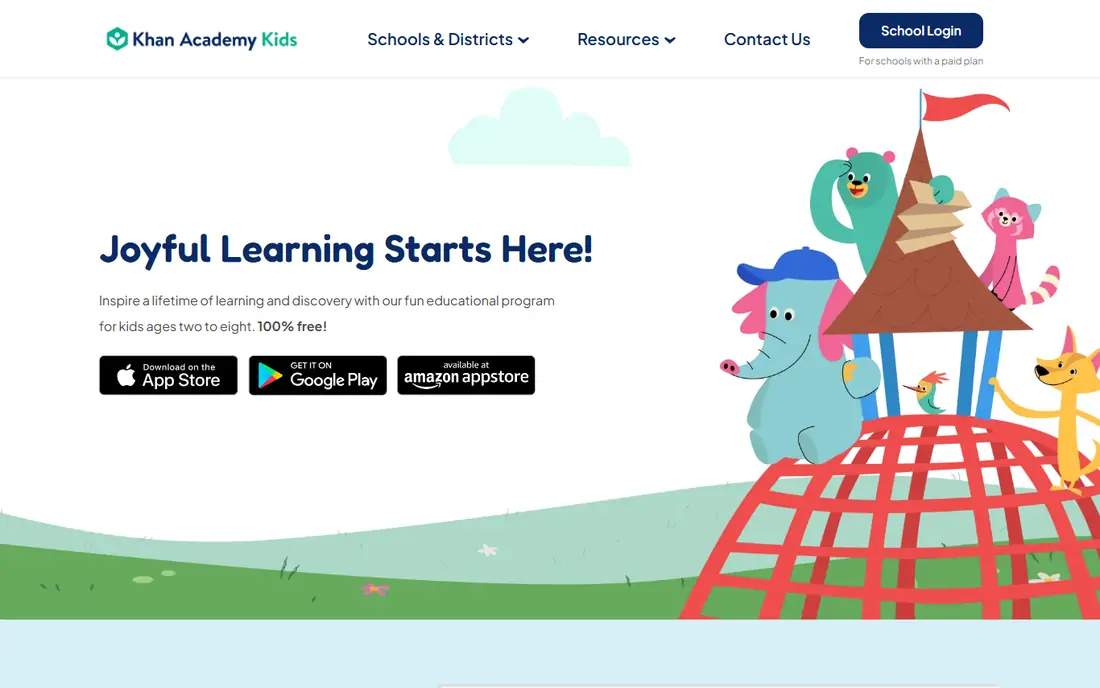
Khan Academy Kids is the first app most parents should try, because it removes cost and advertising from the decision entirely. It offers interactive activities, books, videos, and games for ages 2 to 8, covering early reading, language, maths, logic, and social-emotional skills, with characters and stories that keep young children engaged. Parents can set up profiles and track progress without paying anything.
The honest limit is structure. Some families like a strict step-by-step path that tells a child exactly what to do next, and Khan Academy Kids is more open-ended than ABCmouse in that respect. For free, ad-free learning that a child can enjoy safely, though, it is hard to beat, and it pairs well with any paid app you add later.
- Completely free with no ads
- Covers reading, maths, and social-emotional learning
- Designed for ages 2 to 8
- Less structured path than ABCmouse for some families
- Fewer printable extras than paid rivals
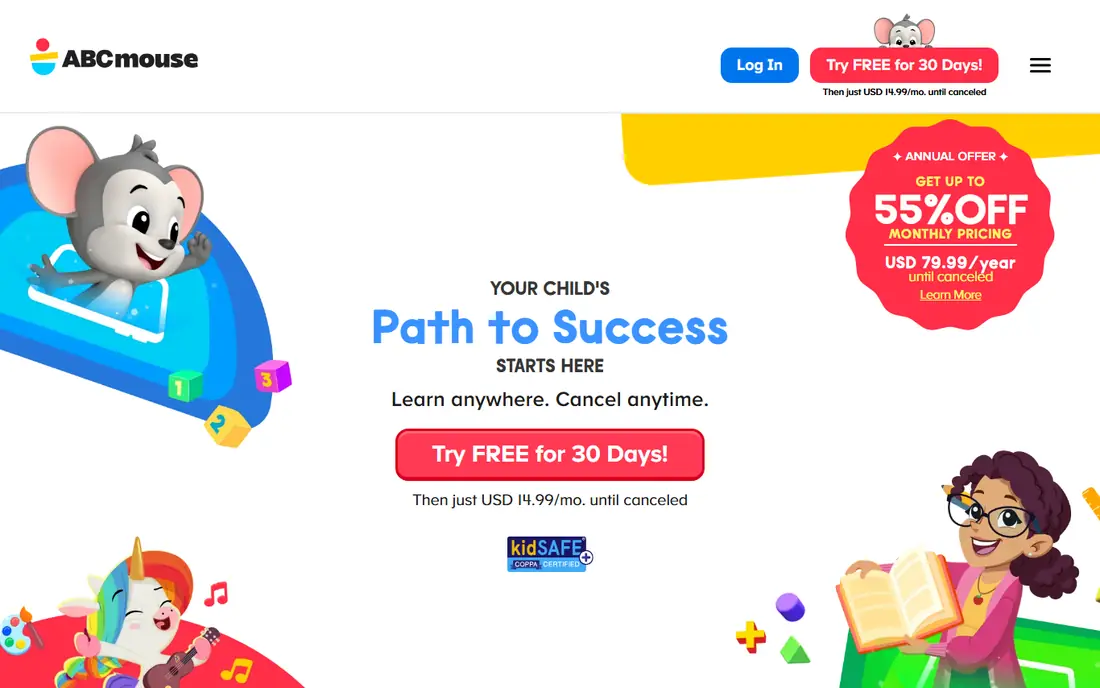
ABCmouse is built around a clear path: children move through levels in reading, maths, science, social studies, and art, earning tickets and rewards as they go. That structure helps parents who want a daily routine without planning lessons themselves, and the sheer volume of activities, reported at more than 10,000, means children rarely run out of new material. Pricing is $14.99 per month or $79.99 per year, with a 30-day free trial.
The weakness is that the reward loop can become the point for some children, who chase tickets rather than learning, and older or fluent readers may outgrow the content. ABCmouse also costs more per month than several rivals, so use the trial to see whether your child follows the path or just plays with rewards.
- Step-by-step learning path
- Thousands of activities across subjects
- Parent progress tracking
- KidSAFE certified in published comparisons
- Monthly price is higher than many rivals
- Reward system can distract some children
- Content depth thins as children read fluently
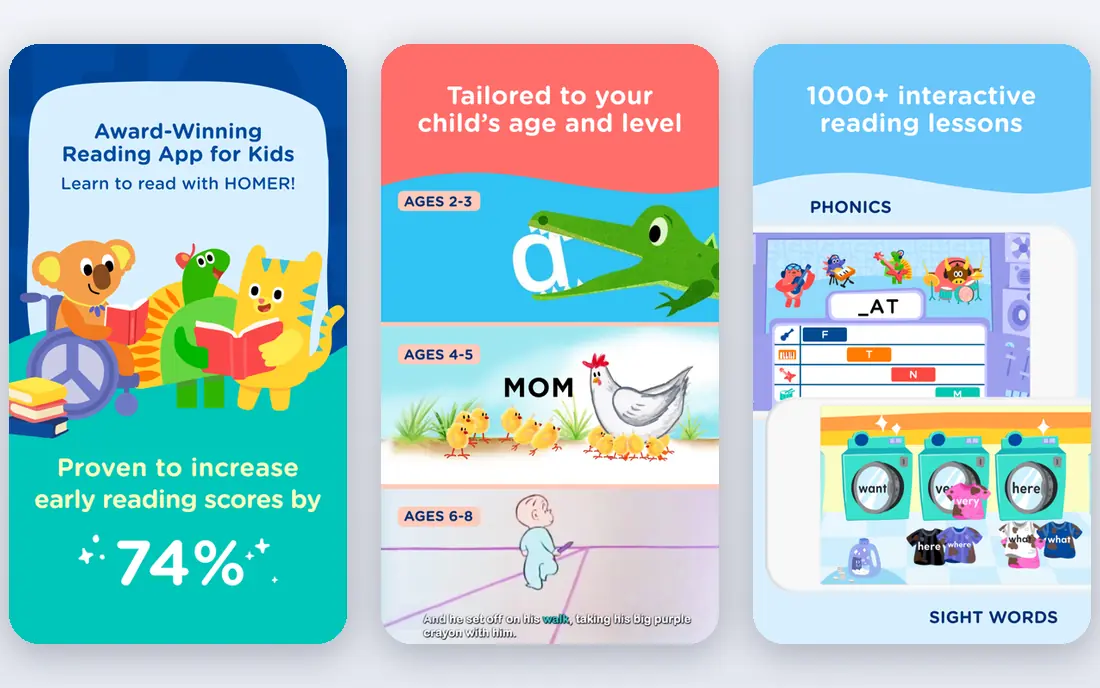
Homer, now often branded as Homer Learning, builds a personalised learning path around a child's age, interests, and reading level, with a strong focus on early literacy. Children follow stories, phonics games, and activities that adapt as they progress, and the app also covers maths, creativity, and thinking skills. Pricing is reported at $12.99 per month or $97.99 per year, with a 30-day free trial.
The trade-off is breadth. Homer's heart is reading, so families who want equal depth in science or social studies may need a second resource. Its price is also close to ABCmouse, so compare the two trials side by side. Homer fits families whose main goal is confident early reading, especially for children who respond to stories and personalised content.
- Personalised reading path based on interests
- Covers reading, maths, and creativity
- KidSAFE certified in published comparisons
- Reading-led, so maths and science depth is thinner
- Monthly price adds up
- Physical kits cost extra
PBS Kids is a free, safe starting point that many parents already trust. It offers games, videos, and activities featuring characters children know from public television, covering early literacy, maths, science, and social skills in short, age-appropriate bursts. There is no subscription, no paywall for core content, and the brand's child safety approach is well established.
The limit is structure. PBS Kids is not a curriculum with levels and progress reports in the way ABCmouse is, so parents who want a clear path may find it too loose. It also suits younger children best, with older primary children outgrowing much of it. Use PBS Kids as a free, safe daily option, and add a structured app only if your child needs more progression.
- Free
- Trusted public media brand
- Games and videos tied to familiar shows
- No subscription needed
- Less structured curriculum than ABCmouse or Homer
- Progress tracking is limited
- Best for younger children
Reading Eggs focuses on one job and does it in detail: teaching children to read through interactive lessons, phonics games, and books. A placement test sets the starting level, lessons build step by step, and the online library offers thousands of ebooks for practice. Pricing is reported at $9.99 per month for up to four profiles, with a free trial, and its Reading Eggspress app extends reading practice to ages 7 to 13.
The weakness is narrowness and habit. Reading Eggs only teaches reading, so maths and other subjects need another platform, and some parents report that children chase rewards or guess answers rather than reading carefully. Sit with your child for the first lessons, check the progress reports, and use Reading Eggs as a reading supplement rather than a whole curriculum.
- Focused learn-to-read lessons
- Large ebook library
- Placement test to set starting level
- Separate app for ages 7 to 13
- Reading only, so other subjects need another app
- Some parent reviews note guessing and reward chasing
- Check current pricing before subscribing
Prodigy turns maths practice into a fantasy game, where children answer curriculum-aligned questions to progress, battle, and collect rewards. That game layer motivates many school-age children who resist worksheets, and teachers use it in classrooms, which helps parents trust its content alignment. The free tier covers core maths practice, with premium membership reported from around $8.33 per month on annual billing for extra features.
The catch is the game itself. Some children focus more on pets and rewards than on maths, and premium upsells appear inside the game, so parents should review settings and talk to children about in-game purchases. Prodigy fits school-age children who need maths practice and who respond to games, while younger children and reading practice are better served elsewhere in this list.
- Free tier for maths practice
- Curriculum-aligned game
- Used in many US classrooms
- Engaging for children who like games
- Premium membership needed for extra features
- Game elements can distract from practice
- Maths focus means reading needs another app
Starfall is a calm, simple site and app for early reading, with phonics songs, interactive books, and activities that suit preschool and kindergarten children. Its interface is uncluttered, which helps young children navigate without getting lost in games and rewards, and its free tier covers a good amount of early phonics content, with a paid membership opening the full library.
The limit is scope and polish. Starfall looks older than ABCmouse or Khan Academy Kids, and its maths and science content is thinner than its reading content. Older primary children will outgrow it quickly. Starfall fits families who want a gentle, focused phonics start, especially for a first reader, and who value simplicity over a large game world.
- Free core phonics and reading activities
- Simple, calm interface
- Well suited to preschool and kindergarten
- Design looks older than rivals
- Maths and other subjects are thinner
- Full membership needed for all content
Epic is a digital library rather than a taught course, offering thousands of books, audiobooks, and videos for ages 2 to 12, with reading logs and recommendations to help children find their next book. That breadth makes it useful across a wide age range, from picture books for toddlers to chapter books for older primary children, and it suits families who want reading choice rather than lessons.
The weakness is teaching. Epic does not teach phonics or maths in the structured way Reading Eggs or ABCmouse do, so it works best alongside a curriculum app or school reading. Pricing also varies, with published guides reporting around $6.67 per month on some plans, so confirm the current rate. Epic fits families who want a safe, large reading library and who already have a learning path covered elsewhere.
- Large library of books, audiobooks, and videos
- Age range from 2 to 12
- Reading logs and recommendations
- Pricing varies by plan and region, so check before subscribing
- It is a library, not a taught curriculum
- Screen time needs parent limits
IXL is the practice platform for school-age children who need structured work across subjects. It offers adaptive questions in maths, language arts, science, and social studies, with detailed reports that show exactly which skills a child has mastered and which need work. Many schools use IXL, which means its content aligns well with classroom topics.
The trade-off is fun. IXL is practice, not a game world, so children who need motivation may prefer Prodigy for maths or ABCmouse for younger learning. Pricing also varies by the number of subjects and children, so check the current membership page. IXL fits parents who want clear progress data and school-aligned practice, especially for primary and middle school children.
- Covers maths, language arts, science, and social studies
- Adaptive practice with detailed progress reports
- Used by many schools
- Practice-led rather than game-led, so some children find it dry
- Pricing varies by subject and membership
- Best for school-age children
How we picked these
We compared official pricing pages, stated age ranges, and current guides for children's learning platforms, and we kept only platforms that are currently available, that are genuinely built for children, and that offer learning content rather than only entertainment. We weighed age fit, subject breadth, safety and privacy practices, parent controls, and price, and we favoured free and ad-free options where they matched paid ones. We did not claim hands-on testing, and we used "See website" where pricing varies by plan or region.
How to choose a learning platform for your child
Start with age and school stage, not with a brand. A 4-year-old needs phonics, stories, and simple maths games, while a 9-year-old needs reading choice and school-aligned practice. Check the stated age range, try the free tier or trial for a week, and watch whether your child understands the activities without constant help. If they need you to explain every screen, the level is wrong, no matter how good the reviews are.
Next, check safety and time controls. Look for no ads, no chat with strangers, a clear privacy policy, and a parent dashboard where you can set time limits and see progress. Agree a daily screen time limit before you subscribe, keep devices in shared family spaces for younger children, and review progress weekly rather than daily. The best platform is the one your child returns to willingly, within limits you set, and that leaves time for books, outdoor play, and family conversation.
Frequently asked questions
What are the best learning apps for kids?
Khan Academy Kids is the best free learning app for ages 2 to 8, while ABCmouse and Homer are strong paid options for structured early learning. PBS Kids is the best free video and game option for younger children, and Prodigy suits school-age maths practice. The best app depends on your child's age and main learning goal.
What are the best preschool learning apps?
Khan Academy Kids, ABCmouse, and Homer all suit preschool ages 2 to 5, with Khan Academy Kids free and ABCmouse offering the most structured path. Starfall also suits early phonics for preschoolers. Choose based on whether you want free, structured, or reading-led learning, and test the trial first.
What are the best learning apps for toddlers?
For toddlers, keep sessions very short and choose simple, calm apps such as Khan Academy Kids and PBS Kids, with a parent sitting alongside. Avoid apps with ads, chat, or complex navigation for this age group. At toddler age, books, songs, and play matter more than any app, so use apps only as a brief supplement.
What are the best educational apps for 4 year olds?
Khan Academy Kids, ABCmouse, and Starfall all suit 4-year-olds, covering early letters, numbers, shapes, and stories. ABCmouse offers the most structured daily path, Khan Academy Kids offers the best free option, and Starfall offers gentle phonics. Try free options first and watch how your child responds.
What are the best online learning platforms for elementary students?
Prodigy, IXL, Epic, and Reading Eggspress suit elementary students, covering maths practice, school subjects, reading libraries, and reading fluency. Khan Academy Kids can still help younger elementary children, while older elementary children benefit more from IXL and Epic. Match the platform to the school subjects your child needs most help with.
Are online learning platforms for kids safe?
The platforms in this list are built for children, but safety still depends on settings and supervision. Prefer platforms with no ads, no open chat, clear privacy policies, and parent controls, keep devices in shared spaces for younger children, and set daily time limits. Review privacy policies and settings before subscribing, and sit with younger children when they start.
Sources
- https://www.abcmouse.com/learn/abcmouse/abcmouse-vs-homer/11387
- https://www.abcmouse.com/learn/abcmouse/abcmouse-vs-other-early-education-apps/16885
- https://subrupt.com/best/parenting-kids
- https://learn.khanacademy.org/khan-academy-kids/
- https://www.abcmouse.com
- https://www.homerlearning.com
- https://pbskids.org
- https://readingeggs.com
- https://www.prodigy.com
- https://www.starfall.com
- https://www.getepic.com
- https://www.ixl.com
See where you really rank - block by block
ProMapRanker scans Google Maps across a grid of your service area. Simple monthly plans from $19, white-label on every plan.
Start freeKeep reading
 zoom alternatives
Best Zoom Alternatives in 2026
Compare Zoom alternatives in 2026, with free meeting limits and prices, so you can pick the best alternative to Zoom for your team, class, or community.
Read → which software is best for remote work
Which Software Is Best for Remote Work in 2026
Answering which software is best for remote work, we compare Slack, Zoom, Asana, Notion, Teams and more, with pricing and honest tradeoffs in 2026 now.
Read → which ai tool is best for content writing
Which AI Tool Is Best for Content Writing in 2026
Wondering which ai tool is best for content writing? We compare ChatGPT, Claude, Jasper, Grammarly, and more on price, quality, and best use in 2026 now.
Read →