 ProMapRanker
Best OBD2 App in 2026: 9 Apps Compared

Key takeaways
- Car Scanner ELM OBD2 is our pick for most drivers, because its free tier covers code reading, clearing, and live data.
- Torque Pro suits Android drivers who want custom gauges, logging, and plugins at a low one-time price.
- OBD Fusion suits iPhone users who want a polished dashboard app with custom PIDs and data logging.
- BlueDriver suits drivers who want verified repair reports and enhanced diagnostics, with its own adapter and no subscription.
- You still need an adapter: check Bluetooth LE or WiFi support for iPhone, and classic Bluetooth support for Android, before you buy an app.
Quick comparison
| Pick | Great for | Pricing starts at | Free tier | |
|---|---|---|---|---|
 Car Scanner ELM OBD2 | Free general diagnostics | Free | Yes | Visit |
 Torque Pro | Android custom gauges | $4.95 | No | Visit |
 OBD Fusion | iPhone dashboards | $5.99 | No | Visit |
 BlueDriver | Verified repair reports | See website | No | Visit |
 FIXD | Plain English code explanations | Free | Yes | Visit |
 Carly | Coding and brand diagnostics | Free | Yes | Visit |
 OBDeleven | VW group coding | Free | Yes | Visit |
 OBD Auto Doctor | Emissions and readiness | Free | Yes | Visit |
 DashCommand | Performance gauges | $9.99 | No | Visit |
The best obd2 app
The best OBD2 scanner app depends on your phone, your car, and how much data you want. All of these apps need a physical OBD2 adapter plugged into the diagnostic port, usually under the dashboard. The best OBD app for a quick check engine light is not the same as the best app for coding a VW or tracking live data on a track day. We compared free and paid apps across those jobs.
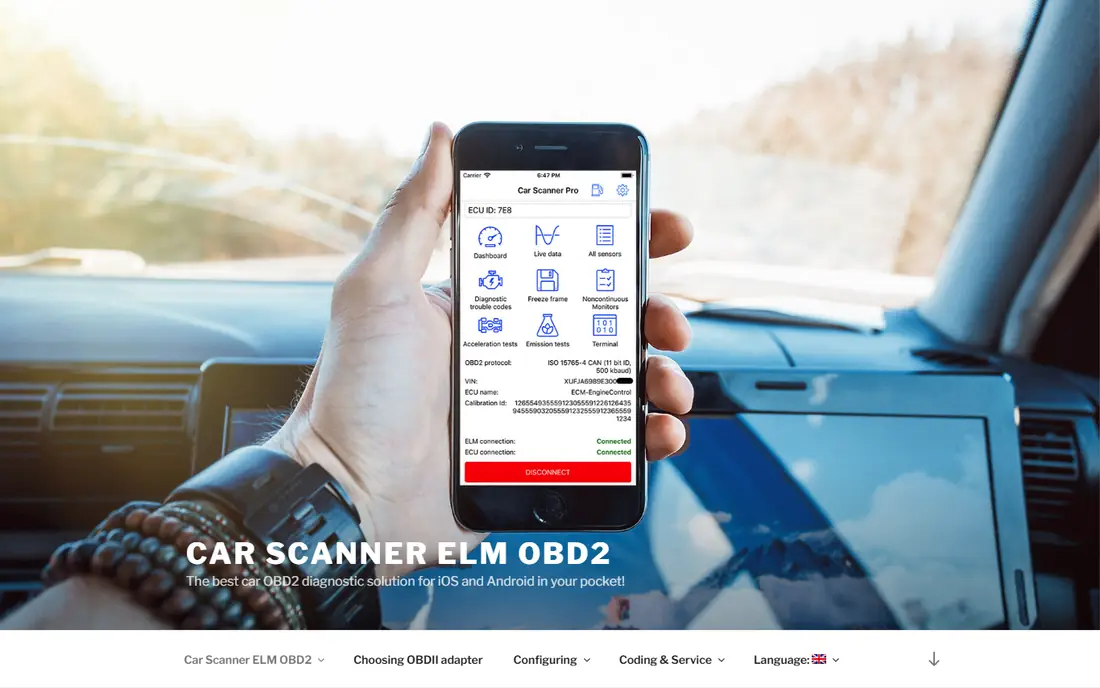
Car Scanner ELM OBD2 is the best free OBD2 app on this list for most drivers. The free version reads and clears codes, shows live sensor data, and offers dashboards without locking basic diagnostics behind a paywall. Profiles for brands, hybrids, and EVs help with cars that need more than generic codes.
Pro adds extra features, with store listings showing options such as a yearly plan or a one-time purchase, so check the current price on the vendor site or store listing. On iPhone, use a Bluetooth LE or WiFi adapter, since classic Bluetooth adapters do not pair with iPhone apps in the same way. For a free first scan, start here.
- Free tier covers code reading, clearing, and live data
- Profiles for many brands and EVs
- Customizable dashboards
- Ads on the free tier
- Pro features vary by store
- Adapter choice matters for iPhone
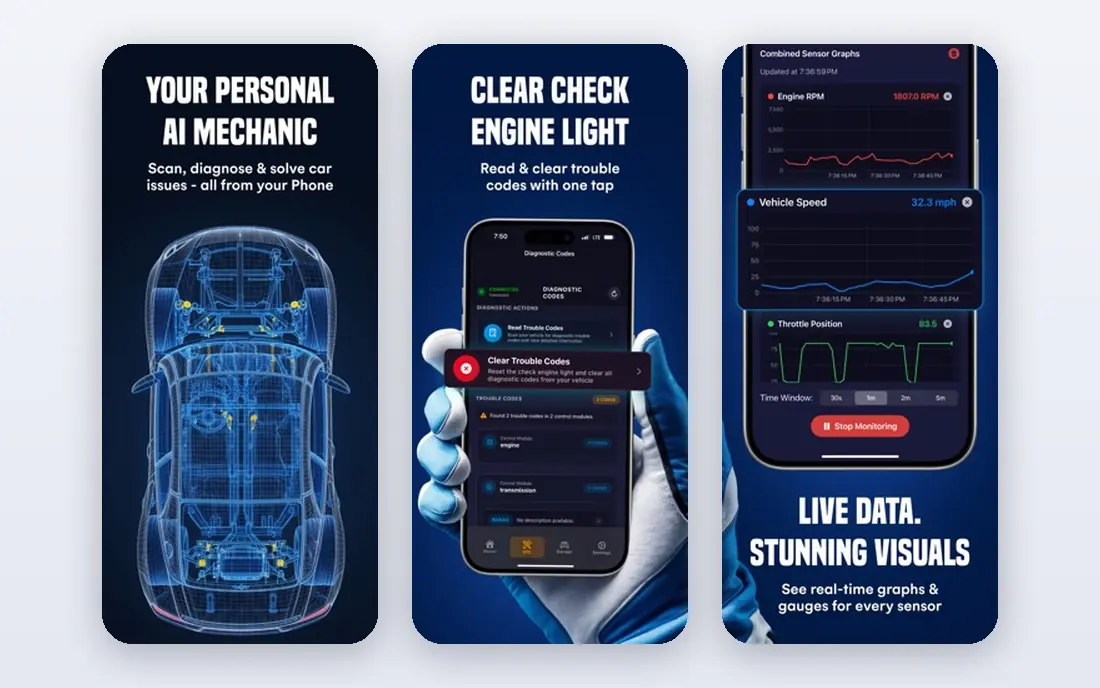
Torque Pro has been the standard Android OBD2 app for years, and it still leads on customization. Build your own dashboards, log data with GPS, set alerts, and add plugins for extra features. The one-time price, listed around $4.95, keeps the total cost low when paired with a generic Bluetooth adapter.
Torque Pro is Android focused, so iPhone users should pick Car Scanner or OBD Fusion instead. The interface is functional rather than pretty, and new users may need time to set up gauges. For Android drivers who want raw data and control, Torque Pro is still our pick.
- Deep gauge customization
- Data logging with GPS
- Plugin support
- Low one-time price
- Android only in most listings
- Interface shows its age
- Needs a compatible Bluetooth adapter
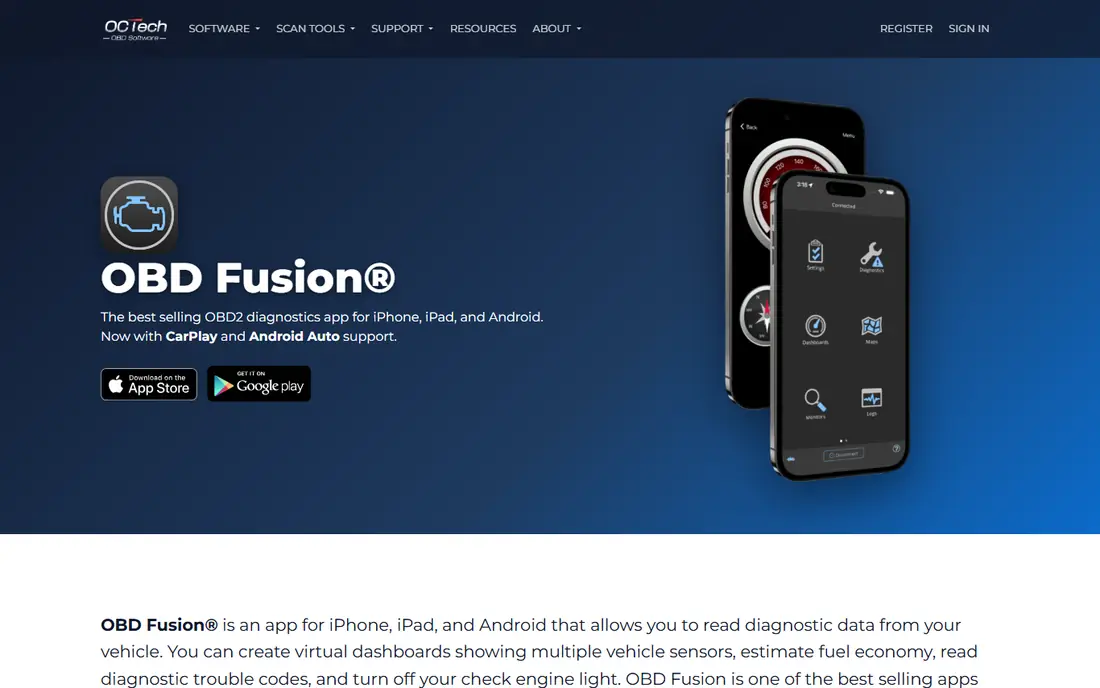
OBD Fusion is the iPhone friendly counterpart to Torque Pro. It shows live data in dashboards and charts, reads and clears codes, tracks fuel economy, and logs data for export. Custom PIDs let advanced users add manufacturer specific data where the app supports it.
Pricing is listed around $5.99 on Android and $9.99 on iOS in listings we reviewed, with optional one-time add-ons for extra features. Check the current store price before you buy. For iPhone users who want a capable dashboard app without a subscription, OBD Fusion is a strong choice.
- Polished dashboards and charts
- Custom PIDs
- Data logging and CSV export
- Fuel economy tracking
- Paid app with optional add-ons
- Some enhanced diagnostics need extra purchases
- Adapter choice matters for iPhone
BlueDriver pairs a proprietary Bluetooth adapter with a free app. That closed pairing is the trade off for its best feature: repair reports that show what other owners did to fix the same code, plus enhanced diagnostics beyond generic engine codes on supported brands. Smog check readiness and live data graphing round out the app.
The adapter is listed around $99 to $120 in listings we reviewed, with no subscription for the app. Check the vendor site for the current bundle price and for coverage of your make and model. If you want a guided fix rather than a raw code number, BlueDriver is worth the bundle price.
- Free app with its own adapter
- Verified fix reports from other owners
- Enhanced diagnostics for ABS, SRS, and transmission on supported cars
- Works only with the BlueDriver adapter
- Adapter price is higher than a generic dongle
- No subscription, but the bundle cost is upfront
FIXD explains a check engine light in plain language, with a severity note and a list of possible causes. That clarity suits drivers who do not want to look up code definitions themselves. Maintenance reminders and multi car support help families with more than one vehicle.
FIXD Premium is listed around $99 per year in listings we reviewed, with extra features such as repair cost estimates and a mechanic hotline on some plans. Check the vendor site for current terms. For simple explanations and reminders, the free app plus sensor is a friendly start, but serious DIY users should compare BlueDriver or Car Scanner first.
- Plain English explanations for codes
- Maintenance reminders
- App works with the FIXD sensor
- Premium plan is a yearly subscription
- Deeper diagnostics are more limited than BlueDriver or Torque Pro
- Sensor purchase needed for full use
Carly focuses on brand specific work, especially for BMW, Mercedes, VW group, and other supported makes. Beyond generic codes, it offers coding, customization, and service functions such as battery registration where the car supports them. That depth makes it popular with owners who want dealer style functions without a dealer visit.
Carly needs its own adapter, and full features need a paid plan, so check coverage for your exact model and year before you buy hardware. The free app reads basic codes on some setups, but coding and deeper functions sit behind the plan. For supported cars, Carly is a capable all in one tool.
- Brand specific diagnostics and coding on supported cars
- Battery registration and service functions
- Polished app
- Needs its own adapter
- Full features need a paid plan
- Coverage varies a lot by make, model, and year
OBDeleven is the go to app for VW group owners who want coding and diagnostics. One-click apps apply common changes, such as lighting or convenience settings, without manual long coding. Diagnostics, live data, and service functions cover everyday maintenance as well.
The app is free to download, with its own adapter required and a Pro plan for coding features, listed around $60 per year in listings we reviewed. Check the vendor site for current adapter and plan prices, and confirm support for your model year. For VW group cars, OBDeleven is the most focused choice on this list.
- Strong VW, Audi, Skoda, and Seat support
- Coding and diagnostics in one app
- One-click apps for common changes
- Needs its own adapter
- Coding features need the Pro plan
- Brand focus limits use for other makes
OBD Auto Doctor covers the core jobs well: read and clear codes, check emissions readiness, graph live data, and track fuel economy. That readiness check is useful before an emissions test, since it shows whether monitors have completed after a repair or a battery disconnect.
The free tier covers basic use, with subscriptions for full features, including monthly and annual plans in store listings. Check the current price on the vendor site. For a straightforward, cross platform diagnostic app with a clear readiness view, OBD Auto Doctor is a solid free start.
- Free basic diagnostics
- Emissions and readiness tests
- Live data graphs and fuel economy tracking
- Full features need a subscription
- Interface is plainer than Car Scanner or OBD Fusion
- Add-on costs vary by platform
DashCommand turns your phone into a performance dashboard, with gauges, a skidpad view, and logging for trips and fuel economy. It suits drivers who want a clean gauge display for daily driving or track days, rather than a workshop style code tool.
Pricing is listed around $9.99 on iOS in listings we reviewed, with a free Android version in some listings and paid year packs for certain makes. Check the current store price and update history before you buy. For gauge presentation, DashCommand still looks good, even if newer apps lead on diagnostics depth.
- Polished performance gauges
- Skidpad and logging features
- Trip and fuel economy data
- IOS version updates have been slower
- Some make and year packs are paid add-ons
- Less suited to deep diagnostics than OBD Fusion
How we picked these
We compared official feature pages, pricing pages, and app store listings for OBD2 apps available in October 2026, on Android and iPhone. We favored apps with a working free tier or a low one-time price, clear adapter requirements, and a real fit for code reading, live data, coding, or repair guidance. We did not claim hands-on testing that did not happen; our comparison rests on vendor documentation, pricing, and public listings.
What to check before you choose
Check your phone first, then your car. iPhone users need a Bluetooth LE or WiFi adapter for most apps, while Android users can use classic Bluetooth adapters as well. Proprietary apps such as BlueDriver, Carly, and OBDeleven need their own adapters, so do not buy a generic dongle for those apps.
Check coverage for your make, model, and year, especially for enhanced diagnostics and coding. Generic OBD2 covers engine codes on cars sold in the US since 1996, but ABS, airbag, transmission, and coding support varies. Finally, unplug the adapter when you are not using it unless the maker states it has a low power sleep mode, since some adapters can drain a battery over time.
Frequently asked questions
What is the best OBD2 app for iPhone?
Car Scanner ELM OBD2 is our pick for a free iPhone app, with code reading, clearing, and live data on the free tier. OBD Fusion is our pick for a paid iPhone dashboard app, and BlueDriver suits drivers who want verified repair reports with its own adapter.
What is the best OBD2 app for Android?
Torque Pro is our pick for Android customization and logging at a low one-time price. Car Scanner ELM OBD2 is our pick for a free Android app with broad profiles and dashboards. Both work with generic Bluetooth adapters on Android.
What is the best OBD2 scanner app for free?
Car Scanner ELM OBD2 offers the fullest free tier on this list, with code reading, clearing, and live data without a paywall for basic diagnostics. OBD Auto Doctor and FIXD also offer free basic use, with paid plans for fuller features.
Do I need to buy an adapter for an OBD2 app?
Yes. OBD2 apps need a physical adapter plugged into the diagnostic port under the dashboard. Generic ELM327 adapters work with Car Scanner, Torque Pro, OBD Fusion, and OBD Auto Doctor, while BlueDriver, Carly, and OBDeleven need their own adapters.
Can an OBD2 app clear a check engine light?
Yes, most of these apps can read and clear generic engine codes, but clearing a code does not fix the cause. If the light returns, or if the car shows symptoms such as rough running or overheating, get the car checked by a qualified mechanic rather than clearing the code repeatedly.
Sources
See where you really rank - block by block
ProMapRanker scans Google Maps across a grid of your service area. Simple monthly plans from $19, white-label on every plan.
Start freeKeep reading
 wpforms alternatives
Best WPForms Alternatives in 2026
We compare 9 wpforms alternatives for WordPress forms, with free and paid options, current pricing notes, and honest limits for small business sites in 2026.
Read → windows task scheduler alternatives
Best Windows Task Scheduler Alternatives in 2026
Looking for Windows Task Scheduler alternatives? We compare 9 schedulers for Windows and cross-platform work, from free tools to enterprise automation.
Read → which ai video service is best
Which AI Video Service Is Best in 2026
which ai video service is best? We compare 10 legitimate AI video services on price, avatars, editing and output quality to help you pick the right tool.
Read →