 ProMapRanker
Best No-Code Tools for Presentations in 2026

Key takeaways
- Gamma is our pick for most people because it turns a prompt or outline into a shareable, web-native deck in minutes, with no code and no template wrestling.
- Beautiful.ai suits teams that need consistent, on-brand decks, since its Smart Slides adjust layout as content changes.
- Google Slides remains the best free option for collaboration, while Canva suits teams that already design other assets in one place.
- Tome closed in April 2025, so it is not listed here, and any guide still recommending it as a live tool is out of date.
- Export needs decide many choices: check PDF, PowerPoint, and web sharing before you build a deck your audience must open elsewhere.
Quick comparison
| Pick | Great for | Pricing starts at | Free tier | |
|---|---|---|---|---|
 Gamma | Fast prompt-to-deck creation | $9 per month | Yes | Visit |
 Beautiful.ai | Consistent corporate and consulting decks | $14.50 per month | Free trial | Visit |
 Canva | Template-led design for teams | See website | Yes | Visit |
 Pitch | Collaborative startup and sales decks | $13 per month | Yes | Visit |
 Visme | Data-driven presentations and reports | $12.25 per month | Yes | Visit |
 Google Slides | Free collaboration for teams and schools | Free | Yes | Visit |
 Prezi | Non-linear, zoomable talks | $7 per month | Yes | Visit |
 Plus AI | AI decks inside PowerPoint and Google Slides | $10 per month | Free trial | Visit |
The best no-code tools for presentations
We compared official pricing pages and feature pages for the best no-code presentation tools, and we kept only tools that work without code in October 2026. No-code here means you build, edit, and share a deck in a browser editor, with templates, AI drafts, or smart layouts doing the heavy work. You should not need a developer, a design degree, or a local install to publish a clean deck.
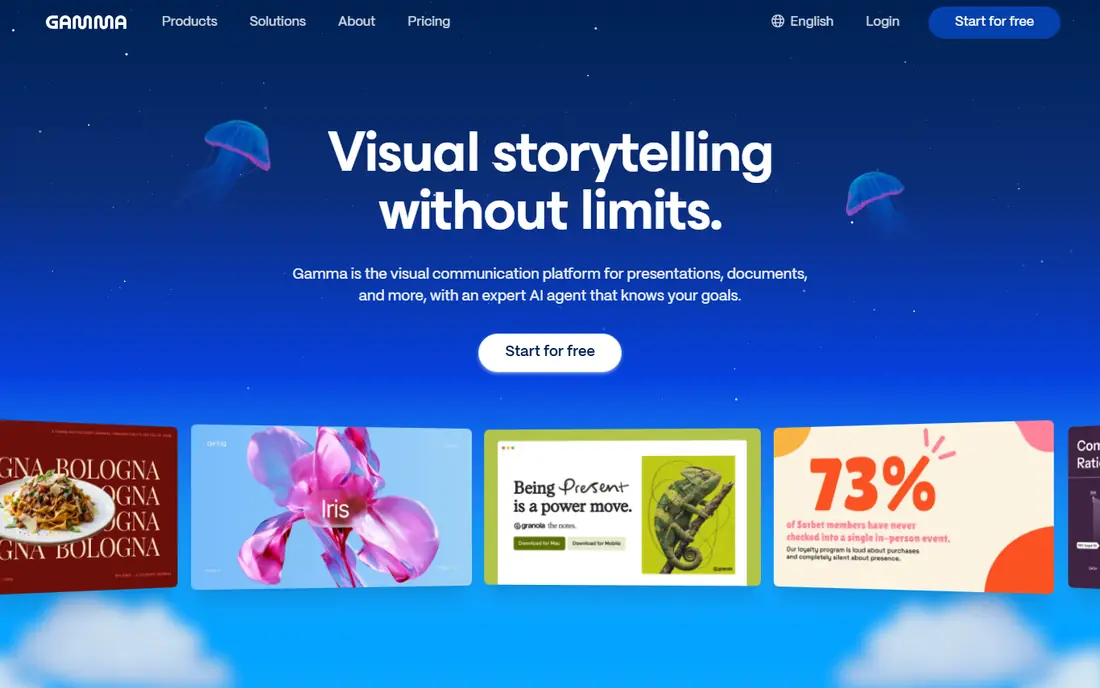
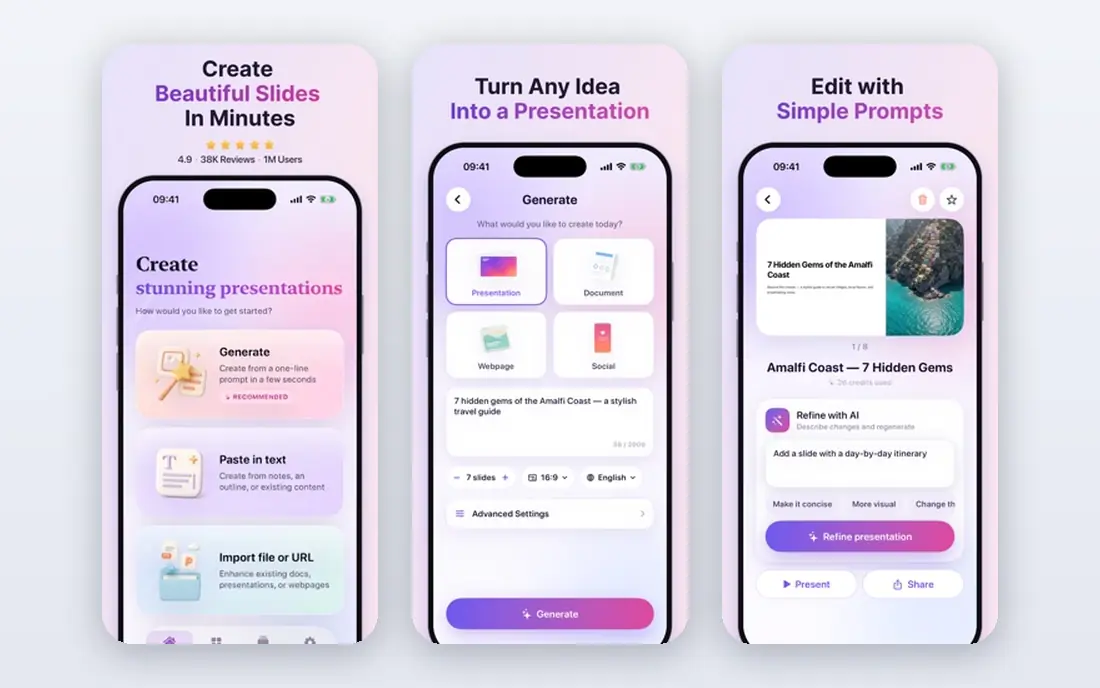
Gamma is the fastest route from an idea to a deck you can share as a link. Type a prompt, paste content, or upload a file, and Gamma builds a themed deck with cards, images, and structure, rather than a blank slide you must fill. You can embed live content, share a web link, and export to PDF or PowerPoint when an audience needs a file.
Pricing is clear: a free plan starts with 400 one-time credits and up to 10 slides per prompt, Plus costs $9 per seat per month billed annually, and Pro costs $18 per seat per month billed annually. The free credit limit is the main catch, since it does not refill, so a regular publisher should budget for Plus. For speed and shareability, Gamma is our pick for most people.
- Prompt, paste, or outline to full deck in minutes
- Web-native sharing with embeds
- Exports to PDF and PowerPoint
- Free credits do not refill
- Web-first format differs from classic slide workflows
- Heavy editing still needs care with layout
Beautiful.ai solves a different problem: decks that must look the same every time, no matter who builds them. Its Smart Slides re-balance text, images, and charts as you add or remove content, so a slide rarely breaks into overflow or awkward gaps. Team plans add themes, shared slide libraries, and brand controls, which help consulting firms and corporate teams that send decks to clients.
There is no permanent free plan, only a 14-day trial that requires a card, and Pro costs $14.50 per month billed annually, or $45 billed monthly. Team costs $40 per user per month billed annually. That price is justified only if consistency and brand control matter more than freeform design. For one-off creative decks, Gamma or Canva will feel freer.
- Smart Slides adjust layout automatically
- Team themes enforce brand rules
- Viewer analytics on higher plans
- No permanent free plan
- Less freeform than Canva or Google Slides
- Team pricing rises fast with seats
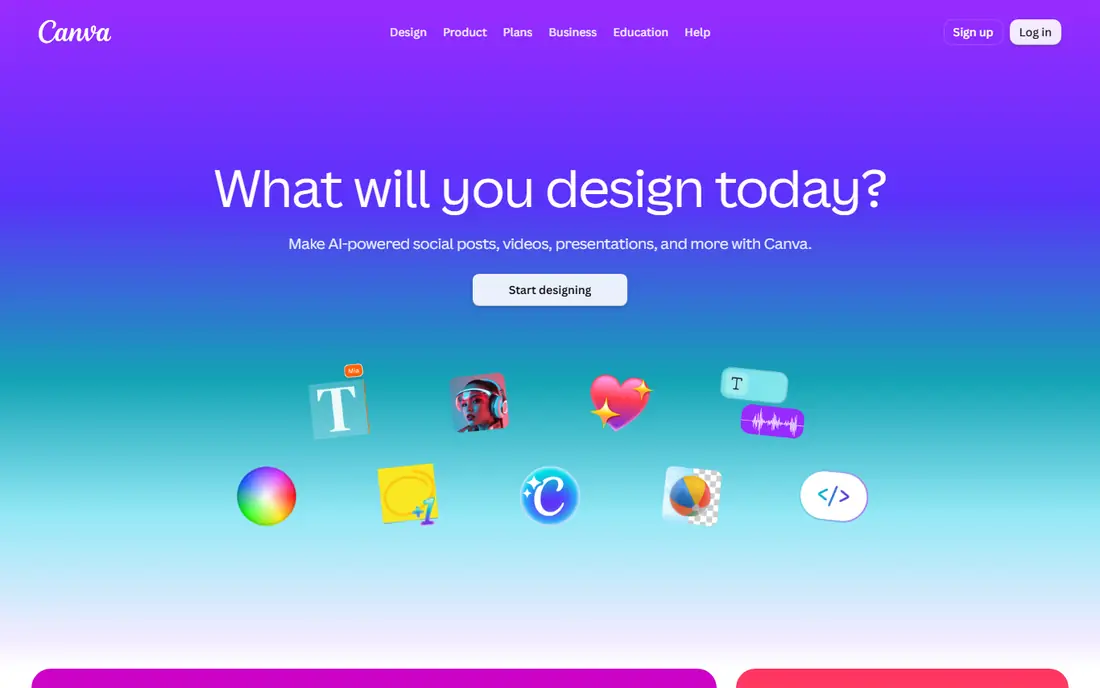
Canva is the broadest design tool on this list, and presentations are one part of a much larger system. Teams can build decks from thousands of templates, use Brand Kits for fonts and colors, and reuse the same assets for social posts, documents, and video. That breadth helps when one team owns many kinds of content and wants one login for all of it.
Presentation work in Canva is more manual than in Gamma. You choose a template, adjust slides one by one, and manage overflow yourself, which adds time for teams making many decks per month. The free plan is generous for basic design, Pro is listed at $144 per year for one person, and Business is $250 per year per person. Choose Canva when your team already lives in it, not just for a single deck.
- Huge template and asset library
- Magic Design and AI tools inside the editor
- Exports to PDF, PowerPoint, and web formats
- AI allowance on free plans is limited
- Layout work is more manual than Gamma or Beautiful.ai
- Pro pricing varies by plan
Pitch is built around decks that must persuade and be measured. Founders can share a pitch deck as a link, see which slides investors actually viewed, and update the deck without resending a file. Teams can collaborate in real time, use templates, and keep brand colors consistent across a shared workspace.
The free plan includes 100 one-time AI credits and unlimited presentations, Plus costs $13 per month, and Team and Business plans cost more per member with higher credit allowances. That analytics focus is the reason to choose Pitch over a general editor. If you only need a deck for an internal meeting, with no sharing or tracking need, a simpler free tool may be enough.
- Built for pitch decks and team sharing
- Per-slide analytics show viewer engagement
- Real-time collaboration and templates
- AI credits are limited on lower plans
- Team plans add cost per member
- Less of a general design suite than Canva
Visme suits decks that are really reports: quarterly reviews, survey results, marketing data, and training material with charts and tables. It offers chart tools, data widgets, interactive elements, and an AI Designer that can draft up to 10 slides. You can import data, build animated charts, and publish a deck as a web link or export it for sharing.
Paid plans start at $12.25 per month, and the free Basic plan is useful for trying layouts, though downloads are limited. Visme is more powerful than a simple slide editor, but that power takes a little learning. Choose it when data presentation is the core job, and choose Gamma or Slides when the deck is mainly a talk with a few visuals.
- Strong charts, data widgets, and interactive elements
- AI Designer for quick drafts
- Brand kit and content hub on paid plans
- Free plan cannot download in some cases
- Learning curve is higher than Google Slides
- AI credits are limited on lower plans
Google Slides remains the best free no-code presentation tool for most teams, because it costs nothing for basic use and collaboration just works. Multiple people can edit at once, leave comments, and share a link with view or edit access, without licenses or installs. Live Sheets data, Google Drive storage, and Classroom integration make it a natural fit for schools and small teams.
Design is the trade-off. Slides templates are plainer than Canva or Beautiful.ai, and AI help on free plans is limited, with fuller Gemini features tied to paid Google Workspace plans. For a polished client deck, you may want Beautiful.ai or Gamma. For a working deck that a team must build together quickly, at no cost, Slides is hard to beat.
- Free with a Google account
- Real-time collaboration and comments
- Live data from Google Sheets and easy sharing
- AI features are limited on free plans
- Template design is plainer than Canva or Beautiful.ai
- Offline work needs setup
Prezi is for presenters who want movement, not a straight slide sequence. Its zoomable canvas lets you move from an overview to a detail and back, which can make a story, a map, or a process feel more alive than a linear deck. Teachers, sales teams, and conference speakers use it when the journey through the material matters as much as each slide.
That style is not right for every meeting. A formal board deck, a dense report, or an audience that expects standard slides may find zooming distracting. Prezi offers a free Basic plan with credit-capped AI, Standard at $7 per month, and higher Plus and Teams plans. Try it on a talk where story structure matters, and keep Slides or Gamma for routine decks.
- Zoomable canvas for story-driven talks
- Templates for education and sales
- View stats on presentations
- Non-linear style does not suit every audience
- Standard plan credits are capped
- Team pricing is higher per user
Plus AI is the pick for teams that must stay in PowerPoint or Google Slides, but want AI help without switching editors. It works as an add-in, generates decks from prompts or outlines, and supports custom templates so output matches company branding. Live Snapshots can refresh charts from source data, which helps for recurring reports.
Basic pricing is listed at $10 per user per month billed annually, with a 7-day trial and no permanent free plan. That makes sense only if your audience, templates, or IT rules require PowerPoint or Slides files. If you are free to share a web link, Gamma will usually be faster. If you must deliver a native file, Plus AI removes the copy-and-paste step.
- Works inside tools teams already use
- Custom templates and shared themes
- Live snapshots can update charts
- No permanent free plan
- Value depends on existing PowerPoint or Slides use
- AI output still needs editing and checking
How we picked these
We compared official pricing pages checked in October 2026, feature pages, and presentation guides, and we kept only tools that still work as no-code editors. We left out Tome, which closed in April 2025, and we left out code-based slide frameworks that need a developer. We favored a mix of AI-first decks, smart-layout decks, template decks, and free collaboration, so readers can match a tool to their actual workflow rather than to a single style. Prices are from vendor pages or vendor-checked summaries, and you should confirm the current plan before paying.
How to choose a no-code presentation tool
Start with the audience and the file they need. If they must open a PowerPoint file, use Plus AI, Google Slides, Canva, or another tool with clean PowerPoint export. If a web link is fine, Gamma and Pitch offer sharing, analytics, and live embeds that a static file cannot match. If the deck is a report with charts, Visme deserves a closer look than a pure AI deck builder.
Next, test brand control and collaboration on a real deck. Build one deck with your colors, logo, and a chart, share it with a colleague, and export it. Note where fonts change, where charts break, and where a teammate cannot edit without a paid seat. Those small frictions matter more over a year than a demo that looks perfect on a vendor template.
Finally, count AI credits and seats honestly. A free plan with 400 one-time credits, or 100 one-time AI credits, is a trial, not a publishing plan. A team plan that charges per editor can cost far more than a single-user plan with viewers. Match credits to decks per month, and keep a copy of every final deck as PDF or PowerPoint, so a price change does not lock you out of your own work.
Frequently asked questions
What are the best no-code presentation tools for beginners?
Gamma is the easiest AI-first start, because a prompt or outline becomes a deck without template choices. Google Slides is the easiest free start for collaboration, and Canva is the easiest start if you want many templates. Try one real deck in each free plan, and keep the tool that lets you finish fastest.
Is Tome still available for presentations?
No. Tome closed in April 2025, and its decks were removed at closure, according to later Gamma alternative guides. Gamma is the closest web-native replacement for AI narratives, while Canva, Pitch, and Google Slides cover template, sharing, and collaboration needs. Do not build new work in a tool that no longer operates.
Which no-code tool is best for brand consistency?
Beautiful.ai is the strongest pick for brand consistency, because Smart Slides adjust layout automatically and team plans enforce themes and shared libraries. Canva Brand Kits also help, especially for teams that design many asset types. For a single user, a saved template in Google Slides or Canva may be enough.
Can I export a no-code deck to PowerPoint?
Yes, in most cases, though fidelity varies. Gamma, Canva, Beautiful.ai, Pitch, Visme, and Plus AI all offer PowerPoint or PDF export, with Plus AI working inside PowerPoint itself. Always open the exported file and check fonts, charts, and layout before sending it to a client, since web-native designs do not always translate perfectly.
Are free presentation tools good enough for work?
Often, yes, for internal decks and small teams. Google Slides is free and fully collaborative, Canva free covers many templates, and Gamma free lets you try AI decks. Paid plans matter when you need more AI credits, downloads, brand controls, analytics, or team seats. Start free, and pay only when a limit actually blocks your work.
What is the best no-code presentation tool for pitch decks?
Pitch is built for that job, with link sharing, per-slide analytics, and templates for investor decks. Gamma also works well for a fast first draft, and Slidebean-style analytics matter if you track investor engagement. For a pitch, test the shared link yourself, check the analytics, and make sure the deck opens cleanly on a phone as well as a laptop.
Sources
See where you really rank - block by block
ProMapRanker scans Google Maps across a grid of your service area. Simple monthly plans from $19, white-label on every plan.
Start freeKeep reading
 wpforms alternatives
Best WPForms Alternatives in 2026
We compare 9 wpforms alternatives for WordPress forms, with free and paid options, current pricing notes, and honest limits for small business sites in 2026.
Read → windows task scheduler alternatives
Best Windows Task Scheduler Alternatives in 2026
Looking for Windows Task Scheduler alternatives? We compare 9 schedulers for Windows and cross-platform work, from free tools to enterprise automation.
Read → which ai video service is best
Which AI Video Service Is Best in 2026
which ai video service is best? We compare 10 legitimate AI video services on price, avatars, editing and output quality to help you pick the right tool.
Read →