 ProMapRanker
Best Network Monitoring Software in 2026


Large on-premises networks · Pricing starts at: $1,638 per year
Key takeaways
- Free tools such as Zabbix and LibreNMS cover a lot of ground, but they ask more of your time for setup and upkeep.
- PRTG and ManageEngine OpManager suit teams that want a clear, sensor or device based price and a fast start.
- Datadog and Auvik fit cloud and multi-site networks, while SolarWinds and Nagios XI fit traditional on-premises estates.
- Always price by your device, sensor, or host count, not by the headline plan, because that count drives the real bill.
Quick comparison
| Pick | Great for | Pricing starts at | Free tier | |
|---|---|---|---|---|
| SolarWinds Network Performance Monitor | Large on-premises networks | $1,638 per year | Free trial | Visit |
 PRTG Network Monitor PRTG Network Monitor | Small and midsize teams | See website | Free trial | Visit |
 Datadog Datadog | Cloud and hybrid infrastructure | $15 per host per month | Yes | Visit |
 Zabbix Zabbix | Free enterprise monitoring | Free | Yes | Visit |
 Nagios XI Nagios XI | Customisable infrastructure monitoring | $1,995 one-time | No | Visit |
 ManageEngine OpManager ManageEngine OpManager | Device based network management | $245 for 25 devices | Free trial | Visit |
 Auvik Auvik | Cloud managed multi-site networks | See website | Free trial | Visit |
 LibreNMS LibreNMS | Free automatic network discovery | Free | Yes | Visit |
The best network monitoring software
We compared official feature pages, pricing pages, and public documentation for tools that monitor switches, routers, servers, and cloud hosts in real time.
SolarWinds Network Performance Monitor is a long-running choice for teams that still run most of their network on site. It discovers devices, draws topology maps, and tracks bandwidth, latency, and device health from one dashboard. That visual view helps a small IT team spot a failing link before users start calling, and custom thresholds let you tune alerts to your own traffic patterns rather than living with generic defaults.
The catch is scope and cost. It is not the natural pick for a cloud-first shop, and licensing by monitored elements means a growing estate needs careful counting before renewal. Still, for a traditional network with many switches, routers, and firewalls, it remains a dependable, well documented option with a large community around it.
- Clear topology maps
- Strong alerting and thresholds
- Wide protocol support
- On-premises focus
- Pricing can get complex as element counts grow
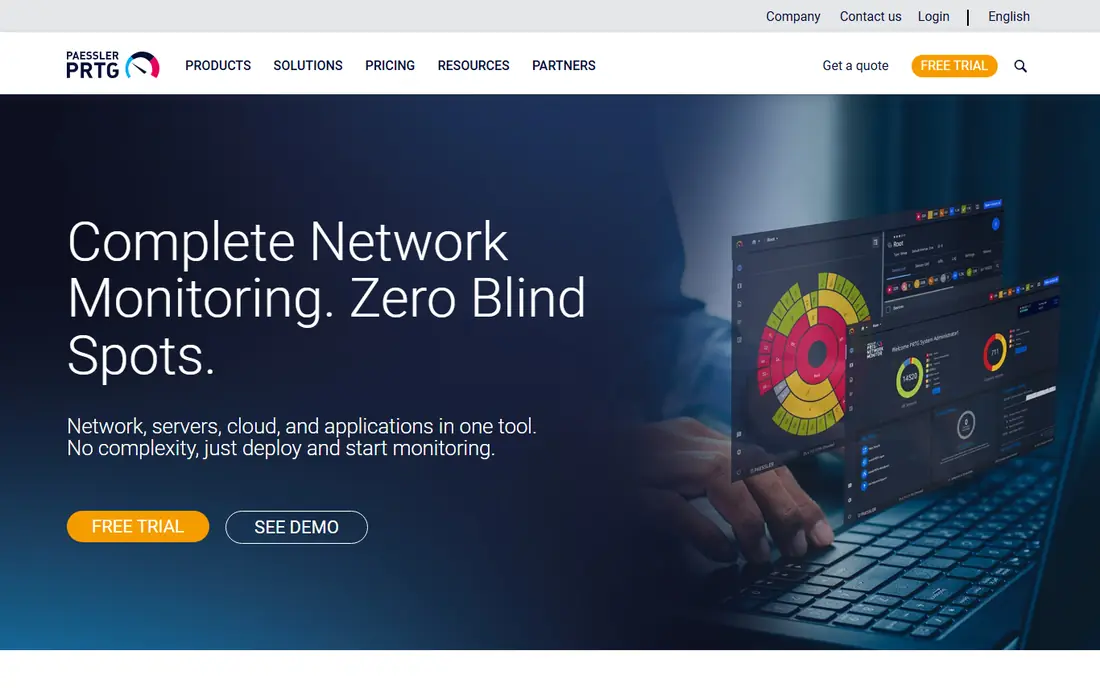
PRTG is built around sensors, where each sensor watches one metric on one device, such as ping, CPU load, or traffic on a port. That model makes it easy to start, because you add sensors for what you actually care about and watch them fill a single dashboard. Prebuilt sensors cover common vendors and services, so a team can get useful coverage in a day rather than spending weeks on configuration.
The trade-off is that sensor counts add up. A busy server with many interfaces can consume sensors faster than expected, so plan your count before you buy. PRTG also leans on Windows for its core server, which matters if your shop is Linux only. For teams that want quick visibility without a large project, it is a strong middle ground.
- Fast setup with prebuilt sensors
- One dashboard for network and servers
- Clear sensor based pricing
- Sensor counts can rise quickly
- Windows centred deployment
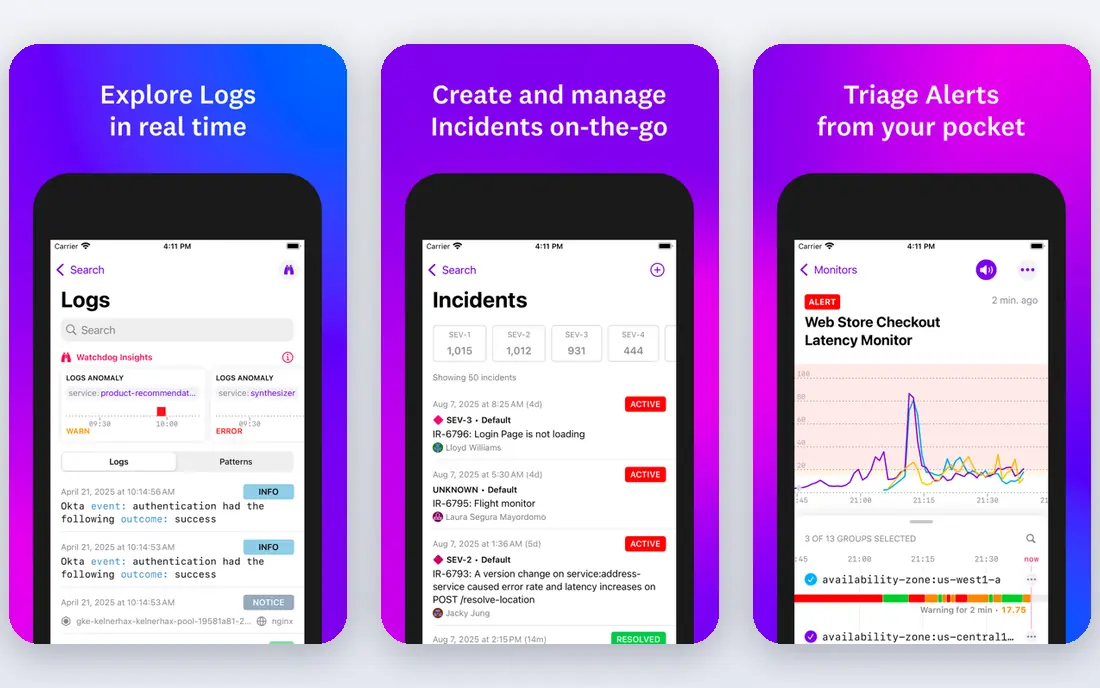
Datadog treats network monitoring as part of a wider observability platform, so network performance sits next to infrastructure metrics, logs, and application traces. That matters when a slow page turns out to be a network path problem, a saturated host, or both, because you can follow the same incident across those views instead of opening three separate tools. Its integration library is very wide, which helps in mixed cloud environments.
Pricing is the honest warning here. The per host starting price looks modest, but each product, log volume, and host adds to the bill, so model your costs at a larger size before you commit. A free tier for up to five hosts helps with a trial. For teams already standardising on Datadog, adding network monitoring is a natural step.
- Broad integrations
- Network, infrastructure, and application data in one place
- Strong dashboards
- Costs rise with hosts and modules
- Many pricing parts to track
Zabbix is open source software that monitors networks, servers, cloud services, and applications, with templates, triggers, and graphs you can shape to your estate. Large organisations use it because it scales well and costs nothing in licence fees, and its API supports automation and links to ticketing tools. If you have Linux skills in house, you can build a monitoring setup that rivals paid tools for the price of your time and servers.
That time is the real cost. Installation, template tuning, and upgrades need someone who owns the system, and support comes from the community unless you buy a commercial support agreement. For budget-conscious teams with technical staff, Zabbix is hard to beat. For teams that want a vendor to carry that load, a paid tool may be cheaper in practice.
- No licence cost
- Highly customisable
- Handles thousands of devices
- Setup takes real skill
- Interface feels dated to some users
Nagios XI builds on the long-lived Nagios Core engine and adds a web interface, dashboards, wizards, and reporting on top. Hundreds of community plugins extend it to almost any device or service you can name, from standard SNMP gear to custom application checks. Alerting by email or text, plus trending graphs, helps teams plan upgrades before capacity runs out rather than reacting after an outage.
The downside is hands-on configuration. Compared with tools that auto-discover and auto-configure most things, Nagios XI asks you to define hosts, services, and thresholds more explicitly. That control appeals to engineers who want exact behaviour, but it slows down teams that want a quick start. If your estate is stable and your team likes precise control, it remains a solid buy.
- Huge plugin ecosystem
- Central dashboards
- Capacity planning graphs
- Configuration can feel manual
- Interface shows its age
OpManager monitors network devices, servers, virtual machines, and interfaces, with discovery, alarms, and business views that group devices by site or service. Its pricing by device count is easy to understand, and a free edition for up to three devices lets a tiny team start without spending anything. For a midsize business, that clarity is a real advantage over sensor or element models that are harder to forecast.
Watch the add-ons. Features such as configuration management and advanced storage monitoring sit in separate modules, so the entry price is not the full price for every team. Still, for straightforward network and server monitoring with a readable dashboard, OpManager is a practical choice that many IT teams run for years.
- Simple device based pricing
- Good dashboards
- Free edition for three devices
- Add-ons add cost
- Very large estates may need higher editions
Auvik is a cloud based tool that discovers a network, draws a live map, backs up device configurations, and alerts on problems, without a monitoring server to maintain on site. That design suits managed service providers and IT teams with many sites, because each site can be viewed from one dashboard with separate client billing and access controls. Automated mapping also speeds up onboarding when you take over an unfamiliar network.
The limits are price transparency and scope. There is no permanent free tier, only a trial, and paid pricing is per managed device, so a large network needs a quote and a careful count. Auvik is also network first, so server and application depth is thinner than broader platforms. If networks are your main job, that focus is a strength.
- Automatic live topology maps
- Cloud deployment
- Strong fit for managed service providers
- No permanent free tier
- Per device pricing adds up at scale
LibreNMS is a free, open source network monitoring system that auto-discovers devices and collects health, traffic, and performance data over SNMP and related protocols. It produces graphs, alerts, and an inventory with little manual entry, which is why small teams and hobbyist network admins like it. It runs on Linux and integrates with common alerting and ticketing tools through its API.
As with other open source tools, you provide the server, the upkeep, and the troubleshooting. There is no vendor support line unless you arrange help elsewhere, and very large or unusual estates may need tuning. For a home lab, a small business, or a team that already runs open source infrastructure, LibreNMS gives a lot of monitoring for no licence cost.
- Free and open source
- Strong auto-discovery
- Good alerting and graphs
- Community support only
- Needs Linux skills to run well
How we picked these
We compared official feature pages, pricing pages, and public documentation, and we favoured tools that are actively maintained, cover real network devices, and publish clear pricing or a genuine free edition. We included free open source options alongside paid platforms because the right answer depends on team size, skills, and whether your network is on site, in the cloud, or spread across sites. We did not claim hands-on testing, and prices here are starting points that change with device, sensor, or host counts.
What to check before you buy network monitoring software
Start by counting what you will monitor, because every pricing model in this list turns on that count. List your switches, routers, firewalls, access points, servers, and cloud hosts, then map that list to devices, sensors, or hosts for each vendor and ask for a quote on that exact count. A trial on your real network matters more than a demo on a sample network, so run a trial during a normal busy week and check whether alerts are useful or just noisy.
Also check deployment and retention. An on-premises tool needs a server, backups, and patching, while a cloud tool needs a collector on site and a clear data retention policy. Confirm which protocols your gear supports, how configuration backups work, and how alerts reach the on-call person at night. The best tool is the one your team will actually keep tuned, not the one with the longest feature list.
Frequently asked questions
What is the best network monitoring software for a small business?
For a small business, PRTG and ManageEngine OpManager are strong starting points, because both offer a clear starting price and a trial, and both cover common network gear without a large project. LibreNMS is worth a look if you have Linux skills and want no licence cost. Pick the one whose pricing unit, sensors or devices, matches how your network grows.
What are the best free network monitoring tools?
Zabbix and LibreNMS are the strongest free options in this list, and both are open source with active communities. PRTG and OpManager also offer free or trial routes for very small setups, but their free editions have limits. Free here means no licence fee, not no work, since you still need time for setup and upkeep.
What is the best cloud monitoring tool for hybrid infrastructure?
Datadog is the strongest pick here for teams that run cloud hosts alongside on-premises gear, because it brings network, infrastructure, and application data into one platform. Auvik is a better fit if your main job is managing many separate networks rather than applications. Check how each tool prices hosts and devices before you commit.
What is the best home network monitoring tool?
For a home network, LibreNMS or a small PRTG setup can work if you enjoy technical setup, while a simpler consumer router app may be enough for basic device lists and alerts. Home users rarely need enterprise alerting, so start with the free option and only pay if you need history, graphs, or alerts across many devices.
What is the best enterprise monitoring software?
For large enterprises, SolarWinds Network Performance Monitor, Datadog, and Zabbix all appear in this list for different reasons: SolarWinds for traditional estates, Datadog for cloud scale, and Zabbix for large open source deployments. The right enterprise pick depends on your cloud mix, your support needs, and whether you want a vendor contract or an in-house team to own the platform.
Sources
See where you really rank - block by block
ProMapRanker scans Google Maps across a grid of your service area. Simple monthly plans from $19, white-label on every plan.
Start freeKeep reading
 zoom alternatives
Best Zoom Alternatives in 2026
Compare Zoom alternatives in 2026, with free meeting limits and prices, so you can pick the best alternative to Zoom for your team, class, or community.
Read → which software is best for remote work
Which Software Is Best for Remote Work in 2026
Answering which software is best for remote work, we compare Slack, Zoom, Asana, Notion, Teams and more, with pricing and honest tradeoffs in 2026 now.
Read → which ai tool is best for content writing
Which AI Tool Is Best for Content Writing in 2026
Wondering which ai tool is best for content writing? We compare ChatGPT, Claude, Jasper, Grammarly, and more on price, quality, and best use in 2026 now.
Read →