 ProMapRanker
Best Marketing Project Management Software in 2026


structured campaign workflows · Pricing starts at: $10.99 per user per month
Key takeaways
- Asana and monday.com suit most marketing teams, with Asana leaning structured and monday.com leaning visual and easy to adopt.
- ClickUp offers the most features per dollar, but it needs an owner to keep the workspace tidy as the team grows.
- Wrike and Teamwork stand out for approval-heavy work and client-facing projects, where proofing and billable time matter.
- Trello and Basecamp are the low-friction picks when a team wants simple boards or flat pricing rather than deep customization.
Quick comparison
| Pick | Great for | Pricing starts at | Free tier | |
|---|---|---|---|---|
| Asana | structured campaign workflows | $10.99 per user per month | Yes | Visit |
 monday.com | visual marketing boards | $9 per user per month | Yes | Visit |
 ClickUp | all-in-one value | $7 per user per month | Yes | Visit |
 Wrike | approvals and proofing | $10 per user per month | Yes | Visit |
 Trello | simple kanban for small teams | $5 per user per month | Yes | Visit |
 Basecamp | flat pricing and client communication | $15 per user per month | No | Visit |
 Teamwork | client projects and time tracking | $9.99 per user per month | Yes | Visit |
 Notion | content calendars plus docs | $10 per user per month | Yes | Visit |
The best marketing project management software
Marketing work is a mix of deadlines, assets, approvals, and people outside the team, so the best tool is the one that keeps that mix visible without adding admin work. The eight tools below cover that range, from simple boards to approval workflows and client portals, and each one is judged on how it handles a real campaign, not just a task list.
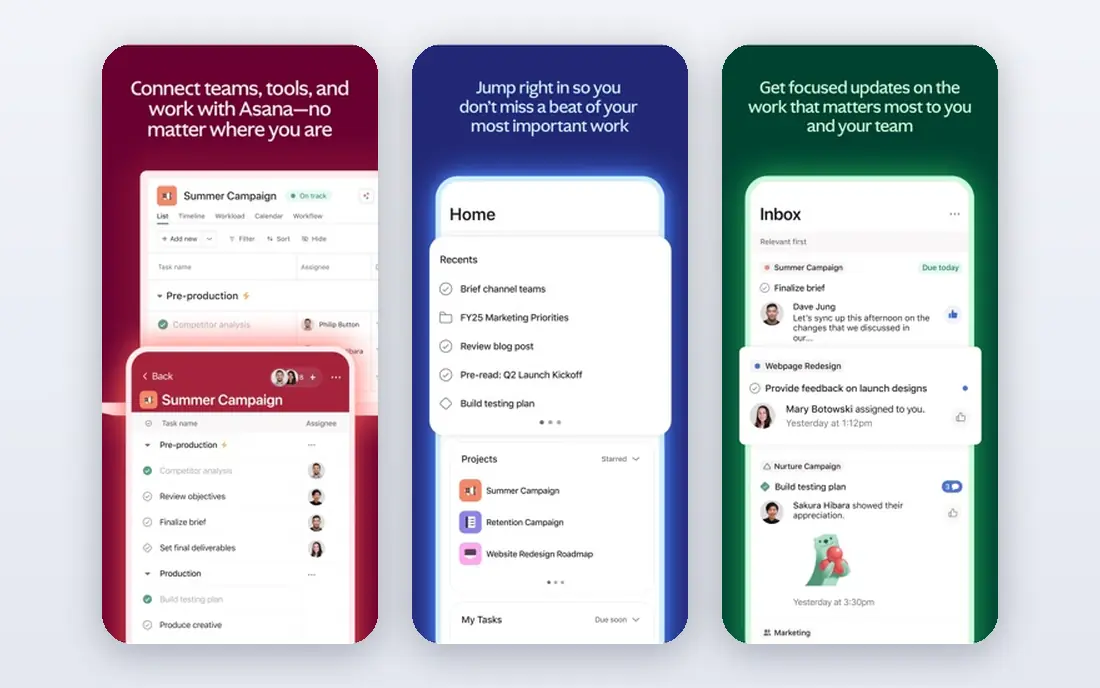
Asana works well for marketing teams that run repeatable campaigns, because its timelines, portfolios, and templates turn a launch into a checklist the whole team can follow. A campaign manager can map content, design, email, and social tasks on one timeline, then use portfolios to see every active campaign at once. Integrations with common design, file storage, and chat tools keep assets and discussion close to the work, which reduces the usual hunt for the latest file version.
The limit shows up in pricing tiers. The free plan covers only very small teams, and workload views, portfolios, and deeper reporting require paid plans, so a growing team should price the tier it actually needs rather than the entry figure. Asana also rewards teams that adopt its structure; a team that resists templates may find it formal. For a marketing department that wants order without heavy customization, Asana is our pick for most teams.
- Clear timelines and portfolios
- Strong templates
- Wide integrations
- Free plan limited to small teams
- Advanced reporting sits on higher tiers
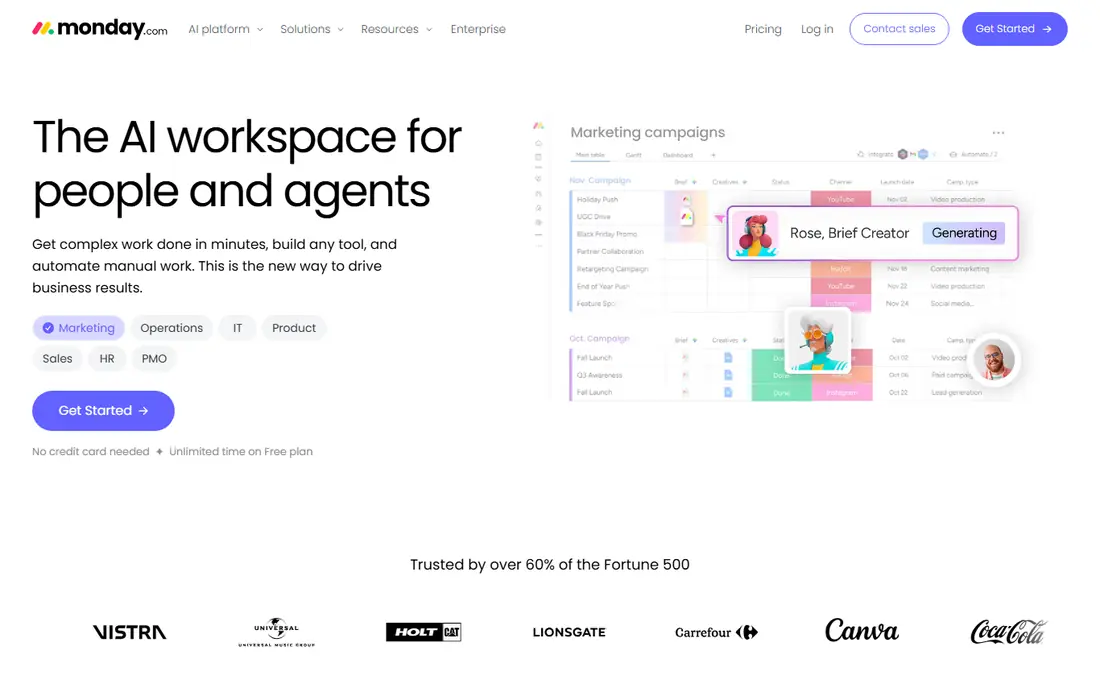
monday.com wins on first impression, which matters more than it sounds when non-technical marketers must adopt a tool quickly. Boards are colorful, status columns are obvious at a glance, and a new hire can understand a campaign board without a training session. That visual clarity helps when a team juggles content calendars, ad campaigns, and events in one place, and the column system adapts to budgets, owners, and deadlines without custom code.
The catch is that the basic tier is a starting point, not the full product. Timelines, workload views, and richer automations sit on higher tiers, and automation actions are capped by plan, so a busy team should check those limits. Seat minimums on paid plans also matter for very small teams. If adoption speed and visual clarity are your main risks, monday.com is a strong choice, provided you budget above the entry tier.
- Colorful boards that are easy to read
- Fast onboarding
- Flexible columns
- Useful project features sit above the basic tier
- Automations are capped by plan
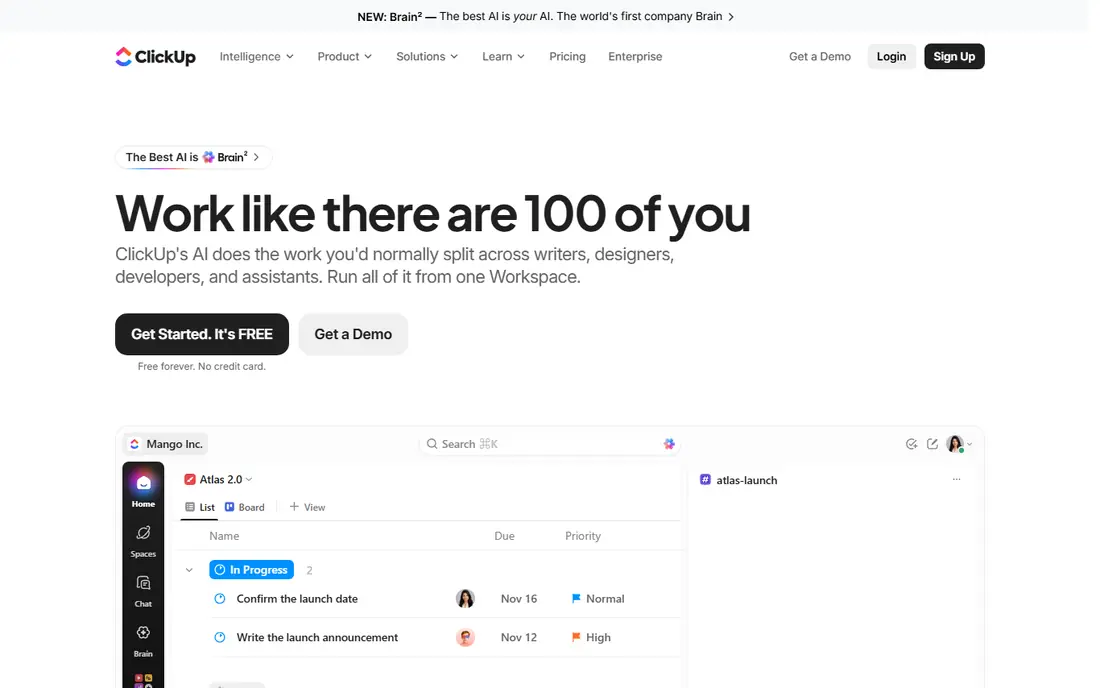
ClickUp is the value argument in this list, because its mid-tier plan packs Gantt charts, custom fields, dashboards, native time tracking, and docs for less than most rivals charge for a narrower tool. The free plan is also genuinely usable, with unlimited tasks and members, which makes it easy to trial with a real campaign before paying. For a marketing team that wants tasks, content docs, and goals in one workspace instead of three subscriptions, the math is hard to ignore.
The risk is clutter. ClickUp lets a team build almost anything, and without an owner, workspaces turn into a maze of half-used views and overlapping lists. That is a management problem, not a product flaw, but it is real, so assign one person to own the setup and prune regularly. If your team will do that, ClickUp gives more capability per dollar than any other tool here.
- Many views and features for the price
- Generous free plan
- Docs and goals included
- Easy to overbuild
- Setup needs an owner
Wrike is built for marketing teams where approval is the bottleneck, not task creation. Proofing tools let reviewers comment directly on creative assets, approval workflows route work to the right person, and dashboards show where each campaign sits. That structure helps larger marketing departments and agencies that handle many requests, revisions, and stakeholders, and it keeps the approval trail in one place instead of scattered across email threads.
Casual users may find Wrike heavier than a simple board tool, and some plan rules, such as seat groupings, can raise the effective cost for a small team. It is also more than a team needs if campaigns are simple and approvals are informal. For approval-heavy marketing work, though, Wrike is our pick, because it treats creative review as a first-class workflow rather than an afterthought.
- Strong approval workflows
- Proofing on creative assets
- Detailed dashboards
- Learning curve for casual users
- Seats sold in groups on some plans
Trello remains the fastest way to get a marketing team organized, because a board, a few lists, and cards are enough for a content calendar or a simple campaign. A small team can start in an afternoon, move cards as work progresses, and add checklists, attachments, and due dates without a setup project. The low entry price and free plan make it an easy trial, and its simplicity means people actually keep it updated, which is half the battle with any project tool.
The limit is depth. Trello has no native task dependencies on lower tiers, reporting is light, and complex campaigns with many linked tasks will strain the board model. Teams that outgrow it usually move to Asana or monday.com rather than forcing Trello to do more. For a small marketing team that needs kanban done well and nothing more, Trello is still the sensible, low-cost pick.
- Fastest to learn
- Clean kanban boards
- Low cost
- Weak for dependencies and reporting
- Advanced views need higher tiers
Basecamp takes a deliberately different approach: instead of charging per seat on its flat plan, it offers one price for unlimited users, which can be a clear win for a larger marketing team or an agency with many collaborators. Message boards, to-do lists, schedules, and file storage sit in one calm place, and clients can join as guests without adding to the seat count. That simplicity suits teams that spend more time communicating than managing complex task dependencies.
The trade-off is feature depth. Basecamp skips Gantt charts, task dependencies, and detailed reporting, so a team that needs those will feel the gap quickly. It also offers a free trial rather than a lasting free plan, so the trial period should cover a real campaign. For marketing teams that value predictable costs and clear client communication over advanced planning tools, Basecamp is a refreshing alternative.
- Predictable flat-rate option
- Message boards and to-dos in one place
- Free guest access
- No Gantt charts or dependencies
- Fewer reporting tools
Teamwork is aimed at agencies and marketing teams that bill clients, and that focus shows in its client portals, time tracking, and project profitability views. A team can give each client a clear view of progress, track time against tasks, and see which projects make money, all without bolting on a separate time tool. Gantt, board, list, and calendar views cover the planning side, so the same tool serves both delivery and client communication.
The catch is that the deeper financial and capacity features sit on higher tiers, so the entry price does not buy the full agency picture. The interface can also feel busy until the team learns which views it actually uses. For a marketing agency or a client-facing team, Teamwork is our pick, because it connects project work to time and profitability in a way the simpler tools do not.
- Client portals and time tracking
- Profitability views
- Gantt and board views
- Deeper financial features cost more
- Interface can feel busy
Notion suits marketing teams whose real work lives in documents: briefs, brand guidelines, content calendars, and campaign wikis. Its databases can act as a content calendar, an asset library, and a task tracker in one workspace, and templates speed up common setups such as a blog pipeline or a social calendar. For a small team that already writes and plans in docs, keeping projects in the same place removes a lot of switching and lost context.
The weakness is discipline. Notion is flexible enough to become messy, and it lacks the native time tracking and workload tools that dedicated project tools offer, so teams that need strict deadlines and resource planning may need add-ons or another tool. It also rewards a team willing to design its own system. For content-led marketing teams, Notion is a strong pick, especially when docs and planning belong together.
- Docs, wikis, and databases in one workspace
- Flexible content calendars
- Good templates
- Needs setup for disciplined project tracking
- Weaker native time tracking
How we picked these
We compared official pricing pages, feature pages, and public documentation for each tool, and we favored tools that marketing teams actually use for campaigns, content, and approvals rather than generic task apps with a marketing label. We checked starting prices, free plans, and the features that matter most to marketers: campaign views, approval workflows, client access, and content planning. Where prices differed across sources, we used the figure most consistent with vendor pricing pages and marked the rest as See website in the table where needed.
How to choose for your team
Start with the approval and client question, since that splits this list fastest. If clients or senior reviewers approve creative work, shortlist Wrike and Teamwork first. If the team is small and mostly internal, Asana, monday.com, or Trello will cover most campaigns with less setup. Then run a two-week trial on one live campaign, not a demo project, and watch whether the team updates the tool without prompting. The tool that stays current after week two is usually the right one, whatever its feature list promises.
Frequently asked questions
What is the best project management software for marketing teams?
Asana is our pick for most marketing teams, because it balances structured timelines, templates, and integrations without a steep learning curve. monday.com is close for teams that prefer visual boards, and ClickUp wins on value for teams willing to own the setup.
What is the best marketing project management tool for approvals?
Wrike is the strongest choice for approvals, thanks to its proofing tools and approval workflows that keep comments on the creative asset itself. Teamwork is a good alternative for agencies that also need client portals and time tracking alongside approvals.
What is the best free marketing project management tool?
Trello and ClickUp offer the most usable free plans for small marketing teams, with Trello winning on simplicity and ClickUp winning on features. Asana and monday.com also offer free plans, but they are limited to very small teams, so check the seat limits before committing.
Do marketing teams need a dedicated project management tool?
A dedicated tool helps once campaigns involve several people, assets, and deadlines, because email and spreadsheets lose track of approvals and versions. A very small team with one channel and few campaigns can manage with a shared board or docs, but the tool pays off as soon as work scales.
How much does marketing project management software cost?
Most tools here start between $5 and $11 per user per month on annual billing, with Basecamp offering a flat-rate option for larger teams. The total cost depends on headcount and the tier you need for timelines, reporting, or approvals, so price the tier that covers your real workflow.
Sources
See where you really rank - block by block
ProMapRanker scans Google Maps across a grid of your service area. Simple monthly plans from $19, white-label on every plan.
Start freeKeep reading
 eventbrite alternatives
Eventbrite Alternatives in 2026
Find Eventbrite alternatives in 2026 with lower fees, free events and better check-in, compared by pricing, features, payouts and who each platform suits.
Read → ebay alternatives
eBay Alternatives in 2026
Find the best eBay alternatives in 2026. We compare 8 marketplaces for sellers on fees, buyer reach, categories, shipping and ease of selling online today.
Read → cursor alternatives
Cursor Alternatives in 2026
Compare the best Cursor alternatives for AI coding, from GitHub Copilot and Windsurf to Zed, Claude Code, Cline, Aider, and Amazon Q Developer in 2026.
Read →