 ProMapRanker
Best Marketing Planning Software in 2026


Enterprise marketing operations · Pricing starts at: See website
Key takeaways
- Adobe Workfront is the strongest enterprise choice for large marketing teams, especially those already using Adobe Creative Cloud.
- Wrike and monday.com are the best mid-market options, with visual planning, automation, and reporting that smaller teams can actually use.
- Asana and Smartsheet suit teams that want clear timelines and calendars without enterprise complexity or cost.
- Hive and Airtable are good lower-cost options for small teams that need flexible views and simple campaign tracking.
- A marketing plan tool should connect calendar, budget, tasks, and approvals in one place, or teams will keep planning in spreadsheets anyway.
Quick comparison
| Pick | Great for | Pricing starts at | Free tier | |
|---|---|---|---|---|
| Adobe Workfront | Enterprise marketing operations | See website | No | Visit |
 Wrike | Mid-market campaign planning | $10 per user per month | Yes | Visit |
 monday.com | Visual campaign boards | $9 per seat per month | Yes | Visit |
 Asana | Timelines and team calendars | $10.99 per user per month | Yes | Visit |
 Smartsheet | Spreadsheet-style plans and budgets | $9 per member per month | Free trial | Visit |
 Hive | Small-team planning with chat | $5 per user per month | Yes | Visit |
 Airtable | Flexible campaign databases | See website | Yes | Visit |
 ClickUp | All-in-one planning and docs | $7 per user per month | Yes | Visit |
The best marketing planning software
Marketing planning software is more than a task list. A good tool holds the annual plan, the campaign calendar, the budget, the content pipeline, and the approval workflow in one place, so a manager can see what is planned, what is in progress, and what it costs without opening five spreadsheets. The tools below all do that job in different ways, from enterprise work management to flexible databases that a small team can shape itself.
Prices are per month with annual billing where the vendor states it. Enterprise tools such as Workfront do not publish a simple price, so we list See website for those. The right pick depends less on feature count and more on team size, budget, and whether your team already lives in Adobe, spreadsheets, or visual boards.
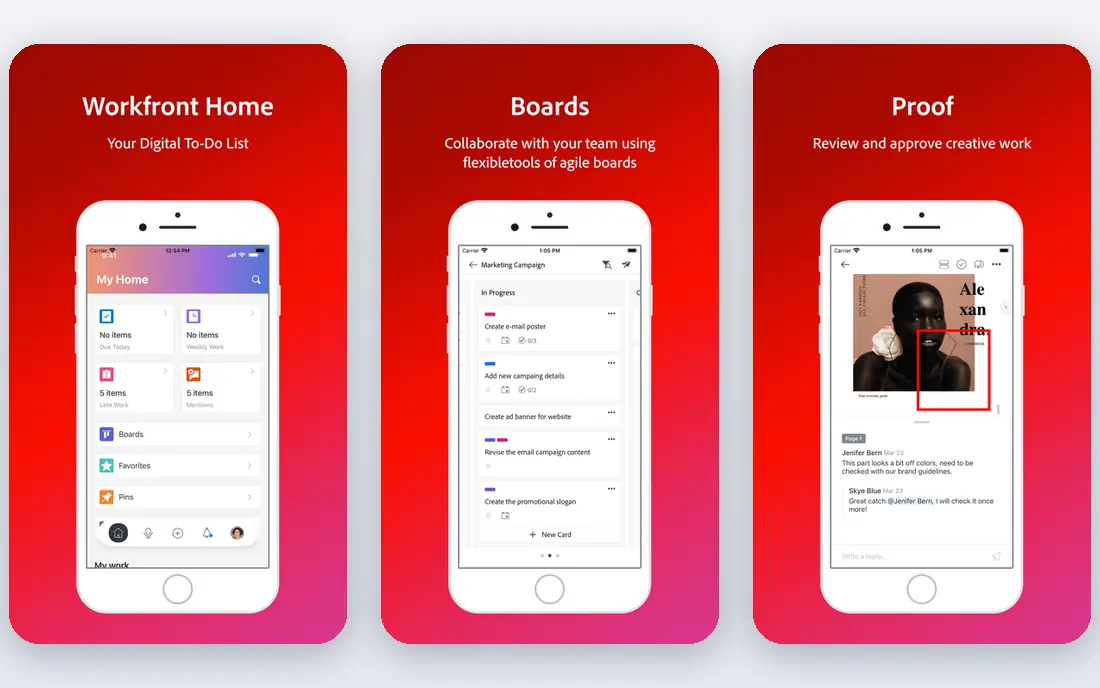
Adobe Workfront is built for large marketing and creative teams that run many campaigns across departments. It handles intake requests, project planning, resource management, approvals, and portfolio reporting in one system, and it connects directly with Adobe Creative Cloud, so designers can receive feedback and update files without leaving their usual tools. That integration alone can justify Workfront for a team that already produces most of its creative work in Adobe apps.
Pricing is quote-based, and published comparisons place starting prices well above mid-market tools, so this is an enterprise investment, not a small-team purchase. Setup also takes time, with workflow design, training, and change management needed before the team sees the full benefit. Smaller teams will find Wrike or monday.com faster and cheaper. For a large organization that needs governance, approvals, and cross-team visibility, Workfront is the strongest option here.
- Deep workflow and approval control
- Adobe Creative Cloud integration
- Portfolio reporting
- Quote-based pricing
- Long setup and training time
- Too heavy for small teams
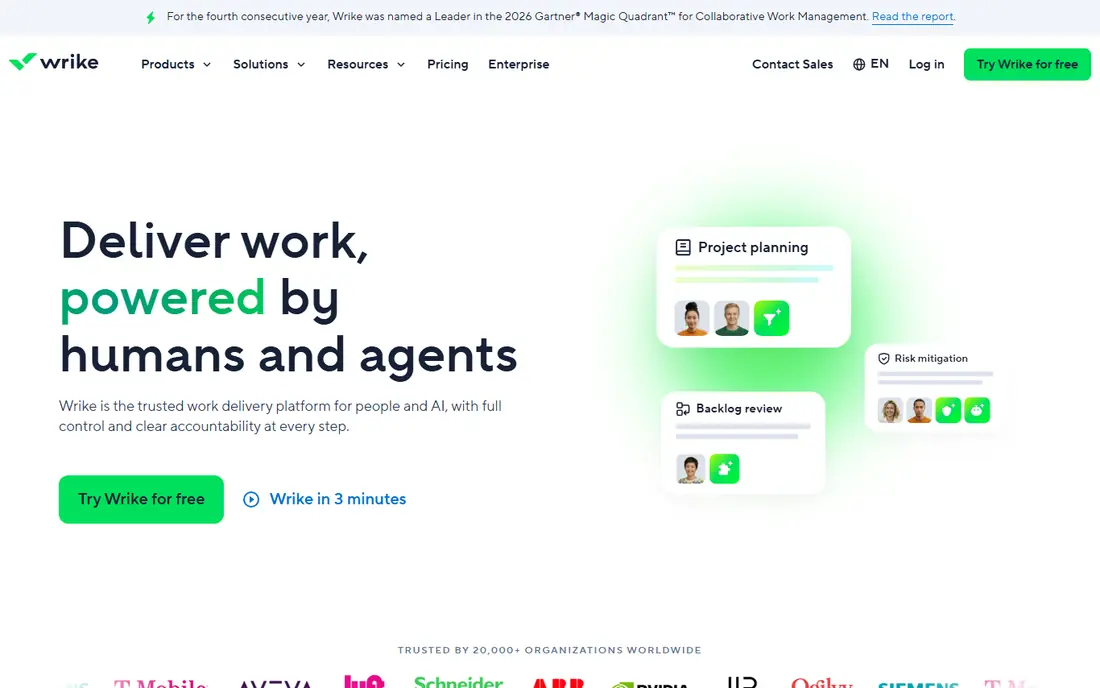
Wrike is a strong middle ground between enterprise control and small-team simplicity. Marketing teams can plan campaigns on Gantt, board, calendar, and table views, automate status changes and approvals, and track workload across the team. Proofing on higher plans lets reviewers comment directly on creative files, which shortens the approval loop compared with email feedback.
Team starts at $10 per user per month with annual billing, with a free plan for small teams getting started. Business and higher plans add proofing, advanced reporting, and more automation. The drawback is setup. Wrike has many settings, and a team that skips the planning step will end up with inconsistent statuses and fields. Spend a day agreeing on campaign stages, owners, and approval steps first, and Wrike will reward that work with clear, repeatable campaigns.
- Flexible views and automation
- Proofing and approvals
- Workload and reporting views
- Setup takes planning
- Proofing needs higher plans
- Interface can feel busy
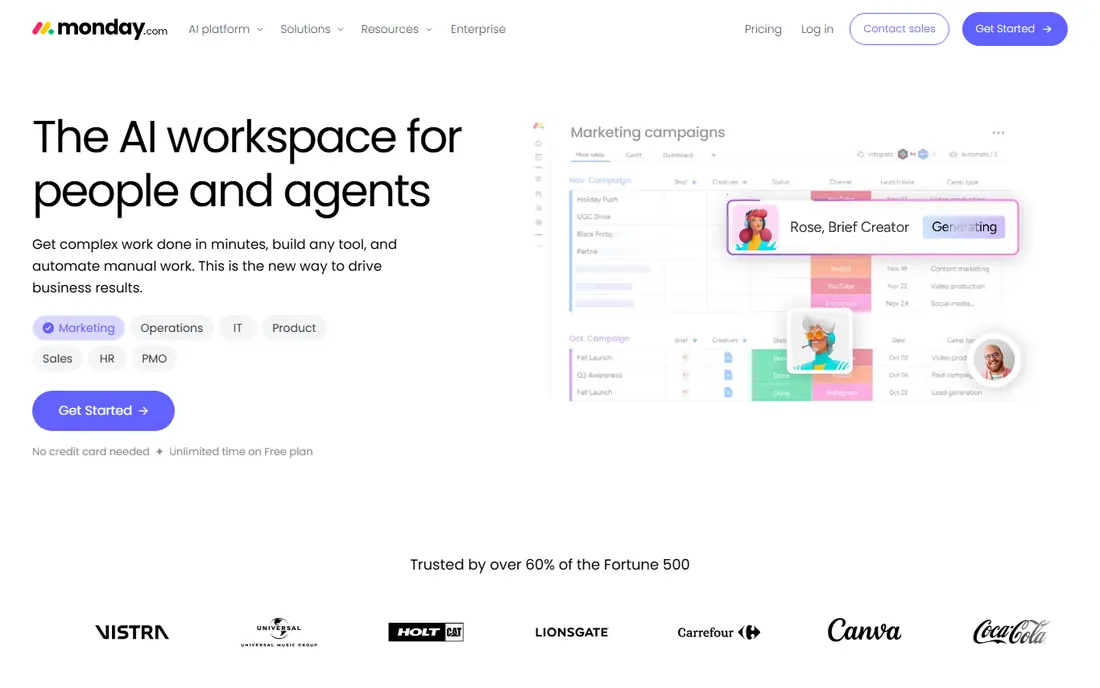
Monday.com suits marketing teams that plan visually. Campaign boards show status, owner, due date, budget, and channel in color-coded columns, and timelines and calendars give managers a quick view of what launches when. Templates for content calendars, campaign tracking, social media planning, and event planning mean a team can start with a sensible structure instead of a blank board.
The free Individual plan covers up to two seats and three boards, while Basic starts at $9 per seat per month with annual billing and a three-seat minimum. Time tracking, guests, and deeper automation need higher plans. That pricing is fair for a visual tool, but count seats before you compare it with Asana or Wrike. If your team likes boards, wants fast onboarding, and does not need enterprise approvals, monday.com is an easy pick.
- Visual boards and timelines
- Many marketing templates
- Fast onboarding
- Free plan limited to two seats
- Paid plans need a three-seat minimum
- Advanced reporting needs higher plans
Asana is a calm, structured choice for marketing planning. Campaigns become projects, tasks carry owners and dates, and Timeline view shows how campaigns overlap across the quarter. Portfolios on higher plans roll several campaigns into one view, which helps a marketing manager report progress without building a separate slide deck each week. The calendar view is also useful for content teams that plan by publish date.
Starter starts at $10.99 per user per month with annual billing, and the free Personal plan covers up to two users. Budget tracking, workload, and advanced reporting need higher plans or add-ons, so Asana is not the best pick if budget control is your main need. If your main need is a clear, shared calendar of campaigns and content, with owners and dates everyone can see, Asana does that job with less fuss than enterprise tools.
- Timeline and calendar views
- Portfolios for multiple campaigns
- Clear task structure
- Free plan limited to two users
- Budget tracking needs higher plans or add-ons
Smartsheet appeals to marketing teams that already plan in spreadsheets and want structure without learning a new visual system. A campaign plan can live in a grid with budget columns, status, owner, and channel, then switch to Gantt or calendar view for reporting. Formulas and automation rules can total budgets, flag overdue items, and send reminders, which reduces manual spreadsheet work.
Pro starts at $9 per member per month with annual billing, with a 30-day free trial rather than a free plan. That makes it a weaker choice for a team on a tight budget, and add-ons can raise the cost. The interface also feels more like a work tool than a design tool. But if your team thinks in rows and budgets, and your current plan lives in Excel or Google Sheets, Smartsheet is the least disruptive upgrade on this list.
- Familiar grid for plans and budgets
- Gantt, card, and calendar views
- Formulas and automation
- No lasting free plan, only a trial
- Interface is functional rather than visual
- Add-ons add cost
Hive is a good lower-cost option for small marketing teams that want flexible views without enterprise pricing. Projects can be viewed as Gantt, kanban, calendar, or table, and built-in chat keeps project discussion in the same tool as the tasks, which reduces the need for a separate messaging app. Analytics and portfolio views give managers a basic picture across projects.
Published comparisons list Hive from $5 per user per month, with a free plan for getting started. The main limits are polish and depth. Users report that the mobile app lags behind desktop, and notifications can be uneven, so a team that works mainly on phones should test it first. Reporting is also lighter than Wrike or Workfront. For a small team that wants a simple, affordable planning tool with chat included, Hive is a fair pick.
- Low starting price
- Built-in chat
- Gantt, kanban, calendar, and table views
- Mobile app lags desktop
- Reporting is lighter than Wrike or Workfront
- Notifications can be uneven
Airtable suits marketing teams that need a flexible database more than a fixed project tool. A campaign base can link campaigns to content, assets, channels, and budgets, then show the same data as a grid, calendar, kanban board, or gallery. That flexibility is useful for content calendars, influencer lists, asset libraries, and campaign trackers that do not fit a simple task list.
The free plan covers basic bases for individuals and small teams, while paid plans add more records, automation runs, and admin controls. Check the current pricing page, since Airtable has changed its tiers over time. Airtable is not a full workflow tool on its own: approvals and workload planning need setup or integrations. But for a team that wants to shape its own campaign database, and that is willing to spend an afternoon building it well, Airtable is unusually adaptable.
- Powerful linked records and views
- Content calendar templates
- Easy filtering and grouping
- Pricing tiers need a vendor check
- Not a full workflow tool alone
- Needs setup to stay tidy
ClickUp is the all-in-one option for marketing teams that want planning, docs, and dashboards in one workspace. Campaign plans can sit next to briefs, content drafts, whiteboards for brainstorming, and dashboards that track progress, all without a second tool. Templates for marketing campaigns, content calendars, and social media planning give a new team a starting point, and the paid price is low for what it includes.
Unlimited starts at $7 per user per month with annual billing, and the Free Forever plan allows unlimited members and tasks, with a storage limit that published guides place at 60 MB. That storage cap is the main free-plan catch for a team that uploads many creative files. Setup is also the main risk: ClickUp offers so many features that a team without a clear structure can end up with a messy workspace. Agree on a small set of views and statuses first, and ClickUp becomes a strong, low-cost marketing planning tool.
- Tasks, docs, whiteboards, and dashboards in one workspace
- Low paid price
- Many templates
- Setup can feel heavy
- Free plan storage is limited
- Feature depth can overwhelm new users
How we picked these
We compared official pricing pages, free plan limits, and feature lists for tools that cover the core marketing planning job: campaign calendars, task ownership, budget tracking, and approvals. We left out pure social scheduling tools and pure email tools, since they cover only one channel, not the whole plan. We favored tools with a current free plan or trial, a clear paid ladder, and a track record with marketing teams, from small agencies to enterprise departments. We did not test each tool hands-on for this guide; we based the comparison on vendor pages, pricing, and public reviews.
Building a plan that the team actually uses
Start with the calendar, not with the tool settings. List your campaigns for the next quarter, with launch dates, owners, channels, and budgets, and only then choose the views that show that information clearly. A tool that looks good in a demo but hides the launch date will not get used. Next, agree on campaign stages in plain words, such as planned, in production, in review, and live, and use the same stages for every campaign.
Keep budget tracking simple at first. One column for planned spend and one for actual spend is enough for most small teams, and you can add channel breakdowns later. Finally, set a weekly review habit. A 30-minute check of the campaign board each Monday, with overdue items and upcoming launches, does more for planning than any automation rule. The tool holds the plan, but the habit keeps it current.
Frequently asked questions
What is the best marketing planning software for small teams?
Monday.com, Asana, and Hive are strong small-team options, with Hive cheapest and monday.com most visual. ClickUp is also good if you want docs and dashboards in the same workspace. Start with a free plan and one real campaign before you pay.
What is the best marketing plan software for enterprises?
Adobe Workfront is the strongest enterprise pick, especially for teams already using Adobe Creative Cloud. Wrike is the next step down in price and complexity, and it suits mid-market teams that need approvals and reporting without full enterprise setup.
Which marketing planning tool is best for content calendars?
Asana, monday.com, and Airtable all handle content calendars well, with calendar views and publish dates. Airtable is best if you need linked records for assets and channels, while Asana is best if you want a simple shared calendar with owners and dates. Try each with a month of real content before you choose.
What is the best brand management software for marketing teams?
For brand management within a planning tool, Workfront and Wrike offer the strongest approval and asset workflows, while Writer and dedicated brand tools handle style rules separately. If brand consistency is your main need, pair a planning tool with a style guide tool, rather than expecting one tool to do both jobs perfectly.
Is there a good free marketing planning tool?
Yes. ClickUp, monday.com, Asana, Hive, and Airtable all offer free plans, with different limits on seats, boards, and storage. Trello-style boards can also work for a very small team, but they lack budget and portfolio views. Check seat and storage limits before you move a whole team to a free plan.
How much does marketing planning software cost?
Small-team plans start around $5 to $11 per user per month with annual billing for tools such as Hive, ClickUp, monday.com, Asana, and Smartsheet. Mid-market plans such as Wrike Business cost more, and enterprise tools such as Adobe Workfront are quote-based and priced well above those tiers. Always count seats and add-ons, not just the headline price.
Sources
- https://rankite.com/blog/best-project-management-tools-for-teams
- https://www.selecthub.com/project-management-software/wrike-vs-adobe-workfront/
- https://www.selecthub.com/project-management-software/hive-vs-adobe-workfront/
- https://business.adobe.com/products/workfront.html
- https://www.wrike.com
- https://monday.com
- https://asana.com
- https://www.smartsheet.com
- https://hive.com
- https://www.airtable.com
- https://clickup.com
See where you really rank - block by block
ProMapRanker scans Google Maps across a grid of your service area. Simple monthly plans from $19, white-label on every plan.
Start freeKeep reading
 free alternatives to grok imagine
Free Alternatives to Grok Imagine in 2026
We compared the best free alternatives to grok imagine for image generation, from fast daily credits to design tools, so you can create without paying.
Read → best tools for instagram content creation
Best Tools for Instagram Content Creation in 2026
Compare the best tools for Instagram content creation, from Canva and CapCut to Later and Buffer, on design, video, planning, scheduling, and price in 2026.
Read → best tool to split pdf files
Best Tool to Split PDF Files in 2026
We compared the best tool to split pdf files on split modes, file limits, privacy and price, so you can split a PDF cleanly and keep every page in one go.
Read →