 ProMapRanker
Best Map App in 2026: 9 Apps Compared

All-round driving, transit, walking, and place search · Pricing starts at: Free
Key takeaways
- Google Maps is the best all-round map app for most people, with driving, transit, walking, cycling, offline maps, and deep place data in one free app.
- Waze is the best driving-only companion, thanks to live community reports on traffic, hazards, and police presence.
- Apple Maps suits iPhone users who value privacy and clean integration with Siri and CarPlay, but it is Apple-only.
- HERE WeGo and OsmAnd are the best offline picks, while Citymapper is the best transit-first app in the cities it covers.
- Keep a second offline app as a backup before a long trip, since even the best app can fail without a signal.
Quick comparison
| Pick | Great for | Pricing starts at | Free tier | |
|---|---|---|---|---|
| Google Maps | All-round driving, transit, walking, and place search | Free | Yes | Visit |
 Waze Waze | Live traffic alerts while driving | Free | Yes | Visit |
 Apple Maps Apple Maps | iPhone users who value privacy and integration | Free | Yes | Visit |
 HERE WeGo HERE WeGo | Offline navigation and international travel | Free | Yes | Visit |
 OsmAnd OsmAnd | Offline maps, hiking, and privacy | Free | Yes | Visit |
 Sygic Sygic | Offline driving with truck and advanced routing options | Free | Yes | Visit |
 TomTom GO TomTom GO | Reliable driving routes and ETAs | See website | Free trial | Visit |
 Citymapper Citymapper | Public transit in supported cities | Free | Yes | Visit |
 MAPS.ME MAPS.ME | Offline city maps and travel guides | Free | Yes | Visit |
The best map apps
A map app is not just about getting from A to B. It also needs to handle traffic, transit, walking, place search, and dead zones without a signal, and different apps excel at different parts of that job. We compared official app listings and current navigation guides to pick apps that are currently available, genuinely navigate, and cover driving, transit, or offline use well.
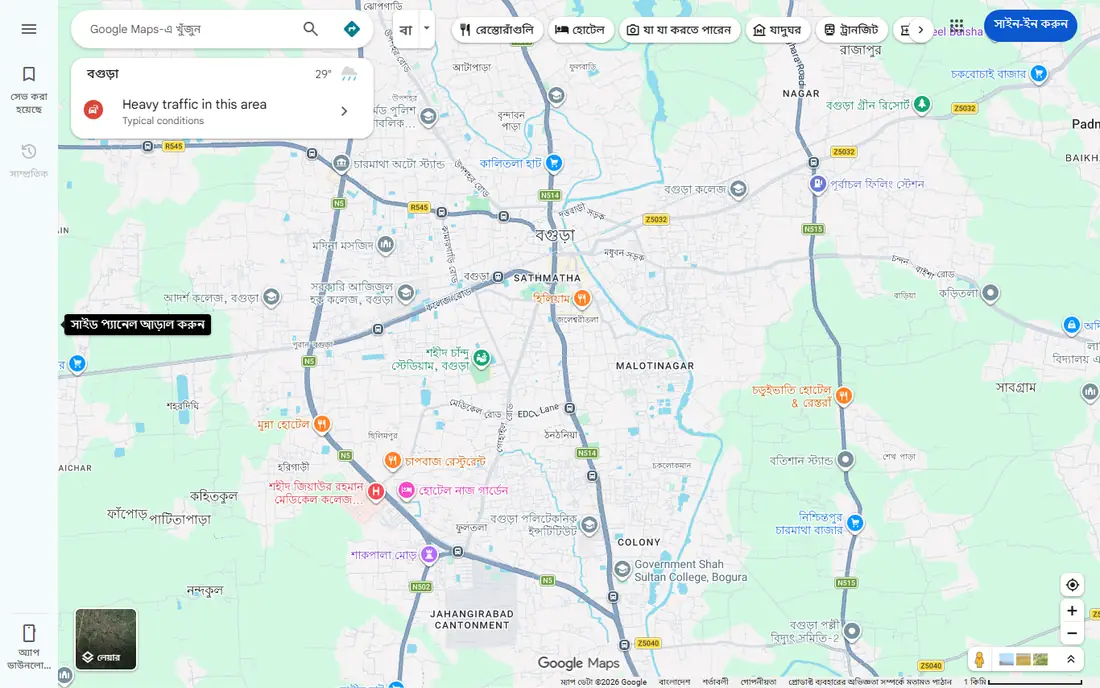
Google Maps is the default map app for most people because it does almost everything in one place. You can search for a business, read reviews, check hours, get driving directions with live traffic, switch to transit or walking, and download an area for offline use before a trip. Its global coverage is broad, and its Street View and place photos help you recognise a destination before you arrive.
The honest weakness is data and privacy. Google Maps collects location data as part of its service, and some drivers find Waze faster for pure traffic alerts. It also uses more mobile data than Waze on equivalent routes in some tests. For most users, though, the breadth of features, from transit times to offline areas, makes Google Maps the app to keep installed even if you use another app for daily driving.
- Broadest place data and reviews
- Driving, transit, walking, and cycling routes
- Offline maps for areas you download
- Uses more data than Waze on some routes
- Privacy-conscious users may prefer Apple Maps or OsmAnd
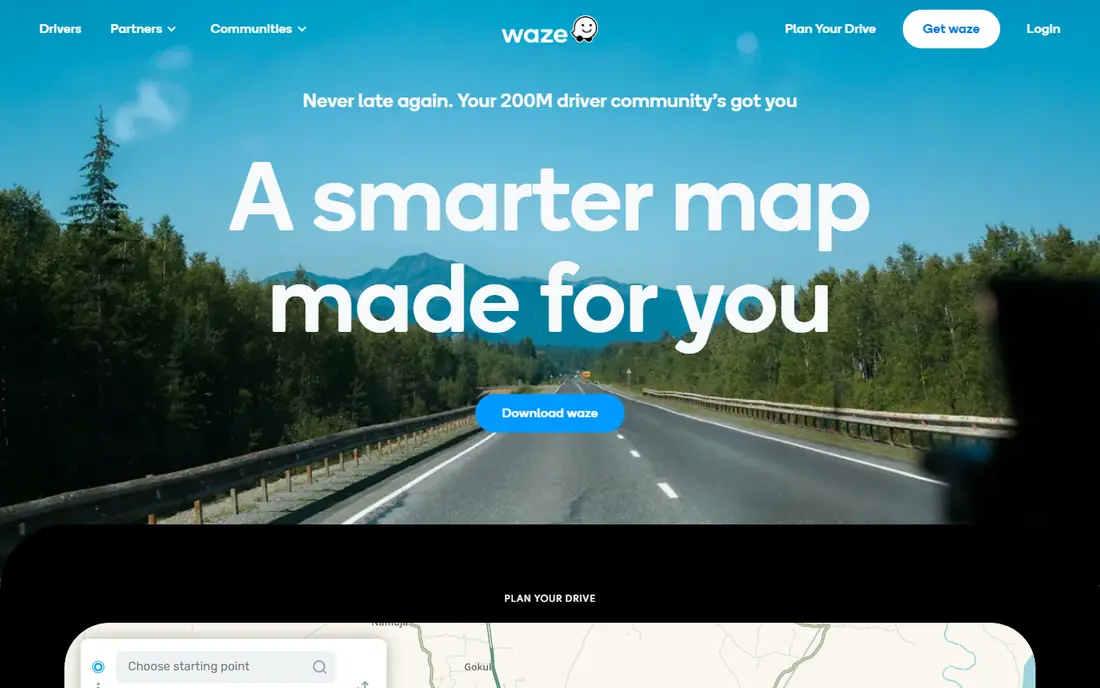
Waze is the driving specialist. Its community of drivers reports accidents, roadworks, hazards, and police presence as they pass them, and the app reroutes you quickly when traffic builds ahead. That live, crowdsourced layer is why many commuters run Waze even when they already have Google Maps, since it often spots a jam or a hazard before a standard traffic feed does.
The limit is scope. Waze is built for driving, so it does not handle transit, walking, or cycling routes well, and it has no offline maps, so a dead zone can leave you without navigation. It also shows ads on the free tier. Use Waze for the driving leg of a trip, and keep Google Maps or Citymapper for everything else, and you get the best of both.
- Community reports on jams, hazards, and police presence
- Fast rerouting
- Uses less data than rivals in some tests
- Driving only, with no real transit or walking routing
- No offline maps
- Needs a live connection
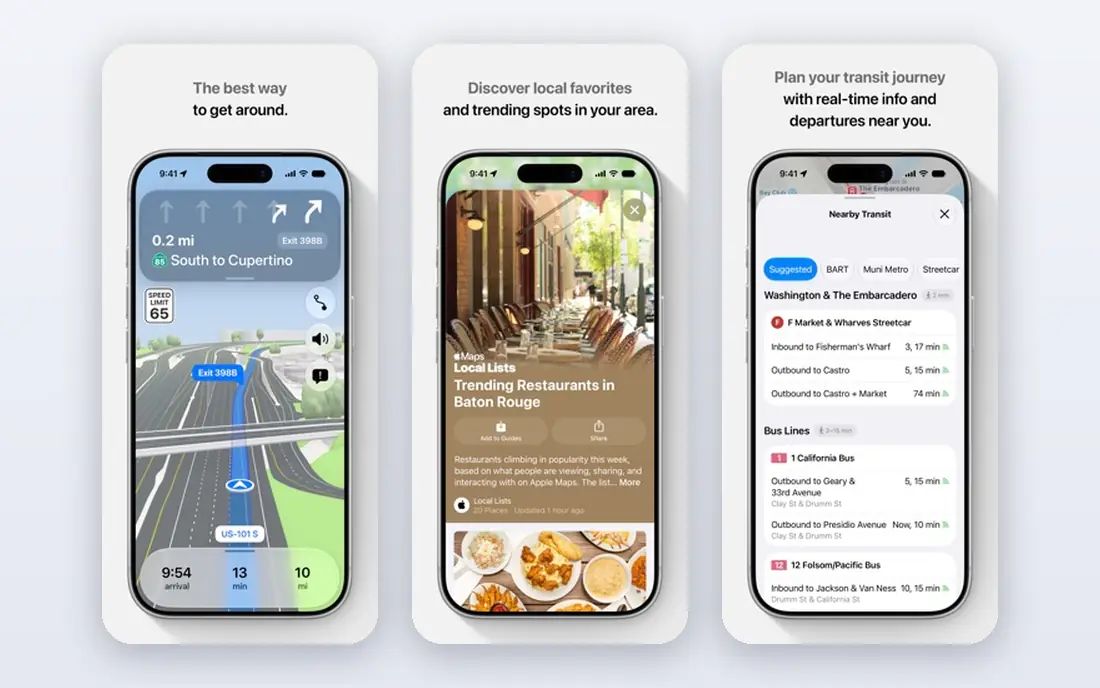
Apple Maps has improved steadily, and for iPhone users it is now a strong default. It offers turn-by-turn driving, transit, and walking directions, detailed city maps, and offline map downloads, all without an account and without selling your location data. Its integration with Siri, CarPlay, and Apple Watch makes it feel native in a way third-party apps cannot match on iOS.
The weakness is platform and community data. Apple Maps is not available on Android, and it lacks Waze-style crowdsourced hazard and police alerts, so commuters who rely on those reports will miss them. Transit depth also varies by city. For iPhone owners who want a clean, private, reliable map, Apple Maps is an easy pick, with Waze alongside it for traffic alerts.
- Preinstalled on iPhone, iPad, and Apple Watch
- Works with Siri and CarPlay
- Does not sell location data
- Offline maps supported
- Apple devices only
- No crowdsourced hazard reporting like Waze
- Transit coverage varies by city
HERE WeGo is the traveller's backup that often becomes a main app. You can download whole countries or regions for offline navigation, which matters abroad, in rural areas, or where roaming data is expensive. It covers driving, transit, walking, and cycling, and it works on Android, iOS, and the web, so you can plan on a computer and navigate on a phone.
The trade-off is place depth. Business listings, reviews, and photos are thinner than Google Maps in many areas, so finding a specific restaurant or shop can take an extra search elsewhere. The interface is also more functional than beautiful. For offline reliability and international trips, HERE WeGo is one of the best free apps you can install before you leave home.
- Strong offline maps by country or region
- Driving, transit, and walking routes
- Works on Android, iOS, and web
- Place data is thinner than Google Maps in some areas
- Interface feels less polished than Google or Apple Maps
OsmAnd is the power user's offline map. Built on OpenStreetMap data, it offers detailed offline maps, hiking and cycling routes, contour lines, and navigation without an account, which appeals to walkers, cyclists, and privacy-minded travellers. You can download maps before a trip and navigate entirely offline, which is a real advantage in mountains, rural areas, and abroad.
The catch is usability. The interface is dense, the free version limits the number of map downloads in some builds, and searching for businesses is weaker than Google Maps. OsmAnd fits users who plan routes in advance, hike or cycle off main roads, or want a map that works without tracking. Casual city drivers will find Google Maps or Waze simpler.
- Offline maps built on OpenStreetMap
- Strong privacy with no account needed
- Detailed hiking and cycling routes
- Free tier limits map downloads in some versions
- Interface takes learning
- Place search is weaker than Google Maps
Sygic is built for drivers who need more than a basic route. Its offline maps work without a signal, and its truck routing lets you enter vehicle weight, height, and other limits to avoid unsuitable roads, which matters for van and truck drivers. Paid tiers add features such as head-up display projection and speed camera warnings, depending on region and local rules.
The weakness is price for full features. The free tier covers basic navigation, but the tools that make Sygic stand out sit behind a subscription, so check the in-app price before you rely on them. Sygic fits professional drivers, motorhome owners, and anyone who regularly drives where a signal is unreliable, while everyday city drivers may not need its extra routing options.
- Offline maps
- Truck routing with vehicle dimensions
- Head-up display and speed camera warnings in paid tiers
- Full features need a paid subscription
- Free tier is limited
- Place data is thinner than Google Maps
TomTom GO brings the company's long driving history to a phone app, with traffic-aware routing, offline maps, and an interface designed for the car rather than for general place search. Its ETA accuracy is a selling point for drivers who plan around arrival times, and its lane guidance and speed limit displays help on unfamiliar roads.
The catch is cost and scope. Full use requires a subscription after a trial period, with pricing that varies by region, so check the current rate in your app store. TomTom GO is also a driving app first, not a transit or walking planner. It fits drivers who want a dedicated, reliable car navigator and who are willing to pay for it, rather than users who need one app for every mode of travel.
- Strong traffic data and ETA accuracy
- Offline maps
- Clear driving interface
- Subscription needed for full use after trial
- No strong transit or walking features
- Pricing varies by region
Citymapper is the best transit app in the cities it covers, and that is a big qualifier. It combines buses, trains, trams, bikes, and walking into one clear route, with real-time departures, platform guidance, and cost and time comparisons that Google Maps does not always match. For commuters and visitors in London, Paris, New York, and other supported cities, it can transform daily travel.
The limit is coverage. If your city is not supported, Citymapper will not help, and its driving features are not a replacement for Waze or Google Maps. Check coverage before a trip, and keep Google Maps as a fallback. Citymapper fits urban transit users first, and it pairs well with a driving app for days when you take the car instead.
- Excellent multi-modal transit routing
- Real-time departures
- Clear step-by-step directions for buses, trains, and walking
- Only covers selected cities
- Driving features are limited
- Offline use is weaker than HERE WeGo or OsmAnd
MAPS.ME, also written Maps.me, is a simple offline map for travellers who want to walk around a new city without roaming charges. Download a city or region before you travel, then search, save places, and navigate on foot without a connection. Its guides and saved-place features suit holiday walking and sightseeing more than daily commuting.
The weakness is live navigation. Traffic, rerouting, and transit depth are weaker than Google Maps, Waze, or Citymapper, so MAPS.ME is a backup and a walking guide rather than a primary driving app. For a trip abroad, though, a free offline map that works the moment you land is genuinely useful, and MAPS.ME does that job well.
- Free offline maps
- Useful for walking around cities abroad
- Works without a data connection once maps are downloaded
- Navigation and traffic features are weaker than Google Maps or Waze
- Ads on free tier
How we picked these
We compared official app listings and current navigation guides, and we kept only apps that are currently available and that genuinely provide maps and routing, not apps that only show a static map or only track fitness. We weighed coverage, driving quality, transit quality, offline support, privacy, and price, and we favoured free apps where they matched paid ones. We did not claim hands-on testing, and we used "See website" where pricing varies by region or subscription term.
How to choose a map app
Start with how you travel most. Drivers should test Waze for traffic and Google Maps for everything else, while iPhone owners should give Apple Maps a fair trial for daily use. Transit users in a supported city should try Citymapper first, and walkers, cyclists, and travellers should download an offline app before they need it. Most people end up with two apps: one for daily routing and one offline backup.
Next, test offline behaviour before a real trip. Download your home area and a destination area, switch your phone to aeroplane mode, and try a route. Check whether voice guidance still works, whether the map stays detailed at street level, and whether your saved places survive offline. That five-minute test will tell you more than any feature list, and it can save a stressful hour on the road.
Frequently asked questions
What is the best map app?
Google Maps is the best map app for most people, thanks to its all-round driving, transit, walking, and place data in one free app. Waze is better for live driving alerts, Apple Maps is better for iPhone privacy and integration, and HERE WeGo is better for offline travel. The best app depends on how you travel.
What is the best GPS app for driving?
Waze is the best GPS app for driving in traffic, thanks to community hazard and jam reports, while Google Maps is the best all-round driving app with offline maps and place search. TomTom GO and Sygic are strong paid or freemium driving alternatives, especially for professional drivers and offline use.
What is the best navigation app free?
Google Maps, Waze, Apple Maps, and HERE WeGo are all free and cover most navigation needs without a subscription. OsmAnd and MAPS.ME add free offline options. Paid apps such as TomTom GO and Sygic only make sense if you need their specific driving features, such as truck routing or dedicated car navigation.
What is the best maps app for offline use?
HERE WeGo and OsmAnd are the best offline map apps, with country and region downloads that work without a signal. Google Maps and Apple Maps also offer offline areas, but their offline depth varies. Download maps before you travel, and test them in aeroplane mode before you rely on them.
What is the best directions app for public transit?
Citymapper is the best transit directions app in the cities it covers, with clear multi-modal routes and real-time departures. Google Maps is the best fallback for transit in cities Citymapper does not cover, since its transit data is broader even if its step-by-step guidance is less detailed.
Is Apple Maps or Google Maps better?
Apple Maps is better for iPhone users who value privacy, Siri and CarPlay integration, and a clean interface, while Google Maps is better for place search, reviews, transit breadth, and Android users. Many iPhone owners keep both, using Apple Maps daily and Google Maps for place research and trips abroad.
Sources
- https://marketinghack4u.com/google-maps-alternatives/
- https://nextbillion.ai/feeds/blog/alternatives-waze-google-maps
- https://editorialge.com/best-google-maps-alternatives/
- https://maps.google.com
- https://www.waze.com
- https://maps.apple.com
- https://wego.here.com
- https://osmand.net
- https://www.sygic.com
- https://www.tomtom.com
- https://citymapper.com
- https://maps.me
See where you really rank - block by block
ProMapRanker scans Google Maps across a grid of your service area. Simple monthly plans from $19, white-label on every plan.
Start freeKeep reading
 zoom alternatives
Best Zoom Alternatives in 2026
Compare Zoom alternatives in 2026, with free meeting limits and prices, so you can pick the best alternative to Zoom for your team, class, or community.
Read → which software is best for remote work
Which Software Is Best for Remote Work in 2026
Answering which software is best for remote work, we compare Slack, Zoom, Asana, Notion, Teams and more, with pricing and honest tradeoffs in 2026 now.
Read → which ai tool is best for content writing
Which AI Tool Is Best for Content Writing in 2026
Wondering which ai tool is best for content writing? We compare ChatGPT, Claude, Jasper, Grammarly, and more on price, quality, and best use in 2026 now.
Read →