 ProMapRanker
Best Listing Management Software for Restaurants in 2026
Direct answer
Uberall is my top pick for restaurants because it is built around multi-location listing sync, and restaurants live or die on accurate hours, menus and location data across many sites. Pricing is quote-based, so check its pricing page. If you mainly need to fix and track your Google Business Profile and Apple Maps data, Yext is a strong alternative, and for review-led listing work Podium fits restaurants that take orders and bookings by message.
I put this comparison together from vendor documentation and public sources, and I did not run hands-on tests of these products. My focus was on what a restaurant actually manages every week: hours, menus, delivery links, photos, reviews and multiple branches.
Key takeaways
- Restaurants need listing tools that handle opening hours, holiday hours, menu links and delivery or reservation links, not just name and address.
- Multi-location groups should prioritize a tool with a bulk editor and a location-level approval workflow so each branch can update its own hours.
- Review features matter for restaurants because diners check recent reviews before choosing where to eat.
- Google Business Profile is the single most important listing for a restaurant, so pick a tool that syncs it well and lets you post updates and photos.
- No tool fixes a wrong listing overnight; expect to verify data at the source and keep a schedule for seasonal hours and menu changes.
Quick comparison
| Pick | Great for | Pricing starts at | Free tier | |
|---|---|---|---|---|
 Uberall | Multi-location restaurant groups | See website | Not stated | Visit |
 Yext | Accurate Google and Apple data | See website | Not stated | Visit |
 Podium | Restaurants taking texts and bookings | See website | Not stated | Visit |
 Synup | Agencies with restaurant clients | See website | Not stated | Visit |
 Moz Local | Simple single-location setup | See website | Not stated | Visit |
 Local Falcon | Map grid rank tracking per branch | See website | Not stated | Visit |
 GatherUp | Getting and replying to diner reviews | See website | Not stated | Visit |
The best listing management software for restaurants compared
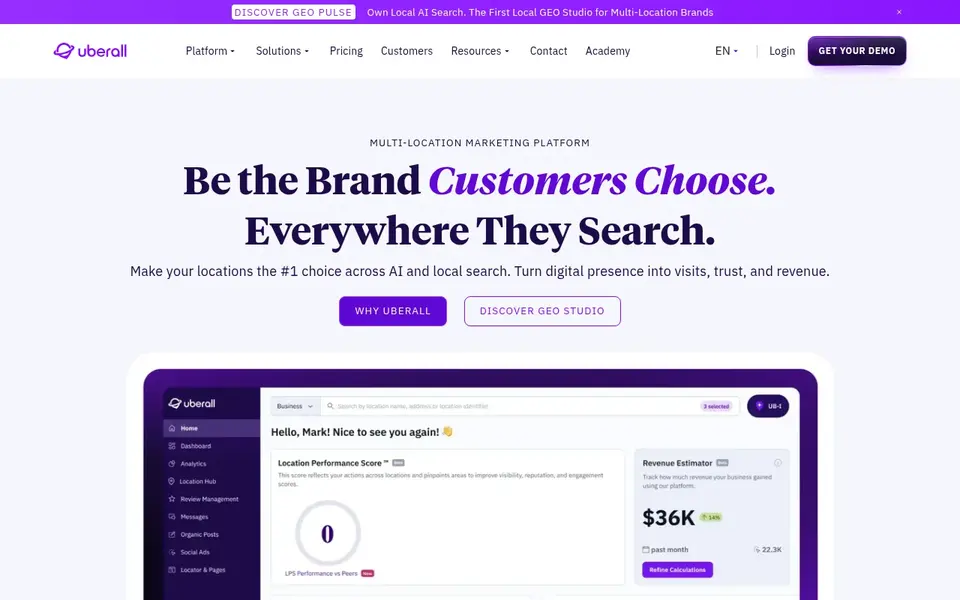
Uberall is a listing management platform aimed at businesses with several locations, which matches restaurant groups, franchises and chains. It keeps name, address, phone, hours and other details consistent across a large network of directories and maps. For a restaurant with branches in different towns, that consistency matters because diners often find a branch through a directory rather than the main website.
In day-to-day use, a restaurant team can update holiday hours, swap a menu link and add new photos from one dashboard, then push those changes out. Each location can be given its own access so a manager fixes their own opening times without touching other branches. Review replies and local posts sit alongside the listing data, which keeps the weekly routine in one place.
The limits are mostly about scale and budget. Pricing is quote-based, so a single cafe will likely find it heavier than needed. Small independent restaurants should look at simpler tools first and only move to Uberall when they have several locations or a franchise network.
- Strong multi-location listing sync
- location-level editing with central control
- review and post tools for each branch
- Quote-based pricing
- setup effort is higher for small operators
Yext is a listings and digital presence platform that many restaurants use to keep their core data correct on maps, search engines and directories. It is built around a knowledge graph approach, meaning you enter the facts once and the platform distributes them. For a restaurant, those facts include cuisine type, hours, phone, address and links to menus or reservations.
The workflow suits restaurants that change hours often, such as seasonal patios or holiday closures. You update the source record and the connected destinations follow. Review monitoring lets you see what diners say without jumping between platforms. It is a reasonable fit for a restaurant that wants one place to manage its public facts.
The main caution is cost and scope. Pricing scales with the number of listings and the package, so a small restaurant should confirm exactly what is included before signing. If you only need Google Business Profile management, a lighter tool may be enough.
- Broad network of directory and map integrations
- structured fields for hours and categories
- review monitoring in the same dashboard
- Pricing grows with the number of listings
- some features depend on the package you buy
Podium is a messaging and customer interaction platform used widely by local businesses, including restaurants that take bookings, answer questions and handle takeaway orders by text. Its listing features help keep business details consistent, but the real draw for a restaurant is the conversation layer: a diner texts a question about a table or a menu item and staff reply from one inbox.
For listing management, Podium helps you keep your profile details current and gather reviews after service. That combination fits restaurants because a recent review and a quick reply often decide whether someone books. The review request can be sent after a visit, which is a practice that follows Google's guidelines as long as you ask everyone and do not filter.
The limit is fit. If you do not need messaging, you are paying for a feature you will not use. A restaurant that only wants listing sync should compare lighter options first.
- Messaging built around local business conversations
- review requests tied to real visits
- listing and profile tools in the same product
- Best value only if you use the messaging features
- pricing is quote-based
Synup is a listings and local marketing platform that agencies and multi-location brands use to manage many profiles at once. For a restaurant, the useful part is the ability to keep hours, categories and links consistent across directories while seeing reviews and basic performance in one place.
The workflow is built for people managing several clients or branches. You can group restaurant locations, apply changes in bulk and give each client a view. That suits an agency running local SEO for a handful of restaurants, or a small group with a marketing coordinator who handles several branches.
For a single independent restaurant, Synup is more dashboard than most owners need. Check directory coverage in your country before committing, because the value of a listing tool depends on the sites it reaches.
- Multi-client dashboard
- listing sync across many directories
- review and analytics views per location
- Interface can feel dense for a single owner
- directory coverage varies by market
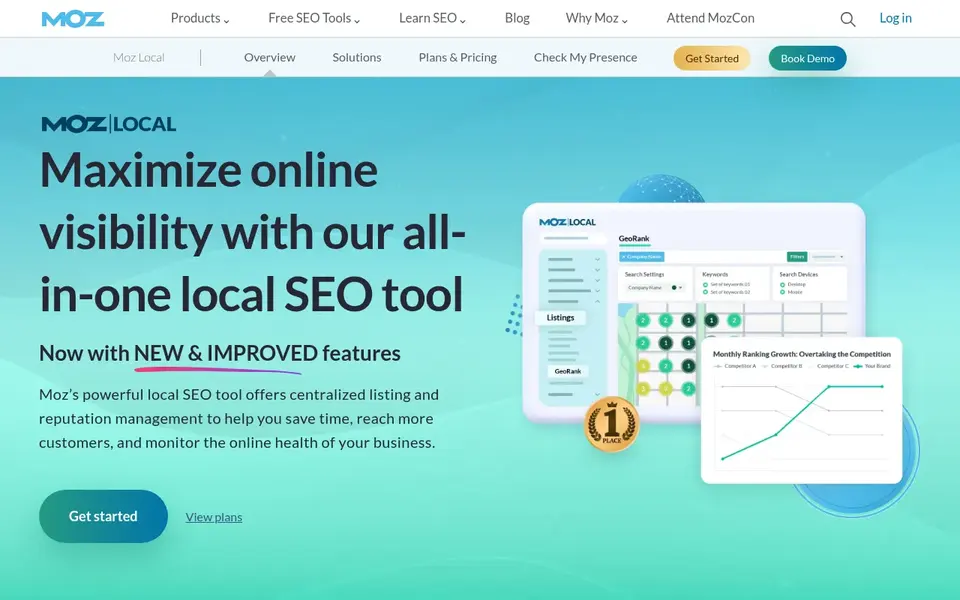
Moz Local is a listing management tool from Moz that distributes your business data to major directories and data aggregators. For a restaurant, it is a simple way to make sure the name, address, phone and hours match across the places diners check.
The workflow is light. You enter or verify your details, the tool pushes them out and flags duplicates. That fits an independent restaurant owner who wants the basics handled without a complicated dashboard. It also pairs with Moz's other local SEO tools if you already use them.
The limits are depth. Moz Local has fewer restaurant-specific fields for menus and delivery links than dedicated multi-location platforms, and it is not built for large franchise groups. A single restaurant with one or two locations is the sweet spot.
- Straightforward listing distribution
- duplicate listing checks
- connects to Moz's local SEO tools
- Fewer restaurant-specific fields
- less suited to large multi-location groups
Local Falcon is a local rank tracking tool that shows where a business appears on a map grid around a location. For a restaurant, that means seeing how visible a branch is in nearby neighborhoods, which is useful when you open a second site or want to know why one branch gets fewer calls.
It is not a listing sync tool. You would pair it with a listing manager and use it to check whether changes to your Google Business Profile, categories or reviews are moving visibility in the areas that matter. The grid view is easy to explain to an owner who does not work in SEO every day.
Skip it if you only want to fix listings. It is a measurement tool, and its value comes when you already have listing data under control and want to track progress.
- Grid-based map rank tracking
- useful for comparing branches
- clear visual reports
- It tracks rankings rather than syncing listings
- not a replacement for a listing manager
GatherUp is a customer feedback and review management platform. For a restaurant, the practical use is asking diners for reviews after a visit and replying to them from one place. Recent reviews carry weight when someone is choosing between two restaurants nearby.
The workflow is simple: you set up review requests, they go out after service, and replies are handled in a shared inbox. That fits restaurants that want to build a review habit without buying a full listings suite. It follows Google's guidelines as long as you ask all customers and never gate or filter reviews.
The limit is scope. GatherUp does not replace a listing manager, so you still need something to keep hours and menu links correct across directories. Treat it as a review layer, not a full listing solution.
- Review collection and reply workflow
- feedback tools
- simple reporting for owners
- Listing sync is not the core product
- needs pairing with a listings tool
How I chose
I chose these tools by reading vendor documentation and public sources, then matching features to how restaurants actually operate. I did not run hands-on tests, so I am judging fit from what each vendor publishes and how the product is positioned. The main criteria were listing sync across maps and directories, handling of hours and menu links, multi-location support, review features and whether the tool suits a single restaurant or a group.
I also weighed the limits. A tool that is excellent for a franchise group can be too heavy for a cafe, and a simple listing tool can leave a multi-branch restaurant doing manual work. Where pricing is quote-based, I say so rather than guess. The goal is to help you shortlist two or three tools that match your size and then check the details with each vendor.
What to check before you buy
- Confirm the tool syncs Google Business Profile and the maps and directories your diners actually use in your area.
- Check how it handles opening hours, holiday hours and seasonal changes, since wrong hours are the most common restaurant listing error.
- Ask whether you can store menu links, reservation links and delivery links per location.
- For multiple branches, confirm there is a bulk editor and location-level access so managers can update their own details.
- Look at review features: can you request reviews from all diners and reply from one inbox without filtering?
- Ask how duplicates are found and fixed, and whether the vendor helps with verification issues.
Frequently asked questions
What is the most important listing for a restaurant?
Google Business Profile is the listing most diners see first, so it deserves the most attention. After that, Apple Maps and the major directories in your country matter. A listing tool helps keep hours, categories and links consistent across all of them so diners do not arrive to a closed door.
Can listing software fix wrong opening hours everywhere?
It can push corrected hours to connected directories, but some sites update slowly or require verification. You should still check the most important listings yourself after a change. Keep a routine for holiday hours and seasonal menus, because those are the changes most likely to be missed.
Do restaurants need a multi-location tool?
Only if you run several branches or a franchise. A single restaurant can usually start with a simpler listing tool and add review management. Groups need bulk editing, location-level access and consistent categories, which is where platforms like Uberall and Synup earn their place.
How should a restaurant ask for reviews?
Ask every diner through a normal channel, such as a receipt, a table card or a follow-up message, and never offer rewards for positive reviews or filter out unhappy customers. Replying to reviews, positive and negative, is part of the routine. Tools like GatherUp and Podium help with the asking and replying.
Can listing software help with menu and delivery links?
Yes, if the tool supports extra fields or local posts. Google Business Profile lets you add a menu link and post updates, and some platforms push those details to other directories. Check that the tool you pick can store those links per location, because a group with different menus needs that.
Sources
See where you really rank - block by block
ProMapRanker scans Google Maps across a grid of your service area. Simple monthly plans from $19, white-label on every plan.
Start freeBrowse all guides
← Best Listing Management Software for Pool Service Companies (2026)Best Listing Management Software for Salons in 2026 →
 best listing management software for hvac companies
Best Listing Management Software for HVAC Companies in 2026
A practical guide to the best listing management software for HVAC companies in 2026, covering accuracy, service areas, reviews and local rankings.
Read → best listing management software for contractors
Best Listing Management Software for Contractors in 2026
A practical guide to the best listing management software for contractors in 2026, covering citation sync, Google Business Profile control and review replies.
Read → best listing management software for churches
Best Listing Management Software for Churches in 2026
A practical guide to the best listing management software for churches in 2026, covering accuracy, service times, maps, reviews and multi-site needs.
Read → why is my google maps ranking dropping
Why Is My Google Maps Ranking Dropping? 8 Causes to Check
Eight common reasons your Google Maps ranking is dropping and how to recover quickly.
Read → local seo leads
Local SEO Leads: A Complete Guide
Everything you need to know about local seo leads: what it is, why it matters for local SEO, and exactly how to act on it.
Read → how to delete a review on google maps
How To Delete A Review On Google Maps?
Everything you need to know about how to delete a review on google maps: what it is, why it matters for local SEO, and exactly how to act on it.
Read →More in Local SEO & Google Maps · All guides A to Z by date · Latest guides