 ProMapRanker
Best Light Meter App for Film Photography in 2026

Key takeaways
- myLightMeter PRO and Light Meter by WBPhoto suit most film shooters, with reflected and incident metering plus calibration.
- Lightme and Reciprocity Timer help most with long exposures, where film needs extra time beyond the meter reading.
- Cine Meter II suits film and video shooters who also want colour temperature and false-colour checks.
- Phone meters depend on phone hardware, so calibrate against a known meter or a grey card before trusting a reading for important work.
- Our pick for most film shooters is myLightMeter PRO for everyday use, plus Light Meter by WBPhoto when zone placement and calculators matter.
Quick comparison
| Pick | Great for | Pricing starts at | Free tier | |
|---|---|---|---|---|
 myLightMeter PRO | Everyday film metering | See website | No | Visit |
 Lightme | One-handed film metering | Free | Yes | Visit |
 Light Meter by WBPhoto | Zone system and calculators | Free | Yes | Visit |
 Lightmeter | Film camera looks and metering | Free | Yes | Visit |
 Lumu Light Meter | Incident metering with hardware | See website | No | Visit |
 Cine Meter II | Film and video colour metering | $24.99 one-time | No | Visit |
 Reciprocity Timer | Long-exposure film timing | $1.99 one-time | No | Visit |
 Light Meter Street | Simple open-source metering | Free | Yes | Visit |
The best light meter apps for film photography
A film camera with no working meter, or a medium format camera with no meter at all, still needs a good exposure reading. A phone app can fill that gap, but it is only as good as its calibration and the way it meters. These eight apps cover reflected metering, incident metering, zone placement, reciprocity correction and colour checks. We compared official feature pages, pricing pages and app store listings, and we favoured apps still updated in 2026 that offer film-friendly features such as ISO ranges, calibration and equivalent exposure combinations.
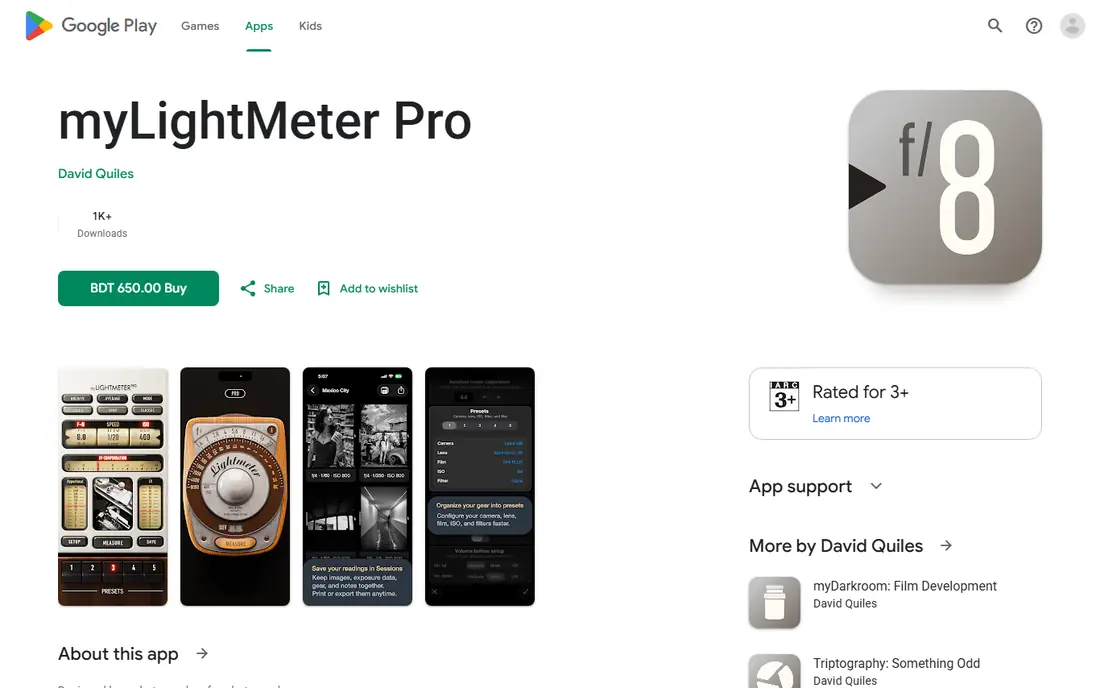
myLightMeter PRO, by photographer David Quiles, is the app many film shooters keep on their phone because it feels like a classic handheld meter. Its analog dial shows aperture, shutter speed and ISO together, and changing one value updates the others, just as a dial meter does. It offers reflected metering through the camera and incident metering through the light sensor, with a low-light warning, calibration adjustment and a reading hold for incident measurements.
Device hardware matters. Reflected metering works on fewer devices than incident metering, so test the app on your phone against a known meter or a grey card before a shoot that matters. The app is paid, with pricing listed in the app store, but for a film shooter who wants a pocket meter that behaves like a traditional one, myLightMeter PRO is the most natural choice.
- Analog-style dial familiar to film shooters
- Reflected and incident metering
- ISO range from 3 to 6400
- Reflected metering depends on device hardware
- Paid app
- Interface is functional rather than pretty
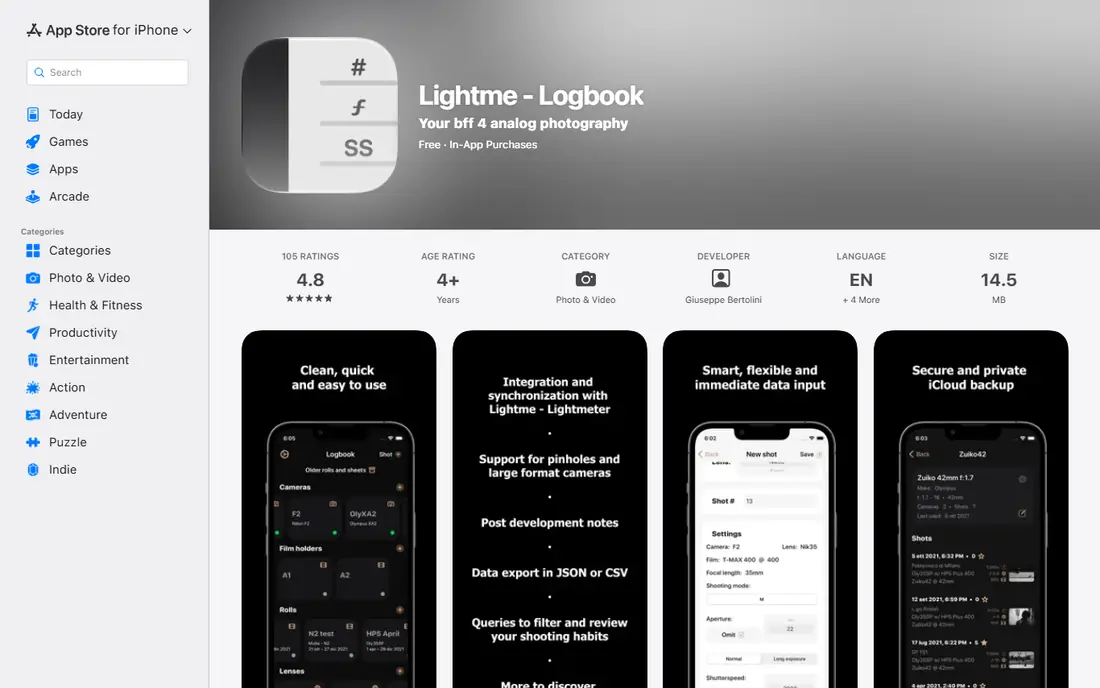
Lightme is designed for comfortable one-handed use, which matters when you are holding a film camera in the other hand. Its clean layout shows the exposure combination at a glance, and it includes a reciprocity failure calculation for long film exposures, which is essential for night photography, outdoor work with filters, and other exposures beyond a second or so. A pinhole mode handles the unusual apertures of pinhole cameras, where a standard meter preset does not fit.
The logbook side of Lightme, which records cameras, films and exposures, takes a little time to set up, but it pays off for a shooter who wants to learn from past rolls. Lightme is free to start, with paid access for advanced features, and it suits a film shooter who wants a meter that is fast in the field and thoughtful about long exposures.
- Clean one-handed interface
- Reciprocity failure calculation for long exposures
- Pinhole camera mode
- IPhone focused
- Logbook features take time to learn
- Some advanced features need paid access
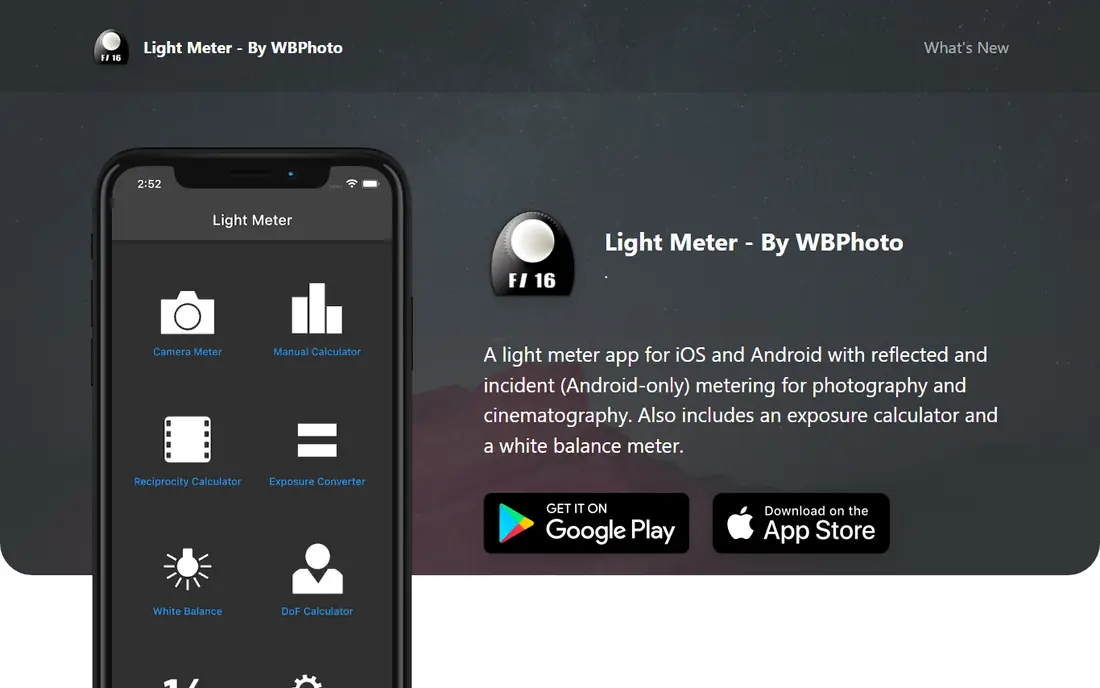
Light Meter by WBPhoto is the most complete toolkit here. It offers spot metering with tap-to-focus points, multi-point spot metering for comparing dynamic range, zone system metering, and incident metering through the device sensor. Around that core sit calculators for depth of field, reciprocity for over 40 film stocks, bracketing, pinhole, bellows factor, flash guide numbers and the Sunny 16 rule, plus golden hour times and exposure logging.
That breadth is both the appeal and the warning. A beginner who only needs a basic reading may find the app busy, and the paid full version is needed for everything. For a shooter who uses the zone system, shoots large format, or wants one app for metering and calculations, Light Meter by WBPhoto is the strongest choice, and its offline use helps in the field.
- Spot, zone and incident metering
- 12 or more calculators including reciprocity and depth of field
- Works offline
- Many features can overwhelm a beginner
- Full version is paid
- Zone tools need practice to use well
Lightmeter, subtitled Pocket Film Camera, pairs a real light meter with a film camera mode for iPhone users. As a meter, it gives exposure readings for use with a film camera, which is the job that matters here. As a camera, it offers film stock looks built from RAW capture, with grain and colour behaviour modelled on film, plus a disposable camera mode that develops rolls after an hour.
That second role can distract a shooter who only wants a meter, and the app is iPhone only, so Android film shooters should choose another app here. For an iPhone user who also enjoys shooting film looks on a phone, Lightmeter is a pleasant two-in-one. For a pure meter, myLightMeter PRO or Light Meter by WBPhoto will be more focused.
- Meter plus film camera modes in one app
- Film stock looks based on RAW capture
- Simple meter for everyday film use
- IPhone only
- Film camera features distract if you only need a meter
- Some looks and features need paid access
Lumu pairs an app with a small light sensor that plugs into a phone, giving incident readings that do not depend on the phone camera alone. The app shows aperture, shutter speed and ISO, lets a shooter adjust any value and see the others update, and supports exposure compensation, filter compensation and notes linked to films and cameras. That note-taking suits a film shooter who wants to record settings, location and a reference photo for each frame.
Hardware is the catch. Lumu accessories come in different types for different phone connectors, and older types, such as the headphone jack version, may not fit a current phone without an adapter. Check which Lumu hardware, if any, fits your phone before buying, and confirm app pricing in the store. For a shooter who wants a dedicated incident sensor, Lumu remains a credible option.
- Incident metering with a small sensor accessory
- Film and camera notes with readings
- Exposure compensation and filter compensation
- Needs Lumu hardware for full incident accuracy
- Older hardware types may not fit newer phones
- App and hardware pricing vary
Cine Meter II, by Adam Wilt, is the most serious colour meter here, and it also serves still film shooters who want precise exposure and colour readings. It offers front and back spot meters, incident exposure and colour meters with diffusion over the camera, reflected luminance readings, and false-colour and waveform views that show contrast and lighting evenness across a scene. Calibration tools let a shooter align its meters with a reference.
The price, $24.99 as a one-time purchase in the app store, is higher than most apps here, and the app is iOS only. It is also not a camera simulator: its readings do not control the iPhone camera, they only measure light and colour. For a film or video shooter who needs colour temperature, tint and lighting checks as well as exposure, Cine Meter II justifies its price. For simple still metering, a cheaper app will do.
- Reflected and incident metering
- Colour temperature and tint measurement
- False-colour and waveform checks
- IOS only
- Price is higher than most meter apps
- Colour tools need practice to interpret well
Reciprocity Timer does a job that a plain meter cannot: it corrects long exposures for reciprocity failure, the effect where film needs more time than the meter suggests once an exposure passes about a second. A shooter picks a film, enters the metered exposure time, and the app gives the corrected time, with a timer to time the shot and a slider for filter compensation. That workflow suits night photography, large format work and pinhole photography.
Reciprocity Timer is a companion to a meter, not a replacement for one, since it starts from a metered time. The standard version costs $1.99, with a Pro upgrade at $9.99 for notes, camera and film holder databases, custom films and filters. Pair it with myLightMeter PRO or Light Meter by WBPhoto for a complete long-exposure kit.
- Reciprocity correction for many common films
- Exposure timer for long shots
- Filter compensation slider
- IOS only
- Not a full light meter on its own
- Paid Pro features needed for notes and custom films
Light Meter Street is a simple, open-source light meter for iPhone and iPad that keeps metering deliberately plain. It offers an auto exposure mode based on the camera exposure algorithm, plus a spot mode where a tap locks a reading and lets a shooter check over and under exposure in a scene. Aperture and time settings can be set to match a lens, which helps a shooter avoid camera shake and choose a sensible aperture.
The simplicity comes with limits. There is no incident metering, no flash metering and no front camera support, and film-specific tools such as reciprocity tables are absent. For a beginner who wants a free, uncluttered meter to learn exposure, Light Meter Street is a good start. For advanced film work, pair it with, or move to, a fuller app above.
- Simple and free
- Open-source project
- Auto exposure and spot metering modes
- No incident metering or flash metering
- Fewer film-specific tools
- Support depends on the open-source project
How we picked these
We compared official feature pages, pricing pages and app store listings, and we favoured apps still updated in 2026 that offer film-friendly features such as wide ISO ranges, calibration, incident or spot metering, and reciprocity help. We excluded generic light meter apps with no film features, apps that only measure room brightness in lux, and apps that have not been updated for years. Prices come from vendor pages and app store listings checked in October 2026, and they can change, so check the listing before paying. Note that some indie film apps have no standalone homepage, so their website field points to their official app store listing where that is the only official page.
How to use a phone meter for film
Calibrate first. Meter a grey card or a evenly lit wall, compare the reading with a known handheld meter or with the Sunny 16 rule in bright sun, and adjust the app calibration until readings agree. Repeat that check when you change phones, since phone cameras and sensors differ. A calibrated phone meter can be reliable; an uncalibrated one is a guess.
Reflected or incident, and why it matters
A reflected meter reads light bouncing off a subject, so a bright subject such as snow can fool it into underexposure, while a dark subject can fool it into overexposure. An incident meter reads light falling on a subject, which is usually more reliable for portraits and general scenes. If your app offers incident metering, use it when you can stand at the subject and point the sensor back at the camera position.
Handle long exposures and filters properly
For exposures longer than about a second, check reciprocity for your film stock, since most films need extra time, and some need a lot more. Use Reciprocity Timer or the reciprocity calculator in Light Meter by WBPhoto, and add filter factors for neutral density or colour filters. Bracket important shots, such as one frame at the calculated time and one a stop longer, until you know how your film behaves.
Keep notes for the next roll
Record film stock, ISO rating, meter reading, final settings and any filter or reciprocity correction for each important shot. Apps with logbooks, such as Lightme and Light Meter by WBPhoto, make this easy, but a small notebook works just as well. Notes turn a good roll into a repeatable method, and they help you spot whether a problem came from metering, development or scanning.
Frequently asked questions
What is the best light meter app for film photography?
myLightMeter PRO is the best light meter app for film photography for most shooters, because its analog dial, reflected and incident metering and calibration suit everyday film use. Light Meter by WBPhoto is a strong alternative when zone placement and calculators matter more.
Are phone light meters accurate for film?
Yes, when calibrated and used well, phone meters can be accurate enough for most film work, especially for negative film with wide exposure latitude. Calibrate against a grey card or a known meter, use incident metering where possible, and bracket important shots until you trust the app on your phone.
What are the best light meter apps for film photography with reciprocity help?
Lightme and Light Meter by WBPhoto offer reciprocity help, and Reciprocity Timer is a dedicated companion app for long exposures. Choose Lightme for a simple meter with reciprocity built in, or pair any meter here with Reciprocity Timer for detailed long-exposure timing.
Do I need incident metering for film?
Incident metering is helpful but not essential. It gives reliable readings for portraits and general scenes, since it measures light falling on a subject rather than light reflected from it. If your app only offers reflected metering, meter a grey card or a mid-tone area, and compensate for very bright or dark subjects.
Can a phone meter replace a handheld meter?
For many film shooters, yes, especially for 35mm and medium format work with negative film. A dedicated handheld meter still wins for flash metering, for very low light, and for professional work where a separate, calibrated tool is preferred. Test a phone meter against a handheld meter before relying on it for paid work.
Is Cine Meter II worth $24.99 for still film photography?
Cine Meter II is worth it mainly for shooters who also need colour temperature, tint and lighting checks, or who shoot film and video. For still film metering alone, myLightMeter PRO or Light Meter by WBPhoto cost less and cover exposure well, so choose Cine Meter II for its colour tools, not just for exposure.
Sources
- https://play.google.com/store/apps/details?id=com.dq.mylightmeterpro
- https://apps.apple.com/us/app/lightme-logbook/id1544518308
- https://lightmeter.dev
- https://apps.apple.com/us/app/lightmeter-pocket-film-camera/id6800456535
- https://www.lumu.eu
- https://www.adamwilt.com/cinemeterii/
- https://apps.apple.com/us/app/reciprocity-timer/id459691262
- https://lightmeter.github.io
See where you really rank - block by block
ProMapRanker scans Google Maps across a grid of your service area. Simple monthly plans from $19, white-label on every plan.
Start freeKeep reading
 wpforms alternatives
Best WPForms Alternatives in 2026
We compare 9 wpforms alternatives for WordPress forms, with free and paid options, current pricing notes, and honest limits for small business sites in 2026.
Read → windows task scheduler alternatives
Best Windows Task Scheduler Alternatives in 2026
Looking for Windows Task Scheduler alternatives? We compare 9 schedulers for Windows and cross-platform work, from free tools to enterprise automation.
Read → which ai video service is best
Which AI Video Service Is Best in 2026
which ai video service is best? We compare 10 legitimate AI video services on price, avatars, editing and output quality to help you pick the right tool.
Read →