 ProMapRanker
Best Landscaping Estimating Software in 2026
Direct answer
My top pick for most landscaping companies is Jobber, because it connects estimates, scheduling, invoicing and a client portal in one place that suits crews working from a truck. It offers a free trial, and pricing details are on its website. For heavier takeoff and blueprint work, look at Stack CT, and for a construction-focused accounting and estimating stack, Sage 100 Contractor is worth a look.
I put this list together from vendor documentation, help centers and public product pages, and I did not run hands-on tests of each tool. The aim is to help you shortlist based on how landscaping work actually flows, from the first walkthrough to the final invoice.
Key takeaways
- Estimating software matters most when it turns a site visit into a clear, itemized quote the customer can approve without a phone call.
- Landscaping quotes usually mix labor, materials, equipment and disposal, so look for line-item templates you can reuse.
- A tool that connects the approved estimate to scheduling and invoicing saves the double entry that causes most billing errors.
- Takeoff tools that measure from plans or aerial images help on larger installs, but smaller maintenance crews rarely need them.
- Google Business Profile and review management sit outside estimating, so plan for a separate local SEO tool if visibility is a goal.
Quick comparison
| Pick | Great for | Pricing starts at | Free tier | |
|---|---|---|---|---|
 Jobber | Small crews quoting and scheduling | See website | Free trial | Visit |
 Housecall Pro | Quoting with payments built in | See website | Free trial | Visit |
 ServiceTitan | Larger firms needing dispatch depth | See website | Not stated | Visit |
 Aspire | Commercial maintenance at scale | See website | Not stated | Visit |
 Stack CT | Plan takeoff and construction estimating | See website | Free plan | Visit |
 Sage 100 Contractor | Construction accounting with estimating | See website | No free plan | Visit |
 LMN | Landscaping-specific estimating and job costing | See website | Not stated | Visit |
The best landscaping estimating software compared
Jobber is a field-service platform aimed at small service businesses, and landscaping fits its model well. You build a quote from line items, send it, and when the customer approves it the same record becomes a scheduled job. That flow suits a two-to-five person crew that does installs, cleanups and maintenance visits.
For estimating, the useful part is reusable line items and templates. You can save common tasks like bed prep, sod install or spring cleanup with your labor and material assumptions, then adjust quantities per property. Photos and notes from the site visit attach to the client record, so the person writing the quote is not working from memory.
The limit is depth. If you price large commercial installs from engineered drawings, Jobber will feel thin next to a dedicated takeoff tool. Solo operators who only need invoices may also find they pay for scheduling features they do not use.
- Estimates convert to jobs and invoices
- client portal for approvals
- mobile app for field use
- Advanced reporting sits on higher tiers
- not built for heavy blueprint takeoff
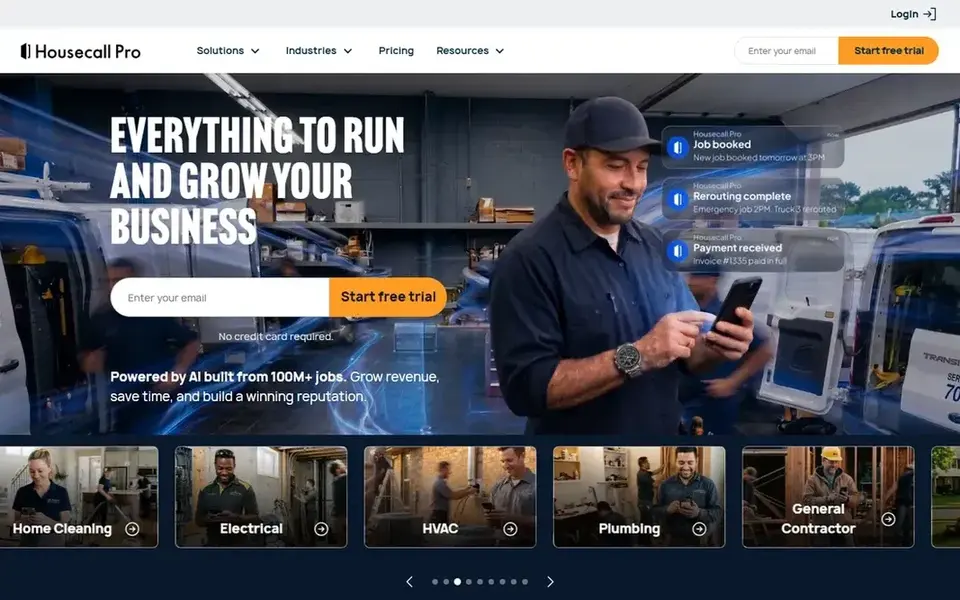
Housecall Pro is built for home-service companies, and many lawn and landscape businesses use it because the quoting and payment flow is quick. You can present a base estimate with optional add-ons, which works well when a customer wants the basic cleanup now and the mulch refresh later.
The estimating side is straightforward: line items, notes, photos and a signature or approval step. Because payments are built in, a customer can approve and pay a deposit from the same message. That shortens the gap between a walkthrough and a booked job, which matters in spring when schedules fill fast.
The trade-off is that the estimating logic is generic. It does not know about plant counts, cubic yards of mulch or irrigation zones unless you build those as your own line items. Larger firms with complex job costing usually outgrow it.
- Estimates with optional add-ons
- card payments on the spot
- customer communication tools
- Plan tiers gate many features
- estimating is general-purpose, not landscaping-specific

ServiceTitan is a large field-service platform used across trades, and landscape companies with multiple crews and a dispatcher can fit it. Its estimating leans on a price book, so you standardize what a service costs and then build quotes from those entries rather than starting from a blank page.
For a landscaping business, the value shows up when you have enough jobs that scheduling, technician tracking and reporting need to be in one system. Estimates flow into jobs, and job data feeds reports on revenue per crew, which helps when you decide whether to add a truck.
The honest limit is effort. Setup takes planning, and a three-person company will spend more time configuring it than quoting. If you are still writing estimates on paper, start smaller.
- Strong dispatch and reporting
- price book style estimating
- integrates marketing and call tracking
- Implementation is heavy
- overkill for small crews

Aspire is a business management platform built specifically for landscaping and snow removal companies, with a strong tilt toward commercial maintenance. It handles property records, contract pricing, crews and job costing in one place, which matters when you bill the same properties on a recurring schedule.
Estimating in Aspire connects to the work you already do. You can price recurring maintenance from property measurements and production rates, then carry that estimate into scheduling and invoicing. For companies managing dozens of commercial sites, that consistency is the main reason to choose it.
The limit is scale. It is designed for established firms with office staff, and a residential-only crew will find it heavy. If you mainly do one-off installs, a simpler quoting tool is a better fit.
- Built for landscape maintenance contracts
- strong job costing
- crew and property records
- Priced and designed for larger operations
- steep onboarding

Stack CT is an estimating and takeoff tool for construction work, and it earns a place here for landscape installs that start from drawings or site plans. You upload a plan, measure areas and lengths on screen, and the quantities feed your estimate instead of being scaled by hand.
For a landscaper pricing a patio, retaining wall, planting plan or irrigation layout, that measurement step is where errors creep in. Stack lets you mark up areas and count items, then apply unit costs. The free plan is enough to see whether the workflow suits you before committing.
The limit is that it stops at estimating. Scheduling, invoicing and customer communication are not its job, so you will pair it with another system. Small maintenance crews with no drawings to measure will not get much from it.
- Digital takeoff from plans
- free plan to try the basics
- estimating from measured quantities
- Not a field-service suite
- requires plan or image input to shine
Sage 100 Contractor is construction accounting software that includes estimating and job costing. Landscaping firms that do hardscape and install work often end up here because their bookkeeper already knows the accounting side, and estimates need to line up with how costs are tracked.
The estimating module lets you build a database of cost items and assemble a quote from them, so labor, materials and subcontractor costs carry through to job cost reports. That matters when you want to know whether a finished install actually made money, not just whether the invoice was paid.
The limit is usability. It is accounting software first, and the interface reflects that. Crews will not use it in the field, and a small company without a bookkeeper may find it more than it needs.
- Estimating tied to accounting
- job cost tracking
- familiar to construction bookkeepers
- Accounting-first interface
- desktop heritage means a real learning curve
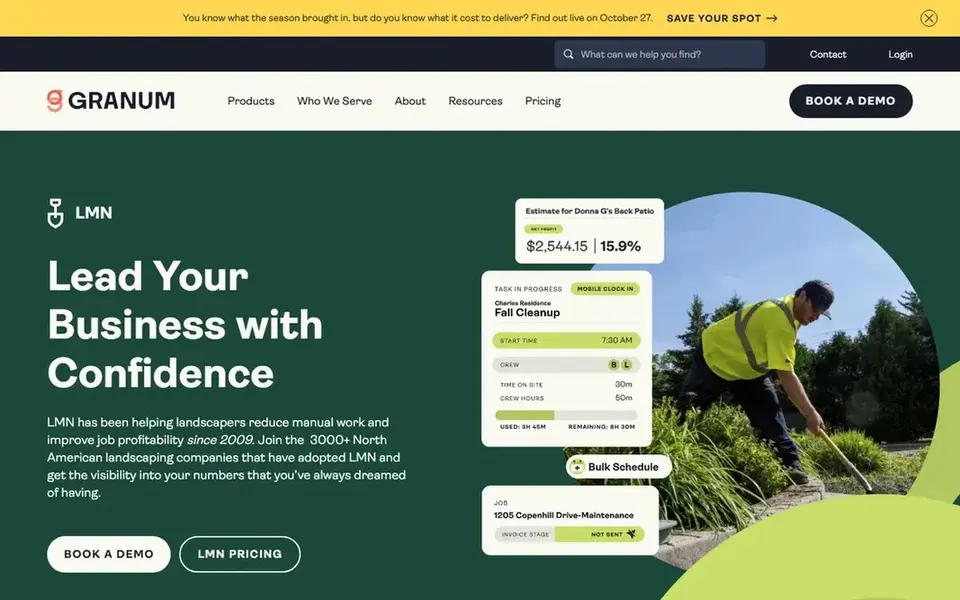
LMN is estimating and business software made for landscape companies, which shows in how it structures a quote. You build estimates from production rates and cost categories that match landscaping work, such as crew hours per property and material costs per bed, rather than adapting a generic invoice builder.
The estimating side connects to job costing, so after the work is done you can compare what you quoted against what the job actually cost. For a company doing a mix of maintenance and installs, that feedback loop is the reason to pick a trade-specific tool over a general one.
The limit is fit. If your business is mostly small one-off jobs, the setup effort may outweigh the benefit. It also has fewer integrations with outside tools than the big field-service platforms.
- Built around landscape estimating
- job costing per job
- crew scheduling for the trade
- Narrow integration ecosystem
- onboarding takes time
How I chose
I started from vendor documentation, product pages and help centers, then checked each tool against how landscaping work actually runs: a site visit, a quote with labor and materials, an approval, a scheduled crew and an invoice. Tools that only handled one step were kept only where that step is genuinely hard, like plan takeoff.
I also weighed fit by company size. A solo owner quoting weekly maintenance has different needs from a firm with five crews and commercial contracts, so I noted where each tool stops being a good match. I did not run hands-on tests, and I did not rank by review scores or user counts. Where pricing or free-plan details were unclear from public sources, I left them as "see website" rather than guessing.
What to check before you buy
- Confirm the tool lets you save reusable line items for common landscaping tasks, so quoting a standard cleanup takes minutes.
- Check whether an approved estimate turns into a scheduled job and an invoice without retyping the details.
- Ask how the software handles change orders, since plant substitutions and added beds are common mid-job.
- Test the mobile app on the phone your crew actually carries, ideally in a driveway with weak signal.
- Confirm whether job costing is included or a separate module, because that is where quoted profit gets checked.
- Ask about data export, so you are not locked in if your business changes shape.
Frequently asked questions
Do I need landscaping-specific software, or will a general quoting app work?
A general quoting app works if you mostly send simple proposals and invoice afterward. Landscaping-specific tools add production rates, material libraries and job costing tied to crews, which helps once you quote regularly and want to know whether jobs hit their margin.
Can estimating software help me win more commercial contracts?
It helps you respond faster and with consistent numbers, which matters in bid situations. Commercial work usually needs property records and recurring pricing, so tools built for maintenance contracts fit better than generic invoice apps. It does not replace the site walkthrough or the relationship.
How does estimating software connect to Google Business Profile and reviews?
It usually does not. Estimating tools handle quotes, jobs and invoices. Local visibility, review requests and profile management are separate, so most landscapers run one tool for operations and another for local SEO, or use a field-service app that includes a review request step.
What is the smallest business that benefits from this software?
A one-person operation that sends more than a few quotes a month usually benefits, mainly from reusable templates and faster invoicing. If you quote rarely and know your prices by heart, a simple document may be enough until volume grows.
Is a free plan enough to evaluate a tool?
Sometimes. A free plan or trial lets you build a sample estimate and see whether the line-item structure fits your work. Use it to test one real quote end to end, including approval and invoicing, because that flow is what you will live with.
Sources
See where you really rank - block by block
ProMapRanker scans Google Maps across a grid of your service area. Simple monthly plans from $19, white-label on every plan.
Start freeBrowse all guides
← Best Google Review Widget Tools in 2026Best Listing Management Software for Accountants in 2026 →
 best google maps scraper tools
Best Google Maps Scraper Tools for Local SEO in 2026
A practical comparison of the best Google Maps scraper tools in 2026 for local SEO and lead research, based on vendor documentation and public sources.
Read → best google business profile tools for senior living
Best Google Business Profile Tools for Senior Living in 2026
A practical guide to the best Google Business Profile tools for senior living communities, comparing listing, review and local rank tracking features.
Read → best google business profile tools for multi location brands
Best Google Business Profile Tools for Multi-Location Brands (2026)
A guide to the best Google Business Profile tools for multi-location brands in 2026, compared from vendor documentation and public sources.
Read → google maps ranking tips
Google Maps Ranking Tips: 15 Quick Wins for Local Businesses
15 quick, high-impact Google Maps ranking tips you can apply this week to climb the local pack.
Read → google maps seo optimization
Google Maps SEO Optimization: Advanced Tactics for 2026
Go beyond the basics with advanced Google Maps SEO optimization tactics for competitive local markets in 2026.
Read → local search rank tracker
Local Search Rank Tracker: Single-Point vs Geo-Grid Accuracy
Compare single-point and geo-grid local search rank trackers and learn which gives accurate local data.
Read →More in Local SEO & Google Maps · All guides A to Z by date · Latest guides