 ProMapRanker
Best Knowledge Base Software in 2026


Docs, wiki, and projects in one workspace · Pricing starts at: $10 per user per month
Key takeaways
- Notion and Confluence suit most small and mid sized teams, since both pair a wiki with project work teams already do.
- Slab is the cleanest dedicated internal wiki, while Document360 and Helpjuice are built for polished customer facing help centers.
- Guru stands out when answers must reach staff inside Slack, Teams, or a browser without opening another app.
- Pricing models differ sharply, so check whether you pay per editor, per reader, or per site before comparing headline prices.
Quick comparison
| Pick | Great for | Pricing starts at | Free tier | |
|---|---|---|---|---|
| Notion | Docs, wiki, and projects in one workspace | $10 per user per month | Yes | Visit |
 Confluence Confluence | Teams already using Jira | See website | Yes | Visit |
 Zendesk Guide Zendesk Guide | Help centers tied to Zendesk support | See website | Free trial | Visit |
 Document360 Document360 | Customer help centers and product docs | See website | Free trial | Visit |
 Helpjuice Helpjuice | Branded help centers for support teams | See website | Free trial | Visit |
 Guru Guru | Verified answers inside everyday tools | See website | Free trial | Visit |
 Slab Slab | Clean dedicated internal wiki | $6.67 per user per month | Yes | Visit |
 GitBook GitBook | Product and developer documentation | See website | Yes | Visit |
The best knowledge base software
A knowledge base should do more than store documents. Staff and customers need to find answers fast, trust that answers are current, and update them without a long process. The tools below cover internal wikis, customer help centers, and AI assisted answers.
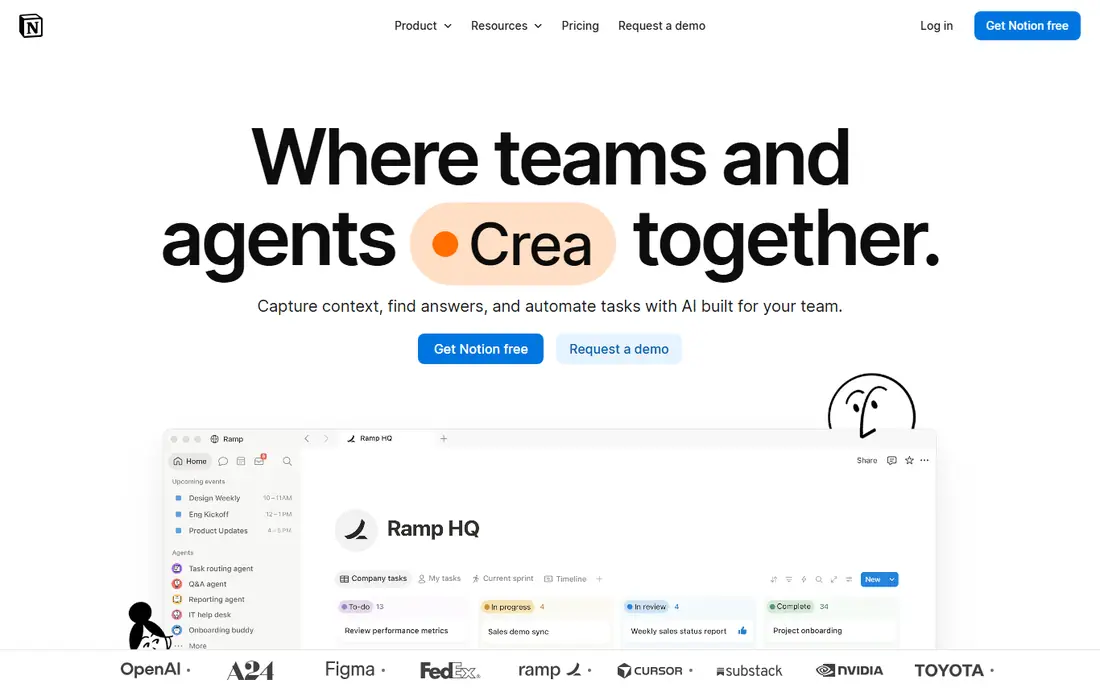
Notion is the most flexible option on this list, since one workspace can hold a wiki, project tracker, meeting notes, and team handbook. Small teams often start with the free plan, then move to Plus at $10 per user per month billed annually for unlimited file uploads and longer version history. That flexibility is why so many startups standardize on it.
The risk is sprawl. Without owners for each section and a simple structure, a Notion workspace can grow into a maze where answers are hard to find. Set up clear sections, assign owners, and review stale pages regularly. For teams that want docs and projects together, Notion is a strong, low cost start.
- Flexible pages, databases, and wikis in one tool
- Free plan for small teams
- AI search and writing features on paid plans
- Can become messy without clear ownership and structure
- Permissions are less granular than dedicated enterprise wikis on lower tiers

Confluence is the natural wiki for teams already using Jira, since project work and documentation link together in the Atlassian suite. The free plan covers up to 10 users, which suits small teams, and paid tiers add more storage, permissions, and support. Page history and permissions help larger teams control who can edit sensitive docs.
Smaller teams may find Confluence heavier than Notion or Slab, with more setup before the wiki feels simple. If your team already lives in Jira, that setup pays off quickly. If you do not use Atlassian tools, compare Notion and Slab first for a lighter start.
- Free plan for up to 10 users
- Deep integration with Jira and Atlassian tools
- Strong permissions and page history
- Interface feels heavy for very small teams
- Pricing rises with user count on paid tiers

Zendesk Guide is the help center for teams that already run support on Zendesk. Articles live alongside tickets, so support agents can link answers, spot gaps from ticket topics, and measure which articles reduce ticket volume. AI search helps customers find answers before they contact support.
Teams that do not use Zendesk will find standalone help center tools simpler and cheaper. Pricing is also tied to Zendesk plans, so check the full bundle cost, not just the Guide add on. For Zendesk support teams, Guide is the obvious, well integrated choice.
- Help center built into Zendesk support
- AI search helps customers self serve
- Content ties directly to support tickets
- Best value only for teams already using Zendesk
- Pricing is part of a wider Zendesk plan, so compare the full bundle
Document360 is built for companies that need a polished, searchable help center for customers, plus internal docs for staff. It covers article versioning, analytics on which articles help, and AI assisted search and answers. That focus makes it a good fit for software companies with large product documentation needs.
Quote based pricing means small teams cannot budget from a public price list, and the feature set may be more than a simple internal wiki requires. For customer facing documentation at scale, Document360 is a strong, purpose built option. Request a quote based on editors, readers, and article volume.
- Built for public help centers and product documentation
- Strong search, versioning, and analytics
- Supports internal and external knowledge bases
- Pricing is quote based, so budgeting needs a sales conversation
- More tool than a small internal wiki needs
Helpjuice focuses on help centers that look and feel like part of your brand, not a generic template. Support teams can customize layout, search, and navigation, track which articles resolve questions, and use AI features on higher tiers. Migration support helps teams moving from Zendesk Guide or another platform.
The price reflects that focus, and very small teams may find Notion or Slab enough for internal docs. For support teams that treat the help center as a customer facing product, Helpjuice customization and analytics justify the cost. Use the trial to test search quality with your real articles.
- Highly customizable branded help centers
- Strong search and analytics
- Migration help for teams moving from another help center
- Pricing is higher than simple wikis
- Small teams may not need the full customization range
Guru solves a different problem from a traditional wiki, which is getting trusted answers to staff where they already work. Instead of opening a separate app, staff can search Guru inside Slack, Teams, or a browser extension and get a verified answer. Experts verify content on a schedule, so outdated answers are flagged rather than left to linger.
That model suits support, sales, and operations teams that answer repeat questions all day. Pricing is quote based and aimed at larger organizations, so small teams should compare Slab or Notion first. For teams drowning in repeat questions, Guru can cut search time and improve answer consistency.
- Verified answers surface inside Slack, Teams, and browsers
- Expert verification keeps content current
- AI search across company knowledge
- Pricing is quote based and aimed at larger teams
- Setup needs content owners to keep verification current
Slab is the cleanest dedicated wiki on this list, with a simple editor, clear organization, and search that works well for internal docs. The free plan covers up to 10 users, and the Startup plan costs $6.67 per user per month billed annually. Teams that want a wiki and nothing else will appreciate the lack of clutter.
It does not try to replace project management, so Notion suits teams that want docs and tasks together. Customer facing help centers also need a more specialized tool. For an internal wiki that staff actually enjoy using, Slab is an excellent, affordable pick.
- Clean, focused wiki experience
- Free plan for up to 10 users
- Startup plan at $6.67 per user per month billed annually
- Less project management than Notion
- Customer help center features are limited compared with Document360
GitBook is built for product and developer documentation, with clean public docs sites, versioning, and workflows that fit teams already using Git. Technical writers and engineers can write in a familiar system, publish polished docs, and keep API references alongside guides. A free option covers small use.
General company wikis with HR policies and meeting notes fit better in Notion, Confluence, or Slab. Pricing depends on sites and team members, so confirm the current structure on the vendor page. For product docs that developers maintain, GitBook is a strong, focused choice.
- Clean documentation sites for products and APIs
- Git based workflows suit developer teams
- Free plan for small use
- Less suited to general company wikis
- Pricing depends on sites and users, so check the current plan structure
How we picked these
We compared vendor pricing pages, feature pages, and documentation for tools actively offered in October 2026. We kept tools that support internal wikis, customer help centers, or verified knowledge delivery, and we favored a mix of free, budget, and enterprise options. Where pricing is quote based, we wrote See website rather than repeating third party estimates as fact.
How to choose the right tool
Decide who reads it, staff or customers
Internal wikis need permissions, search, and easy editing for staff, while customer help centers need branding, public search, and analytics on deflection. A tool that excels at one may be weak at the other, so start with the primary audience and choose accordingly.
Assign owners before you migrate content
A knowledge base fails when no one owns updates. Assign an owner to each section, set a review schedule, and archive stale pages during migration rather than copying everything across. Tools with verification, such as Guru, help, but ownership matters more than features.
Test search with real questions
Ask staff and customers for their ten most common questions, then test each finalist with those exact queries. A beautiful wiki that fails on real searches will not reduce support tickets or save staff time. Search quality, not page design, decides whether a knowledge base gets used.
Frequently asked questions
What is the best knowledge base software overall?
Notion is the best overall pick for small and mid sized teams that want a wiki plus project work in one tool. Confluence leads for teams already using Jira, while Slab leads for a clean dedicated wiki. For customer help centers, Document360 and Helpjuice are stronger than general wikis.
What is the best knowledge management software for internal teams?
Slab, Notion, and Confluence are the best internal knowledge management tools, depending on team size and existing tools. Slab suits teams that want a simple wiki, Notion suits teams that want docs and projects together, and Confluence suits Jira users. Guru is the best choice when verified answers must reach staff inside Slack and other tools.
What is the best knowledge base tool for IT companies?
Document360 and GitBook suit IT companies best, since both handle product and technical documentation well. GitBook fits developer maintained docs with Git workflows, while Document360 fits larger customer help centers with analytics and versioning. Confluence also works well for IT teams already using Jira for development work.
Is there free knowledge base software?
Yes, Notion, Confluence, Slab, and GitBook all offer free plans for small teams or limited use. Free plans usually cap users, storage, or features, so check limits before committing a whole company to a free tier. Open source wikis are another free route, but they need hosting and upkeep that a hosted tool includes.
How much does knowledge base software cost?
Entry prices range from free to about $6.67 per user per month for Slab Startup and $10 per user per month for Notion Plus, both billed annually. Enterprise tools such as Guru, Document360, and Helpjuice use quote based pricing that depends on editors, readers, and features. Always confirm whether readers count toward the price, since that changes the total sharply.
Sources
See where you really rank - block by block
ProMapRanker scans Google Maps across a grid of your service area. Simple monthly plans from $19, white-label on every plan.
Start freeKeep reading
 zoom alternatives
Best Zoom Alternatives in 2026
Compare Zoom alternatives in 2026, with free meeting limits and prices, so you can pick the best alternative to Zoom for your team, class, or community.
Read → which software is best for remote work
Which Software Is Best for Remote Work in 2026
Answering which software is best for remote work, we compare Slack, Zoom, Asana, Notion, Teams and more, with pricing and honest tradeoffs in 2026 now.
Read → which ai tool is best for content writing
Which AI Tool Is Best for Content Writing in 2026
Wondering which ai tool is best for content writing? We compare ChatGPT, Claude, Jasper, Grammarly, and more on price, quality, and best use in 2026 now.
Read →