 ProMapRanker
Best IT Service Management Software in 2026


Large enterprises with complex workflows · Pricing starts at: See website
Key takeaways
- ServiceNow and BMC Helix suit large, regulated organisations with complex workflows, but both use quote-only pricing.
- Jira Service Management and Freshservice give small and mid-sized teams the clearest published pricing and the fastest start.
- ManageEngine ServiceDesk Plus and HaloITSM are strong value picks when budget matters more than brand size.
- Zendesk works best when the same team also handles customer-facing support, while SysAid suits teams that want built-in automation and remote help.
Quick comparison
| Pick | Great for | Pricing starts at | Free tier | |
|---|---|---|---|---|
| ServiceNow | Large enterprises with complex workflows | See website | No | Visit |
 Jira Service Management | Atlassian and developer-led IT teams | Free | Yes | Visit |
 Freshservice | Mid-sized teams that need a fast setup | $19 per agent per month | Free trial | Visit |
 ManageEngine ServiceDesk Plus | Budget-conscious IT teams | See website | Yes | Visit |
 Zendesk | Teams handling IT and customer support together | $19 per agent per month | Free trial | Visit |
 BMC Helix ITSM | Large enterprises with strict controls | See website | No | Visit |
 SysAid | Mid-sized teams that want automation | See website | Free trial | Visit |
 HaloITSM | Teams that want clear all-inclusive pricing | $49 per user per month | Free trial | Visit |
The best IT service management software
We compared eight IT service management platforms on incident, problem, change and asset handling, plus pricing clarity and ease of setup. The best IT service management tools below cover both enterprise platforms and simpler desks, so a small team is not forced into an enterprise contract.
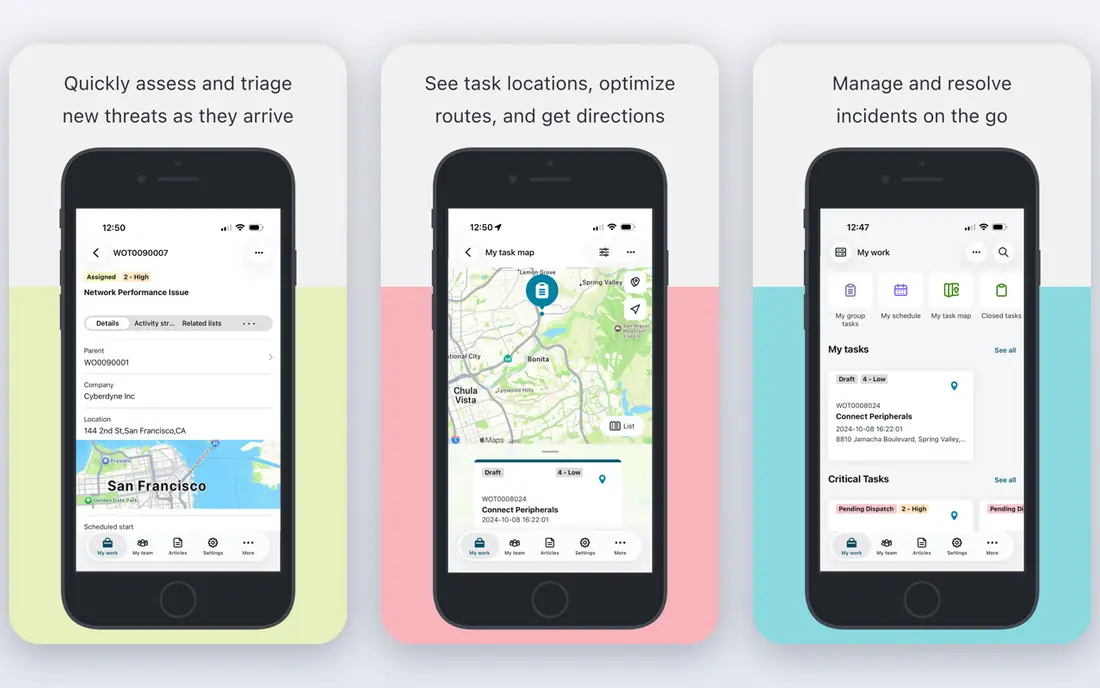
ServiceNow is the platform many large organisations standardise on when service work spans departments, countries and strict compliance rules. Incident, problem, change, asset and configuration records share one data model, which helps when a single change touches many systems. The platform also extends into human resources, security and custom applications, so it can grow beyond the IT desk.
The catch is cost and effort. Pricing is quoted per deal, contracts often run for years, and most deployments benefit from dedicated administrators or an implementation partner. For a team of three to fifteen technicians, that weight is hard to justify. Choose ServiceNow when your complexity genuinely exceeds what mid-market tools handle well, not simply because it is the best-known name.
- Very broad incident, problem, change and asset coverage
- Strong workflow automation
- Large partner and module ecosystem
- Quote-only pricing
- Implementation often needs specialists and takes time
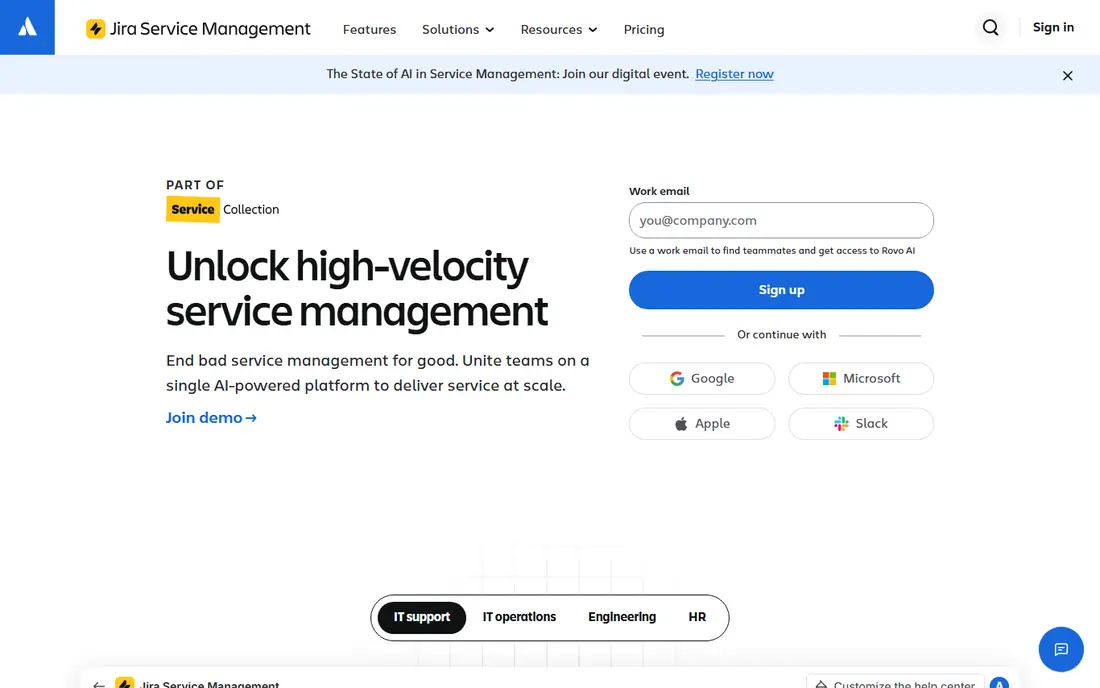
Jira Service Management fits teams that already live in Atlassian tools. A support ticket can link directly to a development issue, which makes handoffs between IT and engineering far clearer than a copied ticket number in chat. It covers requests, incidents, problems, changes, assets and knowledge in one place, and the free plan lets a tiny team start without a purchase order.
The trade-off is configuration. The flexibility that developers like can turn into a long setup project if nobody owns the design. Teams that keep request types, queues and automations simple tend to get value fastest. If your developers and IT staff already use Jira daily, this is usually the natural pick.
- Free plan for up to 3 agents
- Close links to Jira Software and Confluence
- Strong incident and change workflows
- Setup can get complex at scale
- Some advanced AI features sit on higher plans
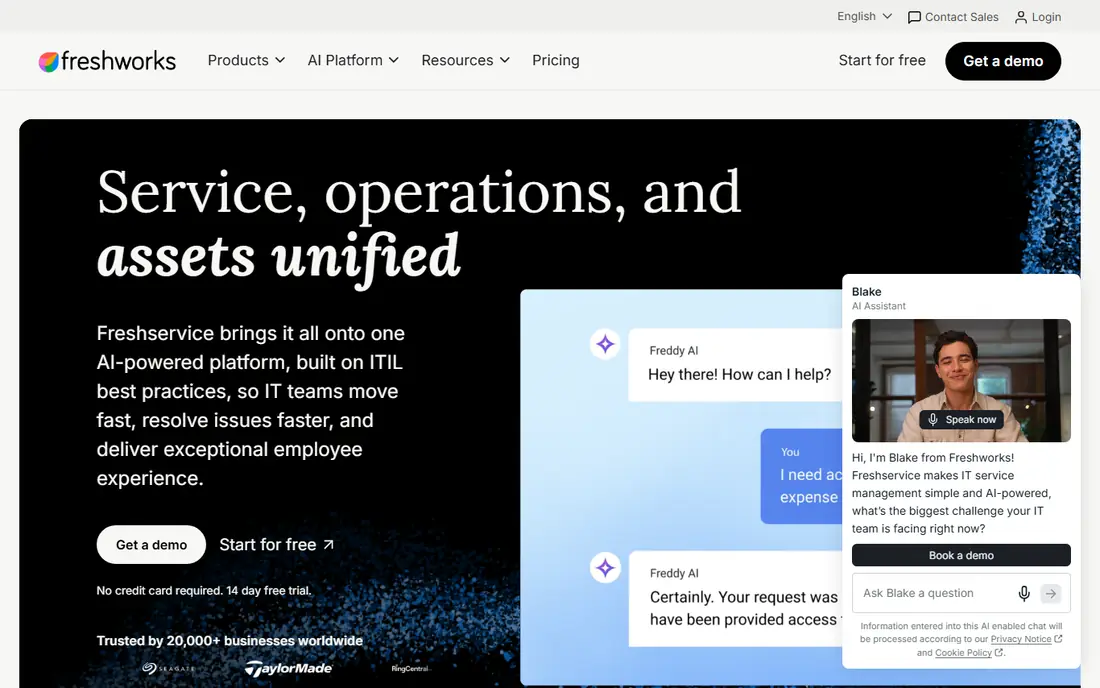
Freshservice is built for teams that want a proper IT service desk without a long implementation. The Starter plan covers incident handling and a knowledge base, while higher plans add asset management, service level agreements, and fuller change and problem management. Asset discovery helps keep the inventory current without a separate tool, which matters once laptops and cloud services multiply.
Our pick for most mid-sized teams is to trial the Growth plan, not just Starter, because asset management and service level tracking are where the value shows up. The interface is approachable for agents and requesters alike, and Freshworks integrations cover common chat and identity tools. Just check which tier holds the features you need before you commit, since the entry plan is deliberately basic.
- Clear published pricing
- Quick cloud setup
- Built-in asset discovery and automation
- No permanent free plan
- Fuller change and problem features sit on higher tiers
ManageEngine ServiceDesk Plus has long been the value choice in this market. It covers incident, problem, change, asset and project work, and it offers both cloud and on-premise deployment, which suits organisations that cannot move everything to the cloud. A free edition exists for small teams, so a modest desk can start without spending anything.
The honest catch is polish. The interface is functional rather than pretty, and some workflows take more clicks than on newer rivals. Teams that care more about coverage per dollar than about a slick portal will be happy here. Check the edition carefully, because cloud and on-premise feature lists differ, and the cheapest route is not always the cloud one.
- Free edition for small teams
- Cloud and on-premise options
- Broad ITIL-aligned features
- Interface feels dated in places
- Pricing varies by edition and deployment
Zendesk started in customer support, and that history shows in its strengths. Ticketing, self-service help centres, automation and reporting are mature, and the marketplace adds many integrations. For an organisation where one team answers both employee IT requests and customer questions, using one platform avoids duplicate tools and duplicate training.
Pure ITSM depth is the limitation. Specialist platforms cover change, problem and configuration management in more depth out of the box, while Zendesk needs careful configuration or add-ons to match them. If your work is mostly employee requests, approvals and knowledge, Zendesk is a solid choice. If strict change control is central, compare it closely with Freshservice or Jira Service Management first.
- Mature ticketing and self-service
- Strong automation and reporting
- Large app marketplace
- Less pure ITSM depth than specialist rivals
- Costs rise quickly with add-ons and higher tiers
BMC Helix ITSM is aimed at large enterprises that need disciplined service management at scale. It covers incident, problem, change, asset and configuration management with strong automation, and it is used in regulated industries where audit trails and approvals matter. Organisations already running BMC tools for operations or automation will find the fit especially natural.
Like ServiceNow, it is not a light purchase. Pricing is quoted, deployment takes planning, and small teams will find the platform heavier than they need. The value appears when service processes are complex, volumes are high, and governance cannot be an afterthought. Get a scoped quote and a realistic implementation timeline before you judge the price alone.
- Deep ITIL coverage
- Strong automation and AI features
- Cloud and on-premise deployment
- Quote-only pricing
- Implementation and administration need experienced staff
SysAid suits mid-sized IT teams that want automation without enterprise complexity. It combines ticketing, asset management, automation and remote control, so an agent can often fix a machine without a separate remote tool. That combination saves time on the routine requests that fill most desks, from password resets to software installs.
Pricing is the main uncertainty, since many plans are quoted rather than published, so you need a direct quote to compare it fairly with Freshservice or Jira Service Management. The ecosystem is also smaller than Atlassian or ServiceNow, though core integrations cover common needs. Trial it with your real ticket types and a few automations, because that is where SysAid either earns its place or does not.
- Built-in automation and remote control
- Asset management included
- Approachable setup for its depth
- Quote-based pricing on many plans
- Smaller ecosystem than the largest rivals
HaloITSM appeals to buyers who are tired of quote-only pricing and add-on surprises. Its published pricing bundles a broad ITIL feature set, including incident, problem, change, asset and configuration management, into one licence. That clarity makes budgeting easier, especially for organisations that want to compare total cost without a sales call for every detail.
The trade-off is familiarity. HaloITSM is less widely known in the United States than ServiceNow or Atlassian, so references and community resources are thinner. Configuration is flexible, which is a strength once the system is set up, but it still needs someone to own the design. For teams that value transparent pricing and full coverage, it deserves a trial alongside the better-known options.
- All-inclusive licensing with published pricing
- Full ITIL coverage
- Flexible configuration
- Smaller brand presence in the US
- Needs configuration time to get the most from it
How we picked these
We compared official feature pages, pricing pages, app listings and public reviews for current ITSM platforms, and we kept only products that exist and work in October 2026 and truly cover service management rather than simple ticketing alone. We favoured a mix of enterprise platforms and mid-market tools, with published pricing where vendors provide it, and we wrote See website where pricing is quoted rather than inventing a figure. We did not claim hands-on testing; our comparison rests on vendor documentation, pricing and public review material.
What to check before you buy
Start with your ticket types, not the feature list. List the requests your team handles most, the approvals you must keep, and the assets you must track, then trial two platforms against that list. A platform that looks strong on paper can still fail if requesters find the portal confusing or agents need too many clicks to close a ticket.
Next, price the whole team, not one agent. Add the tier that holds asset, change and problem management, plus any AI or automation add-ons you plan to use. Check whether requesters are free, whether assets cost extra, and what happens when you add contractors or part-time agents. Finally, ask about migration and training. Importing old tickets, building a knowledge base and training requesters takes real time, and a vendor that helps with that work is often worth more than a slightly cheaper licence.
Frequently asked questions
What is the best IT service management software for a small team?
For a small team, Jira Service Management is a strong start because the free plan covers up to 3 agents, while Freshservice and ManageEngine ServiceDesk Plus offer clear low-cost routes. Pick the one your team finds easiest in a trial, since adoption matters more than a long feature list at this size.
Is ServiceNow worth it for a mid-sized company?
ServiceNow can be worth it if your service processes are genuinely complex and span many departments, but it is often more than a mid-sized company needs. Mid-sized teams usually get faster value from Freshservice, Jira Service Management or SysAid, and should only move up when those tools clearly fall short.
What is the difference between ITSM software and a help desk?
A help desk mainly tracks tickets, while ITSM software also covers problem management, change management, asset and configuration records, service catalogues and knowledge. If you only answer simple requests, a help desk may be enough, but structured IT operations benefit from full ITSM coverage.
Do these tools offer a free plan?
Some do. Jira Service Management offers a free plan for up to 3 agents, and ManageEngine ServiceDesk Plus offers a free edition. Freshservice, Zendesk, SysAid and HaloITSM offer free trials instead, while ServiceNow and BMC Helix ITSM do not publish a free plan.
How much does IT service management software cost per agent?
Published entry prices in this guide range from free to $49 per user per month, with Freshservice and Zendesk starting at $19 per agent per month. Enterprise platforms such as ServiceNow and BMC Helix ITSM use quoted pricing, so their cost depends on team size, modules and contract terms.
What are the best IT service management tools for asset tracking?
Freshservice, ManageEngine ServiceDesk Plus, Jira Service Management and SysAid all include asset tracking, with discovery tools that help keep inventories current. Check whether asset units or objects are capped on the tier you plan to buy, since limits differ across vendors.
Sources
- https://www.servicenow.com
- https://www.atlassian.com/software/jira/service-management
- https://www.freshworks.com/freshservice/
- https://www.manageengine.com/products/service-desk/
- https://www.zendesk.com
- https://www.bmc.com
- https://www.sysaid.com
- https://haloitsm.com
- https://supportbee.com/blog/itsm-ticketing-tools
See where you really rank - block by block
ProMapRanker scans Google Maps across a grid of your service area. Simple monthly plans from $19, white-label on every plan.
Start freeKeep reading
 best virtual meeting platform
Best Virtual Meeting Platforms in 2026
Searching for the best virtual meeting platform? We compare 9 video meeting tools on price, free plans, capacity, and features for teams of all sizes.
Read → best social media reporting tools
Best Social Media Reporting Tools in 2026
Compare the best social media reporting tools in 2026, with pricing and free plans, and the right pick for creators, agencies, and large marketing teams.
Read → best social media platforms for business
Best Social Media Platforms for Business in 2026
We compared the best social media platforms for business, from Facebook and Instagram to LinkedIn and TikTok, with ad strengths and who each platform suits.
Read →