 ProMapRanker
Best Identity Management Software in 2026


Vendor-neutral workforce identity · Pricing starts at: $6 per user per month
Key takeaways
- Okta suits vendor-neutral companies with many apps, while Microsoft Entra ID suits companies already built on Microsoft 365.
- Ping Identity and SailPoint suit large, regulated companies with complex access needs, while JumpCloud suits smaller teams that also manage devices.
- Auth0 is the customer identity pick here, not a workforce pick, so do not buy it for employee logins alone.
- Pricing is often per user per month plus add-ons, so compare the full bundle, not just the headline single sign-on price.
- A free trial or free tier helps, but identity projects still need time for directory cleanup, policy design and testing.
Quick comparison
| Pick | Great for | Pricing starts at | Free tier | |
|---|---|---|---|---|
| Okta Workforce Identity | Vendor-neutral workforce identity | $6 per user per month | Free trial | Visit |
 Microsoft Entra ID | Microsoft 365 organisations | Free | Yes | Visit |
 Ping Identity | Large hybrid enterprises | See website | Free trial | Visit |
 JumpCloud | Small teams with devices to manage | See website | Free trial | Visit |
 Auth0 | Customer logins for apps | Free | Yes | Visit |
 SailPoint | Identity governance at scale | See website | No | Visit |
 OneLogin | Mid-market single sign-on and lifecycle | $4 per user per month | Free trial | Visit |
 Cisco Duo | Fast multi-factor authentication | Free | Yes | Visit |
The best identity management software
Identity tools control who can sign in, what they can reach, and how quickly access is removed when someone leaves. We compared workforce and customer tools that are widely used in October 2026.
Okta is the default comparison point for workforce identity because it connects to thousands of apps and handles single sign-on, multi-factor authentication and lifecycle management in one platform. When someone joins, moves teams or leaves, automated provisioning can grant and remove access without manual tickets for each app. That breadth matters most for companies with a mixed software stack, where no single vendor covers everything.
The catch is price structure. Listings in October 2026 showed workforce plans from about $6 per user per month, with an annual minimum, and fuller suites running higher as lifecycle and governance features are added. Small teams may find that steep, and the sales-led process can feel heavy. For a mid-size or large company that wants independence from one cloud vendor, though, Okta remains the strongest all-round workforce pick.
- Very large integration catalogue
- Strong lifecycle automation
- Adaptive multi-factor authentication
- Costs rise as modules are added
- Enterprise sales process can be slow
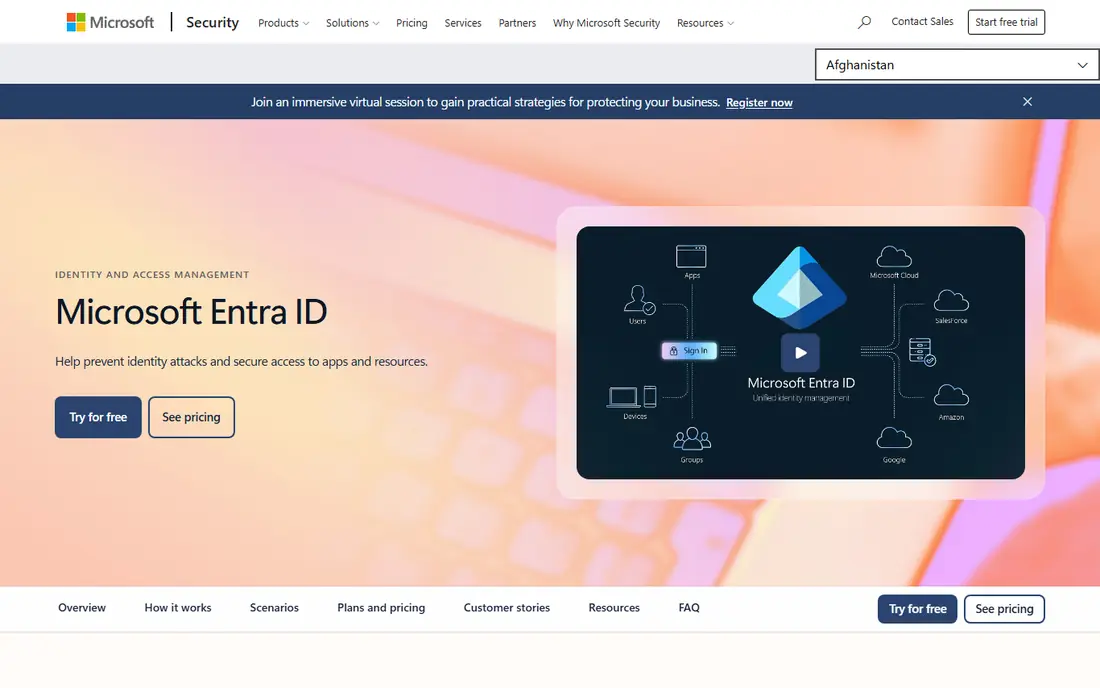
Microsoft Entra ID, formerly Azure Active Directory, is already the identity layer for many companies that use Microsoft 365, Windows and Azure. It manages sign-ins for Office apps and devices, supports thousands of third-party app integrations, and adds Conditional Access so you can require stronger authentication based on location, device or risk. If your company already pays for Microsoft 365, some of this may already be included.
Paid tiers add the most useful controls. Listings in October 2026 showed P1 at about $6 to $7 per user per month and P2 at about $9 to $10, with some advanced features tied to wider Microsoft licensing. That stacking is the main frustration, and the admin experience spans several portals. For Microsoft-centred companies, the depth of integration still outweighs those drawbacks.
- Native Microsoft 365 integration
- Conditional Access policies
- Free edition for basic identity
- Advanced features need paid tiers
- Admin portals can feel sprawling
Ping Identity suits large companies that cannot move everything to the cloud at once. Its PingOne and PingFederate products support federation, single sign-on and access management across cloud, on-premises and hybrid setups, and its orchestration tools help design login and registration flows without rebuilding them for each app. That flexibility is valuable for banks, healthcare providers and global firms with legacy systems.
Pricing is sales-led, so budget planning needs a quote and a clear scope. Ping is also not a light tool for a ten-person company. It rewards teams that have identity expertise and a complex estate to manage, and it can feel like too much platform for a simple single sign-on job. For that complex case, it is one of the most capable options here.
- Deep federation and hybrid deployment
- Strong orchestration
- Workforce and customer identity in one vendor
- Quote-only pricing
- Needs skilled identity staff to run well
JumpCloud appeals to smaller companies that need identity and device management together. It provides a cloud directory, single sign-on, multi-factor authentication and device controls for mixed fleets of Windows, macOS and Linux machines, which suits teams without an on-premises Active Directory server. Admins can manage users, devices and policies from one console, rather than buying separate directory and device tools.
Listings in October 2026 showed entry pricing around $9 per user per month on annual billing for platform packages, with single sign-on tiers higher, so check the current package before budgeting. JumpCloud is not a replacement for SailPoint-style governance at enterprise scale. For a growing team that wants a practical, cloud-first directory, it is a strong middle ground.
- Cloud directory plus device management
- Works across Windows, macOS and Linux
- Simpler setup than enterprise suites
- Published pricing varies by package
- Less depth for large governance programmes
Auth0, now part of Okta, is built for customer identity rather than employee identity. Developers use it to add login, signup, social login, passkeys and custom authentication flows to websites and apps, without building password storage and security controls from scratch. The free tier covers up to a large number of monthly active users for small products, which makes it easy to start.
Paid pricing is usage-based, with listings showing paid plans from about $35 per month, and enterprise identity connections adding cost. That model suits consumer apps with many users, but it can surprise teams that grow fast or need many enterprise connections. If you are building a customer-facing product, Auth0 is the clearest pick here. If you need employee provisioning and governance, look at Okta Workforce or Entra ID instead.
- Flexible hosted login and passkeys
- Social and enterprise logins
- Generous free tier for small apps
- Pricing jumps at higher tiers
- Enterprise connections cost extra
SailPoint Identity Security Cloud focuses on governance, which is the part of identity work that many single sign-on tools only partly cover. It helps large companies review who has access to what, approve or revoke access, automate joiner and leaver processes, and prove compliance to auditors. Its connector library covers many business apps, so access data can be pulled together in one place.
That depth comes with cost and effort. Pricing is quote-only, and a SailPoint project is a programme, not a quick install, so it suits regulated enterprises rather than small teams. If your main problem is simply getting staff signed in, SailPoint is more than you need. If your main problem is proving that access is correct, reviewed and removed on time, it is the strongest governance pick here.
- Deep access reviews and lifecycle automation
- Broad connector library
- Strong fit for regulated industries
- Quote-only pricing
- Implementation takes time and expertise
OneLogin, now part of One Identity, is a practical mid-market choice for companies that want single sign-on, multi-factor authentication and lifecycle tools without an enterprise platform project. It connects to common business apps, supports HR-driven provisioning so access follows employment data, and keeps the admin experience simpler than larger suites. That simplicity helps smaller IT teams get value faster.
Listings in October 2026 showed plans from about $4 per user per month for Advanced, with Professional higher, though features vary by tier. The integration catalogue is smaller than Okta, so check your less common apps before committing. For a mid-size company that wants solid workforce identity at a lower entry price, OneLogin is worth a trial.
- Straightforward single sign-on and multi-factor authentication
- HR-driven provisioning
- Lower headline price than some rivals
- Smaller integration catalogue than Okta
- Advanced features sit on higher tiers
Cisco Duo is best known for multi-factor authentication, and it does that job with unusual ease. Users approve a push notification, use a passkey or enter a code, and admins get device trust checks that can block sign-ins from risky or out-of-date devices. The free tier covers up to 10 users, which lets a small team test it without a purchase.
Duo has added directory and single sign-on features, but it is still not a full lifecycle and governance platform in the way Okta or SailPoint are. Listings showed paid plans from about $3 per user per month, with single sign-on on higher tiers. If your urgent need is stronger login security across existing apps, Duo is the fastest win here. If you also need automated provisioning, pair it with a directory or workforce platform.
- Very quick multi-factor rollout
- Device trust checks
- Free tier for up to 10 users
- Full single sign-on and advanced policies need higher tiers
- Not a full lifecycle platform
How we picked these
We compared official product pages, pricing pages and public reviews, and we kept tools that are available in October 2026 and that truly manage identity and access, rather than generic security products. We weighed single sign-on breadth, authentication strength, lifecycle and governance depth, deployment fit and published pricing. We did not claim hands-on testing, and enterprise prices change with scope, so request a current quote for quote-only tools.
How to choose the right platform
Start by naming who you are managing. Employee identity, customer identity and privileged access are different jobs, and buying the wrong type is the most common mistake. Next, list your must-have apps and check integration depth, not just a logo on a marketing page. Then map the lifecycle: who approves access, how fast leavers lose it, and what evidence auditors will need.
Price the full bundle for your user count, including multi-factor authentication, lifecycle, governance and any enterprise connections. A low single sign-on price can hide the cost of the features you actually need. Finally, run a pilot with a small group, test Conditional Access or adaptive policies carefully, and keep a rollback plan. Identity changes affect every login, so a calm rollout matters more than a fast one.
Frequently asked questions
What is the best identity management software for small businesses?
JumpCloud and Cisco Duo are strong small-team starting points, for different reasons. JumpCloud covers directory and devices together, while Duo covers fast multi-factor authentication. If your team already uses Microsoft 365, Entra ID may already cover much of what you need, so check existing licensing before buying a second platform.
What is the best access management software for enterprises?
Okta Workforce Identity and Microsoft Entra ID are the most common enterprise answers, with Ping Identity a strong choice for hybrid estates. Okta suits vendor-neutral app portfolios, Entra ID suits Microsoft-centred stacks, and Ping suits complex federation needs. Add SailPoint when governance, access reviews and audit evidence are the main requirements.
What is the best IAM software for customer logins?
Auth0 is the customer identity pick in this list, because it is built for app signups, social login, passkeys and high volumes of monthly active users. Workforce tools can handle some customer cases, but they are priced and designed for employees. For a consumer app, start with Auth0 free tier and test the login flow before scaling.
What is the best identity management tool for device management too?
JumpCloud is the clearest answer here, because it combines a cloud directory with device management for Windows, macOS and Linux. Entra ID also pairs well with Intune for Microsoft-managed devices. If device control is the main need and identity is secondary, compare JumpCloud against a dedicated device management tool before deciding.
How much does identity management software cost?
Costs range from free tiers for small teams to quote-only enterprise contracts. Workforce tools in this list start around $3 to $7 per user per month for entry tiers, with fuller suites higher, while customer tools often charge by monthly active users. Always price multi-factor authentication, lifecycle and governance together, since those add-ons change the total fast.
Is a free identity management tool enough?
A free tier can be enough for basic single sign-on, small-team multi-factor authentication or a small customer app. It is rarely enough for automated lifecycle management, advanced Conditional Access, access reviews or large-scale governance. Use free tiers to test fit, then budget for the tier that covers leaver automation and policy controls.
Sources
- https://www.okta.com
- https://www.microsoft.com/security/business/identity-access/microsoft-entra-id
- https://www.pingidentity.com
- https://jumpcloud.com
- https://auth0.com
- https://www.sailpoint.com
- https://www.onelogin.com
- https://duo.com
- https://rankite.com/blog/best-idp-software
- https://www.designrush.com/agency/it-services/trends/identity-and-access-management-tools
See where you really rank - block by block
ProMapRanker scans Google Maps across a grid of your service area. Simple monthly plans from $19, white-label on every plan.
Start freeKeep reading
 best resource management software
Best Resource Management Software in 2026
We compared the best resource management software for scheduling, capacity and utilization, with current pricing and free trials, to help teams choose well.
Read → best reporting tools
Best Reporting Tools in 2026
Compare the best reporting tools for dashboards, scheduled reports, and business insights, from Power BI and Tableau to Looker Studio for every team size.
Read → best remote support software
Best Remote Support Software in 2026
Looking for the best remote support software? We compare 9 tools on price, security, session controls, and fit for helpdesks, MSPs, and small teams in 2026.
Read →