 ProMapRanker
Best HR Software for Small Business in 2026

Key takeaways
- Gusto is the easiest payroll-first pick for US small businesses, with clear published pricing starting at $49 per month plus $6 per person.
- BambooHR suits HR-led teams that want strong onboarding and reporting, but payroll is a separate add-on to budget for.
- Rippling fits fast-growing teams that also need IT setup, while Deel fits teams hiring across borders.
- Zoho People and Homebase offer genuine free tiers, which matter a lot for very small teams.
- Always price HR software at your real headcount, including base fees, because a low per-person rate alone tells only half the story.
Quick comparison
| Pick | Great for | Pricing starts at | Free tier | |
|---|---|---|---|---|
 Gusto Gusto | US payroll with HR tools built in | $49 per month | No | Visit |
 BambooHR BambooHR | HR-led teams that value onboarding and data | See website | No | Visit |
 Rippling Rippling | Fast-growing teams needing HR, payroll, and IT together | $8 per user per month | Free trial | Visit |
 OnPay OnPay | Simple payroll with HR basics included | $49 per month | No | Visit |
 Zoho People Zoho People | Tiny teams on a tight budget | Free | Yes | Visit |
 Homebase Homebase | Hourly teams, scheduling, and time tracking | Free | Yes | Visit |
 Justworks Justworks | Payroll, or PEO benefits buying power | $50 per month | No | Visit |
 Factorial Factorial | Low cost all-in-one HR for lean teams | $8 per user per month | Free trial | Visit |
 Paychex Flex Paychex Flex | Payroll-first teams that want a large provider | $39 per month | No | Visit |
The best HR software for small businesses
HR software for a small business is not one job. It may mean payroll and tax filing, or it may mean onboarding, time off, and performance reviews, or both. The platforms below cover those different needs, and their prices are structured very differently, so a straight per-person comparison will mislead you. We compared published pricing, plan contents, and current 2026 pricing guides to price each platform at a realistic small-team size.
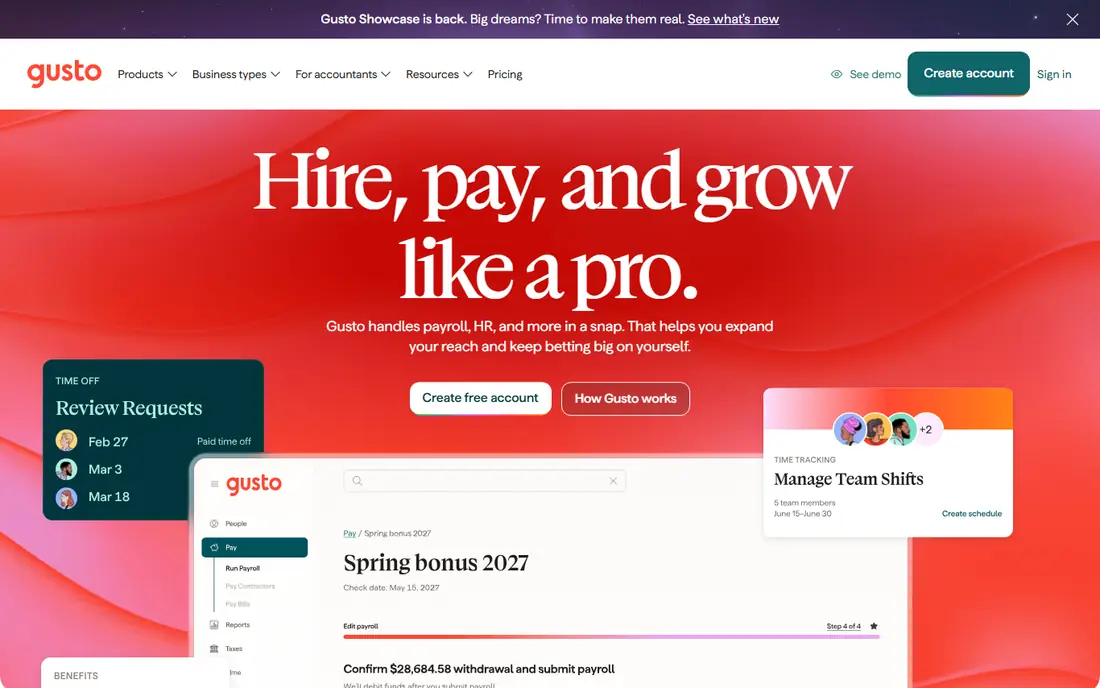
Gusto is our pick for most US small businesses that need payroll first and HR second. Its Simple plan is published at $49 per month plus $6 per person, which makes budgeting straightforward, and payroll, tax filings, and onboarding sit in the same system. New hires can enter their own details, managers can approve time off, and benefits can be handled without a separate broker for many small teams.
The weakness is scale and scope. At 25 people, Simple already costs around $199 per month, and Plus, at $80 plus $12 per person, costs far more, so the bill grows faster than the headline rate suggests. Gusto also focuses on US employment, so a team hiring abroad will need another tool. For a US team under 50 people that wants payroll done right with minimal HR staff, Gusto remains the simplest choice.
- Clear published pricing
- Payroll, tax filing, and benefits in one place
- Easy onboarding for small teams
- Per-person fees add up as you grow
- International hiring is not its strength
- Higher tiers cost much more
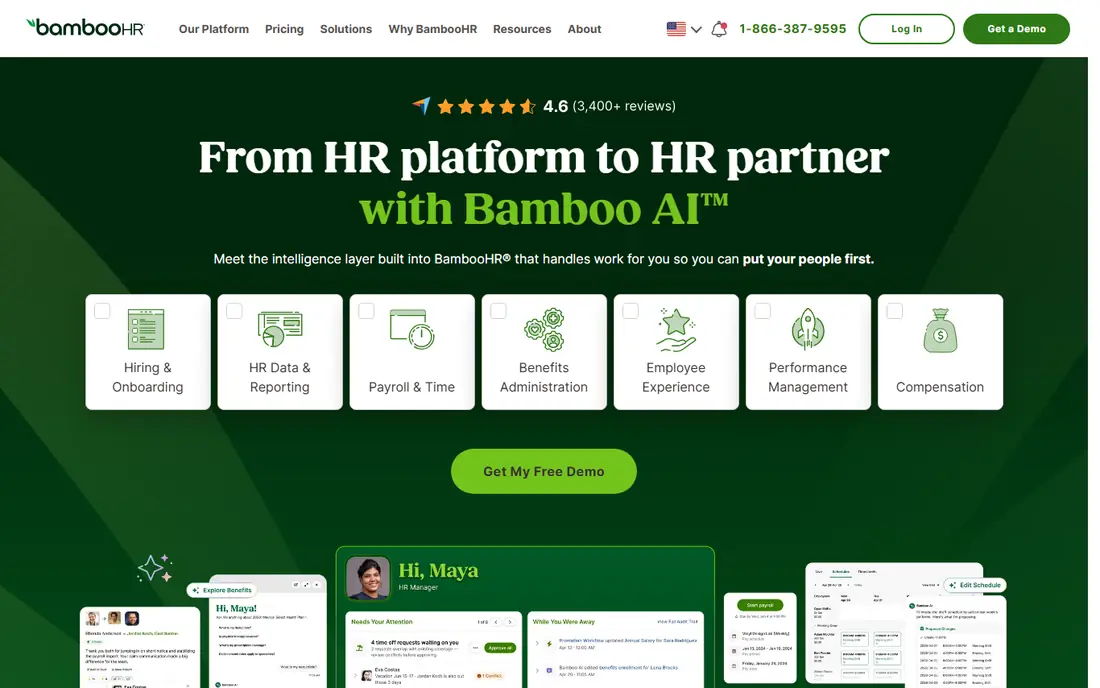
BambooHR is built around people operations rather than payroll. Its employee database, onboarding checklists, time-off tracking, and reporting are polished and easy for non-technical managers to use, which is why HR-led teams often prefer it to payroll tools that treat HR as an extra. Published guides report Core pricing around $10 per employee per month, with a flat rate from around $250 per month for teams of 25 or fewer.
The catch is that payroll costs extra, and total pricing often requires a quote, so budgeting takes a sales call. BambooHR fits best when you already have payroll covered, or when HR work, such as onboarding, reviews, and reporting, is the main pain. If payroll is your main need, Gusto or OnPay will usually cost less and get you live faster.
- Strong onboarding workflows
- Clear employee records and reporting
- Well liked by HR managers
- Payroll is a separate add-on
- Pricing is quote-led for many teams
- Can cost more than payroll-first rivals
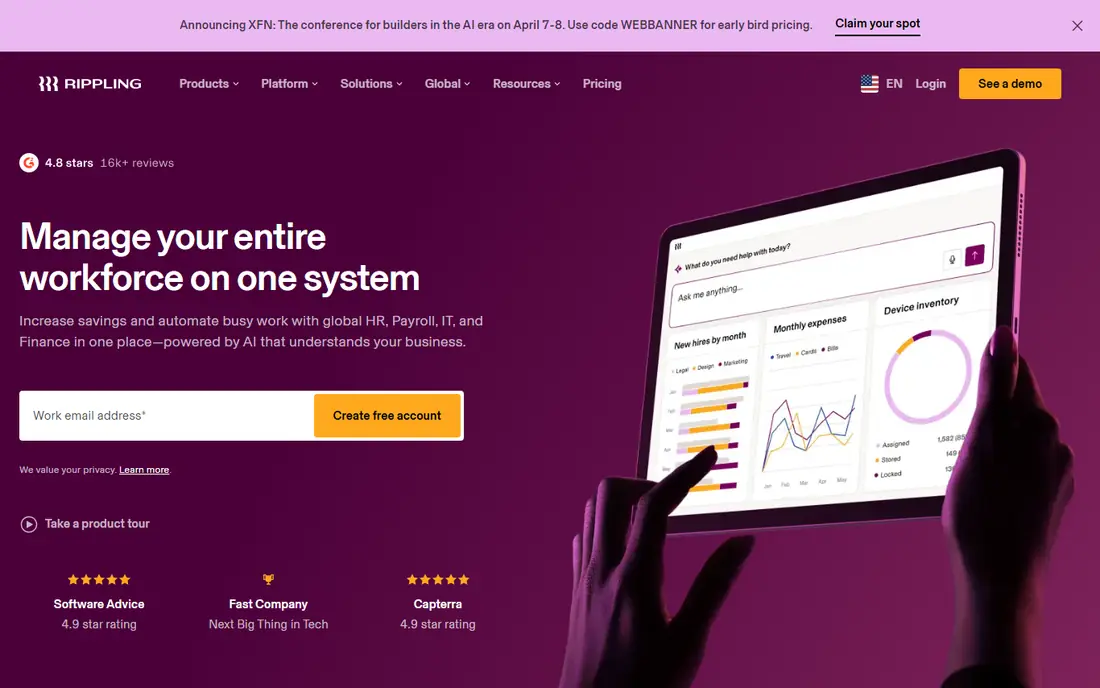
Rippling stands out when a new hire needs more than a payroll record. One onboarding flow can set up payroll, benefits, a laptop, and app access at the same time, and offboarding can revoke access just as cleanly. Its platform fee is advertised from $8 per user per month, with payroll and other modules priced on top, which makes it powerful for tech-led teams that live in many apps.
The honest weakness is total cost. A team that adds payroll, IT, and benefits modules can end up paying far more than the $8 starting figure, and comparisons estimate a full-stack bill well above a payroll-only tool. Rippling fits teams that are growing fast and that value automation across departments. A stable team of ten that only needs payroll should not pay for that power.
- Automates HR, payroll, and IT setup together
- Strong workflow automation
- Scales well past 50 people
- Modules add cost on top of the platform fee
- Full-stack pricing can rise sharply
- Setup takes more planning
OnPay appeals to owners who hate tier puzzles. It offers one core plan, published at $49 per month plus $6 per worker, with payroll, tax filing, onboarding, and time-off tools included, rather than splitting features across three tiers. That simplicity makes it easy to compare with Gusto and easy to explain to a partner or accountant.
The trade-off is depth. OnPay does not match BambooHR for HR reporting or Rippling for IT automation, and its benefits marketplace is smaller. For a small business that mainly needs accurate payroll, clean records, and simple HR tools, that is a fair trade. For a team that needs performance reviews, advanced reporting, or global hiring, look elsewhere.
- Single plan with most features included
- Published pricing at $49 plus $6 per worker
- Straightforward setup
- Fewer advanced HR tools than BambooHR or Rippling
- Benefits options are more limited
Zoho People is the budget pick that still feels like real HR software. Its free plan covers up to 5 users, which suits a startup or a micro business that needs time off, attendance, and employee records without a monthly bill. Paid plans stay low compared with US rivals, and the tool integrates with the wider Zoho suite if you already use Zoho for email, CRM, or accounting.
The weakness is polish and payroll. The interface is functional rather than delightful, and US payroll is not built into Zoho People in the same way as Gusto, so payroll needs a separate product or provider. Zoho People fits a small team that wants HR organisation first, can handle payroll elsewhere, and wants to keep costs close to zero while it grows.
- Free plan for up to 5 users
- Low paid rates from around $1.50 per employee per month in published guides
- Broad HR feature set
- Interface feels less polished than BambooHR
- Payroll requires other Zoho products
- Support quality varies by plan
Homebase is built for restaurants, shops, salons, and other businesses with hourly staff. Its free plan covers scheduling, time tracking, and team messaging for one location and up to 10 employees, which is genuinely useful and not just a trial. Managers can build rotas, staff can swap shifts from their phones, and time clock data feeds into payroll tools.
The limit is scope. Homebase is not a full HR system for salaried professionals, and its deeper HR, hiring, and payroll features sit on paid plans. If your main pain is rotas, lateness, and time tracking, Homebase is an excellent free start. If your main pain is onboarding, reviews, and benefits for office staff, Gusto or BambooHR will fit better.
- Free plan for one location and up to 10 employees
- Strong scheduling and time clock tools
- Easy for shift teams
- Full HR and payroll features require paid plans
- Not built for salaried office teams with complex HR needs
Justworks offers two different answers, and it helps to know which one you are buying. Its payroll software plan is priced around $50 per month plus $8 per employee, while its PEO plans, which make Justworks a co-employer and give access to pooled benefits, cost much more per employee. The PEO route can give a small team health benefits and HR support that it could not negotiate alone.
The catch is the PEO model itself. Co-employment means Justworks shares employer responsibilities, which some owners welcome and others dislike, and PEO pricing rises with headcount in a way that can surprise a growing team. Justworks fits a small business that wants either clean payroll software or pooled benefits with HR support, and that has checked the PEO terms carefully before signing.
- Payroll plan at $50 plus $8 per employee in published guides
- PEO option gives access to larger-group benefits
- Compliance support included
- PEO plans cost far more per employee
- Co-employment model suits some owners and not others
- Pricing varies by plan
Factorial is a lean, affordable all-in-one HR platform that has grown popular with small and mid-sized teams, especially outside the US. From around $8 per user per month, it covers time off, attendance, expenses, employee documents, and basic hiring, which gives a small team a single place for people admin without a large bill.
The weakness for US readers is payroll depth. Factorial does not match Gusto or OnPay for US payroll and tax filing, so American teams may still need a payroll provider alongside it. Factorial fits best when HR organisation is the priority, payroll is already handled, or the team is international. Check US payroll coverage directly before you commit if payroll is a must-have.
- Low starting rate in published guides
- Covers time off, expenses, documents, and hiring basics
- Simple interface
- US payroll support is thinner than Gusto or OnPay
- Higher tiers are quote-led
- Smaller US support presence
Paychex Flex suits a small business that wants payroll from a large, established provider with phone support and a long track record. Its entry pricing has been reported at around $39 per month plus $5 per employee, which keeps it competitive for micro teams, and its payroll, tax, and compliance handling is its core strength. For owners who value a support line they can call, that scale matters.
The drawback is complexity. Packages, add-ons, and pricing can be harder to follow than Gusto or OnPay, and the interface feels more corporate than modern rivals. Paychex Flex fits a payroll-first team that wants a big provider behind it and is willing to work through package options with a rep. A team that wants self-serve simplicity may prefer Gusto.
- Published entry pricing around $39 plus $5 per employee in guides
- Large support network
- Payroll and tax filing strength
- Pricing and add-ons can be confusing
- Interface feels corporate
- HR features vary by package
How we picked these
We compared official pricing pages and current 2026 pricing guides for HR platforms aimed at small businesses, and we kept only tools that are currently offered, that handle real HR or payroll work, and that fit teams well under 100 people. We priced each platform at a small-team headcount rather than quoting only a per-person rate, and we noted where payroll is included, added on, or missing. We did not claim hands-on testing, and we used "See website" where pricing is quote-led or varies by package.
How to choose HR software for a small business
Start by listing the jobs you actually need done. Payroll and tax filing, time off and scheduling, onboarding, benefits, and performance reviews are different jobs, and no low-cost tool does all of them equally well. If payroll tops the list, shortlist Gusto, OnPay, and Paychex Flex. If HR organisation tops the list, shortlist BambooHR, Zoho People, and Factorial. If you hire hourly staff, add Homebase to the list for scheduling alone.
Next, price the total at your headcount for the next year, not just today. Add the base fee, the per-person fee, payroll add-ons, and benefits costs, and ask about implementation fees and contract length. Then run a trial with two or three real hires, including a time-off request and a payroll run if the trial allows it. The tool that feels clear to your managers and your staff during that trial is usually the right one, even if a rival looks slightly cheaper on paper.
Frequently asked questions
What is the best HR software for small businesses?
Gusto is the best payroll-first pick for most US small businesses, while BambooHR is the best HR-led pick for teams that prioritise onboarding and reporting. Zoho People is the best free starting point for very small teams. The right choice depends on whether payroll, HR organisation, or scheduling is your main pain.
What is the best HR app for small business owners with hourly staff?
Homebase is the best fit for hourly teams, thanks to its free scheduling and time tracking for small locations. Gusto and OnPay also handle hourly payroll well, but Homebase solves the rota problem first. Many hourly businesses use Homebase for scheduling and a payroll tool alongside it.
What are the best HR platforms for small business with no HR team?
Gusto and OnPay suit teams with no HR staff, because payroll, onboarding, and compliance are handled in one guided system. BambooHR also works for a single HR-minded manager, but it assumes someone owns people processes. Pick the tool your owner or office manager finds easiest during a trial.
What is the best HR software for small businesses that hire abroad?
Deel is a strong option for international hiring, though it sits outside this list's core nine, and Rippling also supports global employment through its global products. Gusto and OnPay focus mainly on US employment. If you hire contractors abroad, check contractor payment, tax forms, and local compliance before you choose.
How much does HR software for small business cost?
A small team should expect roughly $50 to $250 per month for payroll-led tools at 10 to 25 people, depending on base fees and per-person rates, and more for HR-led or PEO plans. Free tiers from Zoho People and Homebase can keep costs at zero for very small teams. Always add base fees to per-person rates to get the true monthly total.
Do I need HR software if I only have five employees?
You may not need a full HR system at five employees, but payroll software and a simple record system still save time and reduce tax errors. Zoho People free and Homebase free both cover basic needs at that size. Move to a paid HR platform when onboarding, time off, and compliance start taking a manager several hours a week.
Sources
- https://saasrat.com/blog/best-hr-software-small-business-usa/
- https://www.effy.ai/blog/hr-systems-for-small-business
- https://www.spotsaas.com/blog/rippling-pricing
- https://gusto.com
- https://www.bamboohr.com
- https://www.rippling.com
- https://onpay.com
- https://www.zoho.com/people/
- https://www.joinhomebase.com
- https://www.justworks.com
- https://factorialhr.com
- https://www.paychex.com
See where you really rank - block by block
ProMapRanker scans Google Maps across a grid of your service area. Simple monthly plans from $19, white-label on every plan.
Start freeKeep reading
 zoom alternatives
Best Zoom Alternatives in 2026
Compare Zoom alternatives in 2026, with free meeting limits and prices, so you can pick the best alternative to Zoom for your team, class, or community.
Read → which software is best for remote work
Which Software Is Best for Remote Work in 2026
Answering which software is best for remote work, we compare Slack, Zoom, Asana, Notion, Teams and more, with pricing and honest tradeoffs in 2026 now.
Read → which ai tool is best for content writing
Which AI Tool Is Best for Content Writing in 2026
Wondering which ai tool is best for content writing? We compare ChatGPT, Claude, Jasper, Grammarly, and more on price, quality, and best use in 2026 now.
Read →