 ProMapRanker
Best Home Maintenance Apps in 2026

Key takeaways
- HomeZada is the broadest option for schedules, inventory, budgets, and home finances in one place.
- Homer is the closest successor to the old Centriq approach, with appliance manuals, receipts, and warranties.
- HomeBeacon suits owners who want a free start and a personalised checklist without a heavy setup.
- Thumbtack and Houzz are not trackers, but they are the best companions when a job needs a hired pro or a remodel plan.
Quick comparison
| Pick | Great for | Pricing starts at | Free tier | |
|---|---|---|---|---|
 HomeZada HomeZada | Schedules, inventory and budgets | See website | Yes | Visit |
 Homer Homer | Appliance manuals and warranties | See website | Yes | Visit |
 HomeBeacon HomeBeacon | Free personalised checklists | Free | Yes | Visit |
 Thumbtack Thumbtack | Hiring local pros | Free | Yes | Visit |
 Houzz Houzz | Remodel and renovation planning | Free | Yes | Visit |
 Tody Tody | Simple cleaning and task routines | See website | Yes | Visit |
 Sweepy Sweepy | Household cleaning schedules | See website | Yes | Visit |
The best home maintenance apps
A good home maintenance app does one job well: it reminds you before a small task becomes an expensive repair. The best choice depends on how much detail you want to track, and whether you plan to do the work yourself or hire it out.
HomeZada builds a maintenance calendar from your home systems and location, then lets you log completed work and costs against a budget. You can also photograph rooms, record appliances and warranties, and manage renovation projects with timelines. For owners who want one record of the house, that breadth is hard to beat.
The honest cost is setup. Photographing rooms and entering appliances takes an afternoon, and the full feature set has a learning curve. If you only want reminders, a simpler app will feel faster. If you want records you can hand to an insurer or a buyer, HomeZada earns its place.
- Maintenance calendar plus inventory, projects, and finances
- Exportable records for insurance
- AI assistant for property questions
- Setup takes time
- Breadth can feel complex at first
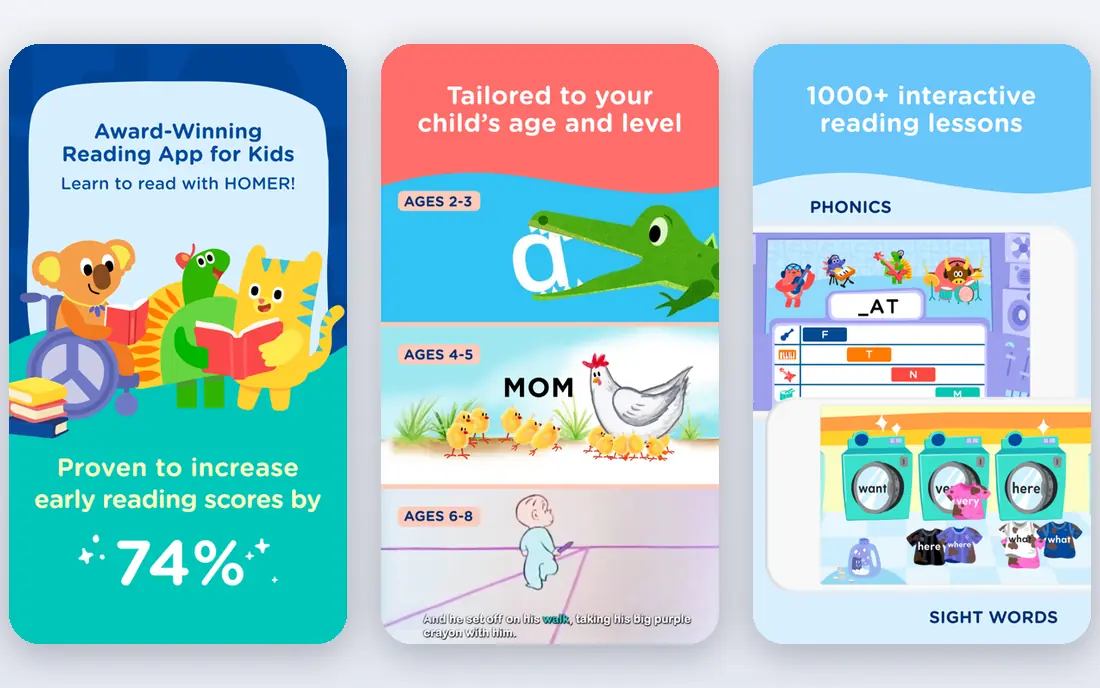
Homer is the app many former Centriq users moved to, and it covers a similar need: keep manuals, receipts, warranties, and maintenance tasks for the things you own. Its AI tools can fill in product details and create tasks from what you add, which cuts down on manual entry. A home timeline and floor plan view help you see what changed and when.
Homer is lighter than HomeZada, which is a plus for renters and owners who mainly care about appliances. The limits are a lack of a full web app and a per property charge for extra homes. For one home, though, it is a clean and modern way to stop hunting for a manual in a drawer.
- AI retrieved manuals and receipts
- Home timeline and floor plan tools
- Centriq import for past users
- No web app for desk work
- Extra homes cost more
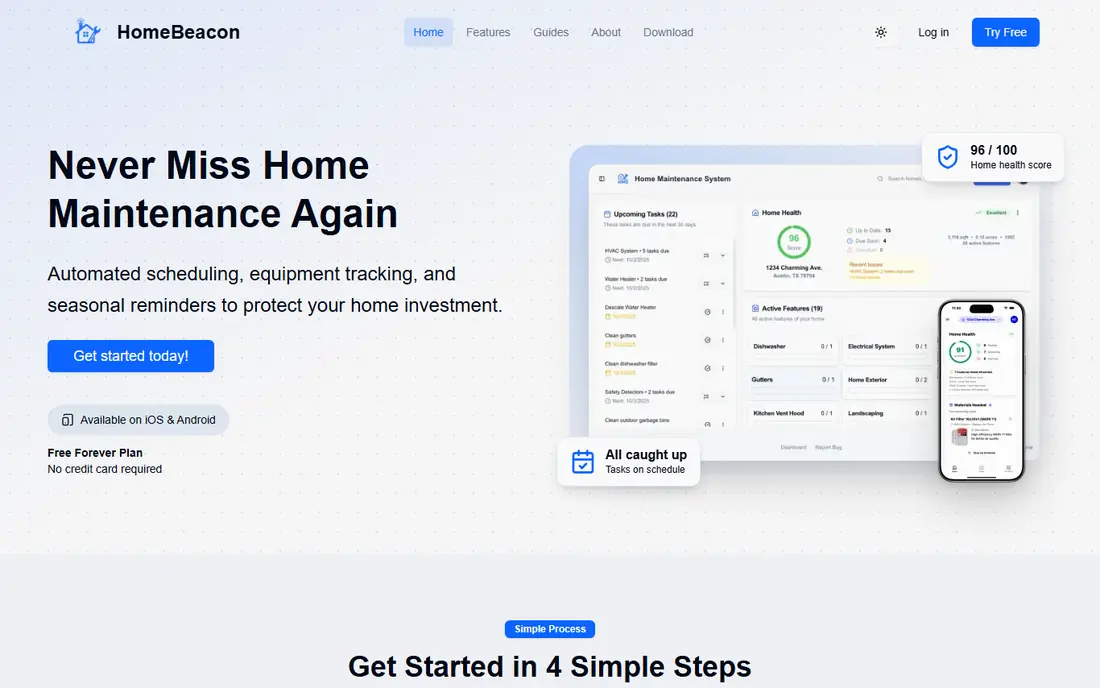
HomeBeacon starts free for one home and creates a personalised checklist based on home type and climate. That matters, because a condo owner does not need the same exterior tasks as a house owner. It also tracks equipment, inventory, warranties, manuals, and maintenance history in one flow.
It is a good first app for a new owner who does not want to pay before knowing the habit will stick. The trade off is depth. Owners who want detailed budgets and renovation project tools will still find HomeZada stronger. For reminders and records, HomeBeacon is a sensible free starting point.
- One home free
- Checklist personalised by home type and climate
- Equipment and warranty tracking
- Newer and smaller than HomeZada
- Fewer finance tools
Thumbtack is not a tracker, but it belongs here because many home tasks end with hiring someone. You describe the job, receive quotes, compare profiles and reviews, and message pros in the app. That works for plumbing, electrical work, lawn care, painting, and many other one off jobs.
Use it alongside a tracker, not instead of one. Thumbtack will not remind you that a filter is due, and it will not store your appliance manuals. Pair it with HomeZada, Homer, or HomeBeacon, and you get both the reminder and the route to a hire when you do not want to do the work yourself.
- Fast way to find and compare local pros
- Quotes from several providers
- Reviews and messaging in one place
- Not a maintenance tracker
- Pro quality varies by area
Houzz is best for a renovation or a larger improvement project rather than a filter change. Its photo library helps you define a style, its directory helps you find designers and contractors, and its project tools help you track ideas and contacts. For a kitchen or bathroom remodel, that planning layer is genuinely useful.
Do not expect Houzz to manage your routine calendar. It is a companion for projects, while a tracker handles the recurring work. Used together, Houzz plans the big job and your maintenance app keeps the rest of the house on schedule.
- Large idea library and product directory
- Pro directory for remodels
- Project planning tools
- Focused on projects, not routine maintenance
- Can push shopping
Tody turns household routines into a visual plan, with tasks shown by how overdue they are. That simple view helps families share work without a spreadsheet or a group chat argument. You can set custom intervals, assign tasks, and see what needs attention today.
Tody is not a home inventory tool, and it will not store warranties or manuals. Its strength is habit, not records. If your main problem is keeping cleaning and small routines on track, Tody is easier to stick with than a full home management system.
- Clear visual schedules
- Easy household sharing
- Flexible task intervals
- Cleaning focused
- Not built for appliance records or budgets
Sweepy builds a cleaning schedule room by room and tracks progress as tasks are completed. It suits households that want structure without learning a complex system. Sharing with family members or roommates keeps the plan visible to everyone who lives there.
Like Tody, Sweepy is narrow by design. It will not remind you about a roof inspection or store a furnace manual. If cleaning is the gap in your home routine, that narrow focus is a benefit. If you need full maintenance coverage, pair it with a tracker such as HomeBeacon or HomeZada.
- Room by room cleaning plans
- Progress tracking
- Household member sharing
- Cleaning only scope
- Limited maintenance or repair features
How we picked these
We compared official product pages, app store listings, and current guides on home maintenance tools, with attention to whether each app still works in 2026. We favoured apps with a clear maintenance, inventory, or hiring role, and we noted where an older app such as Centriq has been replaced by a successor. We did not include ProMapRanker itself in this list.
How to choose a home maintenance app
Start by deciding what you will actually update. A detailed inventory is only useful if you will photograph rooms and enter purchases. If you know you will not, pick a simple checklist app and set three recurring tasks: filters, smoke alarms, and gutters. You can add detail later.
Next, decide if you hire help often. If you do, keep Thumbtack on your phone even if your tracker is a different app. Finally, store the records that matter for insurance in one place, with photos and receipts, and export a copy at least once a year. A tracker that only lives on one phone is not a record.
Before you settle on a routine, check how each task fits your home and your schedule. Seasonal jobs such as gutter clearing, filter changes and exterior checks are easier to keep up with when they are spread across the year rather than left to one busy weekend. A simple shared list helps everyone in the household see what is due, what is done and what needs a professional. For work involving gas, electrics, roofing or structural changes, get a qualified tradesperson rather than relying on a checklist alone. Keep receipts and photos of completed work, since a clear record helps with warranties, insurance claims and resale. Review the routine once a year and adjust it for changes in the property, such as a new boiler, an extension or older occupants with different needs.
Frequently asked questions
What is the best free home maintenance app?
HomeBeacon is a strong free starting point, with one home free and a personalised checklist. HomeZada also offers a free tier for basic inventory, while Homer has a free option for manuals and tasks. Try the free tier for a month before paying for a premium plan.
Is Centriq still available?
Centriq shut down, and many of its users moved to Homer, which offers a Centriq import tool and similar manual, receipt, and warranty features. If you still have Centriq records, check Homer's import help before you start from scratch in a new app.
What is the best home maintenance app for homeowners?
HomeZada is the broadest choice for owners who want schedules, inventory, budgets, and project tools together. Homer suits owners who mainly care about appliances, while HomeBeacon suits owners who want a free and simpler start.
Can a home maintenance app help with insurance claims?
Yes, if it stores photos, receipts, purchase dates, and warranties in an exportable form. HomeZada and Homer both support that kind of record keeping. Keep a backup export outside the app, since a claim may arrive after a phone is lost or replaced.
Do I need a separate app to hire a contractor?
A tracker can remind you, but hiring is easier in Thumbtack or Houzz. Thumbtack suits one off repairs and services, while Houzz suits remodels and design led projects. Use the tracker for timing and the hiring app for quotes and booking.
Sources
See where you really rank - block by block
ProMapRanker scans Google Maps across a grid of your service area. Simple monthly plans from $19, white-label on every plan.
Start freeKeep reading
 zoom alternatives
Best Zoom Alternatives in 2026
Compare Zoom alternatives in 2026, with free meeting limits and prices, so you can pick the best alternative to Zoom for your team, class, or community.
Read → which software is best for remote work
Which Software Is Best for Remote Work in 2026
Answering which software is best for remote work, we compare Slack, Zoom, Asana, Notion, Teams and more, with pricing and honest tradeoffs in 2026 now.
Read → which ai tool is best for content writing
Which AI Tool Is Best for Content Writing in 2026
Wondering which ai tool is best for content writing? We compare ChatGPT, Claude, Jasper, Grammarly, and more on price, quality, and best use in 2026 now.
Read →